PDF Reader - PDF Editor
- 684.62K
- 4.7
- Installs
- 50.00M
- Price
- Free
Screenshots
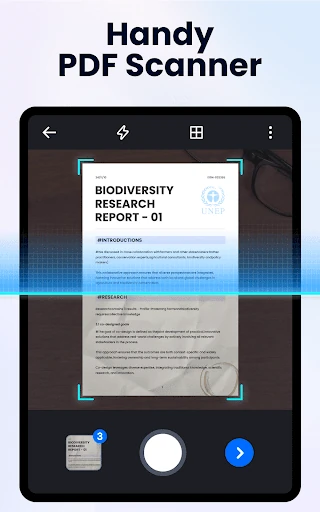
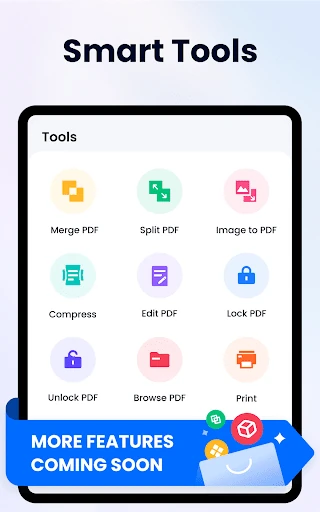
Analysis by Reviewed APKs
PDF Reader - PDF Editor is an Android app for finding, reading, organizing, and marking up PDF files on a phone. I see it as a practical fit for students, commuters, and anyone who regularly opens forms, receipts, or work documents away from a computer. After looking at its mix of reading and file tools, my overall take is that it aims to cover everyday PDF tasks in one place, with a few features worth checking against your needs.
A PDF for the commute
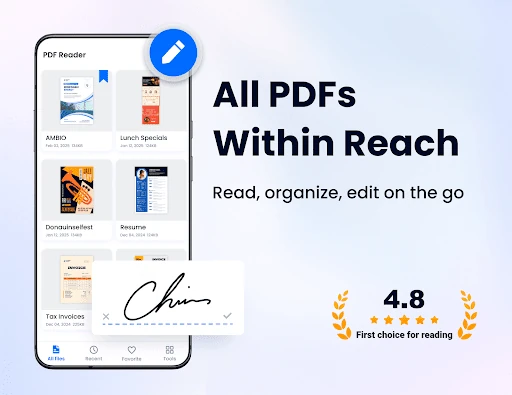
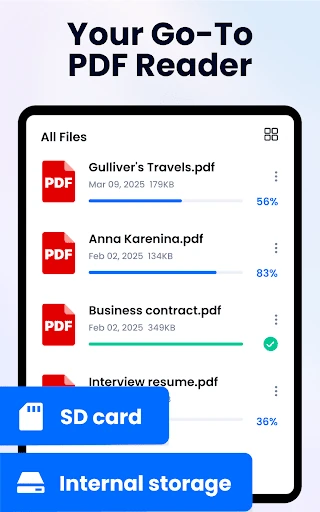
Picture a familiar weekday snag: someone sends you a PDF, and you need to check one detail before a meeting or class. With this app, the first step is finding the file on your phone; it can scan for PDFs and show them in a list, with recently opened documents available for quick reference. From there, you can search text, jump to a page, and adjust the zoom rather than pinch around blindly.
I can see the appeal in a routine like reviewing a handout on the bus, bookmarking the page I need, then adding a highlight or note before I forget the point. The app supports page-by-page and continuous scrolling, plus horizontal and vertical viewing, so there are a few ways to make a document comfortable on a small screen. When I want to send the marked-up file along, sharing is part of the toolkit too.
More than a basic viewer
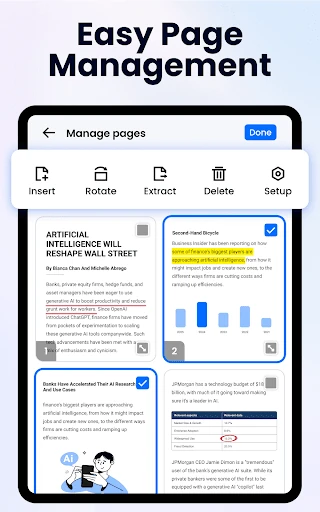
A basic PDF viewer is enough when I only need to open a file and read it. This app goes further with text search and copying, bookmarks, annotations, e-signatures, and file management tools such as renaming, deleting, and favoriting. It also offers ways to merge or split PDFs and turn images into PDFs. That breadth makes it a more useful everyday document companion than a viewer focused only on page display.
Still, I would not treat it as a full desktop publishing or office suite. Its described strengths are reading and making practical changes to PDFs, not building complex documents or replacing a computer workflow. Some capabilities, including filling forms, are described as coming soon, so I would not choose it on the assumption that every form task is already covered. It is best thought of as a phone-based reader and utility set.
Small habits that help
A little organization can make the app easier to use when your phone holds work, school, and personal PDFs together. I would favorite the documents I return to often, use the recent-files list for things I opened that day, and rename files when their original names are hard to recognize. Searching by keyword can also save time when I remember a phrase in a document but not where I saved it.
For longer reading, I would set a comfortable zoom and choose the scrolling direction that suits the document, then bookmark the page before switching apps. When reviewing a document, using a highlight for key passages and notes or underline for follow-up items gives the next read-through a clear purpose. The app also has a light and dark mode switch, so I can change the display to suit the room or time of day.
More From Our News Desk

Zoom Meetings, Google Meet, or Teams: Which Is Easiest to Join?

How I Build a Free Streaming Lineup With Tubi

Why Crunchyroll Is the Default Anime App for So Many Fans

YouTube TV: A Practical Guide to Cutting Cable

Rummikub and the Small Comfort of Phone Games

TeamViewer Remote Control or AnyDesk for Helping Family?
Who may find it useful
I would recommend PDF Reader - PDF Editor to people who regularly receive documents on their phones and want more than a plain reading screen. Students can mark up course PDFs, while office workers may appreciate being able to search, bookmark, sign, and share documents without reaching for a laptop. It can also suit anyone who keeps receipts or reference material as PDFs and wants basic file-management tools close at hand.
It may be less appealing if you only open a PDF once in a while and already have a viewer that does the job. People who need advanced document production or a complete form-filling workflow should check the available tools carefully before relying on it. The app also requests broad file access for document features on Android 11 and newer, so I would consider that permission in light of how I plan to use the app.
PDF Reader - PDF Editor is a Productivity app from Simple Design Ltd. On Google Play, it has over 50 million installs and a 4.7-star rating from around 685,000 ratings. It is free to download, with ads and optional in-app purchases. Google Play gives its content rating as Everyone. The app was released on September 23, 2021, and its listed version is 1.6.1.
The listed minimum requirement is Android 6.0, and the recorded last update is December 30, 2025. In-app purchase prices range from $9.99 to $49.99 per item. The app’s description says that Android 11 and newer users need to grant MANAGE_EXTERNAL_STORAGE access for reading and editing documents on the device. That permission is part of its stated document functionality.
A closer look at everyday PDF work
Opening and getting oriented
When I first opened a PDF app like this, the question I wanted answered was simple: can I get to the document I need without digging through folders? PDF Reader is designed to scan for PDF files on the phone and display them in a list. That puts file discovery near the center of the experience, rather than making the app just a screen for opening one file at a time.
The app’s description also points to a recent-files view, which is useful when I am moving between a few documents during the day. On Android 11 and newer, the app says it requires MANAGE_EXTERNAL_STORAGE permission to read and edit documents. That is a practical setup detail to understand before using its scanning and management features, especially if I prefer to limit apps’ access to files.
Reading through the day
The reading controls are geared toward ordinary phone use: zooming, searching for text, copying text, and moving directly to a particular page. I like that the description includes both page-by-page and continuous scrolling, because a short form and a long report do not always feel best in the same layout. Horizontal and vertical viewing modes add another choice without changing the document itself.
There is also a reflow mode for reading, along with a one-tap light or dark mode switch. Those options are useful when a PDF’s original page layout feels awkward on a phone or when I am reading in different lighting. They do not turn a dense document into effortless reading, but they give me some control over how I move through it.
Useful tools beyond reading
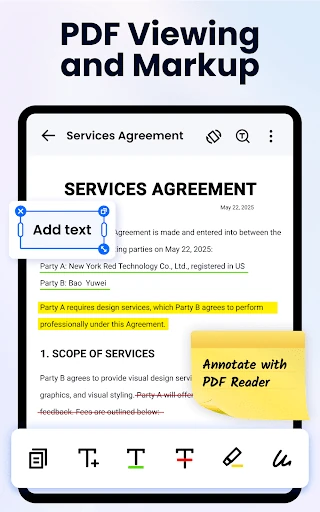
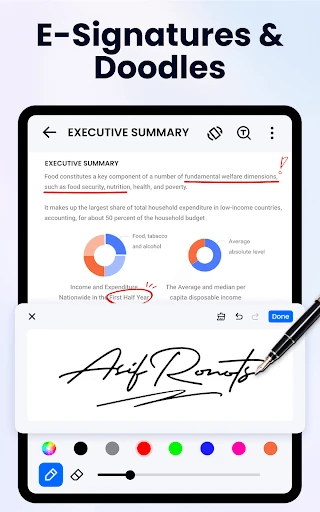
The annotation tools make the app more than a passive viewer. It supports highlighting, notes, underline, strikethrough, doodling, and other annotations, along with bookmarks for returning to particular pages. E-signatures are also part of the described feature set. For a student marking passages or a worker reviewing a document before sharing it, those tools can reduce the number of times a file has to move between apps.
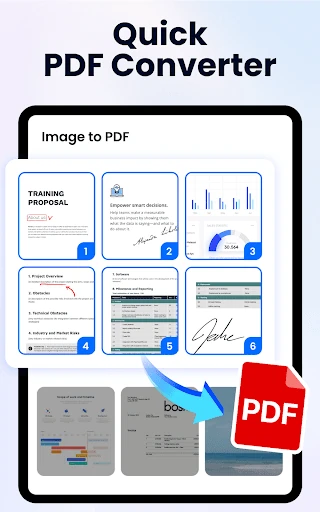
The file utilities broaden the scope further: the app can convert images to PDFs, split or merge PDF files, add text, compress files, and set a password to lock PDFs. Its description labels compression as coming soon, so I would not assume that tool is available in the current version. Printing, sharing, and routine file actions such as renaming, deleting, and favoriting are also described.
A simple review routine
For a weekly class reading, I would start by finding the PDF in the app’s list, search for the topic I need, and jump to the relevant page. I could bookmark that spot, highlight a passage, and add a note while the material is fresh. Later, the bookmark gives me a quick way back in, while the annotation helps distinguish the important section from the surrounding text.
For a document that needs to go to someone else, I would review it, add any necessary notes or signature, then use the sharing option. If the source is a photo rather than a PDF, converting an image to PDF may help keep it with the rest of my documents. The point of this routine is not to overcomplicate things; it is to use the app’s search, markup, and file tools in sequence.
Keep expectations grounded
The main limitation is the difference between a handy PDF toolkit and a full document-editing system. The app describes plenty of annotation and file tasks, but it is not presented as a replacement for desktop software when a project needs extensive layout work. Some listed plans, including filling PDF forms, are marked as coming soon. I would check what is available in the app before depending on a specific advanced task.
Ads and in-app purchases are part of the Google Play offering, even though the app is free to download. That may matter if I want an uninterrupted reading session or plan to use the app frequently. The file-access permission on newer Android versions is another consideration. These points do not rule it out, but they are worth weighing alongside the convenience of keeping PDF reading and basic management together.
PDF Reader - PDF Editor brings together the everyday jobs I want from a phone-based PDF app: finding files, reading and searching them, marking pages, and sharing or organizing documents. I especially like the combination of bookmarks, annotations, and practical file tools. It is a broad set of capabilities for someone who routinely handles PDFs on Android.
I would try it if PDFs are a regular part of my study or workday and I want editing and management tools alongside a reader. If I only need occasional viewing, or need advanced form and document workflows, I would compare it with alternatives before settling in. Its ads, optional purchases, and file-access permission are also worth considering.
PDF Reader Frequently Asked Questions
What is PDF Reader - PDF Editor used for?
PDF Reader - PDF Editor is for finding, opening, reading, and managing PDF files on an Android phone. It supports text search, page navigation, bookmarks, highlights, notes, signatures, and sharing. It also describes tools for converting images to PDFs and splitting or merging files, making it more than a basic viewer for everyday document tasks.
Which devices support PDF Reader - PDF Editor?
The app is listed for Android, with a minimum requirement of Android 6.0. Its description says Android 11 and newer users need to allow MANAGE_EXTERNAL_STORAGE access to support document reading and editing. For the latest device compatibility details, check the Google Play store listing, since requirements can vary as the app is updated.
Does PDF Reader - PDF Editor cost money?
The app is free to download and contains ads. It also offers in-app purchases, with listed item prices ranging from $9.99 to $49.99. The available purchase options may vary, so I would check Google Play for current details before buying or deciding whether the free version suits the way you plan to use the app.
Can PDF Reader - PDF Editor fill out forms?
The app description mentions filling PDF forms, but labels that feature as coming soon. It does describe e-signatures and other annotation tools, which are separate from completing a form workflow. If form filling is essential, check the current Google Play listing or app details to see what is available in the version you are considering.
Who should use PDF Reader - PDF Editor?
It may suit students, office workers, and other Android users who regularly read, search, annotate, or share PDFs on a phone. Someone who only needs occasional viewing may not need its extra tools, while advanced editing needs may call for a different workflow. The app is rated Everyone on Google Play, but suitability depends on the tasks you need it to handle.
Pros
- Combines PDF reading, text search, bookmarks, and annotations in one Android app.
- Includes practical file tools such as image-to-PDF conversion, splitting, and merging.
- Offers multiple scrolling and viewing options, plus light and dark modes.
- Recent files and favorites can make frequently used documents easier to find.
Cons
- The app contains ads and offers in-app purchases.
- Some described capabilities, including form filling, are marked as coming soon.
- Android 11 and newer users need to grant broad file access for document features.
- Category
- Productivity
- Version
- 1.6.1