Bubble Level - Level Tool
- 37.95K
- 4.8
- Installs
- 1.00M
- Price
- Free
Screenshots
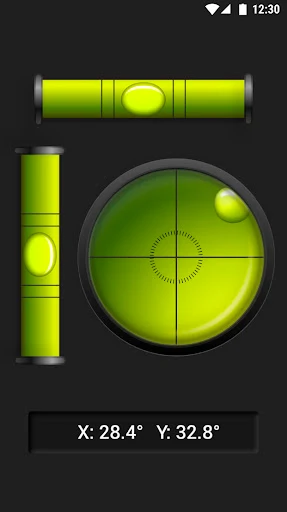
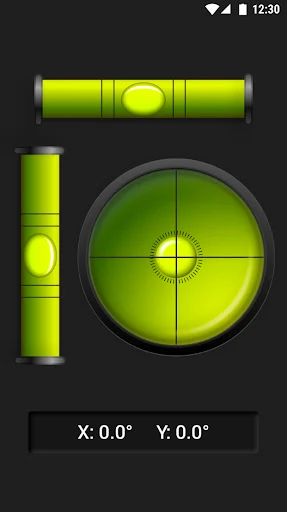
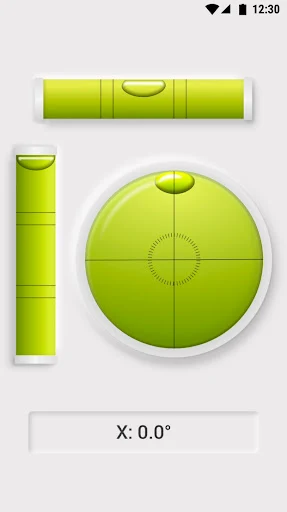
Analysis by Reviewed APKs
Bubble Level - Level Tool turns an Android phone into a handy way to check whether a surface is horizontal or vertical. It suits people hanging pictures, assembling furniture, setting up a tripod, or making small adjustments around the house. After looking at what it offers, my take is that it covers the everyday jobs well, with a few useful extras for anyone who wants more than a simple bubble indicator.
A Picture-Hanging Check
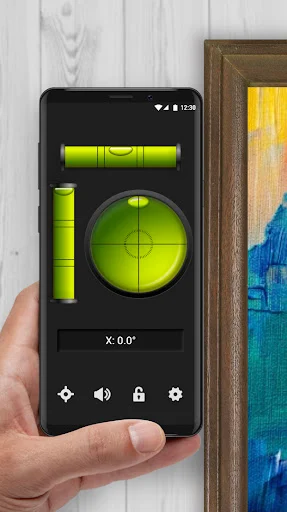
When I’m getting ready to hang a picture, the awkward part is often not finding a nail; it’s checking that the frame will look straight once it’s up. This app gives me a way to check the wall or frame with the phone I already have. I can place the phone flat on a surface or hold it against one, then watch the bubble move toward the middle as I make an adjustment.
I can imagine using it for a shelf, too: check the surface, make a small change, and check again rather than relying on a quick glance. The angle reading adds context when the bubble is off center, while the sound reminder offers a way to follow the result without staring at the screen. It is a simple tool for small, practical checks, not a replacement for careful measuring on demanding jobs.
A Handy Level, Not a Toolbox
The obvious alternative is a physical spirit level. This app is more convenient when I have my phone nearby and the job is modest, such as checking a picture frame, a table, or a tripod. It also includes a clinometer and a bull’s-eye level, so it can cover more than one kind of angle check. For an occasional household adjustment, that makes it a useful tool to keep within reach.
Still, I would not treat a phone app as a full toolbox or assume it suits every construction task. Its method depends on placing or leaning the phone against the surface being checked, and the app does not turn a quick reading into a complete measurement plan. For larger projects, a dedicated physical tool may be more practical. This is best thought of as an accessible helper for everyday leveling.
Make Checks More Deliberate
A small routine helps: decide whether I’m checking a horizontal surface or a vertical one, position the phone accordingly, and wait for the bubble to settle before making a judgment. If I’m adjusting an object, I can make one small change at a time and check again. That is more useful than trying to correct everything in one go, especially when I’m working alone and need to keep the object steady.
Calibration and reset functions are worth keeping in mind, as are the relative and absolute calibration options. I’d take a moment to understand those controls before relying on a reading for a particular task. Screen lock can help avoid changing directions during a check, while the sound reminder may be useful if I’m looking at the object rather than the display. Dark and light modes make it easier to choose a screen appearance that suits the moment.
More From Our News Desk

Zoom Meetings, Google Meet, or Teams: Which Is Easiest to Join?

How I Build a Free Streaming Lineup With Tubi

Why Crunchyroll Is the Default Anime App for So Many Fans

YouTube TV: A Practical Guide to Cutting Cable

Rummikub and the Small Comfort of Phone Games

TeamViewer Remote Control or AnyDesk for Helping Family?
Who May Find It Useful
I’d recommend Bubble Level - Level Tool to anyone who occasionally hangs decorations, assembles furniture, checks a table, or sets up a camera tripod. It is particularly appealing when the alternative is pausing a small job to find a dedicated level. The extra clinometer and bull’s-eye level give curious users a few more ways to check angles, while the basic bubble-level idea remains easy to understand.
It may be less appealing to people who want a dedicated physical tool for frequent or demanding work, or who prefer not to use a phone as a measuring aid. The app’s usefulness also depends on being able to place or lean the phone against the surface. If all you need is a basic check now and then, though, its focused purpose is easy to appreciate.
Bubble Level - Level Tool is a Tools app from Simple Design Ltd. Google Play shows over one million installs and a 4.8-star rating from about 38,000 ratings. The app is free to download, contains ads, and offers in-app purchases. The listed price for an in-app product is $2.99 per item.
The app has an Everyone content rating. Its listed version is 1.0.7. It was released on November 7, 2021, and its last update is dated August 20, 2026. The supplied app details do not give a minimum Android version, so check Google Play for compatibility with a particular device.
A Closer Look at Everyday Leveling
Getting Started
The premise is easy to grasp: a phone can act as a level when laid on a surface or leaned against it. When I first opened an app like this for a household task, I’d want to get straight to the reading rather than work through a long setup. Here, the feature set is centered on that practical job, with calibration and reset controls available for users who want to adjust how they take readings.
The app is not limited to one orientation. It provides horizontal and vertical level tools, and it can show an angle while indicating whether the bubble is centered. That gives me a clear starting point for checking a frame or tabletop. I’d still take a moment to position the phone consistently, since the reading is only useful if the device is held or placed against the surface in the intended way.
The Everyday Reading
The central interaction is straightforward: put the phone flat on a surface or hold it against one, then watch the bubble. When it reaches the middle, the app indicates that the surface is horizontal or vertical, depending on how I’m using it. The angle is shown as well, so I can see more than a simple yes-or-no result while I adjust an object.
That makes the app suited to short, iterative tasks. I can check a shelf, make a small adjustment, and check once more. The sound reminder is a thoughtful option when my attention is on the object rather than the display. It doesn’t change the basic process, but it can make a hands-on check a little easier to follow without repeatedly looking down at the screen.
More Than One Level
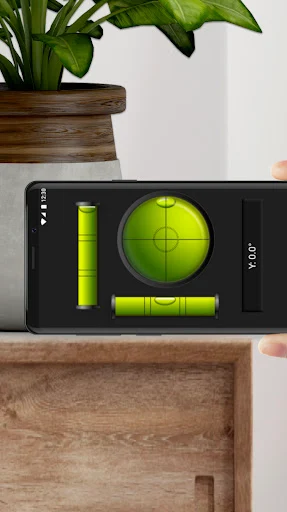
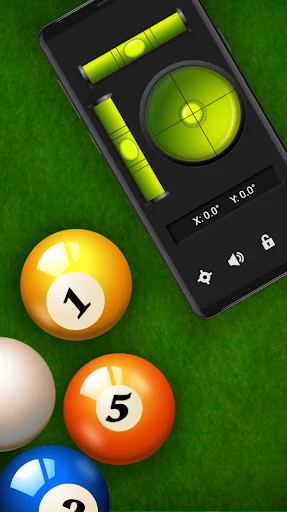
The bull’s-eye level is one of the more useful additions to the standard horizontal and vertical view. It is designed to check across a plane, which suits situations where I want to see whether a surface is level in more than one direction. The app also includes a clinometer, extending its purpose to checking inclination angles rather than only looking for a centered bubble.
I also like that the feature list includes screen lock, calibration and reset functions, plus both relative and absolute calibration. Those options suggest room to adapt the tool to different checks, though a casual user can keep the task simple. Dark and light modes offer a choice of appearance. These are practical extras around the main leveling job, rather than unrelated features that make the app harder to understand.
A Small Home Routine
For a picture frame, I’d use the app as part of a simple check-and-adjust routine. I would hold the phone against the frame or use it on a surface, note where the bubble sits, and make a small correction. Then I’d check again before calling the job done. If I were putting together a shelf, the same basic pattern would help me assess the surface as I work.
For a tripod, the clinometer and level functions offer another everyday use: set the tripod where it needs to go, check its position, and adjust it before setting up the camera. Outdoors, the same idea can apply to a picnic table or camping vehicle. These are small moments where having a level on the phone may be more convenient than searching for another tool.
Keep the Tool in Perspective
The biggest practical limitation is that the phone has to be positioned against the thing being checked. That is manageable for many household objects, but it may be awkward when the surface is hard to reach, too small, or unsuitable for placing a phone on it. I’d think through the contact point before starting, especially if keeping the phone steady is difficult.
Calibration options are useful, but they also mean it is sensible to understand the chosen setting before treating a reading as meaningful. The app can help with basic leveling and angle checks; it does not remove the need to use judgment about the task itself. For occasional household jobs, that is a fair trade. For demanding work, I’d choose a tool made for the specific job.
Bubble Level - Level Tool has a clear purpose and a sensible range of uses, from hanging a picture to checking a tripod. I like that it combines familiar bubble-level behavior with a clinometer, bull’s-eye view, sound reminder, and calibration options without changing the basic idea.
I’d recommend it to people who want a convenient phone-based level for occasional home or hobby tasks. Those who need a dedicated instrument for frequent or demanding work may prefer a physical level. For quick checks when a phone is already at hand, this app is a practical option.
Bubble Level Frequently Asked Questions
What is Bubble Level - Level Tool used for?
Bubble Level - Level Tool helps check whether a surface is horizontal or vertical and can show an inclination angle. It can be used for everyday tasks such as positioning a picture frame, assembling a shelf, or setting up a tripod. Its features also include a clinometer and a bull’s-eye level for checking across a plane.
Which devices can run Bubble Level - Level Tool?
Bubble Level - Level Tool is an Android app available through Google Play. The supplied app details do not specify a minimum Android version, so compatibility may vary by device and software. Check the Google Play entry for the requirements that apply to your phone or tablet.
Is Bubble Level - Level Tool free?
The app is free to download, but it contains ads and offers in-app purchases. A listed in-app product costs $2.99 per item. The exact purchase options may vary, so check Google Play for the current details before deciding whether to buy anything.
Does Bubble Level - Level Tool need a physical level?
The app is designed to use the phone itself as a level: lay it flat on a surface or lean it against one to check the bubble and angle. A separate physical level is not required for the app’s basic use, though a dedicated tool may suit some jobs better.
Who should try Bubble Level - Level Tool?
It may suit people who occasionally hang pictures, assemble furniture, check tables, or set up a tripod and want a level on their phone. Its horizontal, vertical, clinometer, and bull’s-eye tools cover several kinds of checks. People who need a dedicated instrument for frequent or demanding work may prefer a physical level.
Pros
- Covers horizontal and vertical checks, plus inclination angles and bull’s-eye leveling.
- Sound reminders can help when attention is focused on the object being adjusted.
- Calibration, reset, screen lock, and display modes add useful flexibility.
- Useful for small household, photography, and outdoor leveling tasks.
Cons
- Using the phone requires placing or leaning it against the surface being checked.
- Ads and optional in-app purchases are part of the free app.
- A phone-based tool may not suit frequent or demanding leveling work.
- Category
- Tools
- Version
- 1.0.7