- 187.23M
- 4.6
- Installs
- 10.00B
- Price
- Free

Screenshots



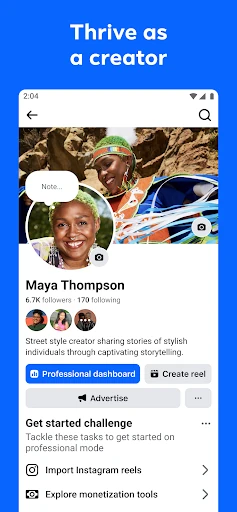
Analysis by Reviewed APKs
Facebook is a social app for keeping up with friends, joining communities, watching short videos, and exploring interests through features such as Groups and Marketplace. I find it most useful when I want several kinds of social activity in one place, rather than a single-purpose tool. Its breadth is appealing, though the busy mix of content means it takes a little attention to shape the experience around what I actually want.
A quick daily catch-up
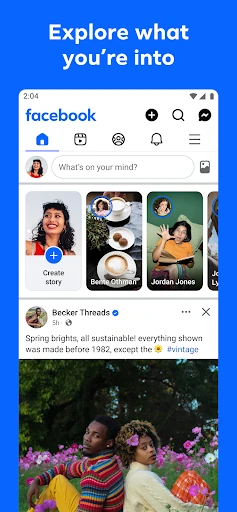
When I first opened Facebook, I pictured a familiar check-in: scan the Feed, see what friends have shared, and perhaps reply to a post. That remains a natural way to use it. On a quiet morning, I can catch up with friends, spot a conversation in a Group, and send someone a post that made me think of them, all without switching between separate social apps.
The app stretches beyond that routine when curiosity takes over. I might browse Reels during a short break, look through Marketplace for something related to a hobby, or search Facebook for a topic I want to explore. Those activities sit alongside friend updates, so the app can turn a quick visit into a longer wander. I appreciate that range, but it also makes it easy to lose track of why I opened it.
More than a friend feed
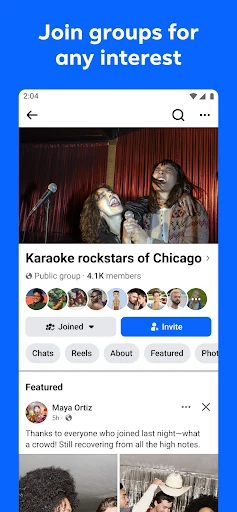
Facebook works best for me as a broad social hub. Its combination of friends, Groups, creators, Reels, Marketplace, messaging, and calls gives it more range than an app focused only on short videos or private messages. If people I care about already use it, having their updates and shared interests together can be genuinely convenient. Groups are particularly useful for conversations with people who have experience in a shared topic.
That variety is also a reason not to treat Facebook as a focused productivity tool or a dedicated shopping service. Marketplace supports browsing and buying from other people, but the app’s wider purpose is social connection and discovery. Reels can entertain, and search can surface interactive results, but I would not open the app expecting a carefully bounded reading session. It suits browsing and participation more than a single, tightly defined task.
Make the feed yours
A small habit that helps is to use Feed personalization when I notice too much content that does not interest me. Facebook describes options for seeing more of what I like and less of what I do not. I find it more useful to make those adjustments as I browse than to expect the app to feel perfectly tailored from the first visit. The Feed is a mix, and my preferences can shift with my interests.
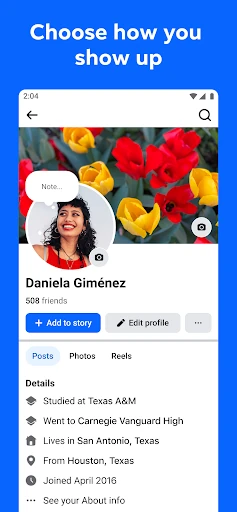
I also get more from the app when I choose a purpose before opening it. I might check a particular Group, message a friend about a Reel, or look for a specific kind of item on Marketplace. That keeps the different sections from competing for my attention. Profile settings let me choose how I present myself and who sees my posts, so it is worth thinking about those choices before sharing widely.
More From Our News Desk

Zoom Meetings, Google Meet, or Teams: Which Is Easiest to Join?

How I Build a Free Streaming Lineup With Tubi

Why Crunchyroll Is the Default Anime App for So Many Fans

YouTube TV: A Practical Guide to Cutting Cable

Rummikub and the Small Comfort of Phone Games

TeamViewer Remote Control or AnyDesk for Helping Family?
Who will get the most from it
I would recommend Facebook to people who want one app for keeping up with friends, finding interest-based communities, sharing updates, and browsing video. It is especially useful when the people or Groups they care about are already active there. Someone who enjoys moving between conversation, entertainment, and discovery may appreciate that range, while Marketplace adds another practical reason to check in.
It may be a poor fit for someone who wants a quiet, single-purpose experience or prefers to avoid a constantly changing social feed. The app includes ads and several kinds of content, so browsing can feel busy. I would also suggest being deliberate about what to share and who can see it. People seeking only private messaging, a focused video player, or a simple local marketplace may prefer a more specialized app.
Facebook is developed by Meta Platforms, Inc. On Google Play, it has over 10 billion installs and a 4.6-star rating from around 187 million ratings. The app is free to download and use, contains ads, and offers in-app purchases. Google Play lists in-app product prices from $0.05 to $10,000.00 per item, so the available purchases and prices can depend on the item.
Google Play gives Facebook a Teen content rating. Its Android version varies with the device, and the current app version is also listed as varying with device. The store records October 27, 2026 as the last update date. No specific minimum Android version or original release date is provided in the available app details.
A Social App With Many Directions
A familiar starting point
My first impression was of an app that assumes I may want to do several different things in one visit. The Feed gives me a starting point for friends and other updates, while the wider set of features reaches into video, Groups, search, and Marketplace. That makes the app feel immediately useful, though there is more to take in than there would be in a narrowly focused social tool.
I would start by deciding what I want Facebook to do for me: keep me in touch with friends, help me find communities, or give me a place to browse. The app supports all of those uses, but a little intention helps. I would also take time to personalize the Feed and review profile choices about how I appear and who can see my posts.
The everyday experience
In day-to-day use, Facebook often works as a sequence of small check-ins. I can scan the Feed, react or reply to something, then move to a Group where people are discussing a shared interest. If a friend sends a post privately, messaging keeps that conversation connected to the content. The app’s social value depends in part on whether the people and communities I care about are active there.
The same variety can make a casual visit feel less directed. A Reel can lead to another video, while a Marketplace browse or a search can take me somewhere else entirely. I like being able to follow those threads when I have time, but I try to keep a particular reason for opening the app in mind. Otherwise, the abundance of things to look at can turn a quick catch-up into an extended scroll.
Tools beyond the Feed
Groups are one of Facebook’s more practical features for me. They give people a place to share tips and discuss experiences around an interest, which can be more useful than a general stream of updates. Marketplace offers a different kind of discovery: browsing items that might suit a hobby or catching sight of a local find. These features broaden the app’s role without replacing its central purpose as a social network.
Reels add short-form video, with content that reflects interests, while search can return more interactive results for a topic. Facebook also supports voice and video calls with friends. I like that a shared post can lead into a conversation rather than ending at a reaction. Those options make the app feel like a collection of connected social activities, not just a place to publish status updates.
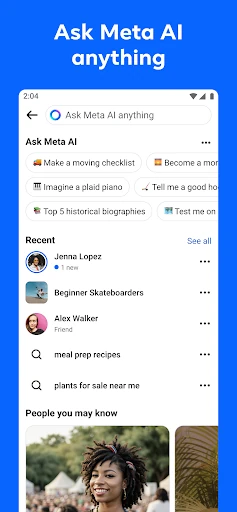
For sharing, Facebook includes Stories and tools for creating Reels, including trending templates and editing options. It also describes generative AI features for making custom stickers and images. I see those as creative extras rather than the reason to use the app. Their usefulness depends on whether I want to make something playful to share with friends, rather than simply catch up or talk.
A routine that works
One routine I can imagine sticking with is a short morning check-in: look over friend updates, visit one Group I follow, and respond to anything that deserves a reply. If I have a particular interest on my mind, I can use search or browse related Reels rather than letting the Feed choose the whole session. That mix gives Facebook a clear job without requiring me to explore every feature each time.
Later, I might use messaging to send a post directly to a friend or make a voice or video call to catch up. On a weekend, Marketplace could be worth browsing for something connected to a hobby. I would treat these as separate intentions, not as a checklist. The app’s different areas are easier to enjoy when I choose one or two that match the time I have.
Trade-offs to consider
Facebook’s main limitation is the sheer mix of content and activities. Friends’ updates sit alongside Reels, Groups, creators, search, and other material, so the Feed may not always feel like a tidy summary of what matters most. Personalization can help steer it, but I still find that a focused visit takes some self-direction. People who prefer one clear purpose per app may find this breadth distracting.
The app also contains ads, and its in-app purchases mean the experience includes more than free social features. The listed range for individual in-app products is broad, so I would check Google Play for details relevant to a purchase. Features may differ by country or region, too. That is worth bearing in mind if I am planning to rely on a particular option, such as a sharing or discovery feature.
Privacy choices deserve attention because the app includes tools for posting and customizing a profile. Facebook lets people decide how they show up and who sees their posts, but it is still up to me to make choices that suit what I want to share. I would not treat a social profile as a private diary. A little care makes the wide sharing options easier to use comfortably.
After spending time with Facebook, I see its strength as range: friends, communities, short videos, messaging, calls, search, and Marketplace all have a place. That can make it a convenient daily social hub, especially when the people I want to reach are already there. The trade-off is a busy experience that rewards some attention to Feed preferences and personal boundaries.
I recommend it to people who enjoy an active, multi-purpose social network and want several ways to connect or explore. If you want a calmer or more specialized app, Facebook may feel like too much in one place. I would try it with a clear idea of what I want from it, then shape my Feed and sharing choices around that.
Facebook Frequently Asked Questions
What is Facebook used for?
Facebook is a social app for connecting with friends and communities, sharing posts and Stories, browsing Reels, and messaging or calling people. It also includes Groups for shared interests, Marketplace for browsing items, and search for exploring topics. The exact features available can vary by country or region.
Which devices can I use Facebook on?
The app is available on Android through Google Play. The details here do not specify a minimum Android version, and compatibility can depend on the device. Check the Google Play store page on the device you plan to use for current availability and requirements.
What Android version does Facebook require?
The Android version for Facebook is listed as varying with device, and a specific minimum version is not provided in the available details. Requirements can change with updates and device compatibility, so check the Google Play store page for the current information that applies to your phone or tablet.
Does Facebook cost money or have in-app purchases?
Facebook is free to download and use, but it contains ads and offers in-app purchases. Google Play lists in-app product prices from $0.05 to $10,000.00 per item. What is offered and the price of a particular item may vary, so check the store before making a purchase.
Is Facebook a good fit for me?
It may suit you if you want a mix of friend updates, interest-based Groups, video, messaging, and Marketplace in one social app. It may be less appealing if you prefer a quiet, focused experience or do not want ads in your social feed. Consider your sharing preferences and the content you want to see.
Pros
- Combines friend updates, Groups, Reels, messaging, calls, and Marketplace in one app.
- Groups make it easy to find conversations around shared interests.
- Feed personalization can help emphasize content that better matches your interests.
- Supports several ways to share, from Stories to Reels and custom creative tools.
Cons
- The many content types can make a quick check-in turn into a long browse.
- Ads appear in an experience that already has plenty competing for attention.
- Some features may not be available in every country or region.
- Category
- Social