Google Photos
- 54.21M
- 4.4
- Installs
- 10.00B
- Price
- Free

Screenshots
Analysis by Reviewed APKs
Google Photos is a photo and video library for backing up, organizing, editing, searching, and sharing everyday memories. I see it suiting anyone whose camera roll has outgrown the phone’s default gallery, especially people who want to find old pictures without scrolling for ages. After spending time with its mix of automatic organization and practical editing tools, my take is that it works best as a convenient all-round photo home, with storage limits worth keeping in mind.
Finding Last Weekend’s Photos
Picture getting home from a day out with a phone full of pictures: a few good portraits, several near-duplicates, and screenshots mixed in. Google Photos is built for that familiar mess. With backup enabled, it can bring photos and videos together in one place, arrange similar images into stacks, and let me search using a description rather than relying only on dates or album names.
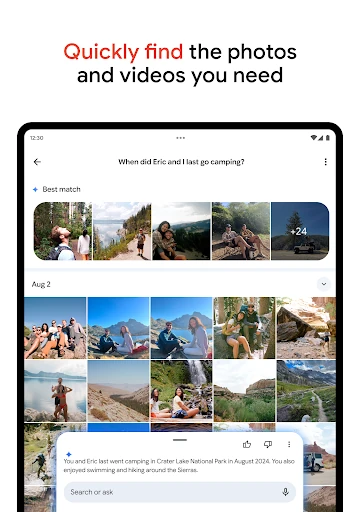
When I first considered that kind of search, the appeal was easy to understand. Instead of remembering whether I took a picture on Saturday or Sunday, I could try a phrase describing what is in it, such as a lake, a pet, or a person laughing. The app is designed to interpret natural descriptions, which makes finding a specific memory feel less like filing paperwork and more like asking for it.
A Gallery, Not a Camera
The obvious comparison is the gallery already on a phone. A basic gallery is often enough for browsing recent shots and making simple folders; Google Photos adds cloud backup, descriptive search, sharing, and a broader set of editing options. It also helps collect images from other galleries and devices when backup is on, which can be useful if memories are scattered across more than one source.
That broader role does not make it a replacement for every photography tool. Its described strengths are managing and improving pictures after they have been taken, not controlling a camera or serving as a specialist editing workstation. I would choose it to keep a camera roll searchable and share an album, rather than expecting advanced manual editing controls or a dedicated professional photo workflow.
Small Habits That Help
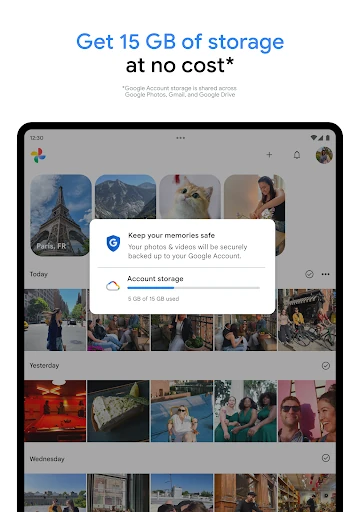
A useful habit is to decide whether automatic backup fits my needs, then check how much account storage the library uses over time. Google accounts include up to 15 GB shared across Photos, Gmail, and Drive, so it is sensible to treat that figure as a combined allowance rather than a Photos-only bucket. Some countries have a different starting allowance, and the app’s description explains that this can vary.
I would also use the app’s organization tools as I go instead of waiting for a spring-cleaning session. Similar-photo stacks can reduce the clutter of repeated shots, while albums give chosen pictures a more deliberate home. If I need space on the phone, the app can remove backed-up photos from device storage. I would check that a photo is backed up before using that option.
Reads About Google Photos
More From Our News Desk

Zoom Meetings, Google Meet, or Teams: Which Is Easiest to Join?

How I Build a Free Streaming Lineup With Tubi

Why Crunchyroll Is the Default Anime App for So Many Fans

YouTube TV: A Practical Guide to Cutting Cable

Rummikub and the Small Comfort of Phone Games

TeamViewer Remote Control or AnyDesk for Helping Family?
Who Will Get the Most From It
I would recommend Google Photos to people who take pictures often and want a convenient way to revisit them, search by what they show, and share selected photos or albums with contacts. It should also appeal to anyone who regularly runs short on phone space and is comfortable backing up images to a Google account. The editing tools add practical value for quick fixes without making the app only about editing.
It may be less appealing if you want a completely offline library, need more storage than your account allows without considering the wider account allocation, or prefer to manage every file manually. People who need highly specialized image editing may also want a dedicated editor alongside it. I see Google Photos as a flexible everyday library, not a promise that storage is unlimited or a substitute for every photo tool.
Google Photos is a photography app from Google LLC. On Google Play, it has more than 10 billion installs and a 4.4-star rating from around 54.2 million ratings. The app is free, with no in-app purchases or ads according to its store details, and its content rating is Everyone.
The app’s listed version varies with device. Its release date is May 28, 2015, and the supplied store details give October 28, 2026, as the last update date. The Android minimum version is not included in the available specifications, so anyone checking compatibility should refer to Google Play for the requirement shown for their device.
A Closer Look at Everyday Photo Life
A Familiar First Impression
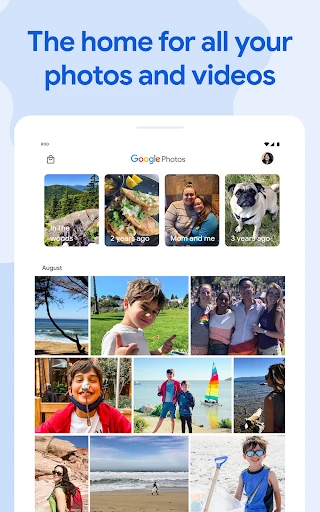
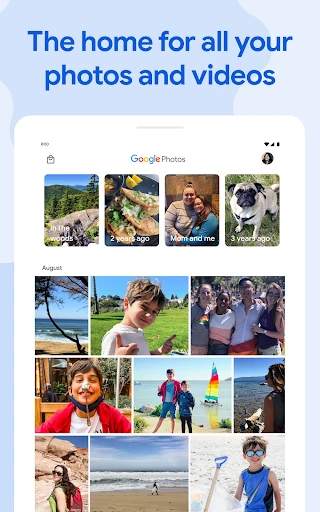
Google Photos makes the most sense when I think of it as a home for pictures and videos, rather than simply another folder on a phone. Its central promise is straightforward: gather memories, help me find them, and make it easier to share or touch them up. The first impression is practical rather than complicated, with the main appeal becoming clearer as a library grows.
Getting started means deciding whether to use backup and understanding that account storage is shared with Gmail and Google Drive. That small detail matters more than it might seem. The included allowance is up to 15 GB for a Google account, though the description notes a different arrangement in some countries. I would make that storage context part of setup, not a surprise discovered after months of taking pictures.
Everyday Browsing and Search
A photo library earns its keep when I can retrieve something specific without a long hunt. Google Photos supports natural, descriptive searches, so the idea is to describe a scene or person rather than remember the exact date. That is a useful change from scrolling through a camera roll one month at a time, especially when the search clue is a place, activity, or moment.
Organization also works in the background. Similar pictures can be grouped into stacks, and the app offers folders for things such as screenshots and documents, alongside albums and camera-roll organization. Those tools do not remove the need to choose favorites or decide what belongs together, but they can make a busy library feel less like an undifferentiated stream of recent shots.
Editing and Memory Tools
The editing features are aimed at common imperfections rather than an elaborate editing session. Magic Eraser can remove unwanted distractions, Unblur is intended to improve out-of-focus photos, and Portrait Light can adjust lighting and brightness. I like that these are concrete fixes for pictures I might otherwise leave untouched, though the app’s description does not make them a substitute for careful photography or specialist editing.
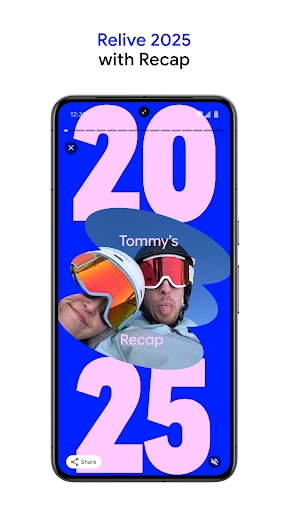
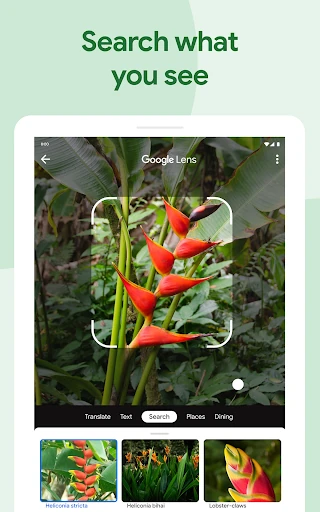
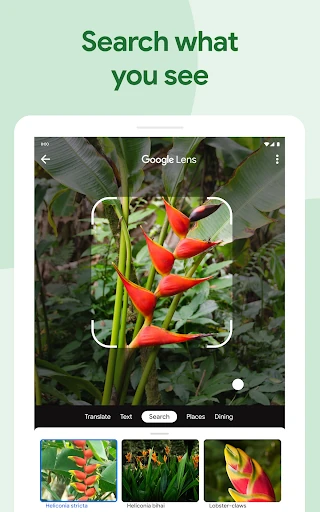
Google Lens adds another practical angle by letting people identify text and objects in photos, learn more, and take action. For memories, the app can also bring favorite moments back into view and share photos, videos, or albums with contacts, including people who do not use Google Photos. Together, those features give the library jobs beyond storage: it can help me revisit, interpret, and pass along pictures.
A Simple Weekly Routine
A routine I can imagine is opening Google Photos after a busy weekend, letting backup handle the gathering, and using search to pull up a few shots worth keeping close. I could group a selection into an album for friends or family, then use a quick edit on a picture with an unwanted distraction or poor lighting. That is a manageable way to make the library useful without turning photo management into a project.
If the phone is running low on space, the free-up-space option offers another step: remove photos from device storage after they have been backed up. I would treat the backup check as part of the routine, not an optional afterthought. The point is to make room locally while keeping the stored version available in Google Photos, rather than deleting pictures casually and hoping they are safe.
Storage and Other Boundaries
The clearest limit is storage. The 15 GB Google account allowance is shared with Gmail and Drive, so photos are competing with other account data rather than using a separate Photos allocation. The description also says that some countries start with 5 GB, with an option to unlock another 10 GB by adding a phone number. Anyone with a large camera roll should keep that shared limit in mind.
Some features depend on particular circumstances: backup needs to be on to gather material from other apps, galleries, and devices, and removing backed-up items from the phone depends on those items having been backed up. Printing services, including photo books, prints, and canvas wall art, are available only in the US, EU, UK, and Canada, with prices varying by product. Those details make it a useful general library, but not a one-size-fits-all service.
Google Photos makes a strong case for itself through practical everyday jobs: finding a picture by describing it, tidying similar shots, making quick edits, sharing albums, and freeing phone space after backup. I especially like the way its search and organization address the small frustrations that build up in a crowded camera roll.
I would recommend it to Android users who want an accessible, feature-rich place for their memories and are comfortable with Google account storage. I would be more cautious if storage is already tight or if a fully manual, offline-first workflow matters most. Keep the shared allowance in view, and it is a capable everyday photo companion.
Google Photos Frequently Asked Questions
What is Google Photos used for?
Google Photos is used to store, organize, search, edit, and share photos and videos. Its features include descriptive search, similar-photo stacks, albums, quick editing tools, and a locked folder protected by the device screen lock. With backup enabled, it can also bring photos from other apps, galleries, and devices into one place.
What devices and platforms support Google Photos?
The supplied store information is for the Android app on Google Play. It is intended for Android devices, and its version can vary with the device. For the Android version required by a particular phone or tablet, check the Google Play store details for that device, since the minimum requirement may vary.
What Android version does Google Photos require?
The Android minimum requirement can vary by device and app version, so check the Google Play store page on the device you plan to use. The supplied version information says the app version varies with device. A phone or tablet’s compatibility details in Google Play are the best place to confirm whether it can install the current release.
Does Google Photos cost money or have in-app purchases?
Google Photos is free to download, and its store details say it has no in-app purchases or ads. A Google account includes up to 15 GB of storage shared across Photos, Gmail, and Drive, although the description notes that the included amount can differ in some countries. Printing products have separate prices that vary by product.
Is Google Photos a good fit for my photo library?
It is a good fit if you want searchable photo storage, automatic organization, simple edits, and straightforward sharing in one app. It may be less suited to someone who wants a fully offline or manually controlled library, or who needs specialized editing. Consider the shared Google account storage allowance if you have a large collection.
Pros
- Natural-language search makes finding a remembered scene easier than scrolling through every date.
- Stacks, albums, and category folders help bring order to a crowded camera roll.
- Quick editing tools address blur, lighting, and unwanted distractions in photos.
- Sharing albums and removing backed-up photos from device storage cover useful everyday needs.
Cons
- The included Google account storage is shared with Gmail and Google Drive.
- The storage allowance can differ by country, so the available space is not uniform.
- Some editing and backup conveniences do not replace specialized or fully manual workflows.
- Category
- Photography