- 246.63M
- 4.6
- Installs
- 10.00B
- Price
- Free

Screenshots
Analysis by Reviewed APKs
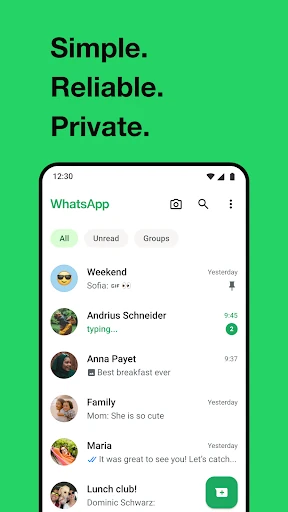
WhatsApp is a messaging and calling app for keeping up with friends, family, and groups from a phone, desktop, or Wear OS watch. I find its appeal less about novelty than about making everyday communication easy to reach: a quick text, a voice note, or a group video call all fit in one place. It suits people whose contacts already use it, though it still depends on an internet connection and phone-number setup.
A day of small check-ins
When I first opened WhatsApp, I pictured the ordinary moments it handles well: asking a relative what time dinner starts, sending a photo to a friend, and checking a group chat while waiting for a bus. The app uses a phone number rather than a separate username, and it can show which contacts are on WhatsApp. That makes the first step feel familiar if the people I want to reach are already using it.
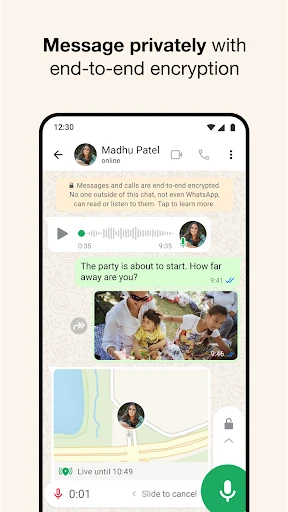
I spent an evening imagining a family group keeping plans in one thread. People can send messages, photos, videos, and documents, while someone who would rather talk can start a voice or video call. Voice messages are handy when typing is awkward, and location sharing can help people coordinate a meeting. I like that location sharing can be stopped at any time, so it can be used for a specific plan rather than treated as an open-ended commitment.
A familiar alternative
WhatsApp makes most sense as an everyday alternative to SMS and separate calling apps, especially when a household, friend group, or community already relies on it. Messaging and calls use an internet connection, and the app is described as working across mobile and desktop, including on slower connections. It also brings group conversations, voice notes, location sharing, and temporary Status posts into the same communication routine.
It is not a general social network for discovering strangers, nor is it a replacement for every work or collaboration tool. Its basic premise is staying connected with people you know through your phone number. That can be a strength when contacts are already there, but a limitation when they are not. Data charges may apply, and the app’s usefulness depends on having an internet connection and people willing to use it.
Make it part of a routine
A small habit that helps is deciding which conversations belong in groups and which deserve a direct message. A group chat can hold family updates or trip details, while a private conversation is better for a one-to-one exchange. I would also use voice messages when a thought is easier to say than type, and share a document or photo in the conversation where it will be useful later.
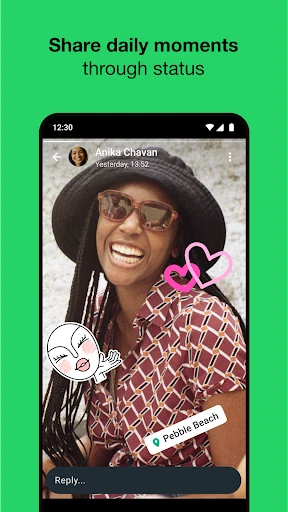
Status can suit a low-effort update that does not need a full conversation: a text, photo, video, or GIF that disappears after 24 hours. The audience can be all contacts or selected people, which makes it more flexible than sending the same update individually. For a meetup, location sharing can be limited to the relevant individual or group chat, then stopped once everyone has arrived.
Reads About WhatsApp Messenger
More From Our News Desk

Zoom Meetings, Google Meet, or Teams: Which Is Easiest to Join?

How I Build a Free Streaming Lineup With Tubi

Why Crunchyroll Is the Default Anime App for So Many Fans

YouTube TV: A Practical Guide to Cutting Cable

Rummikub and the Small Comfort of Phone Games

TeamViewer Remote Control or AnyDesk for Helping Family?
Who will get the most from it
I’d recommend WhatsApp to anyone whose friends, relatives, or groups already use it and who wants messages, calls, and shared media together. It is particularly practical for people who move between quick texts and occasional voice or video calls, or who need a group thread for family plans. Wear OS support also gives watch users a way to continue conversations, reply, and take calls from the wrist.
It may be less appealing if the people someone needs to reach do not use WhatsApp, or if they want a public feed, contact discovery, or a dedicated work-planning system. It is also worth remembering that calls and messages rely on internet service, and data charges may apply. Someone who prefers not to connect communication to a phone number may find its sign-up approach less suitable.
WhatsApp is developed by WhatsApp LLC. On Google Play it has over 10 billion installs and a 4.6-star rating from around 247 million ratings. The app is free to download, contains no ads, and offers in-app purchases; listed item prices range from $0.40 to $199.99. Its content rating is Everyone.
The supplied Google Play details give version 2.26.41.77, a release date of October 18, 2010, and a last update date of October 26, 2026. The minimum Android version is not included in the available facts, so check the Google Play entry on your device for current compatibility. Data charges may apply when using the service.
How WhatsApp Fits Everyday Communication
A familiar first impression
When I first opened WhatsApp, the phone-number approach stood out as the central idea. There is no separate username or login to remember in the description; the number is used to get started, and contacts who use the app can be found. That keeps the premise straightforward for people who already have their regular contacts saved on a phone.
The first setup may involve SMS verification in some regions. After that, the app’s role is clear: find a person or group and start communicating. I appreciate that this is easy to explain to a less tech-focused relative. The trade-off is just as clear: WhatsApp is tied to the phone number used to authenticate the account.
Messages, calls, and groups
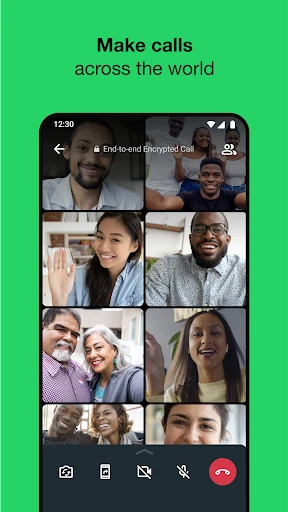
Day to day, the core experience is a mix of text messages, voice messages, and calls. I can imagine using a short text for a simple answer and switching to a voice note when explaining something would take too long to type. Voice and video calls support up to 32 people, which gives a group a way to talk together without splitting into several separate calls.
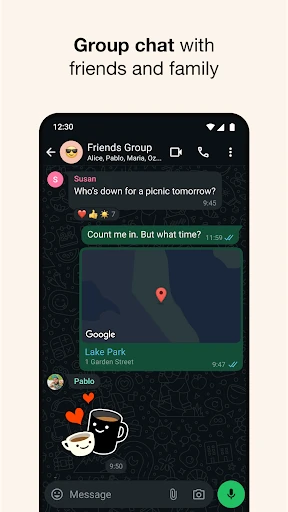
Group chats are useful when the same update matters to several people. Members can share messages, photos, videos, and documents from mobile and desktop. The conversations are described as end-to-end encrypted, as are personal messages and calls. That is a meaningful privacy feature, though it does not change the practical need to choose carefully what to share or whom to include.
Useful extras, not clutter
Status is a different kind of communication from a chat. It lets someone post text, photos, video, or GIFs that disappear after 24 hours, with a choice between sharing to all contacts or selected people. I like that it can handle a casual update without requiring a separate message to every friend, while the limited lifespan keeps it distinct from a permanent profile post.
Location sharing is another practical extra, particularly when friends are trying to meet or a family member wants to share where they are during a plan. It works in individual or group chats and can be stopped at any time. That stop control matters: location sharing can serve a short-lived coordination need rather than becoming an assumed background feature.
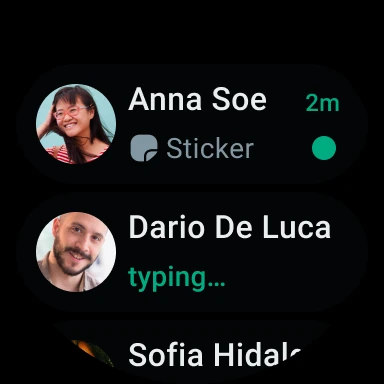
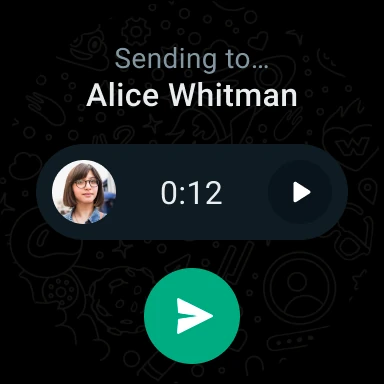
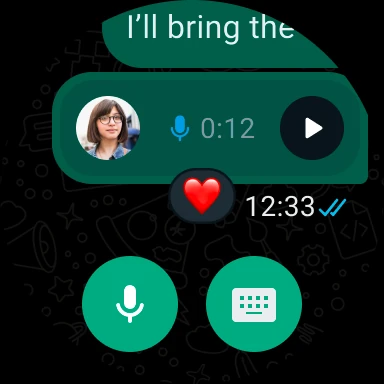
Wear OS support extends some conversations to a watch. Users can continue chats, reply to messages, and take calls from the wrist, with tiles and complications for reaching chats and sending voice messages. I see that as a convenience for someone already wearing a compatible watch, not a reason by itself to choose the app.
A practical weekly rhythm
For a weekend plan, I would start a group conversation with the people involved, share the time and place, and let everyone respond in the same thread. If directions or a reference document matter, those can be shared there too. Someone running late could send a voice message or share a location in that chat, then stop sharing once the group has met.
For routine family contact, a direct message keeps one-to-one updates separate from the busier group thread. Status can handle a small photo or update for selected contacts without turning it into a discussion. These are modest habits, but they make the app easier to use: choose the right conversation first, then pick the communication format that fits.
Limits to keep in view
WhatsApp is most useful when the people I want to contact already use it. A phone number makes getting started familiar, but it also means this is not an anonymous chat space. It is not designed in the supplied description as a public discovery service or a full project-management system, so people looking for those jobs will likely need other tools.
The service depends on internet connectivity, and data charges may apply depending on a provider and plan. It is described as working on slower connections, which is helpful, but that should not be mistaken for working without a connection. Calls also use internet service, so I would keep that in mind before relying on them while traveling.
Privacy features are a notable part of the experience, including end-to-end encryption for personal messages, calls, and group chats. Still, a privacy feature is not a reason to treat every conversation as risk-free. The practical choice of recipients, group membership, and shared material remains in the user’s hands.
WhatsApp’s strength is how much ordinary communication it gathers in one place without making the main idea complicated. Messages, calls, group sharing, Status, and location sharing cover a broad set of everyday needs, and Wear OS support adds a useful option for watch users. It works best when the people I care about are already there.
I recommend it for keeping up with existing contacts, especially families and friend groups that share plans and media often. I would look elsewhere for public discovery or specialized work tools, and I would remember that internet access and data charges matter. For straightforward, cross-device communication, WhatsApp remains a practical choice.
WhatsApp Messenger Frequently Asked Questions
What is WhatsApp used for?
WhatsApp is used to message contacts and make voice and video calls over an internet connection. It also supports group chats for sharing messages, photos, videos, and documents, along with voice messages, location sharing, and Status updates that disappear after 24 hours. Calls can include up to 32 people.
Which devices can run WhatsApp?
WhatsApp is available across mobile and desktop, and it also supports Wear OS watches for continuing conversations, replying, and taking calls. The available details do not specify every compatible device or system requirement, so check the relevant store or device information for current compatibility.
What Android version does WhatsApp require?
The minimum Android version can vary as the app is updated, and a minimum version is not provided in the available details. Check the WhatsApp entry on Google Play from the Android device you plan to use to see its current requirement and compatibility.
Is WhatsApp free, and does it have in-app purchases?
WhatsApp is free to download and is described as having no subscription fees. Google Play details also show in-app purchases, with listed item prices ranging from $0.40 to $199.99. The app contains no ads. Data charges may still apply through your internet or mobile service provider.
Is WhatsApp suitable for family groups?
Yes. WhatsApp supports end-to-end encrypted group chats where members can share messages, photos, videos, and documents, and groups can make voice or video calls with up to 32 people. It is a good fit when family members already use the app; people who do not may be easier to reach another way.
Pros
- Combines messaging, voice notes, and calls in one familiar communication app.
- Group chats support sharing photos, videos, and documents across mobile and desktop.
- Status posts disappear after 24 hours and can be limited to selected contacts.
- Wear OS support brings replies and calls to compatible watches.
Cons
- Its usefulness depends on the people you want to contact using WhatsApp.
- Messages and calls require internet service, and data charges may apply.
- The phone-number-based setup may not suit people seeking username-based communication.
- Category
- Communication
- Version
- 2.26.41.77