Google Messages
- 51.26M
- 4.6
- Installs
- 10.00B
- Price
- Free

Screenshots
Analysis by Reviewed APKs
Google Messages is a texting app for keeping up with friends, family, and group conversations from an Android phone. Its familiar SMS foundation is joined by RCS features such as typing indicators and higher-quality photo sharing when available. I found its appeal less about reinventing texting and more about making everyday chats feel a little more capable without asking people to change how they communicate.
A Day of Everyday Chats
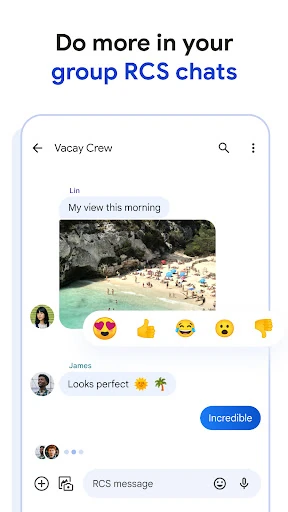
When I first opened Google Messages, I thought about the ordinary conversations that fill a day: confirming a meeting time, sending a quick photo, or checking whether someone has seen a message. That is the app’s central job, and it stays easy to understand. I can use it for familiar text conversations, while RCS can add typing indicators, higher-quality media sharing, and richer group chats when the people in the conversation can use it.
A practical example is coordinating dinner with friends. I can send a time, share a photo, and keep the group discussion in one thread rather than juggling separate tools. If other participants use RCS, the conversation can offer more than basic SMS or MMS. RCS availability depends on region and carrier, and a data plan may be needed, so the experience can differ from one person or conversation to another.
Texting, Not Everything
Google Messages makes the most sense as a straightforward place for phone-based conversations, especially if I want ordinary texting alongside richer chats where RCS is available. Compared with a dedicated social messaging service, its strength is that it builds on texting rather than requiring every contact to adopt a separate app. That makes it useful for mixed groups, though the available chat features may vary depending on who is using RCS.
I would not treat it as a replacement for every communication tool. The app is centered on messages and their attachments, not long-form collaboration or a broad social feed. If someone wants every conversation to have identical features regardless of carrier, region, or device, the variation around RCS may be frustrating. It is a practical everyday messenger, not a promise that every contact will have the same chat experience.
Small Habits That Help
I get more from a messaging app when I use it as a reliable home for ongoing conversations instead of treating every thread as a one-off. With Google Messages, I can keep a group discussion together, use RCS features when they are available, and make a chat feel more personal with custom bubble colors or selfie GIFs. Those touches are optional, but they give familiar conversations a little more character.
It also helps to remember that RCS is the part that brings several richer features, and it depends on availability in the people’s market and carrier. I would pay attention to which conversations support those features rather than assume they work everywhere. For a quick exchange, standard texting remains the simple fallback. For a group or media-heavy chat, checking what the conversation supports helps set expectations before I send.
More From Our News Desk

Zoom Meetings, Google Meet, or Teams: Which Is Easiest to Join?

How I Build a Free Streaming Lineup With Tubi

Why Crunchyroll Is the Default Anime App for So Many Fans

YouTube TV: A Practical Guide to Cutting Cable

Rummikub and the Small Comfort of Phone Games

TeamViewer Remote Control or AnyDesk for Helping Family?
Who Might Like It
I would recommend Google Messages to Android users who want a familiar messaging app with room for richer chats. It suits people who regularly send photos, coordinate in groups, or appreciate seeing when someone is typing. The personal touches, including chat bubble colors and selfie GIFs, are pleasant extras rather than the main reason to use it. Its biggest everyday advantage is that it keeps ordinary messaging and supported RCS conversations together.
It may be less satisfying for someone who expects every contact to have the same advanced features, since RCS availability varies by region and carrier. People who want a dedicated platform with a broader social or work focus may also prefer a different kind of app. Google Messages is best for straightforward communication, with extra capabilities when conditions allow, rather than an all-purpose hub for every online interaction.
Google Messages is developed by Google LLC and is listed on Google Play as a free app. It has more than 10 billion installs and a 4.6-star rating from about 51 million ratings. The store gives it an Everyone content rating. Those figures offer a sense of its reach, though the rating is only one part of deciding whether its approach to messaging suits your routine.
The app was released on November 12, 2014, and its listed last update is October 26, 2026. Its version varies with device. The store information gives no single minimum Android version, so it is worth checking the Google Play page for compatibility with a particular phone. RCS features and availability can also depend on region, carrier, and device.
How Google Messages Fits Daily Life
A Familiar First Look
When I first opened Google Messages, its purpose was immediately clear: it is a place for conversations, not a service that asks me to build a new social identity. That straightforward starting point works in its favor. I can think in terms of people and messages, while the richer RCS options sit alongside familiar texting rather than making the whole app feel like a different category of product.
Getting a feel for its capabilities means keeping RCS in mind. Google describes it as the standard that supports features beyond SMS and MMS, but availability depends on region and carrier. A data plan may also be required. I would approach the app expecting a basic messaging experience first, then treat typing indicators, richer group chats, and high-quality media sharing as features that can be available in supported conversations.
The Everyday Rhythm
In day-to-day use, the value is in handling both quick notes and longer-running chats in one familiar setting. I can imagine using it to confirm a pickup, send a photo, and return later to a group conversation about plans. When a chat supports RCS, typing indicators can make a conversation feel more immediate, while richer group messaging gives people more room to keep a shared discussion going.
The experience is not identical for every message thread, and that is worth understanding before relying on a particular feature. RCS features depend on availability and the people involved, while regular SMS and MMS remain the basic comparison point. I like that the app’s core purpose stays clear even when the richer layer is not part of a given conversation. That makes it easier to use without turning each exchange into a settings exercise.
Personal and Protected Chats
Some of Google Messages’ more distinctive touches are small, expressive options. Custom chat bubble colors let people give a conversation a different look, and selfie GIFs add a playful way to respond. Neither feature changes what messaging is for, but both can make familiar threads feel a little less generic. I see them as optional flourishes for people who enjoy adding personality to everyday exchanges.
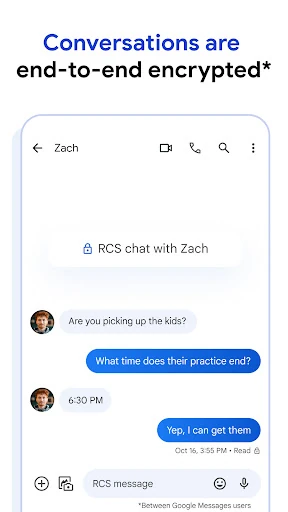
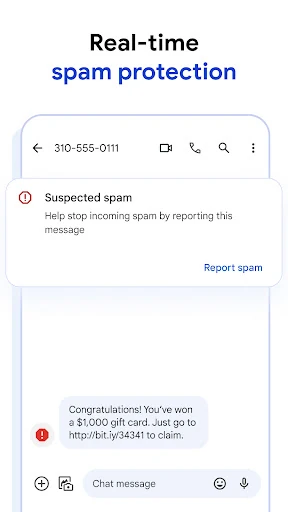
Google says personal chats between Google Messages users are protected with end-to-end encryption, covering messages and attachments in those chats. The description also mentions advanced spam protection. These are meaningful parts of the product’s stated approach, but the encryption detail is specifically framed around personal chats between Google Messages users, rather than every possible message in every situation.
The app also includes Magic Compose suggestions and other AI messaging features, according to its description. These are intended to help with composing messages, but they are not essential to the basic job of sending and receiving texts. I would view them as an extra for people who want writing suggestions, not as a reason the app is necessary for someone who already prefers composing messages unaided.
A Simple Group Routine
For a practical routine, I would use a group conversation to plan something ordinary, like a weekend meetup. Start with the time and place, keep the replies in that thread, and share a photo if it helps everyone coordinate. If RCS is available for the participants, the chat can support richer group conversations and high-quality media sharing. That keeps the planning in one place without requiring a separate social app for the task.
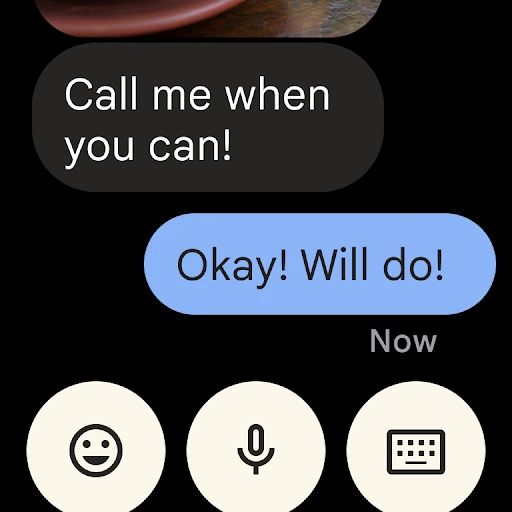
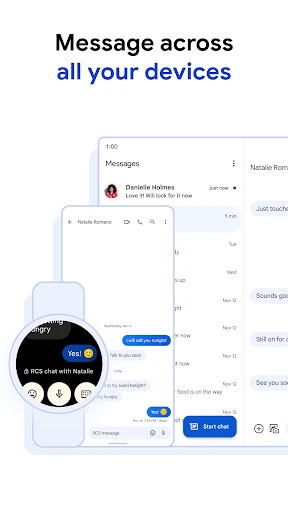
If I were using the app across a busy day, I would also make use of its cross-device availability where appropriate. Google says conversations can continue on a tablet or computer, and the app is also available on Wear OS. That can be handy when switching devices, though availability and feature support can vary. The useful habit is simply to keep the conversation in the same service, rather than assume every device will behave identically.
Know the Boundaries
The main limitation is variation. RCS availability depends on region and carrier, some features depend on market and device, and beta testing may be required for certain features. A data plan may be needed. That makes it sensible to think of the richer options as conditional rather than universal. If a friend’s conversation does not have the same capabilities, that does not necessarily mean the app is failing; the conditions for RCS may differ.
Google Messages is also focused on messaging, so it will not suit someone looking for a broader destination for communities, content, or team projects. Its personal touches and AI suggestions are extras around the core job, not a substitute for a specialized tool. I appreciate that the app stays centered on conversations, but users who want a highly consistent feature set across every contact may find the dependence on RCS availability limiting.
Google Messages is a capable everyday messenger with a clear advantage for people who want familiar texting plus richer features when RCS is available. I like its approachable focus, its small personalization options, and the way it can support group chats and media sharing without becoming a social network.
I would recommend it to Android users who want a practical home for personal conversations and understand that RCS features can vary. If uniform features across every contact matter more than fitting into familiar texting, another messaging service may be a better match.
Messages Frequently Asked Questions
What is Google Messages used for?
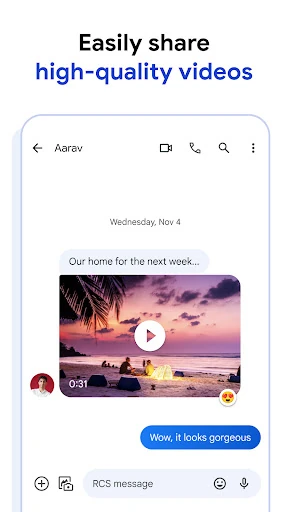
Google Messages is a messaging app for conversations with friends, family, and other contacts. It supports standard texting and, where available, RCS features such as typing indicators, higher-quality photo and video sharing, and dynamic group chats. It also offers options such as custom chat bubble colors and selfie GIFs. RCS availability depends on region and carrier.
Which devices can use Google Messages?
Google Messages is an Android app, and Google also says it is available on Wear OS. Conversations can be continued on a tablet or computer, according to the app description. Device availability and feature support can vary, so check the Google Play store information for compatibility with a particular device.
What Android version does Google Messages require?
The Android version requirement can vary with device and is worth checking on the Google Play store page before installing. Google also notes that feature availability can depend on the market and device. RCS has separate availability considerations, including region and carrier, and a data plan may be required.
Does Google Messages cost money?
Google Messages is listed as a free app on Google Play, with no in-app purchases indicated in its store information. RCS availability may depend on region and carrier, and a data plan may be required. Check the store page and your own plan for details that apply to your situation.
Is Google Messages a good fit for everyone?
It is a good fit for Android users who want a straightforward place for texts and supported RCS chats. It may be less suitable if you expect every contact to have the same advanced features, since availability varies by region and carrier. People seeking a broader social or work platform may prefer a different kind of app.
Pros
- Combines familiar texting with richer RCS features when available.
- Supports high-quality photo and video sharing in RCS conversations.
- Personal options include custom bubble colors and selfie GIFs.
- Google describes end-to-end encryption for personal chats between its users.
Cons
- RCS availability and features vary by region, carrier, and device.
- A data plan may be required for RCS features.
- Its focus is messaging, not a broader social or collaboration platform.
- Category
- Communication