HP
- 939.30K
- 4.2
- Installs
- 100.00M
- Price
- Free

Screenshots
Analysis by Reviewed APKs
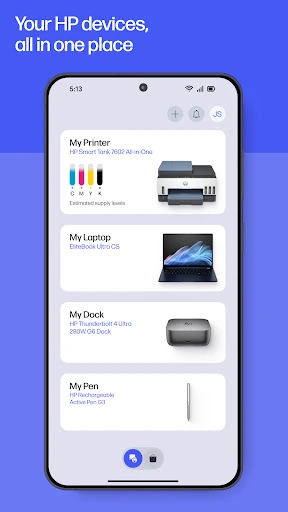
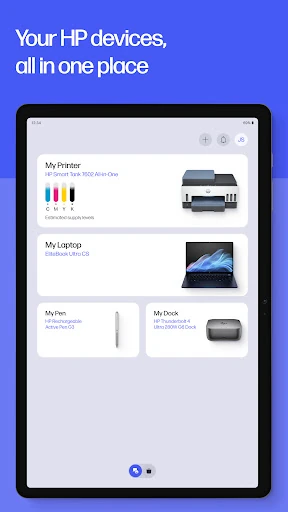
HP is a mobile companion for setting up and managing HP printers and computers, with printing, scanning, device details and support gathered in one app. I see it suiting people who handle household or small-office print jobs from their phone and want fewer separate steps. Its appeal is practical rather than flashy: it brings useful tasks together, though the experience depends on which HP device and features you use.
A printer-side everyday helper
When I think about the app’s core job, I picture a familiar home moment: a school form arrives on my phone, and I need a paper copy before heading out. HP is built to connect that mobile task with an HP printer, while also handling setup and basic device management. The app can print from a phone, scan documents, and show essentials such as ink levels, so the routine need not start at a computer.
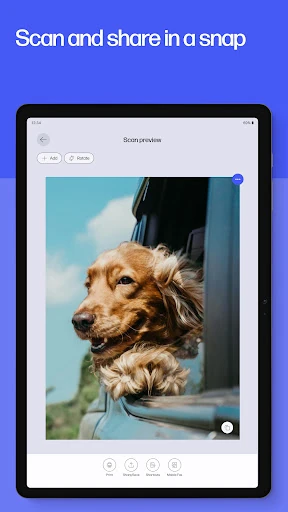
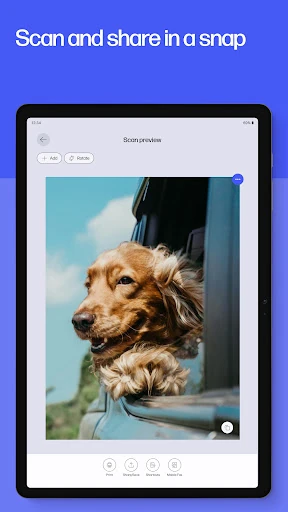
A second useful moment is dealing with a receipt or a paper form that needs to be shared. HP can scan documents and send them onward, and it offers tools to adjust or edit a scan before printing. I like that the app covers both directions of the paper trail: getting a digital item onto paper and turning a physical page into a file. That gives it a clear role in an ordinary household workflow.
More than a print button
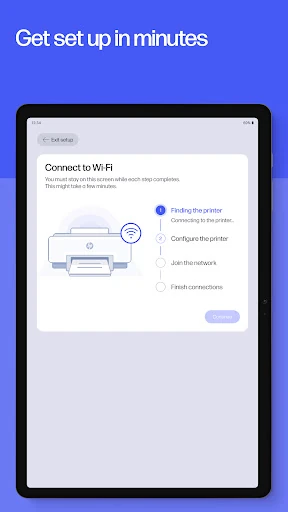
The obvious alternative is to send a file to a printer using whatever print option is already available on a phone. HP goes further by combining that task with guided printer setup, ink and paper notifications, device settings, warranty checks, support, and supply ordering. For someone who owns HP hardware, that broader toolkit may be more convenient than moving between unrelated tools whenever a printer needs attention.
Still, this is a companion for HP devices, not a general-purpose document editor or a replacement for a desktop workflow. It is not aimed at people who rarely print or who want an app for managing hardware from other brands. Some features depend on printer or computer model and country, and the app requires internet access. I would treat it as a practical hub, not as a universal solution for every device.
Small habits that help
I’d start by completing the guided setup when bringing a new HP device home, then check the device details and ink levels before a busy week. That small check is useful if a print job is time-sensitive; it can also help me notice a low-supply notification before I’m halfway through a stack of pages. The app can make ordering supplies easier, though it is still worth keeping an eye on what the printer actually needs.
For recurring jobs, print shortcuts are worth setting up if the same kind of task comes around often. A saved shortcut can reduce repetitive setup for a usual print task, while scanning and editing in the app can keep a receipt or form moving without switching to another tool. I’d also keep support and warranty information in mind when troubleshooting. Availability and details can depend on the device and region.
More From Our News Desk

Zoom Meetings, Google Meet, or Teams: Which Is Easiest to Join?

How I Build a Free Streaming Lineup With Tubi

Why Crunchyroll Is the Default Anime App for So Many Fans

YouTube TV: A Practical Guide to Cutting Cable

Rummikub and the Small Comfort of Phone Games

TeamViewer Remote Control or AnyDesk for Helping Family?
Who will get the most from it
I’d recommend HP to people with an HP printer who regularly print from a phone, scan household paperwork, or want a single place to check basic device information. It should also make sense for someone setting up a new HP printer, since guided setup is part of the app’s purpose. The combination of printing, scanning, supplies, warranty details and support is most useful when the printer is a regular part of home or office life.
It may be less compelling if you only print once in a while, prefer doing everything on a computer, or do not use HP hardware. Some of the app’s functions vary by device model, country and language, and full functionality requires an HP account. I’d also be cautious about expecting every feature to be available on every printer. The app is most appealing when its device-specific tools match the equipment you already own.
HP is a free Android productivity app from HP Inc. On Google Play, it has over 100 million installs and a 4.2-star rating from around 939,000 ratings. The app is rated Everyone. It has no in-app purchases and contains no ads, making its core download free of those added monetization features.
The current version is 26.4.1.6905. Google Play gives its release date as November 21, 2012, and its latest update as October 28, 2026. The app is available for Android phones and tablets. It requires internet access, and an HP account is needed for full functionality. Device and feature availability can differ by model and country.
A practical hub for HP devices
Getting started
When I first opened the idea of using HP, what stood out was its broad promise: set up a device, manage it, print, scan and find help in one place. For a new printer owner, guided setup is the natural starting point. Instead of treating setup as a separate one-time chore, the app also connects that first step to later tasks such as checking ink or changing device settings.
There are a few practical caveats to keep in view from the start. Internet access is required, and an HP account is needed for full functionality. The app supports Android phones and tablets, while the exact features available can depend on the printer or computer model and the country. That makes it sensible to check compatibility for your particular equipment before building a routine around a feature.
Printing through the day
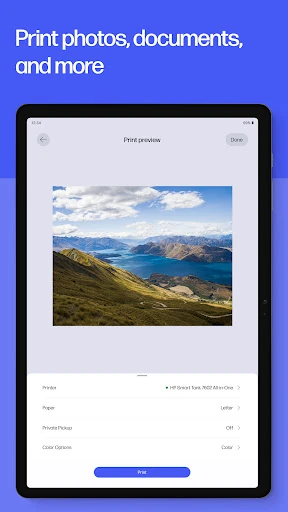
The central experience is about moving a print job from a mobile device to an HP printer without turning it into a larger project. The examples are everyday ones: a school form, a birthday card, or a document that needs a quick paper copy. The app also supports photo printing from a device, which gives it a role beyond office paperwork when a printed picture is what the moment calls for.
Scanning gives the app a useful second half. I can imagine scanning a receipt or document, adjusting it, and sharing it rather than leaving a pile of paper on the counter. HP describes scanning documents for sharing and storage, as well as sending a scan to email. The value is less about elaborate editing and more about making a common paper task manageable from a phone.
Useful extras beyond printing
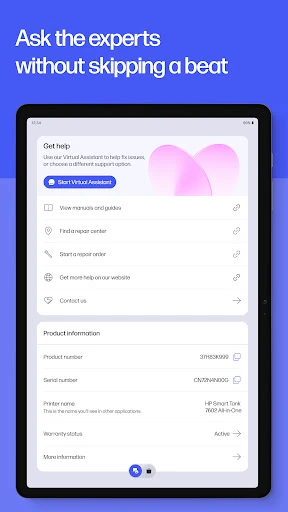
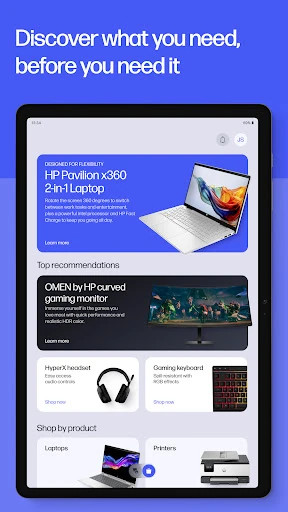
Some of HP’s additions address the chores around a printer. The app can notify users when ink or paper is low, help order supplies, and show warranty information for HP devices. It also includes device settings, recommendations, and support options. Taken together, those tools can make the app relevant even on a day when nobody needs to print a document.
HP Printables adds a more casual option, with items such as cards, coloring pages, educational worksheets and craft projects for personal use. Print shortcuts are another practical extra: they let users create custom shortcuts for tasks they repeat. Fax capability is included too, with the description specifying sending and receiving faxes directly through the app; support availability and other capabilities may vary by region or device.
A simple weekly routine
A sensible routine might begin with a quick look at the printer’s ink level before printing several pages for school or work. If supplies are running low, the app can send a notification and make it easier to order more. For a recurring document, a custom print shortcut could cut down on repeated setup. These are modest conveniences, but they matter most when they prevent small interruptions during a rushed task.
Later, I might use the same app to scan a receipt or a signed form and share it, then check warranty information or support if the device starts acting up. That keeps related printer tasks in one place rather than scattering them across separate steps. The best routine will depend on the hardware: not every HP device, service or feature is available in the app, and some options vary by model and country.
Keep expectations grounded
HP’s breadth is useful, but it also means the app is not equally relevant to everyone. Someone who only needs an occasional print may find little reason to explore device management, supplies, warranty checks or Printables. And while the app can help with documents and scans, it is not presented as a full desktop publishing or advanced document-editing tool. Its strengths are the connected printer tasks rather than deep work on files.
Feature availability deserves a close look before relying on a particular tool. The app’s description says that options can vary by printer and computer model, country, and between desktop and mobile applications. Some features are available in English only. An HP account is needed for full functionality, and live chat and phone support are available during business hours, with availability varying by country. Those limits do not erase the convenience, but they shape it.
HP makes the most sense as a companion for people who already rely on HP hardware. I like the way it brings setup, mobile printing, scanning, supplies and support into one place, especially for the little household jobs that otherwise send me back to a computer. Its usefulness is strongest when the printer supports the features I want.
I’d recommend giving it a try if you print or scan regularly with an HP device and want a straightforward mobile hub. If printing is rare or your hardware is not HP, there is less reason to make it part of your routine. Before counting on a specific tool, check that it is available for your device and region.
HP Smart Frequently Asked Questions
What is the HP app used for?
HP is a mobile companion for setting up and managing HP printers and computers. It supports printing and scanning, device settings, ink-level checks, supply notifications, warranty information and ways to contact support. It also offers features such as photo printing, Printables and custom print shortcuts. Which tools are available can depend on the device and country.
Which phones and devices can use the HP app?
The HP app is available for Android mobile phones and tablets. It is designed to work with HP devices, though not every HP device, service or feature is available in the app. Feature support can vary by printer or computer model and country, so check the Google Play store details and your device information for compatibility.
What Android version does the HP app require?
The Android version requirement can vary as the app changes, so check the current Google Play store details before installing. The app requires internet access, and an HP account is needed for full functionality. It is available for Android phones and tablets, with specific features depending on the device and region.
Does the HP app cost money?
The HP app is free to download on Google Play and has no in-app purchases or ads. Internet access is required, and an HP account is needed for full functionality. HP notes that it reserves the right to introduce charges for selected app functionality, so check the current store information for any changes.
Is the HP app a good fit for me?
It is a strong fit if you use an HP printer and want to print, scan, check supplies or reach support from your phone. It may be less useful if you rarely print or do not own HP hardware. Feature availability varies by device and country, so it is worth checking the store details for your particular setup.
Pros
- Combines printer setup, mobile printing, scanning and device support in one app.
- Tracks ink and paper needs and can notify users when supplies run low.
- Includes print shortcuts, photo printing, Printables and warranty information.
- Free to download, with no in-app purchases or ads.
Cons
- Full functionality requires an HP account and internet access.
- Available features vary by device model, country and language.
- Less useful for people who rarely print or do not use HP devices.
- Category
- Productivity
- Version
- 26.4.1.6905