Google One
- 927.93K
- 4.1
- Installs
- 1.00B
- Price
- Free

Screenshots
Analysis by Reviewed APKs
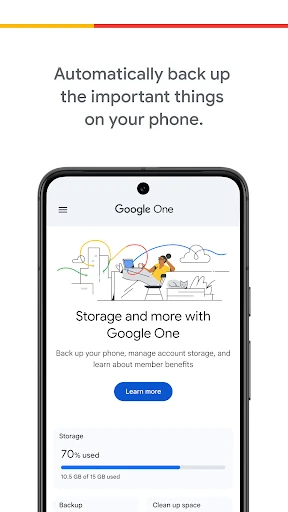
Google One is a storage-management and phone-backup app for people who already use Google services and want a clearer way to keep important files together. It can back up photos, contacts and messages, and helps manage storage shared across Drive, Gmail and Google Photos. I see its biggest value in making phone changes less stressful, though it is less useful if you do not rely on Google's ecosystem.
A Backup Before the Upgrade
When I think about where Google One fits into a normal week, it is the kind of app I would check before replacing a phone. Photos and messages tend to accumulate quietly, and contacts are easy to take for granted until a device is lost or changed. Google One can automatically back up those important categories using the storage included with a Google account, giving that transition a more reassuring starting point.
The practical scenario is simple: I would review my storage, make sure automatic backup is enabled for the items I care about, and then have a backup available to restore to a new Android device. That is a focused job rather than an elaborate setup ritual. It does not eliminate the need to pay attention to storage space, but it brings backup and account storage management into one place.
A Google-Centered Tool
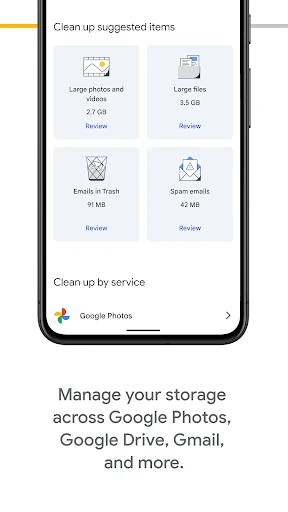
Google One makes the most sense alongside Google Drive, Gmail and Google Photos. Instead of treating each service's files as separate storage problems, the app lets me manage the account storage they share. That can be handy when a full inbox, a growing photo collection and Drive files all compete for room. Its role is to help manage that Google storage and phone backup, not to replace every file or photo app I use.
I would not choose it as a general-purpose organizer for every cloud account, or as a dedicated photo-editing or messaging app. Its described backup covers photos, contacts and messages, and its storage view is tied to Google's services. If my everyday digital life were spread across other providers, this would only address part of the picture. For someone already invested in Google, though, that narrower focus is also what keeps its job clear.
Small Storage Habits
A little regular attention is likely more useful than waiting until a phone is nearly full. I would make a habit of opening Google One now and then to check how account storage is being used across Drive, Gmail and Photos. Seeing those services together can help me understand why space is getting tight, rather than guessing based on the last app I happened to use.
I would also treat backup as a routine to check before a major device change, not a last-minute scramble after it. The app can automatically back up photos, contacts and messages, while a Google One membership offers additional storage choices if the included space is not enough. Those two habits—keeping an eye on shared storage and thinking ahead about backup—make the app's practical purpose easier to appreciate.
More From Our News Desk

Zoom Meetings, Google Meet, or Teams: Which Is Easiest to Join?

How I Build a Free Streaming Lineup With Tubi

Why Crunchyroll Is the Default Anime App for So Many Fans

YouTube TV: A Practical Guide to Cutting Cable

Rummikub and the Small Comfort of Phone Games

TeamViewer Remote Control or AnyDesk for Helping Family?
Who Gets the Most From It
I would recommend Google One to Android users who keep important phone information and files in Google's services. It is especially relevant if Drive, Gmail and Google Photos are already part of the daily routine, since the app brings their shared storage into view and supports automatic phone backup. People preparing to upgrade or replace a device may also appreciate having a clear place to consider backup and restoration.
It may be less compelling for someone who rarely uses Google's services, has little need for phone backup, or prefers to manage storage separately in each app. The included account storage may be enough for some people, while others may need a paid membership for more room. I would approach it as a practical companion to a Google account, rather than an essential download for every phone owner.
Google One is developed by Google LLC and is available on Google Play. It is listed as a Productivity app, has more than one billion installs, and carries a 4.1-star rating from about 928,000 ratings. The app is rated Everyone. Its listed release date is May 24, 2018, and the current version shown in the supplied store details is 1.332.1006040493.
The app is free to download and contains no ads. It offers in-app purchases, with listed items ranging from $0.89 to $499.99 each; Google One memberships provide options for additional storage. The listed last update is October 26, 2026. The minimum Android version is not included in the supplied details, so check Google Play for the requirement for a particular device.
Making Google Storage Easier to Manage
A Straightforward Starting Point
My first impression of Google One is that its purpose is easy to explain: it connects phone backup with management of Google account storage. That matters because backup and storage can feel like separate chores until a phone change or a full account makes them urgent. Here, the app's central value is bringing those concerns together, rather than asking me to learn a complicated new system.
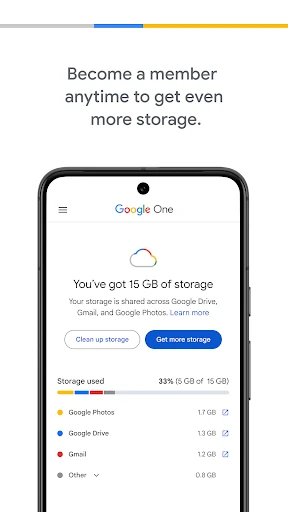
The setup story described for the app is also familiar to anyone who uses a Google account: it works with the 15 GB of storage that comes with every account. From there, a membership is an option for people who need more. I like that the basic idea does not depend on buying extra space first, while recognizing that a shared allowance can be used by several Google services.
The Everyday Storage Check
In day-to-day use, the most useful job is keeping track of storage across Drive, Gmail and Google Photos. Those services can collect files and messages at different speeds, so a combined view is more practical than trying to remember which one is taking up room. Google One is not just a place to think about backups; it also gives users a way to manage the storage tied to their Google account.
The backup side is more of a quiet safeguard than a feature I would expect to interact with constantly. Automatic backup can cover photos, contacts and messages, which are exactly the kinds of things people notice when a phone is lost or replaced. I would still make a point of checking storage periodically, but the aim is to have a backup in place before a disruption rather than reconstructing everything afterward.
Backup and Shared Space
The feature that stands out most to me is the pairing of automatic phone backup with a view of shared Google storage. Those needs are closely related: a backup is only useful if there is room for it, and storage management is easier to understand when the services using that space are considered together. Google One supports backing up photos, contacts and messages, then restoring them to a new Android device.
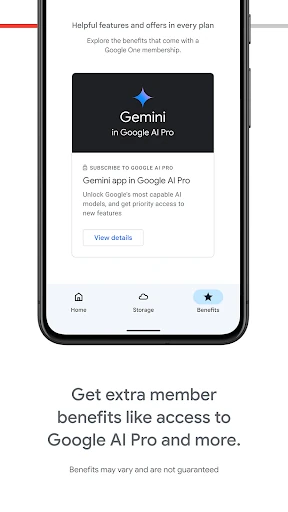
The other notable part is the option to move to a Google One membership for more storage. That gives people whose needs have outgrown the account's included 15 GB a way to choose a plan with more room. I would not treat the membership as necessary for everyone; its value depends on how much storage the person's Google services use and how important that extra capacity is to them.
A Useful Pre-Move Routine
If I were getting ready to switch phones, I would make Google One part of a short preparation routine. I would check the account's storage, consider whether the important phone categories are being backed up, and make sure I understand whether my current storage allowance fits what I am trying to preserve. The point is not to turn a phone upgrade into a project, but to avoid leaving backup until the moment I need it.
After moving to a new Android device, the described restoration option gives that preparation a clear purpose. The app's backup coverage includes photos, contacts and messages, so I would think about those categories first when deciding what I want protected. For ordinary weeks, I would return to the storage overview occasionally, especially if Gmail, Drive or Photos usage has grown noticeably.
Keep the Scope in Mind
Google One is tied closely to Google's services, which is both its strength and its main limitation. Its storage management covers Drive, Gmail and Google Photos; it is not presented as a universal dashboard for unrelated cloud accounts. People who divide their files across several providers may still need to manage those other services separately, and those who do not use Google much may find less reason to keep this app in their routine.
Storage also has a finite allowance unless a user chooses a membership with more space. The included 15 GB is shared across a Google account's services, so backup does not mean unlimited room. Paid plans may suit people with larger collections, but the right choice depends on personal storage needs. I would check the current plan and app details in Google Play before making a purchase, since store information can change.
Google One has a clear, practical role: it helps manage Google account storage and backs up important phone information for a possible move to a new Android device. I like the combination because it addresses two related chores without pretending to be an all-purpose cloud solution.
I would try it if Google services already hold my photos, messages or files, and I wanted a more deliberate backup routine. If I rarely use Google storage, it would be easy to skip. The app is most worthwhile when its focused job matches the way I already use my phone.
Google One Frequently Asked Questions
What is Google One used for?
Google One helps manage Google account storage across Drive, Gmail and Google Photos, and can automatically back up phone photos, contacts and messages. The description says that backed-up information can be restored to a new Android device. It is aimed at storage management and backup rather than replacing the individual Google services.
Which devices can use Google One?
Google One is an Android app on Google Play. Its described phone-backup restoration is for a new Android device. Check the Google Play page for the current device compatibility details, since requirements and availability can vary. The supplied information does not describe versions for other platforms.
What Android version does Google One require?
The minimum Android version can vary with the app's current release and device compatibility. Check Google Play on the device you plan to use for the requirement that applies to you. The app's described backup and restoration features are intended for Android phones, including restoring data to a new Android device.
Is Google One free, or does it cost money?
Google One is free to download and includes no ads. It offers in-app purchases, with listed items ranging from $0.89 to $499.99. The app description says memberships provide additional storage, while every Google account comes with 15 GB of storage. Check Google Play for current purchase and plan details.
Is Google One a good fit for my phone?
It is a good fit to consider if you use Google Drive, Gmail or Google Photos and want to manage their shared storage or back up important phone information. It may be less useful if you rarely use Google's services or do not need phone backup. Whether extra storage is worthwhile depends on your own account use.
Pros
- Combines phone backup with management of storage shared across Google services.
- Can automatically back up photos, contacts and messages.
- Offers additional storage through Google One memberships.
- Free to download and contains no ads.
Cons
- Its storage-management focus is limited to Google services.
- The included 15 GB is shared across Google account services.
- Extra storage requires choosing an in-app membership purchase.
- Category
- Productivity
- Version
- 1.332.1006040493















