Zillow Rental Manager
- 3.19K
- 4
- Installs
- 1.00M
- Price
- Free

Screenshots
Analysis by Reviewed APKs
Zillow Rental Manager is a landlord-focused app for handling the path from advertising a vacancy to collecting rent online. I see it as most useful for owners who want listing, applicant, and payment tasks together rather than scattered across separate tools. Its scope is practical and focused, though it is not a general property-management suite for every part of running a rental.
From Vacancy to Applicant
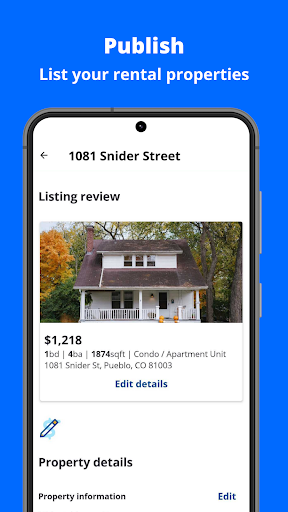
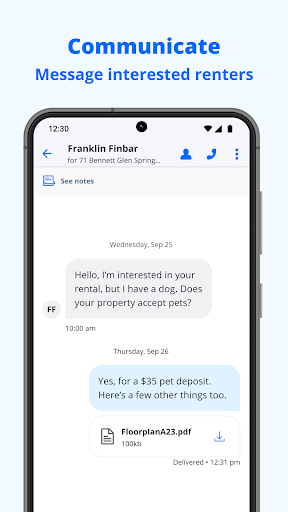
When a tenant moves out, the first job is usually getting the place in front of people who are looking. Zillow Rental Manager lets me add or edit a rental listing, set the rent, and include photos. Once it is published, notifications can flag renter inquiries, and I can message people in the app. That gives the vacancy process a straightforward shape: present the property, respond to interest, and keep those conversations close to the listing.
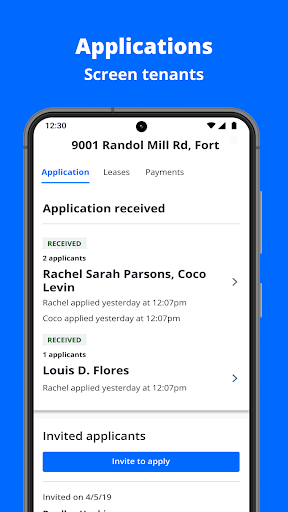
The next step is handling applications. The app supports managing, sending, and accepting rental applications, and it can provide applicant information such as income and credit score. I would treat that as a way to gather relevant details in one place, not as an automatic decision-maker. For a landlord juggling messages between errands or after work, keeping inquiries and applications tied to the rental can make the process easier to follow.
A Focused Rental Toolkit
Compared with a general notes app, email, and a separate payment service, Zillow Rental Manager brings several vacancy and leasing tasks into one landlord-oriented workflow. Its listing tools are designed to put a rental in front of people searching on Zillow, while in-app messaging and applications support the next stage. Online rent collection is another piece of that same rental relationship. The appeal is convenience across these connected tasks, rather than an especially broad set of business tools.
I would not mistake it for an all-purpose system for every detail of property ownership. The described tools center on listings, renter inquiries, applications, applicant information, move-in checklists, and online rent collection. If a landlord needs extensive accounting, maintenance coordination, or a customized property portfolio system, those needs are outside the feature set described here. It is also not a home-search app aimed at renters; its stated job is helping landlords fill and manage rentals.
Keep the Process Moving
A useful habit is to keep the listing current as soon as something changes. I would check the rent amount, revise the listing details, and add clear photos before publishing, rather than correcting a half-finished post after inquiries arrive. The app supports adding unlimited photos, which gives landlords room to show the property thoroughly. A complete listing can also make it easier to answer routine questions without repeating basic information in every message.
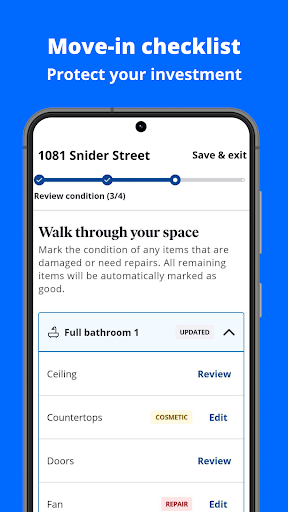
When an inquiry comes in, responding in the app and keeping the application steps together can help avoid losing track of who is at which stage. After choosing a renter, a digital move-in checklist can bring photos and files into one organized process instead of leaving them in different places. Then, for ongoing rent, online collection offers another task to handle through the same app. These habits make the toolkit feel most useful as a consistent workflow.
More From Our News Desk

Zoom Meetings, Google Meet, or Teams: Which Is Easiest to Join?

How I Build a Free Streaming Lineup With Tubi

Why Crunchyroll Is the Default Anime App for So Many Fans

YouTube TV: A Practical Guide to Cutting Cable

Rummikub and the Small Comfort of Phone Games

TeamViewer Remote Control or AnyDesk for Helping Family?
Who May Find It Useful
I would recommend Zillow Rental Manager to independent landlords and property owners who want a practical way to advertise a vacancy, respond to prospective renters, handle applications, and collect rent online. It is especially appealing if those jobs currently live in several different places. The move-in checklist may also suit someone who wants property photos and related files gathered in one digital process rather than scattered among folders and messages.
It may be less suitable for someone looking for a comprehensive property operations platform or for a renter seeking a place to live. The described features are landlord-facing and concentrated on the listing-to-leasing path, plus rent collection. Landlords who already rely on specialized systems for their broader operations may find the app overlaps with only part of their routine. I would also keep applicant information in context and make decisions with care rather than treating a single data point as the whole picture.
Zillow Rental Manager is a productivity app from Zillow Group. On Google Play, it has over one million installs and a 4.0-star rating from 3,187 ratings. The app is free to download, and the provided store information says it has no in-app purchases and contains no ads. Its content rating is Everyone.
The listed version is 8.10.14. The app was released on July 22, 2014, and its most recent update date in the provided information is October 22, 2026. The minimum Android version is not stated in the supplied facts, so check Google Play for device compatibility before installing.
A Landlord Workflow That Stays Together
Getting Started
My first impression is that the app has a clearly defined audience: landlords with a vacancy or an ongoing rental to manage. Rather than trying to serve every kind of real-estate task, the feature set follows a familiar sequence. A landlord can prepare a listing, publish it, respond when renters reach out, and move into applications. That focus makes it easier to understand what the app is meant to help with.
For a new listing, I would start by entering the rent and adding photos, then review the details before publishing. The app supports adding, editing, and publishing listings, so the work can be adjusted as the property or asking price changes. It also supports unlimited photos. Taking a moment to make the listing complete before inquiries begin should make the next part of the process feel less reactive.
The Daily Rhythm
Day to day, the most useful moment may be the notification that a renter has asked about a property. Instead of relying on a separate inbox to catch every question, the app can notify the landlord and provides in-app messaging. I like that this keeps the conversation near the listing itself, especially when more than one person has expressed interest and I need to remember which question belongs to which rental.
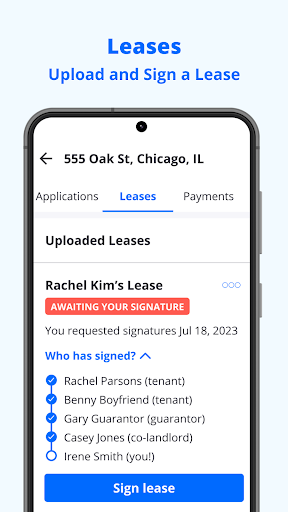
Applications add a more structured step after initial conversations. The app can help manage, send, and accept rental applications, with information such as income and credit score available about applicants. That can reduce the need to collect every detail through informal messages. It does not remove the landlord’s responsibility to review information thoughtfully, but it does put application activity within the same broad workflow as the original listing.
Useful Standout Tools
The combination of listing tools and renter communication is the core draw. Landlords can set rent, add photos, publish or edit listings, and receive notifications when someone asks about a property. Those are concrete tasks that tend to arrive together during a vacancy. Keeping them under one app can be more convenient than alternating between a property post, email, and a separate conversation thread.
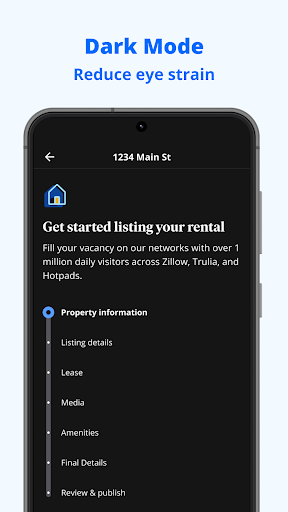
Two other features broaden the workflow beyond finding a renter. A digital move-in checklist is intended to keep photos and files from being spread across different places, while online rent collection supports payments through the app. The listing description also calls out dark mode. These features do not turn the app into a complete management system, but they cover several recurring points where landlords may want a single place to work.
A Simple Rental Routine
For a practical routine, I would use the app in stages. First, prepare the listing with the rent and property photos, then publish it. When inquiries arrive, check notifications and reply in the app. As interest develops, use the application tools to keep the next step organized. This sequence follows the app’s strengths and helps prevent a vacancy from becoming a collection of half-remembered conversations.
Once a renter is moving in, I would build a digital checklist and keep the relevant photos and files together there. After that, online rent collection can support the recurring payment task. The point is not to turn every landlord job into an app task; it is to make use of the tools that fit the rental’s timeline. A quick, regular check-in is likely more useful than opening the app only when something goes wrong.
Limits to Keep in Mind
The app’s focused scope is both its strength and its main limitation. Its described features cover listings, applications, applicant details, move-in organization, and rent collection. That is a meaningful set of landlord tasks, but it does not describe broader functions such as maintenance tracking or accounting. Owners who need those areas managed digitally may still need other tools alongside it.
Applicant information can help organize a review, but I would avoid reading a credit score or income detail as a complete picture of a person. The app provides information; the landlord still has to consider the application carefully. And while online payments can make collection more convenient, landlords and renters should check the app’s current terms and options before depending on a particular payment arrangement. The everyday value here is in consolidating tasks, not eliminating judgment or planning.
Zillow Rental Manager earns its place as a practical, landlord-centered tool for the vacancy and leasing process. I like the way listings, inquiries, applications, a move-in checklist, and online rent collection fit into one broad workflow. It is most convincing when used for those specific jobs, rather than expected to replace every system a property owner might need.
I would try it if I were a landlord who wanted to keep rental activity more organized and handle several steps from one app. If my needs extended well beyond leasing and rent collection, I would treat it as one useful tool among others. Its free, ad-free setup makes it straightforward to explore, with device compatibility worth checking in Google Play.
Zillow Rental Manager Frequently Asked Questions
What is Zillow Rental Manager used for?
Zillow Rental Manager is for landlords handling rental listings and leasing tasks. It supports creating and publishing listings, responding to renter inquiries, managing applications, viewing applicant information such as income and credit score, organizing move-in details with a digital checklist, and collecting rent online.
What devices can run Zillow Rental Manager?
The app is available for Android through Google Play. The minimum Android version can vary by app release or device, so check the Google Play store page for the current requirement before installing. The supplied information does not specify other supported platforms.
Does Zillow Rental Manager cost money?
The Google Play app is free to download. The supplied store information says it has no in-app purchases and contains no ads. Features or terms can change over time, so it is worth checking the current Google Play details if you want to confirm the latest cost information.
Does Zillow Rental Manager collect rent?
Yes. Online rent collection is one of the app’s described features. It also covers the steps that can come before rent collection, including rental listings, renter inquiries, and applications. Check the app and its current store information for details that may vary about available payment options or terms.
Is Zillow Rental Manager right for every landlord?
It may suit landlords who want listing, inquiry, application, move-in checklist, and rent collection tools together. It may be less useful for owners seeking a broader system for every aspect of property operations, since the described features focus on those specific tasks. Renters looking for a home are not its intended audience.
Pros
- Keeps listings, renter inquiries, and applications within one landlord-focused workflow.
- Supports adding unlimited photos and editing rental listings as details change.
- Includes a digital move-in checklist and online rent collection.
- Free to download, with no ads or in-app purchases in the supplied store facts.
Cons
- The described tools focus on leasing and rent rather than broader property operations.
- Applicant information still requires careful review and landlord judgment.
- Minimum Android requirements should be checked on Google Play before installing.
- Category
- Productivity
- Version
- 8.10.14











