Waze Navigation & Live Traffic
- 8.92M
- 4.4
- Installs
- 500.00M
- Price
- Free

Screenshots
Analysis by Reviewed APKs
Waze Navigation & Live Traffic is a community-powered navigation app for drivers who want directions that respond to changing road conditions. It suits daily commuters, people making unfamiliar trips, and anyone who likes knowing about hazards before reaching them. I like its practical focus: instead of treating a route as fixed, Waze can adjust for traffic and reported incidents. Its many alerts and options are useful, though they can make the experience feel busy.
A commute that keeps moving
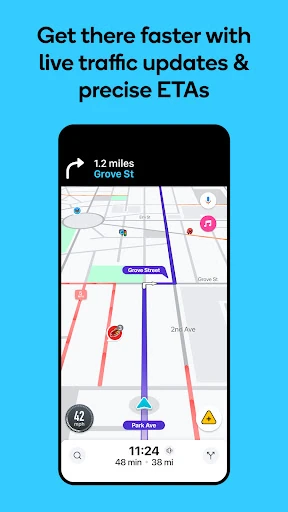
Picture leaving work for home just as traffic starts to build. With Waze, I can enter a destination, follow voice-guided directions, and let live traffic information shape the route. If conditions change or a road closes, the app can reroute automatically. That makes it especially useful on familiar drives, where I know the general way but would rather not discover a backed-up intersection or roadwork queue at the last moment.
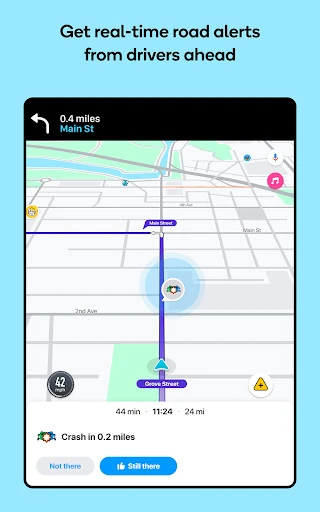
The community element gives the map another layer. Drivers can report hazards and incidents, including crashes, objects in the road, potholes, and roadworks, so other drivers can receive alerts. I would still keep my attention on the road and treat reports as useful context rather than a reason to make a sudden move. Used that way, Waze helps make an everyday trip more predictable without asking me to plan every turn in advance.
Navigation, not a travel planner
Waze is most compelling when I am driving and want current route guidance, traffic-aware rerouting, and alerts about what may be ahead. It also covers practical details such as toll prices, fuel stations, EV charging stations, and parking near a destination. That is a broader driving toolkit than a basic turn-by-turn route, but the central job remains getting from one place to another by car.
I would not choose it as a general-purpose guide to a city or as a replacement for planning every part of a trip. Its features are aimed at drivers, and Waze says its navigation is not intended for emergency or oversized vehicles. If I simply need a static route, the live reports may be more information than I want. Some features also vary by country, so the available options can depend on where I drive.
Small habits, smoother drives
A useful habit is to check the route before setting off, rather than waiting until I am already moving. Waze can show estimated arrival times for a future departure or arrival, which helps when I have a meeting or pickup to plan around. I can also compare route choices that account for tolls and decide whether avoiding them matters more than taking the quickest suggested route.
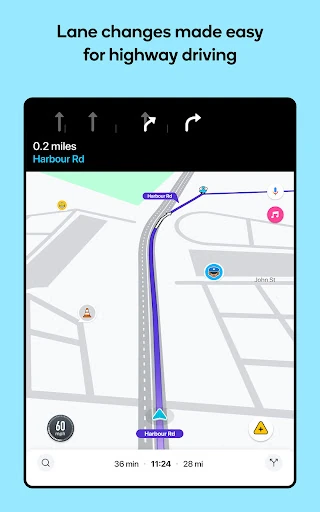
During a drive, voice guidance and multi-lane guidance can reduce the need to look down when an exit or lane change is coming up. I can contribute by reporting a hazard when it is safe to do so, helping other drivers while keeping my attention on driving. Adding road passes and vignettes for applicable lanes or restricted zones, and connecting compatible audio apps, can make a regular route feel more tailored.
Reads About Waze
More From Our News Desk

Zoom Meetings, Google Meet, or Teams: Which Is Easiest to Join?

How I Build a Free Streaming Lineup With Tubi

Why Crunchyroll Is the Default Anime App for So Many Fans

YouTube TV: A Practical Guide to Cutting Cable

Rummikub and the Small Comfort of Phone Games

TeamViewer Remote Control or AnyDesk for Helping Family?
Who will get the most from it
I would recommend Waze to drivers who regularly face changing traffic, commute through busy areas, or take unfamiliar routes and appreciate timely road alerts. It is also a good fit for people who like checking an ETA before leaving, need lane guidance, or want to compare toll and parking information. The collaborative reports are a distinctive part of the experience, especially for drivers who are comfortable using a map that can change as conditions do.
It may not suit someone who wants a quiet, minimal navigation screen or who rarely drives. Waze’s alerts and community reports can add useful context, but they also mean more going on than a plain route line. Drivers should not rely on the app as an emergency service, and its guidance is not meant for emergency or oversized vehicles. I would also check which features are available in my country before counting on a particular option.
Waze Navigation & Live Traffic is developed by Waze and is available on Google Play for Android. Google Play shows more than 500 million installs and a 4.4-star rating from about 8.9 million ratings. The app is free to download. Its content rating is Everyone, and the version is listed as varying with device.
The app contains ads, and the provided store facts show no in-app purchases. Its last update is dated October 28, 2026. A minimum Android version and original release date are not included in the available facts, so I would check the app’s Google Play page for device compatibility and current details.
How Waze Handles the Everyday Drive
A practical first impression
When I first open Waze, I see a navigation app built around the road as it is now, not only the route I planned earlier. Its main appeal is easy to understand: enter a destination, get directions and an ETA, then let live traffic and incident information help adjust the trip. That focus makes sense for someone who spends time behind the wheel and wants useful information before a delay becomes part of the journey.
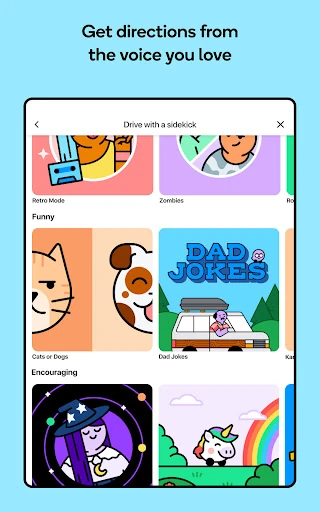
I would start by choosing a destination and reviewing the suggested route before setting off. The app also supports voice-guided, turn-by-turn directions in a variety of languages and local accents. That gives drivers options for how instructions sound without changing the basic job. Since some features are not available everywhere, my first check would be whether the specific tools I care about are offered where I drive.
The daily driving rhythm
The day-to-day experience is about staying oriented while conditions change. Waze provides live traffic updates and can automatically reroute around traffic, incidents, or road closures. I like that combination for a familiar commute: I can focus on driving rather than repeatedly second-guessing whether the route is still sensible. Accurate ETAs are part of the appeal, though any estimate is best treated as a guide while traffic continues to evolve.
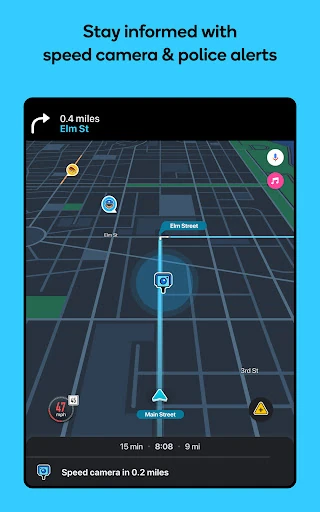
Alerts cover a wide range of road conditions, from accidents and roadworks to potholes, bad weather, railway crossings, and emergency vehicles. Waze also reports police and red-light or speed-camera locations, and can show upcoming speed-limit changes with a speedometer. That is a lot of information to have available. I would use it as advance awareness, not as permission to stop watching the road or to react abruptly.
Useful details beyond directions
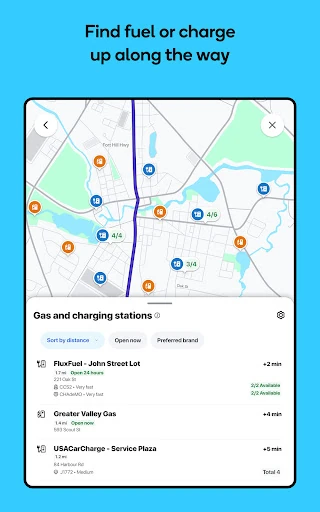
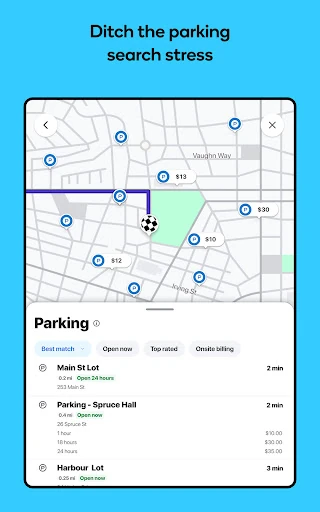
Several features address the small decisions that make a drive inconvenient. Waze can show toll pricing and let me choose to avoid tolls. It can also help locate fuel stations and prices, EV charging stations, and parking lots with prices near a destination. Those details are handy when I am heading somewhere unfamiliar and would rather compare options before arriving than circle around after the drive.
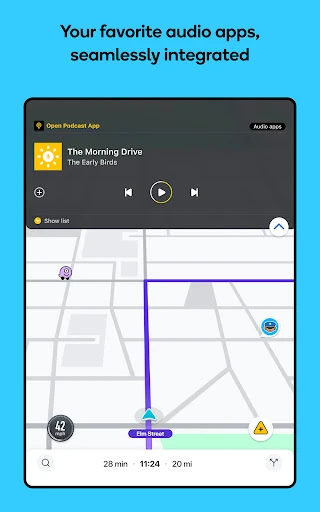
Multi-lane guidance helps indicate which lane to use, while road passes and vignettes can be added for HOV lanes and restricted traffic zones. I can plan around a future departure or arrival time, too. For entertainment, Waze supports using favorite audio apps for music, podcasts, news, and audiobooks within the app. Android Auto support lets drivers sync Waze to a car’s built-in display.
A routine for busy days
For a morning appointment, I would check the ETA for the time I expect to leave, then decide whether toll avoidance or the suggested route matters more. Before setting out, I can confirm the destination and get the voice guidance ready. During the drive, lane guidance and alerts can help me anticipate the next turn or a reported hazard, without needing to plan every minute of the trip in advance.
On arrival, parking information can help narrow down nearby options and prices. For a longer drive, I might check fuel or EV charging locations along the route and connect an audio app for the trip. If I encounter a road hazard, Waze lets drivers share reports with others. I would only do that when it is safe, because contributing to the map should never distract from driving.
Keep the limits in view
Waze’s strongest feature is also a practical limitation: it relies on a live, community-oriented view of the road. Alerts and route choices can be useful, but they do not remove the need to use judgment and pay attention. A reported issue may not tell me everything about what is happening, and a changing ETA is not a promise that a trip will take a particular amount of time.
The feature set also varies by country, so toll details, passes, charging information, and other options may differ from one place to another. The app contains ads, which is worth knowing if I prefer a completely uninterrupted interface. Finally, Waze is designed for ordinary driving rather than emergency or oversized vehicles. Those limits do not undermine its everyday usefulness, but they do define where it is the right tool.
Waze is a capable choice for drivers who want more than a fixed route. Live traffic, automatic rerouting, road reports, lane guidance, and practical stop information all serve the same clear purpose: making a drive easier to anticipate. I especially like how it brings community updates into routine navigation, while still leaving the driver responsible for decisions on the road.
I would try Waze if I commute, drive through changing traffic, or often travel somewhere unfamiliar. It is less appealing if I want a very quiet map or do not need driving-focused tools. Check the options available in your area and keep attention on the road; within those bounds, it is a useful everyday navigator.
Waze Frequently Asked Questions
What is Waze Navigation & Live Traffic used for?
Waze is used for GPS navigation and driving directions with live traffic updates, estimated arrival times, and automatic rerouting. It also provides alerts about reported road conditions and incidents. Drivers can find details such as toll prices, fuel and EV charging stations, and nearby parking. The available features can vary by country.
Which devices can run Waze Navigation & Live Traffic?
Waze is available on Android through Google Play and supports syncing to a car’s built-in display through Android Auto. The provided facts do not specify a minimum Android version, so compatibility may depend on the device. Check the app’s Google Play page for current device requirements and availability.
Does Waze Navigation & Live Traffic cost anything?
Waze is free to download, and the provided facts show no in-app purchases. The app contains ads. Store details can change, so it is worth checking the Google Play page for current information before installing.
What Android version does Waze Navigation & Live Traffic require?
The minimum Android version is not included in the available app details. Requirements can vary with device and app updates, so check the compatibility information on Google Play for the phone or tablet you plan to use.
Is Waze Navigation & Live Traffic right for every driver?
Waze is aimed at drivers who want live traffic-aware directions, road alerts, and route details such as tolls or parking. Some features vary by country. Waze says its navigation is not intended for emergency or oversized vehicles, so it is not the right navigation tool for those uses.
Pros
- Live traffic and automatic rerouting can help keep everyday drives responsive to changing conditions.
- Road alerts cover a wide range of reported hazards, incidents, and driving conditions.
- Toll, fuel, EV charging, and parking details add practical help beyond turn-by-turn directions.
- Future ETA planning, lane guidance, and Android Auto support suit varied driving routines.
Cons
- The busy range of alerts may feel like more information than some drivers want.
- Features vary by country, so particular route tools may not be available everywhere.
- The app contains ads, and it is not intended for emergency or oversized vehicles.
- Category
- Maps & Navigation