GPS Maps Navigation
Listed on Google Play as “GPS, Maps, Driving Directions”
- 107.13K
- 4
- Installs
- 50.00M
- Price
- Free

Screenshots
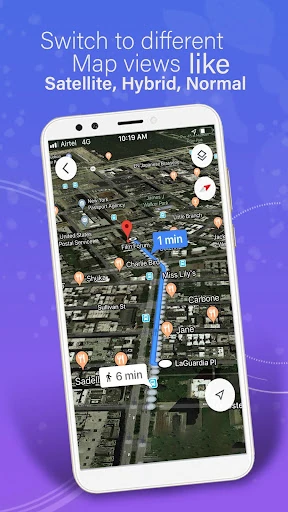
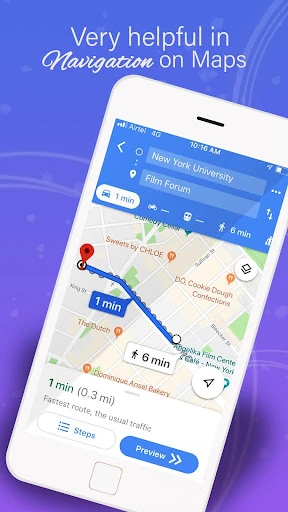
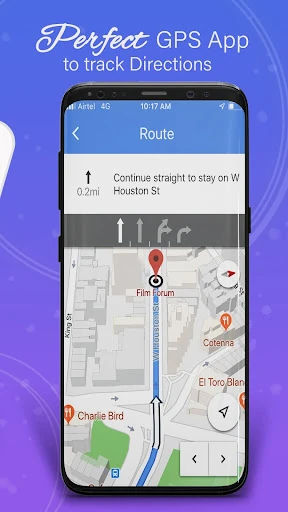
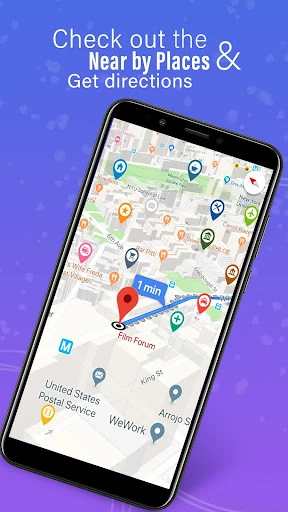
Analysis by Reviewed APKs
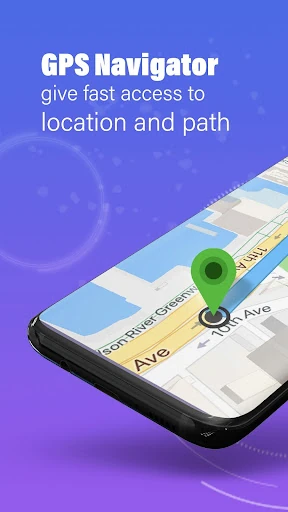
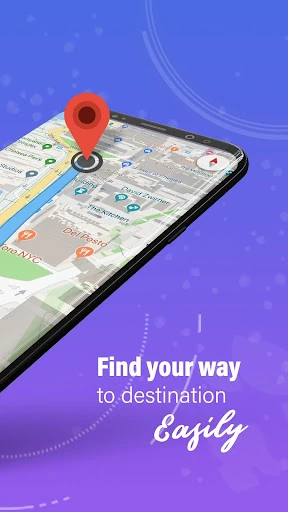
GPS, Maps, Driving Directions is an Android navigation app for getting around by car, on foot, or by bicycle. It combines turn-by-turn guidance with traffic information, offline maps, route planning, and location sharing. I like that it tries to cover both the everyday commute and the less predictable road trip in one place. It has plenty to explore, though its broad feature set may be more than a simple directions app needs.
A More Prepared Commute
Picture a weekday morning when I need to cross town, but traffic is already building. I can use the map to get directions, follow turn-by-turn guidance, and check real-time traffic information along the way. If conditions change, the app describes automatic rerouting as a way to get back on course. That combination is useful when I want to spend less time studying a route and more time paying attention to the journey.
For a longer drive, I would plan ahead rather than wait until I am already on the road. The route planner supports customizable routes, including choices such as the fastest or a scenic path, and the app offers offline maps for areas with limited data coverage. Voice directions can make following a route easier without continually checking the screen. Those tools suit the practical rhythm of travel: prepare before leaving, then let guidance handle the next turn.
More Than Basic Directions
The obvious comparison is a basic map app that mainly gets me from one address to another. This app aims to do more: it combines driving directions with walking and cycling routes, offline navigation, traffic updates, weather alerts, route planning, and location sharing. There are also compass and GPS route-finder tools. If I want several travel-related functions in one app, that breadth may be appealing; it also means there is more here than a quick route lookup.
I would not treat it as a dedicated trip journal, a social network, or a replacement for careful attention to road conditions. Location history and sharing are described as travel tools, not as a reason to keep the app open all day. Nor does the feature list make it a specialist hiking guide or a public-transit planner. Its clearest purpose is helping with navigation and coordination while travelling, rather than managing every part of a trip.
Small Habits That Help
I would make checking the route part of my pre-trip routine. Before setting off, I can choose a route preference, consider whether I will have a reliable data connection, and download offline maps when needed. That is a modest bit of preparation, but it matters more on a road trip than on a familiar local drive. Voice guidance then provides turn-by-turn directions while I travel, rather than making me repeatedly glance down to reconstruct the route.
For a day with several stops, the route planner's multi-stop navigation and route optimization are worth exploring before departure. I would also use location sharing when coordinating a meeting or updating family about my travel progress. These features work best when they have a clear purpose: planning the order of stops or sharing a location with people who need it. Keeping the routine focused helps the app feel like a useful travel tool instead of a collection of unused options.
More From Our News Desk

Zoom Meetings, Google Meet, or Teams: Which Is Easiest to Join?

How I Build a Free Streaming Lineup With Tubi

Why Crunchyroll Is the Default Anime App for So Many Fans

YouTube TV: A Practical Guide to Cutting Cable

Rummikub and the Small Comfort of Phone Games

TeamViewer Remote Control or AnyDesk for Helping Family?
Who May Find It Useful
I would recommend GPS, Maps, Driving Directions to Android users who want navigation for more than just their regular commute. Drivers can use voice directions, traffic information, and route planning; walkers and cyclists have route options too. Offline maps may be especially useful for people who travel through places with unreliable internet access. The location-sharing tools could also help when friends or family are trying to coordinate where to meet.
It may be less appealing if all I want is the simplest possible way to look up one destination and follow a route. The app's collection of tools can take some time to sort through, and ads are part of the experience. I would also be thoughtful about whether location sharing and tracking features fit my needs. For someone comfortable with those trade-offs and interested in an all-in-one travel toolkit, the range is a genuine draw.
GPS, Maps, Driving Directions is made by AppVerge Technologies, LLC and is available on Google Play for Android. It has over 50 million installs and a 4.0-star rating from around 107,000 ratings. The app is rated Everyone, and its listed minimum requirement is Android 7.0. Google Play shows version 13.83, released on November 6, 2018, with its latest update dated February 2, 2026.
The app is free to install and contains ads. It also offers in-app purchases, with listed items ranging from $2.49 to $19.99 each. That gives the basic download a low barrier to trying it, while making it worth checking which optional purchases apply to the tools I plan to use. The Google Play page is the place to review current purchase details and compatibility before installing.
A Closer Look at Navigation
First Look and Setup
When I first opened an app with this many navigation tools, my first thought was to start with the main job: finding a route. Maps, GPS navigation, and driving directions are the foundation, while the other features can wait until I need them. That approach keeps an initial trip manageable. The app's description says it uses location information for navigation guidance and notifies users when its foreground service is running.
The first useful decision is whether a planned journey might take me somewhere with a weak data connection. If so, offline maps deserve attention before departure. I would also take a moment to consider a route preference, such as the fastest or a scenic route, rather than assume every trip has the same priorities. This small setup step can make the app's range feel practical instead of overwhelming.
Following the Route
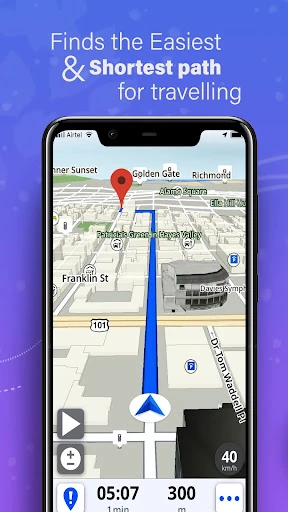
Day to day, turn-by-turn directions are the feature I would expect to use most. Voice navigation provides spoken guidance, while the map gives me a visual route to follow. That pairing is straightforward: I can listen for the next instruction and consult the map when I want a broader view. The app also describes automatic rerouting, which is intended to help when a journey no longer follows the original path.
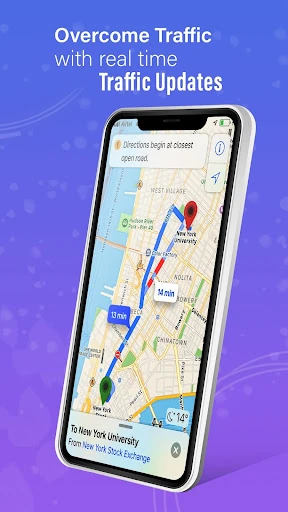
Real-time traffic information adds another layer for driving, with updates about congestion, accidents, road conditions, and weather alerts described among the app's tools. I would think of these as information to help plan a trip, not a promise that every delay can be avoided. On a familiar commute, a map and voice guidance may be enough; when conditions are changing, traffic updates give the route more context.
Tools Beyond Navigation
Offline maps are one of the app's most practical extras. The description says users can download maps for navigation without a data connection, which is useful to consider before a remote drive or another trip through an area with spotty service. The same offline capability is also described alongside route finding and directions. Preparation is the key point: a map intended for offline use needs attention before connectivity becomes a problem.
The route planner adds flexibility beyond a simple point-to-point trip. It supports customizable routes, including options such as avoiding tolls or choosing scenic paths, and describes multi-stop navigation with route optimization. Separate route choices cover driving, cycling, and walking. Those options give the app a wider use than a car-only navigator, although how much they matter will depend on the kinds of journeys I take.
Planning a Day Out
For a day with errands in several places, I would plan the stops in advance and use the multi-stop route tools to think about the order of the journey. If I am meeting someone along the way, location sharing offers a simple way to coordinate or keep family updated on travel progress. I would use sharing deliberately, for a specific trip or meeting, rather than make it an automatic part of every outing.
A longer weekend drive calls for a slightly different routine. I would set a route preference, check whether offline maps are needed, and then rely on voice directions and traffic information while travelling. If weather alerts are relevant to the route, they can add another prompt to stay aware of conditions. None of that removes the need to use judgment on the road, but it gives me several useful planning and navigation tools in one place.
Trade-Offs to Consider
The main limitation is breadth. Maps, route planning, offline navigation, traffic, weather alerts, a compass, and location features make for a long list, and not everyone needs that many choices. I would start with directions and add other tools only when a trip calls for them. Ads are another practical consideration, especially for anyone who prefers a quieter interface while checking a route.
Location features deserve a little thought, too. The app describes location tracking, history, sharing, and private circles for coordinating with others, so it is worth deciding which of those functions are useful for a particular journey. I would not enable or use sharing casually just because it is available. The app's central navigation role is clear, but its extra tracking and coordination tools will suit some routines much better than others.
GPS, Maps, Driving Directions has a useful core: route guidance, voice directions, traffic information, and offline maps, with planning and location-sharing tools around them. I like the flexibility for commutes as well as longer trips. The range is its biggest strength, but it also asks users to decide which features they actually want and to live with ads.
I would give it a try if I use Android 7.0 or later and want one app for several kinds of navigation and travel planning. It is a less obvious fit for someone who wants only a bare-bones map or does not want ads and optional purchases. For a feature-rich travel companion, the free download is worth considering.
GPS Maps Navigation Frequently Asked Questions
What is GPS, Maps, Driving Directions used for?
GPS, Maps, Driving Directions is for navigation and travel planning. It offers GPS maps, turn-by-turn and voice directions, real-time traffic information, and offline maps. The description also includes route planning for driving, walking, and cycling, plus location sharing and tools for planning multi-stop journeys.
Which devices can run GPS, Maps, Driving Directions?
The app is listed for Android on Google Play. Its stated minimum requirement is Android 7.0. Check the Google Play page on your device for current compatibility details, since availability can vary by device and software version.
Does GPS, Maps, Driving Directions cost money?
The app is free to install, contains ads, and offers in-app purchases. Listed purchase prices range from $2.49 to $19.99 per item. Optional purchase details can change, so check Google Play for the current prices and what each item includes.
Can GPS, Maps, Driving Directions work offline?
The app describes downloadable offline maps and offline navigation for travel without a data connection. Downloading maps before a trip is a sensible step if you expect limited service. For current details about offline use, check the app's Google Play page.
Who should use GPS, Maps, Driving Directions?
It may suit Android users who want navigation for driving, walking, or cycling, along with traffic updates, route planning, and offline maps. Location sharing and multi-stop planning may also appeal to people coordinating trips. Someone seeking a very simple map app or an ad-free experience may prefer a different fit.
Pros
- Combines voice directions, traffic updates, and offline maps for everyday trips.
- Route planning supports driving, walking, cycling, and multi-stop journeys.
- Location sharing can help coordinate meetings and travel updates.
- Free to install on Android devices running version 7.0 or later.
Cons
- Ads may interrupt the experience for users who prefer a cleaner interface.
- The broad feature set can feel like more than basic navigation requires.
- In-app purchases add costs beyond the free download.
- Category
- Maps & Navigation
- Version
- 13.83