GPS Speedometer: Speed Tracker
- 62.33K
- 4.7
- Installs
- 5.00M
- Price
- Free
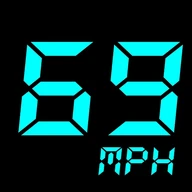
Screenshots
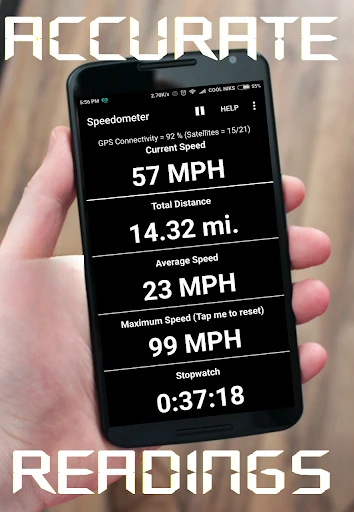
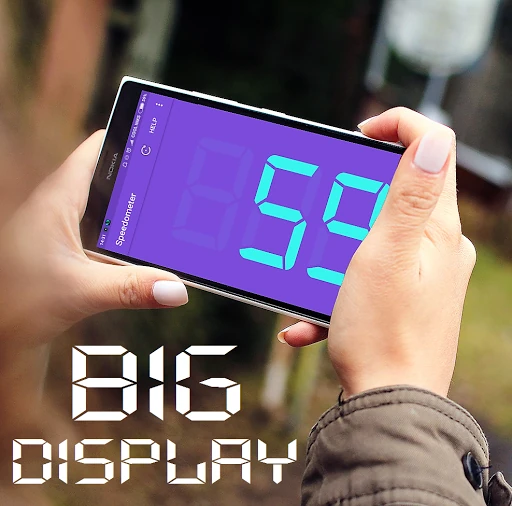
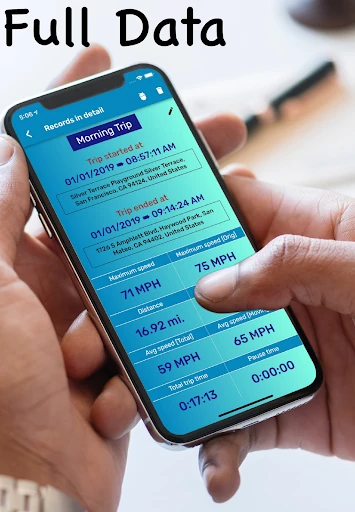
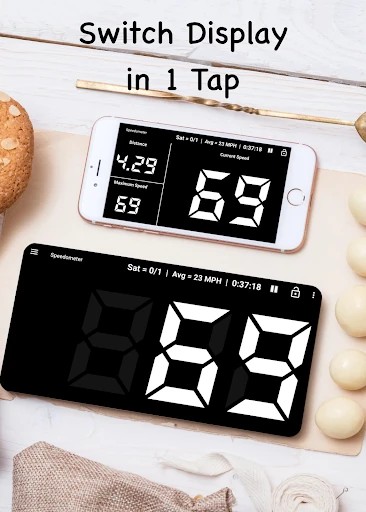
Analysis by Reviewed APKs
GPS Speedometer: Speed Tracker turns an Android phone into a live speed and trip-distance display for driving, cycling, and other travel. I see its appeal for people who want a second readout or a simple way to check how far a journey went, rather than a full navigation system. The feature mix is practical, though a phone-based speed reading is best treated as a supplement to vehicle instruments.
A quick trip check
Picture a familiar drive where you want to keep an eye on speed without changing the route or navigation setup you already use. This app is built around that small job: it measures current speed using GPS and can also track distance for the trip. The display gives a phone another role in the car, while the odometer-style readout can be useful on a bike or scooter ride too.
I can also imagine opening it before setting off on a weekend ride, then checking the distance afterward instead of trying to estimate it from memory. Trip History is intended to save and review previous journeys with stats, so the app is not limited to a number that disappears when the trip ends. The draw is straightforward tracking, not an elaborate planning session or a replacement for road directions.
A companion, not navigation
Compared with a standard vehicle speedometer, the app offers a phone-based alternative readout and some trip information in one place. Compared with a navigation app, its focus is much narrower: speed, distance, direction, and related travel details rather than route guidance. A floating window is described for keeping speed visible over other apps, including Google Maps, which makes the two kinds of tools potentially complementary.
That distinction matters when deciding whether it fits. Someone seeking turn-by-turn directions, route discovery, or a comprehensive vehicle dashboard should look elsewhere for those jobs. This is more suited to checking movement and recording a trip than managing every part of a journey. I would treat its GPS reading as an additional reference, not as a reason to ignore the vehicle’s own instruments or the road.
Small habits that help
A useful routine is to choose the preferred speed unit before a ride, since the app supports mph, km/h, m/s, and knots. That avoids doing mental conversions when the display is most useful. If a speed threshold matters for a particular trip, the described customizable speed alerts can provide a warning. Setting those preferences in advance is more sensible than fiddling with the phone while moving.
For trips worth remembering, I would make a habit of checking the distance and saved trip details after stopping. The app also describes optional export for trip data, which may suit someone who wants to keep a record outside the immediate drive. Compass and weather views add context, but the simplest workflow is still to start with speed and distance, then use the extra tools only when they answer a real question.
More From Our News Desk

Zoom Meetings, Google Meet, or Teams: Which Is Easiest to Join?

How I Build a Free Streaming Lineup With Tubi

Why Crunchyroll Is the Default Anime App for So Many Fans

YouTube TV: A Practical Guide to Cutting Cable

Rummikub and the Small Comfort of Phone Games

TeamViewer Remote Control or AnyDesk for Helping Family?
Who may find it useful
I would recommend GPS Speedometer: Speed Tracker to drivers, cyclists, scooter riders, and travelers who want a straightforward speed and distance display on a phone. It may also suit someone who likes reviewing trip measurements afterward, or who wants a compass and current-weather information alongside the main readout. The range of units makes it relevant to different kinds of travel, rather than only one vehicle or measurement system.
It may not suit people looking for detailed navigation, traffic-aware route planning, or a dedicated professional mileage system. Anyone who prefers not to have a phone visible during a drive may also get little value from a live display. And because the app relies on GPS, I would not make it the sole basis for a decision where a vehicle’s own speedometer is available. Its best role is a convenient companion.
GPS Speedometer: Speed Tracker is made by COOL NIKS and is in the Maps & Navigation category on Google Play. It has over 5 million installs and a 4.7-star rating from about 62,000 ratings. The app is free to download, contains ads, and does not offer in-app purchases. Its content rating is Everyone, making the listed audience broad.
The current version is 18.2.0. It first appeared on May 5, 2016, and its most recent listed update was August 26, 2025. The supplied app details do not give a minimum Android version, so it is worth checking the Google Play page on the device you plan to use. The app is described as working offline, with GPS-based speed and trip-distance functions.
A closer look at speed and trip tracking
Getting started
When I first consider an app like this, the important question is whether it can show the useful number without turning a simple trip into a setup project. Its stated core is easy to understand: GPS speed in real time, distance for the trip, and a choice of familiar units. The compact, focused purpose should make it approachable for someone who only wants a speed readout rather than a full navigation suite.
Before relying on it for a journey, I would settle on the unit I normally use and decide whether I want a speed alert. The app describes mph, km/h, m/s, and knots, plus customizable warnings. A few choices made while stationary can make the live screen more comfortable to read later. I would also position the phone safely and avoid interacting with it while driving.
The everyday readout
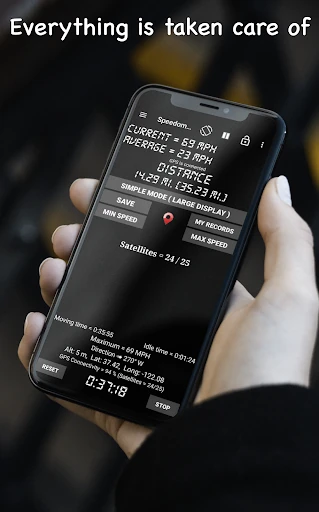
The core experience is about checking current speed and distance as travel happens. That simplicity is the strongest reason to install it: a driver can use it as a supplementary display, while a cyclist or scooter rider can use the same basic idea to measure a trip. GPS is the source of the speed tracking, so the app’s job is to turn location-based movement into an easy-to-read travel measure.
For a regular commute, the distance function could answer a basic question afterward: how far did I travel? Trip History adds a way to revisit saved journeys rather than relying on memory. I would keep expectations centered on those practical measurements. This is not presented as a route planner, and the app’s everyday value comes from seeing speed and distance, not from managing a destination.
Useful extras
Several extras broaden the app beyond a single speed number. HUD mode is described as showing a mirrored speed display for viewing on a windshield, while the floating window can keep speed visible over another app such as Google Maps. These options are aimed at people who want the readout to fit into an existing setup, rather than forcing them to abandon tools they already use.
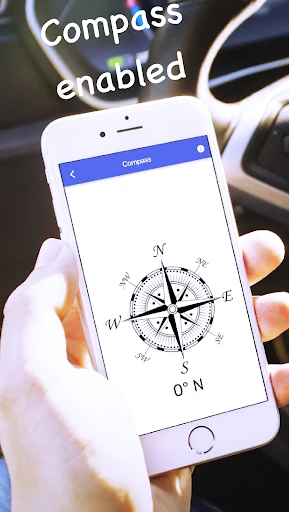
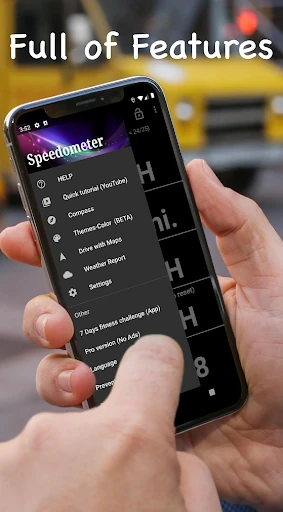
Compass mode provides a direction reference, and the app also describes live weather. Trip History is the more practical addition for anyone who wants to look back at past routes and their stats. Export is mentioned as an option for trip data. Taken together, these features give the app a modest travel-toolkit feel, though the speed and distance functions remain its main reason to be there.
A routine for rides
For a bike ride, I would start by choosing the unit I am accustomed to and checking the display before leaving. If I want a warning at a particular speed, I would configure that while stopped. During the ride, the useful glance is the current speed; afterward, the distance and saved trip information are the details I would actually want to review. That keeps the phone from becoming a distraction.
On a drive, the floating-window option could make sense alongside a navigation app, while HUD mode offers a different way to view speed. The app also says it can work offline, so an internet connection is not required for its stated core use. I would still treat the phone as an extra instrument and keep my attention on driving, rather than trying to manage screens mid-journey.
Limits to remember
A phone app is not the same thing as a built-in vehicle instrument. GPS-based speed tracking makes this useful as a secondary reference, but I would not substitute it for the vehicle’s speedometer. The app’s offline description is helpful, yet it does not change the fact that the experience depends on the phone and its location signal. For a trip, that makes safe mounting and sensible expectations important.
The app also contains ads, which may interrupt the otherwise focused feel. Its feature set is travel-oriented but not comprehensive: there is no claim here of turn-by-turn navigation or route planning. The trip information and extras may be enough for casual tracking, but someone who needs specialized fleet tools or a full navigation experience may want a different product for that primary job.
GPS Speedometer: Speed Tracker makes the most sense as a practical companion for checking speed and measuring distance, with trip history and a few useful display options around that core. The offline claim, choice of units, and floating-window and HUD modes give it flexibility without changing its basic purpose.
I would try it if I wanted a simple phone-based readout for occasional drives or rides, and I would keep the vehicle’s own instruments as the primary reference. If you need full navigation or a more specialized tracking system, this is too narrow. For casual travel measurements, its straightforward focus is the point.
GPS Speedometer Frequently Asked Questions
What is GPS Speedometer: Speed Tracker used for?
GPS Speedometer: Speed Tracker measures current speed using GPS and tracks trip distance. It also describes trip history, speed alerts, a compass, live weather, HUD mode, and a floating speed window. It is aimed at drivers, cyclists, scooter riders, and other travelers who want speed or distance information, rather than a complete navigation service.
Which devices can run GPS Speedometer: Speed Tracker?
The app is listed on Google Play for Android devices. The supplied details do not give a minimum Android version, and compatibility can depend on the device and current app requirements. Check the Google Play page from the device you plan to use for the latest compatibility information.
What Android version does GPS Speedometer: Speed Tracker require?
The minimum Android version is not included in the available app details. Requirements can vary as the app is updated, so check its Google Play page before installing if compatibility is a concern. The listed current version is 18.2.0.
Does GPS Speedometer: Speed Tracker cost money?
It is free to download on Google Play and contains ads. The supplied details say it does not offer in-app purchases. Store terms can change over time, so it is worth checking the current Google Play page for the latest cost and purchase information.
Is GPS Speedometer: Speed Tracker right for casual trips?
It can suit someone who wants a supplementary speed display, trip distance, or saved trip details for a drive or ride. It may be less suitable if you want turn-by-turn navigation or do not want to use a phone while traveling. I would use it as an extra reference, not a replacement for a vehicle’s speedometer.
Pros
- Tracks current GPS speed and trip distance for several kinds of travel.
- Offers mph, km/h, m/s, and knots for different preferences.
- Includes trip history, customizable speed alerts, compass, and weather.
- Describes offline use and floating-window and HUD display options.
Cons
- Contains ads, which may interrupt an otherwise focused utility.
- Does not replace a full navigation app or vehicle speedometer.
- Minimum Android version is not provided in the available details.
- Category
- Maps & Navigation
- Version
- 18.2.0











