Video Lite
- 1.46K
- 3.6
- Installs
- 1.00M
- Price
- Free

Screenshots
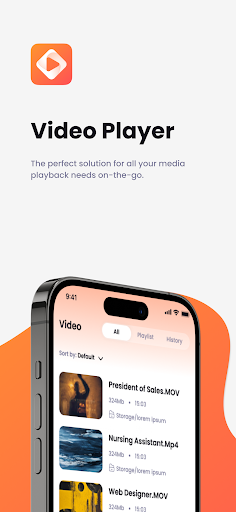
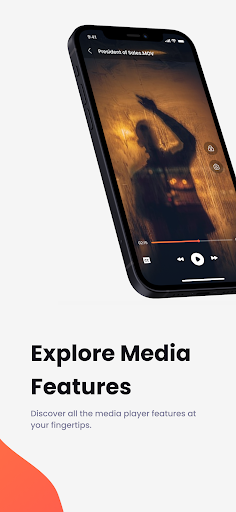
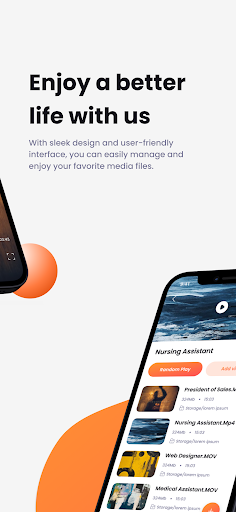

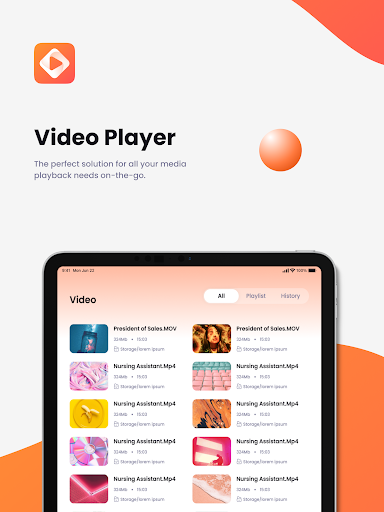

Analysis by Reviewed APKs
Video Lite is an Android media player and organizer for watching saved videos, listening to music, and browsing photos. It suits people who want one place for everyday media, including files they may want to play offline. After looking at what it offers, I see a practical, broad-purpose player rather than a tool for making or editing videos. Its appeal is convenience, with some trade-offs to consider.
A Handy Evening Player
Picture getting home with a few videos and music tracks already saved on your phone. Instead of switching between separate apps, Video Lite is designed to bring those files together: open a video, play a song, or browse photos in one media-focused app. Its stated support for MP4 and AVI video and MP3 audio makes the idea straightforward for common personal collections.
When I consider that kind of routine, the offline angle is the most useful part. A saved video can be watched without relying on a connection, and the same goes for music. That can suit a commute, a trip, or a spot with unreliable service, provided the files are already on the device. The app also describes file organization as part of its role, rather than playback alone.
A Player, Not an Editor
Video Lite is best compared with the basic video, music, and photo apps already used for local media. Its pitch is to combine those jobs, so someone who wants to browse a small collection and press play may appreciate having fewer separate tools to open. It is not presented as a video-creation or editing app, despite what the name might initially suggest.
That distinction matters if your goal is to trim clips, add effects, build a social video, or publish a finished project. Those are different tasks from playing saved media, and the described features focus on playback, photo browsing, and organization. I would treat Video Lite as a general media companion, not as a replacement for a dedicated editor or a streaming service.
Small Habits That Help
A little preparation makes a local media app easier to use. I would keep the videos, tracks, and photos I want handy on the device, then give the app storage access so it can work with those files. If I were heading out, I would check that a video or playlist is saved before leaving, since offline playback depends on having media available locally.
It also helps to think of Video Lite as a place to return to for different types of media, rather than opening it only when a video is needed. A quick browse through photos, a song while doing chores, or an offline clip during travel are all natural fits for the described functions. Keeping a manageable collection on the phone should make browsing feel less like rummaging through everything.
More From Our News Desk

Zoom Meetings, Google Meet, or Teams: Which Is Easiest to Join?

How I Build a Free Streaming Lineup With Tubi

Why Crunchyroll Is the Default Anime App for So Many Fans

YouTube TV: A Practical Guide to Cutting Cable

Rummikub and the Small Comfort of Phone Games

TeamViewer Remote Control or AnyDesk for Helping Family?
Who May Like Video Lite
I would recommend Video Lite to Android users who keep personal videos, music, and photos on their device and want one app for basic access to them. Its mix of local playback and gallery browsing is appealing if you do not need a specialized workflow. The offline use case is especially easy to understand: save media first, then play it when a connection is inconvenient.
It may be a poor fit for someone looking primarily to create videos, edit footage, or find a library of online entertainment. The app's described job is managing and playing media already on the device. People who prefer separate, specialized players may also see little reason to combine these functions. I would check the current Google Play details for cost and device requirements before deciding.
Video Lite is a free Android app from Video Lite Group. Google Play shows over one million installs and a 3.6-star rating from about 1,500 ratings. It contains ads and offers in-app purchases, with listed items ranging from $0.49 to $18.99. The content rating is Teen. These details put the basic download at no upfront price, while allowing for ads and optional purchases.
The current version is 5.6. Video Lite was released on September 27, 2023, and its latest recorded update was October 14, 2026. No minimum Android version is specified in the supplied app facts, so I would check the Google Play page on the device before installing. The app is described as a media player and organizer, with support for offline video and music playback.
How Video Lite Fits Everyday Media
A Straightforward First Look
When I first opened the idea of Video Lite, the most important setup step was clear: allow access to device storage. The app's description says this access lets it reach the videos, music, and photos you want to use. That makes the first impression more about connecting the app to an existing collection than building a new one from scratch.
I like that the stated purpose is easy to grasp. This is a media manager with playback, not a service that depends on browsing a catalog online. Before relying on it for a trip or a long wait, I would make sure the files I want are already on the phone and that the app can access them.
The Day-to-Day Playback
The routine described for Video Lite is simple: open the app, find a saved file, and play it. It supports video formats such as MP4 and AVI, along with MP3 music, and the description emphasizes offline playback. That makes it relevant for ordinary moments when I want a saved clip or track without moving between a video player and a music app.
The practical value depends on the collection already on the device. Video Lite is not described as supplying songs or films; it gives users a way to access their own media. That is a useful distinction for anyone expecting a streaming catalog. If local files are the main thing you want to play, the combined approach may feel convenient.
More Than Video Playback
The photo gallery function broadens the app beyond watching and listening. Video Lite is also described as a way to browse saved pictures, so it can cover a quick look through recent photos as part of the same media routine. Its file-management role is another piece of that all-in-one approach, aimed at keeping videos, music, and photos organized.
The app also describes support for HD video and high-fidelity audio. Those claims speak to playback quality, but they do not change the central job: enjoying media files on the device. What stands out to me is the combination of common media types in one place, rather than a long list of advanced controls or creative tools.
A Useful Travel Routine
For a train ride or a day out, I would prepare ahead by saving the video or music I plan to use. Once the app has storage access, its offline playback makes it a possible home for that media. That routine is simple, but it avoids expecting a connection to be available at the moment I want to watch or listen.
At home, I could use the same app more casually: play a track while doing chores, check a saved video, or browse a few photos. Having these activities in one app may cut down on app switching. I would still keep the device's existing files in mind, since the description centers on personal media rather than content provided by Video Lite.
Limits to Keep in Mind
The clearest limitation is scope. Video Lite is described as a local media player and organizer, not a creator's editing suite, a social video tool, or a streaming catalog. Anyone looking for templates, trimming, effects, or direct publishing should look at an app designed for those jobs instead. The broad name can suggest more than the listed functions actually cover.
The Google Play facts also show ads and in-app purchases, even though the app is free to install. That may matter to people who prefer an uninterrupted experience or want to avoid optional spending. The rating is 3.6 stars from around 1,500 ratings, so I would weigh that alongside the feature description and check the current store page for details that may change.
Video Lite makes the most sense as a single place to play saved videos and music and browse photos. I like the practical offline focus and the modest learning curve implied by its setup. It is less compelling if what you really need is editing, online discovery, or a specialized player with a narrower purpose.
I would suggest trying it if local media is part of your everyday phone use and you value having several media types together. Keep the ads and optional purchases in mind, and check device compatibility in Google Play. For straightforward playback and browsing, Video Lite has a clear use; for more ambitious media work, it is not the right category.
Video Lite Frequently Asked Questions
What is Video Lite used for?
Video Lite is for playing videos and music saved on an Android device and browsing photos. Its description mentions MP4 and AVI video, MP3 audio, offline playback, and file organization. It is a media player and manager, rather than a video editor or an online streaming catalog.
Which devices and platforms support Video Lite?
Video Lite is an Android app distributed through Google Play. The supplied details do not give a minimum Android version, so check the app's current Google Play page on your device for compatibility. Its described use involves accessing media stored on the device.
Does Video Lite cost anything?
Video Lite is free to install, but it contains ads and offers in-app purchases. Listed purchase items range from $0.49 to $18.99. Prices and purchase options can vary, so check the Google Play page for the current details before installing or buying anything.
Can Video Lite play media offline?
Yes. The app description says it can play videos and music offline, including supported local video and MP3 audio files. The media needs to be available on your device, and the app needs storage access to work with it. It is not described as an offline streaming service.
Who is Video Lite best suited for?
It may suit Android users who want a single app for playing saved videos and music and browsing photos. It is less suitable for people seeking video editing, social publishing, or a streaming library, since those are not its described functions. Check the store page for current compatibility and purchase details.
Pros
- Combines video, music, and photo browsing in one media-focused app.
- Describes offline playback for saved videos and music.
- Supports common formats including MP4, AVI, and MP3.
- Free to install on Android.
Cons
- Contains ads and offers in-app purchases.
- Focused on local media, not video editing or streaming discovery.
- The stated rating is 3.6 stars from about 1,500 ratings.
- Category
- Productivity
- Version
- 5.6











