Tunity: Hear Any Muted TV Live
- 13.31K
- 3.3
- Installs
- 500.00K
- Price
- Free

Screenshots
Analysis by Reviewed APKs
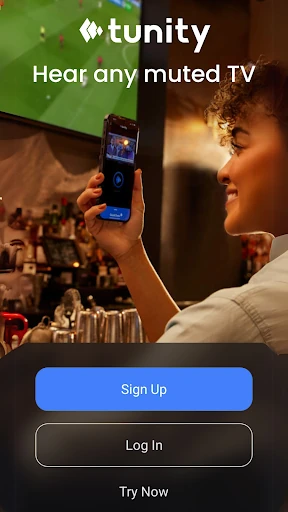
Tunity: Hear Any Muted TV Live is for listening to a television’s live audio through your phone when the TV itself is muted. I can see it being useful at home, in a gym, or in a waiting area where turning up the room’s sound would bother someone. Its appeal is wonderfully specific: scan a channel, listen privately, and keep the screen in view.
A quieter evening at home
Picture a shared living room at the end of the day: one person is reading, another is trying to sleep nearby, and I still want to follow the program on TV. Tunity offers a simple middle ground. I scan the channel I want, then listen to its live audio on my phone through headphones or a Bluetooth speaker, without asking everyone else to sit through the television sound.
That basic job is easy to understand, which matters when I’m trying to catch a show rather than learn a new system. The TV remains the visual focus, while the phone becomes my personal listening point. In a quiet household, this is more considerate than turning up the television, and it avoids making the whole room accommodate my viewing.
A companion, not a TV replacement
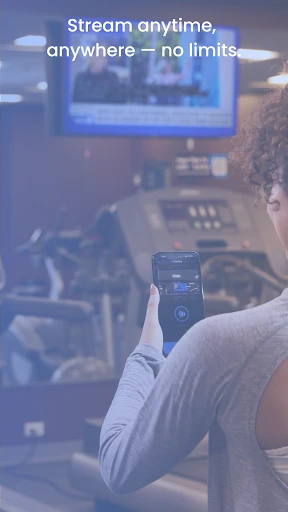
Tunity makes the most sense when there is already a live TV screen nearby and its sound is muted or inconvenient. At a sports bar, for example, I might want to follow one screen’s commentary while the room stays lively. At a gym or in a waiting area, the phone gives me a way to hear the TV rather than relying on its speakers from across the room.
It is not a general streaming service or a way to watch television without a TV in front of me. The app’s stated job is to scan a channel on a live TV and stream that TV’s audio. That distinction keeps expectations grounded: Tunity complements a screen and solves a sound problem; it does not replace a television, supply a catalog of shows, or turn ordinary phone listening into TV viewing.
Small habits that help
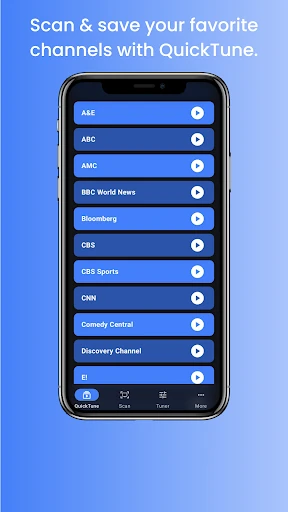
When I’m in a place with several screens, I’d make a point of scanning the particular TV I plan to watch, rather than assuming every screen is interchangeable. Tunity describes Quick Tune as a way to return to a previously scanned channel without scanning again. That could be handy when I step away briefly or want to switch back and forth between familiar screens.
I’d also keep my headphones or Bluetooth speaker ready before settling in, since those are the listening options the app describes. At home, that means I can get comfortable without disturbing someone nearby. In a public space, it means I can focus on the screen I chose instead of trying to hear it over the room. The routine is simple: identify the TV, scan, then listen.
More From Our News Desk

Zoom Meetings, Google Meet, or Teams: Which Is Easiest to Join?

How I Build a Free Streaming Lineup With Tubi

Why Crunchyroll Is the Default Anime App for So Many Fans

YouTube TV: A Practical Guide to Cutting Cable

Rummikub and the Small Comfort of Phone Games

TeamViewer Remote Control or AnyDesk for Helping Family?
Who may find it useful
I’d recommend Tunity to people who regularly encounter muted televisions and still want to follow their audio. That could mean someone watching at home while another person rests, a gym-goer near a bank of TVs, or a visitor passing time in a waiting area. It may also suit someone who wants to listen at a personal volume without changing the sound level for everyone else in the room.
It may be less useful if I usually watch TV alone with the sound already available, or if I’m looking for a service that provides shows directly on my phone. Tunity depends on having a live TV channel to scan and watch. Its purpose is narrow, but for the right situation that focus is the point: it addresses a small, familiar annoyance without asking me to change how the room uses its television.
Tunity: Hear Any Muted TV Live is a free Android app from iSpot. Google Play shows over 500,000 installs and a 3.3-star rating from 13,311 ratings. The app is marked as containing no ads and offering no in-app purchases. Its content rating is Everyone, making the listed audience broad.
The current version is 2.2.0, and the recorded release date is December 18, 2014. It was last updated on December 15, 2025. The Android requirement varies by device or listing, so it’s worth checking the Google Play entry on the phone you plan to use before installing.
Making Muted TVs Easier to Follow
A focused first impression
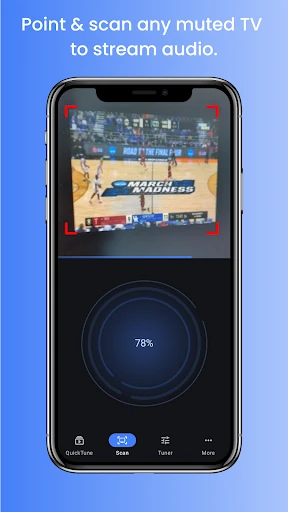
When I first opened Tunity, the idea took only a moment to grasp: find the TV channel I want, scan it, and listen on my phone. There’s no need to learn a broad entertainment platform before reaching the main task. That directness feels appropriate for an app I might open briefly in a gym or waiting room, rather than something I plan to browse for an evening.
The setup described by the app is centered on connecting a scanned TV channel to phone audio. I can choose headphones or a Bluetooth speaker, depending on the situation. That gives the app a practical role from the start: the phone is the private audio endpoint, while the nearby TV remains the screen I follow.
The everyday listening loop
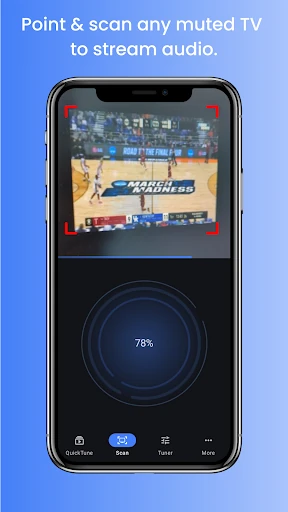
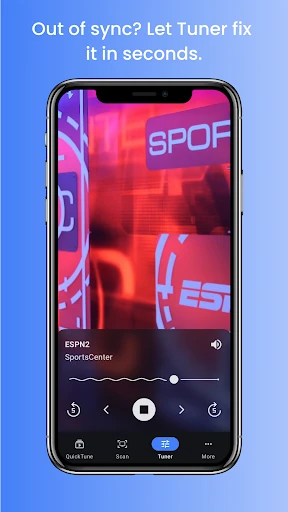
In daily use, the core loop is straightforward: point my attention toward a live TV, scan the channel I want, and listen to its audio on my phone. This is especially easy to picture when the television is muted for the comfort of other people. I can keep up with what’s happening without turning a shared room into a louder one.
The app’s description also emphasizes using it while moving around a gym or switching among multiple TV screens. Those examples show where phone-based audio can be more convenient than standing close to the television. I’d still think of Tunity as something tied to a screen in the same place, not as a way to take the program with me after leaving it.
Quick Tune and multiple screens
Quick Tune is the feature that most clearly adds convenience beyond the initial scan. Tunity says it can bring back a previously scanned channel without requiring another scan. If I’m following one TV and then want to return to another familiar one, that could spare me a repeated setup step.
The app also describes switching between channels and listening to multiple TV screens. That is a useful fit for places where several televisions are visible, such as a sports bar or a gym. The appeal is not a huge collection of extras; it is the ability to choose which nearby TV’s live audio I want to follow and return to a channel I have already scanned.
A practical outing routine
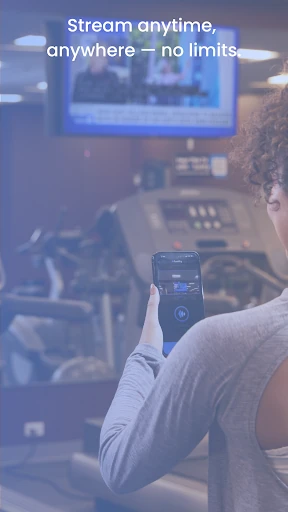
For a visit to a gym, I’d settle on the TV I want to follow before starting my workout, scan its channel, and use headphones for the audio. If I’m moving between equipment, the phone gives me a personal way to listen rather than relying on sound from a screen across the room. The same approach could work in a waiting area when a muted TV is already showing something I want to hear.
At home, the routine is even simpler: check that the TV is on the live channel I want, scan it, and listen privately while someone else reads, works, or sleeps. Quick Tune may help if I return to a previously scanned channel. These are modest steps, but they match Tunity’s purpose well: making a shared TV easier to use without changing its volume for everyone.
Keep the limits in view
Tunity is only useful when there is a live TV channel nearby to scan. If I’m commuting without a screen in sight or hoping to choose a program from an on-demand library, this is not the right tool. Its value depends on the particular setting, so it may be something I use occasionally rather than open as part of an everyday phone routine.
The Google Play rating is 3.3 stars from 13,311 ratings, a mixed response worth keeping in mind alongside the app’s focused purpose. I would try it in the kind of place where I expect to use it and check the current Android requirement on Google Play for my device. The idea is clear, but its usefulness comes down to whether the nearby TV and my situation suit it.
Tunity solves a small but recognizable problem: hearing a live TV without making the whole room listen. I like that its main idea is easy to explain and that Quick Tune can make returning to a scanned channel simpler. The trade-off is equally clear: I need a TV nearby, so this is a situational companion rather than an all-purpose entertainment app.
I’d suggest giving it a try if muted TVs are a regular part of your home, gym, or waiting-room routine. It is less compelling if I rarely watch a screen with its sound off or want TV content on my phone by itself. For the right setting, Tunity offers a practical way to listen at my own volume.
Tunity Frequently Asked Questions
What is Tunity: Hear Any Muted TV Live used for?
Tunity lets me scan a live TV channel and listen to that TV’s audio on my phone, using headphones or a Bluetooth speaker. It is intended for situations where the television is muted or its sound would bother other people, such as at home, in a gym, or in a waiting area.
Which devices can run Tunity: Hear Any Muted TV Live?
The supplied store information is for the Android app, available through Google Play. Tunity’s described listening setup uses a mobile phone and can send audio to headphones or a Bluetooth speaker. For device compatibility and the Android requirement that applies to a particular phone, check the current Google Play entry.
What Android version does Tunity: Hear Any Muted TV Live require?
The Android requirement can vary, so I’d check Tunity’s Google Play page from the device I plan to use. That is the safest way to see the requirement currently shown for that phone or tablet before installing the app.
Is Tunity: Hear Any Muted TV Live free?
Tunity is listed as free on Google Play, with no in-app purchases and no ads indicated in the store details. Store information can change over time, so it’s worth checking the current Google Play entry for the latest pricing and app details.
Who is Tunity: Hear Any Muted TV Live best for?
It may suit someone who often wants to hear a nearby muted TV without changing the sound for everyone else. The app describes use at home, in gyms, bars, universities, and waiting areas. It is less suited to someone seeking TV shows directly on a phone, since its described job is listening to a live TV channel nearby.
Pros
- Lets me listen to a nearby muted TV through headphones or a Bluetooth speaker.
- Quick Tune can return to a previously scanned channel without scanning again.
- Useful in shared rooms and public places where TV sound may bother others.
- Free on Google Play, with no ads or in-app purchases indicated.
Cons
- Requires a live TV channel nearby, so it is not a standalone viewing service.
- Its usefulness depends on encountering muted or inconveniently audible televisions.
- Google Play ratings are mixed, with a 3.3-star score.
- Category
- Productivity
- Version
- 2.2.0











