TruHearing App
- 3.47K
- 2.9
- Installs
- 100.00K
- Price
- Free

Screenshots
Analysis by Reviewed APKs
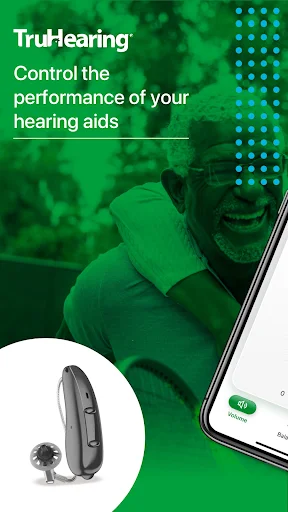
TruHearing App is a companion for people who use compatible hearing aids, putting everyday adjustments and device information on a smartphone. I see its appeal in the small moments when reaching for a phone is easier than handling the hearing aids directly: changing volume, switching programs, or checking battery status. It also offers Health Insights and ways to connect with a Hearing Care Professional, making it a practical support tool rather than a general hearing app.
A quieter morning routine
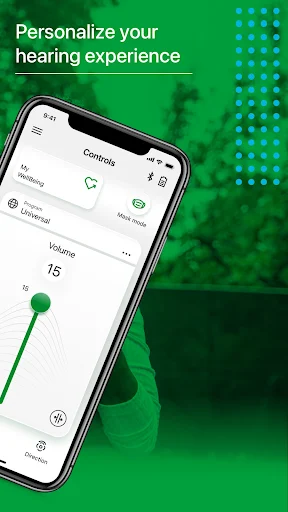
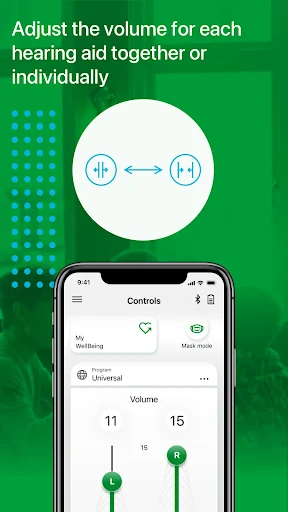
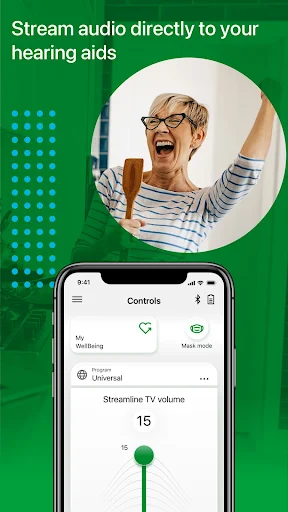
Imagine starting the day by putting on your hearing aids and checking their connection and battery status on your phone. TruHearing App is built for that kind of practical check-in. If the room feels too loud or the balance between ears needs attention, you can adjust volume and balance from the app, then choose a different hearing program when the situation changes.
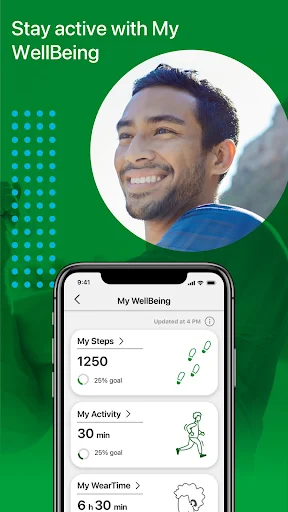
The appeal is less about a dramatic transformation than having familiar controls close at hand. I can picture using it before heading out, then making a small adjustment during a conversation without fumbling with the devices. The app also includes Health Insights about physical and social activity, which adds a broader view of use beyond immediate sound settings. Those insights are informational, not a substitute for professional care.
A companion, not a replacement
Compared with a general-purpose audio app, TruHearing App has a narrower job: it helps people manage supported hearing aids and stay connected with hearing care. Its listed tools focus on adjusting volume and balance, choosing hearing programs, checking connection and battery status, and accessing TeleCare features. That focus can make it more useful than a broad utility app for someone already using the relevant hearing aids.
It is not presented as an app that diagnoses hearing loss, replaces a hearing aid, or provides a personalized treatment plan. Nor should its Health Insights be mistaken for medical advice. The app is intended for adults aged 18 and above, and its information is described as general. For questions about hearing health or device suitability, the app directs users to a qualified Healthcare Professional.
Small habits that help
A useful habit is to check device connection and battery status when you first open the app, rather than waiting until a device seems unresponsive. When moving between settings, a quiet home, and a busier place, the ability to change hearing programs or adjust volume and balance gives you a straightforward way to make personal preferences more convenient to reach.
I would also make time to look at Health Insights occasionally instead of treating them as a live sound-control screen. If TeleCare is useful, the practical first step is contacting your Hearing Care Professional, because those features need to be enabled through them. The user guide is available through the app settings, so it is worth checking when a control or feature is unfamiliar.
More From Our News Desk

Zoom Meetings, Google Meet, or Teams: Which Is Easiest to Join?

How I Build a Free Streaming Lineup With Tubi

Why Crunchyroll Is the Default Anime App for So Many Fans

YouTube TV: A Practical Guide to Cutting Cable

Rummikub and the Small Comfort of Phone Games

TeamViewer Remote Control or AnyDesk for Helping Family?
Who may find it useful
I would recommend TruHearing App to adults who use hearing aids it supports and want everyday controls on their smartphone. It suits people who prefer making small adjustments discreetly, checking device connection or battery status, and having an app-based route to TeleCare when their Hearing Care Professional enables it. The Health Insights may also interest users who like seeing information about physical and social activity alongside device controls.
It may not suit someone looking for a standalone hearing test, a general sound-amplifier app, or medical guidance. The app’s usefulness depends on having compatible hearing aids, and the available care features depend on professional support. It is also specifically intended for people aged 18 and above. If you do not use supported hearing aids, much of its central purpose may not apply to your routine.
TruHearing App is developed by Sivantos Pte. Ltd. and is in the Medical category on Google Play. It has over 100,000 installs and a 2.9-star rating from around 3,500 ratings. The app is free to download, with no in-app purchases or ads. Its content rating is Everyone, although the app’s own disclaimer says it is intended for people aged 18 and above.
The current version is 2.8.11.16354. Google Play gives its release date as July 20, 2020, and its last update as November 3, 2026. The minimum Android version is worth checking on Google Play, since device requirements can vary. The app’s user guide can be opened from its settings menu; the description also says an electronic or printed guide can be requested through the named support address.
Everyday Controls for Hearing Aids
Getting oriented
The first impression is of a focused companion app, not a broad wellness dashboard. Its purpose is to help users get more from their hearing aids through personal adjustments, device checks, activity insights, and access to care features. That gives a new user a clear sense of why the app belongs on the phone, provided they use compatible hearing aids.
I would start by locating the settings area and opening the user guide if anything is unclear. The app description specifically points to that guide as an in-app resource. It is a sensible first stop before relying on any control, especially for someone who is still learning how their hearing aids and the app work together.
The daily controls
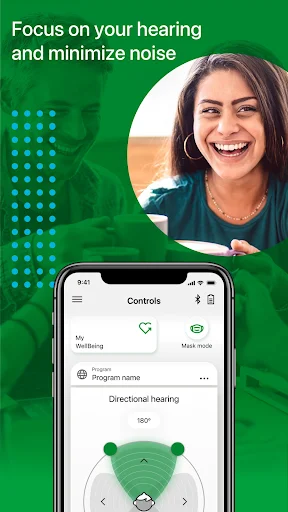
The core experience centers on a handful of useful adjustments: volume, balance, and hearing programs. These are the sorts of controls that matter in ordinary transitions, such as moving from a quiet room to a more active setting. The app also lets users monitor connection and battery status, keeping basic device information within reach on the smartphone.
That combination gives the app a practical rhythm. Check the device, make an adjustment if needed, and get on with the day. I like that the feature set described is directly tied to hearing aid use rather than padded with unrelated phone tools. The trade-off is that the app’s usefulness depends on the devices and care setup a person already has.
Insights and care access
Health Insights are the feature that broadens the app beyond immediate sound controls. They offer information about physical and social activity, giving users another way to reflect on daily routines. I would treat that as context to explore, not as a clinical report or a measure that tells someone what care they need.
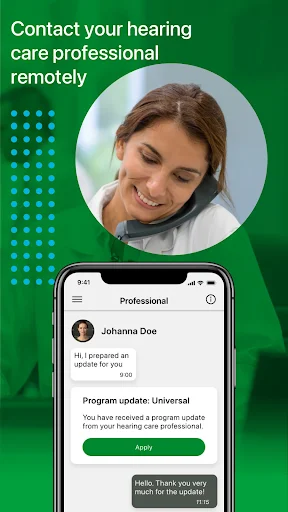
Virtual Appointments and TeleCare provide another kind of support by connecting users with their Hearing Care Professional. The important practical detail is that TeleCare needs to be enabled by that professional. This makes the feature potentially helpful when an in-person visit is difficult, while also meaning that access depends on a care relationship rather than simply installing the app.
A routine that stays simple
For a low-effort routine, I would check connection and battery status when putting on the hearing aids, then leave the app alone unless the sound needs adjusting. If the day brings a different listening situation, changing a program or adjusting volume and balance is the app’s central convenience. There is no need to turn every feature into a daily task.
Once in a while, I would review the Health Insights and use the guide if a control needs clarification. If a question calls for professional input, TeleCare may be relevant after the Hearing Care Professional enables it. Keeping those steps distinct helps the app stay useful without confusing general activity information with personalized medical advice.
Keep expectations grounded
The biggest limitation is also the clearest boundary: this is a companion for hearing aids, not a replacement for them. People without compatible devices may find little reason to keep it installed. The app’s description also cautions that its information is general and does not replace professional advice, diagnosis, or treatment, which is worth keeping in mind when exploring Health Insights.
TeleCare is not necessarily ready to use immediately, since the Hearing Care Professional must enable it. The app is intended for adults, and users should consult a qualified professional about medical questions or concerns. Those limits do not undermine its everyday controls, but they do define what the app can reasonably be expected to do.
TruHearing App makes the most sense as a practical extension of hearing aids: handy controls, device status, activity insights, and a route to professional support. I like the clear focus, especially for small adjustments during an ordinary day. Its value depends on the hearing aids and care setup, so it is not a universal hearing solution.
I would try it if I were an adult using compatible hearing aids and wanted those settings and checks on my phone. I would look elsewhere if I wanted a standalone hearing test or medical guidance. For the right user, it is a focused companion worth exploring alongside the user guide and a Hearing Care Professional.
TruHearing Frequently Asked Questions
What is TruHearing App used for?
TruHearing App is a companion for hearing aid users. It lets users adjust volume and balance, change hearing programs, and monitor device connection and battery status. It also offers Health Insights about physical and social activity, plus Virtual Appointments and TeleCare features. TeleCare needs to be enabled by a Hearing Care Professional.
Which devices can run TruHearing App?
TruHearing App is available for Android through Google Play. The minimum Android version is worth checking on its Google Play page, since requirements can vary. The app is designed to work with hearing aids, so users should also make sure their devices are compatible before relying on its controls.
Is TruHearing App free?
Yes. TruHearing App is free to download on Google Play, and it has no in-app purchases or ads. Access to particular care features is a separate matter: TeleCare must be enabled by a Hearing Care Professional. Check the store page for any current details that may affect availability.
Does TruHearing App give medical advice?
No. Its description says the information is for general purposes and is not a replacement for professional medical advice, diagnosis, or treatment. The app is intended for adults aged 18 and above. For medical questions or concerns, it directs users to consult a qualified Healthcare Professional.
Who should use TruHearing App?
It is most relevant to adults who use hearing aids supported by the app and want smartphone access to everyday adjustments, device status, and hearing-care support. People seeking a standalone hearing test or general medical guidance may not find it suitable. Compatibility and Android requirements are worth checking on Google Play.
Pros
- Puts hearing aid volume, balance, and program controls on a smartphone.
- Includes connection and battery status checks for supported hearing aids.
- Offers activity insights and professional support features in the same app.
- Free to download, with no ads or in-app purchases.
Cons
- Its main controls are useful only to people with compatible hearing aids.
- TeleCare requires a Hearing Care Professional to enable access.
- General information and activity insights are not a substitute for medical care.
- Category
- Medical
- Version
- 2.8.11.16354