Signia App
- 31.43K
- 2.9
- Installs
- 1.00M
- Price
- Free

Screenshots
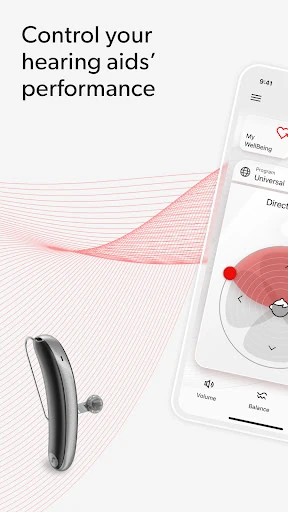
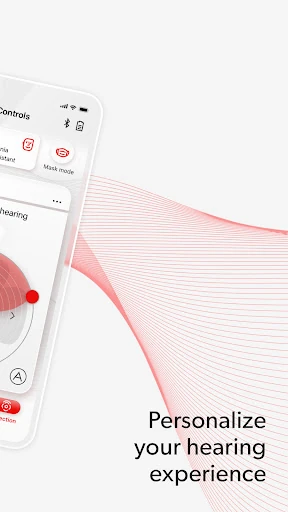
Analysis by Reviewed APKs
Signia App is a companion for people using compatible Signia hearing aids, with phone-based volume adjustments, personalized settings through Signia Assistant, and tools for staying in touch with a hearing professional. I see its appeal in the small moments when a quick adjustment is more convenient than reaching for a separate control. It is a practical hearing-aid companion, though the features available depend on the hearing aid and service support.
A quieter dinner adjustment
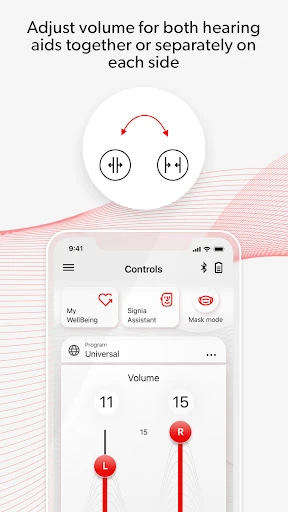
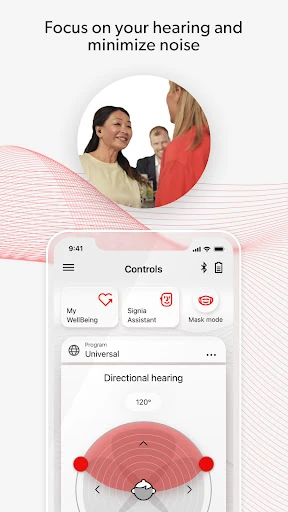
When I picture using Signia App in an everyday routine, a family dinner is a useful example. The room gets busy, several people talk at once, and the hearing-aid wearer wants to make a small volume adjustment without interrupting the meal. The app’s remote-control function is aimed at that kind of moment: it puts an adjustment on the phone, where it may be easier to reach than the hearing aid itself.
Afterward, the user might turn to Signia Assistant to tailor settings to personal preferences, or look for a relevant how-to video if a control is unfamiliar. I like that the app’s described tools cover both immediate adjustments and learning what to do. The important caveat is that not every feature is available for every hearing-aid model, firmware version, or country.
A companion, not a replacement
Signia App makes the most sense alongside compatible Signia hearing aids. Its purpose is to help users manage settings, get guidance, and, where available, connect with a hearing professional through TeleCare. That differs from a general audio player or a broad health tracker: the app is centered on hearing-aid use, with My WellBeing adding ways to track physical fitness and hearing activity when supported.
I would not treat it as a substitute for the hearing aids themselves, a hearing professional, or the user guide for the hearing aids. Its usefulness depends on the connected product and the availability of particular services. If someone wants a standalone tool for music, calls, or general fitness, the described features do not make Signia App a general-purpose answer to those needs.
Make support easier to reach
A helpful habit is to explore the app’s controls when there is time, rather than waiting until an awkward listening moment. A user can learn where volume adjustments and personalized settings live, then make a change when a familiar environment calls for it. Signia Assistant is described as a way to tailor settings, so it may be useful to approach it as an adjustment aid rather than expecting one setting to suit every situation.
I would also keep the how-to videos and user guide in mind when a control raises a question. TeleCare may offer a route to a hearing professional, depending on availability, while My WellBeing can bring fitness and hearing activity into the same app for people whose setup supports it. Checking which tools work with a particular hearing aid helps set realistic expectations.
More From Our News Desk

Zoom Meetings, Google Meet, or Teams: Which Is Easiest to Join?

How I Build a Free Streaming Lineup With Tubi

Why Crunchyroll Is the Default Anime App for So Many Fans

YouTube TV: A Practical Guide to Cutting Cable

Rummikub and the Small Comfort of Phone Games

TeamViewer Remote Control or AnyDesk for Helping Family?
Who may find it useful
I would recommend Signia App to people who use compatible Signia hearing aids and want a phone-based way to adjust volume or personalize settings. It also has appeal for users who value access to how-to videos and, where available, remote contact with a hearing professional. The combination is most relevant to someone who expects to use the app as part of a hearing-aid routine, not simply install it and forget it.
It may be a poor fit for someone without a compatible hearing aid, or for anyone expecting every advertised tool to work in every location and setup. The app’s description explicitly says availability can depend on the model, firmware, and TeleCare in the user’s country. People who prefer not to manage settings on a phone may also find its main purpose less useful.
Signia App is developed by Sivantos Pte. Ltd. On Google Play, it has over 1 million installs and a 2.9-star rating from 31,425 ratings. It is free to download, with no in-app purchases or ads. Its content rating is Everyone. These figures offer a quick sense of its store presence, though a rating alone cannot tell you whether the app will suit a particular hearing-aid setup.
The listed Android requirement is Android 10, and the current version is 2.7.32.17769. Google Play gives a release date of September 16, 2019, and a last update date of January 16, 2026. The recent changes are described as bug fixes and improvements. Feature availability can vary with hearing-aid model, firmware version, and TeleCare availability by country.
How Signia Fits Into Hearing-Aid Routines
A focused first impression
Signia App has a clear job: help people manage aspects of their Signia hearing-aid experience from a phone. The listed functions include remote volume adjustment, personal setting adjustments with Signia Assistant, TeleCare, how-to videos, and My WellBeing. That focus is welcome; a hearing-aid companion does not need to be a sprawling collection of unrelated tools to be useful.
When I first consider an app like this, the key question is whether its features match the person’s particular hearing aids and location. Signia’s description makes that qualification explicit. It is worth checking compatibility and feature availability before building a routine around a specific tool, especially TeleCare or My WellBeing.
Everyday adjustments
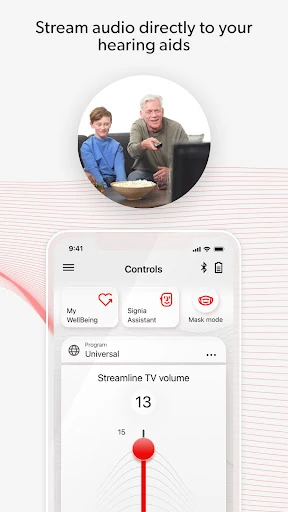
The remote-control function is the most straightforward part of the proposition. If a user wants to change volume, the app provides a phone-based route to do so. That can be handy during ordinary transitions, such as moving from a quiet room into a busier setting, when a person may want to adjust their listening experience without making the moment feel like a technical task.
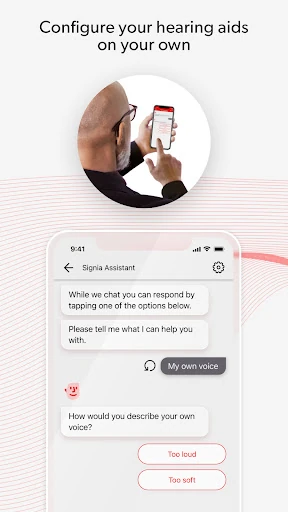
Personal preferences are addressed through Signia Assistant, which is described as helping tailor settings. I would think of that as a way to work toward settings that feel more suitable, rather than a promise that the app automatically solves every difficult listening situation. The practical value will depend on the user, their hearing aids, and which functions their setup supports.
Support beyond volume
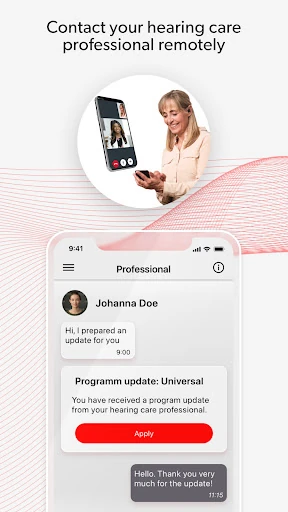
TeleCare is a notable addition because the description presents it as a way to connect with a hearing professional. That makes the app more than a remote control for users who can access the service. It could be relevant when a question comes up between appointments, though availability depends on the country and the particular setup.
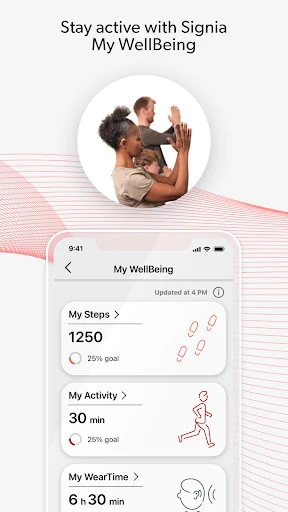
The app also includes quick answers in how-to videos, which can help with basic questions about using its features. My WellBeing is described as tracking physical fitness and hearing activity. These tools broaden the app’s role, but none should be assumed to appear for every user: Signia notes that feature availability can depend on the hearing-aid model and firmware as well.
A simple routine to try
A sensible routine could start with checking the app before a usual activity, such as heading out for a meal or settling in at home. A user can make a volume adjustment if needed, then use the personalized settings function when they want to fine-tune their preferences. Keeping the changes tied to real situations makes it easier to notice what feels helpful without turning every interaction into an experiment.
If a question comes up, the how-to videos and user guide are useful reference points. The guide can be accessed from the app’s settings menu, according to the description. If TeleCare is available, a user may also be able to connect with a hearing professional. My WellBeing can be part of a broader routine for users whose hearing aids and app setup support it.
Keep compatibility in view
The main limitation is that Signia App’s tools are not guaranteed to be available in every configuration. Signia specifically points to hearing-aid model, firmware version, and country-level TeleCare availability as factors. That means two people using the same app may not have identical options, and it is sensible to confirm what applies to a particular device before relying on a feature.
This is also a focused companion, not a general solution for every hearing-related need. Its described controls and support tools are intended to work with Signia hearing aids, and the user guide for those hearing aids should be read before using the app. A phone-based adjustment can be convenient, but it does not remove the need to understand the connected equipment.
Signia App brings together useful, focused tools for compatible hearing aids: volume control, personal setting adjustments, support resources, and activity tracking where available. I like the practical intent, especially the mix of quick controls and guidance. Its real value, though, rests on whether the user’s model, firmware, and location support the features they want.
I would recommend it to Signia hearing-aid users who want to manage some settings from a phone and are comfortable checking compatibility. I would not install it expecting a universal hearing solution or identical features for everyone. Check the Google Play details and hearing-aid guide, then judge it by the controls actually available in your setup.
Signia Frequently Asked Questions
What is Signia App used for?
Signia App is a companion for managing aspects of compatible Signia hearing aids. Its described tools include remote volume adjustment, personal setting adjustments with Signia Assistant, TeleCare access to a hearing professional, how-to videos, and My WellBeing tracking for physical fitness and hearing activity. Which features are available can depend on the hearing-aid model, firmware, and country.
Which phones can run Signia App?
The listed platform is Android, and the minimum requirement is Android 10. Signia App is intended to work with compatible Signia hearing aids, so phone compatibility alone does not guarantee that every app feature will be available. Device and feature details can change, so it is worth checking the Google Play information and the user guide for the hearing aids.
Does Signia App cost money?
Signia App is free to download on Google Play. The supplied store facts say it has no in-app purchases and contains no ads. Availability of particular services and features can vary by hearing-aid model, firmware version, and country, so check the store information for current details before downloading.
Does Signia App work with every Signia hearing aid?
The app is for compatible Signia hearing aids, but the description says feature availability may vary with hearing-aid model and firmware. TeleCare also depends on availability in the user’s country. Check the Google Play information and the user guide for your hearing aids to understand which functions apply to your setup.
Who is Signia App best suited to?
It is best suited to people who use compatible Signia hearing aids and want phone-based volume adjustments, personalized settings, or access to support resources. Someone without compatible hearing aids may have little reason to use it. Because features vary by setup and country, it is worth checking the store details before relying on a particular function.
Pros
- Combines phone-based volume adjustments with personalized settings for compatible Signia hearing aids.
- Includes how-to videos and TeleCare support where available.
- Adds My WellBeing tracking for physical fitness and hearing activity on supported setups.
- Free to download, with no in-app purchases or ads.
Cons
- Feature availability varies by hearing-aid model, firmware, and country.
- Its main functions depend on having compatible Signia hearing aids.
- The Google Play rating is 2.9 stars from 31,425 ratings.
- Category
- Medical
- Version
- 2.7.32.17769