UnitedHealthcare
- 252.64K
- 4.6
- Installs
- 5.00M
- Price
- Free

Screenshots
Analysis by Reviewed APKs
UnitedHealthcare is a member app for checking plan information and handling practical insurance tasks from an Android phone. It can bring together provider searches, claims, an insurance ID card, and cost or account details, depending on the plan. I see it as a useful companion for people who already have UnitedHealthcare coverage and want key details handy, rather than a general health or medical-care app.
A Plan Detail, Right When Needed
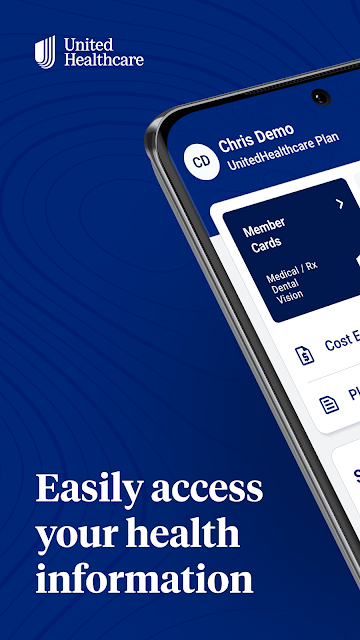
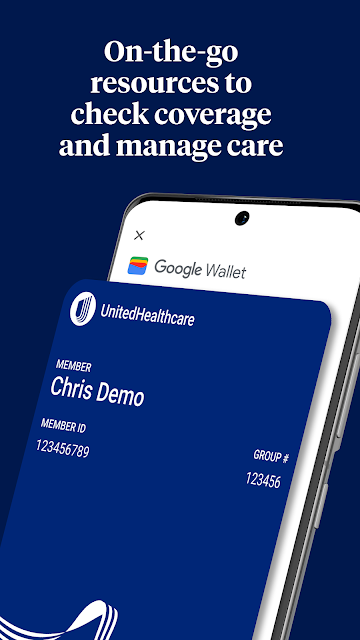
Picture arriving at a clinic and realizing you do not have your insurance card in your wallet. With UnitedHealthcare, eligible members can view and share their ID card in the app. That is the sort of small, ordinary problem this product is built to solve: keeping plan information within reach when a health-related errand is already taking up your attention.
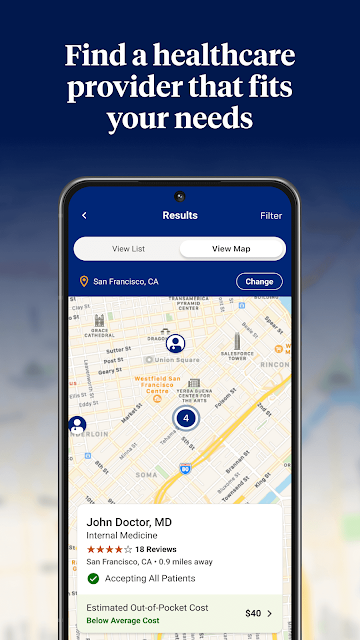
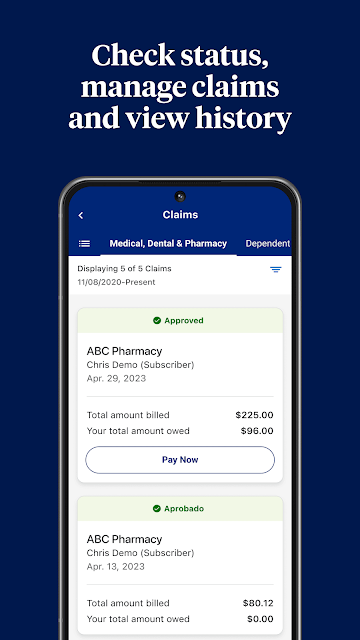
When I think about using it between appointments, provider search is another natural fit. The app can help members look for doctors, specialists, or facilities through guided and location-based search, then save favorites. If a claim needs follow-up later, the app can also show claim details and payment breakdowns, including an Explanation of Benefits. The emphasis is on access to plan information, not on replacing a conversation with a provider.
Insurance Companion, Not Clinic
The obvious alternative for a quick insurance question is a member website, a paper card, or a phone call. The app offers a more portable way to check selected details and find providers, with the convenience of a phone-based ID card. I would treat it as a handy route into plan information, especially when away from a desk, rather than assuming every task can be completed there.
It is not a general symptom checker, appointment service, or source of medical advice based on the supplied details. Its features center on UnitedHealthcare coverage, and access depends on the member's plan. Some plans are not supported, and not every feature is available to every plan. That makes it most useful to existing members who want to manage benefits, not to someone shopping for unrelated health resources.
Make Plan Checks a Habit
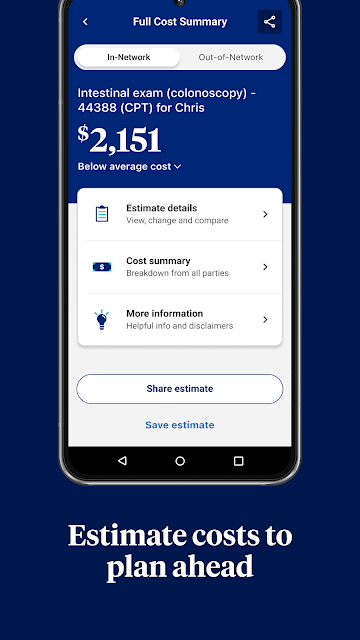
A little organization can make a plan app more useful. I would save frequently used doctors or facilities after finding them, so the next search starts from a shortlist instead of from scratch. Before a planned service, cost estimates may help members review potential expenses when that feature is available for their plan. I would still read the details carefully rather than treating an estimate as a final bill.
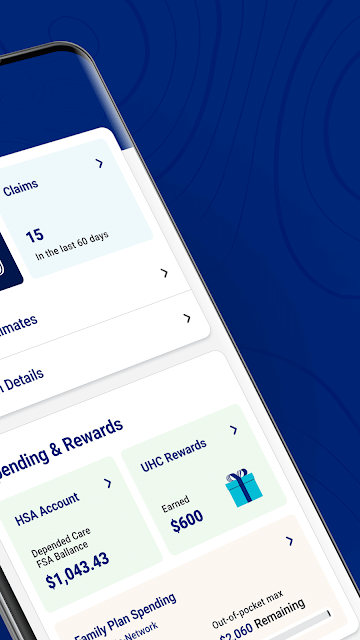
It also makes sense to check claims after care and use the available filters, such as date, provider, status, or service, to narrow the list. Members can review copays, deductibles, and out-of-pocket expenses where supported, and some can view health account balances. HealthSafe ID sign-in and fingerprint login are described as options for access. A quick check-in now and then is more practical than opening the app only during a stressful moment.
More From Our News Desk

Zoom Meetings, Google Meet, or Teams: Which Is Easiest to Join?

How I Build a Free Streaming Lineup With Tubi

Why Crunchyroll Is the Default Anime App for So Many Fans

YouTube TV: A Practical Guide to Cutting Cable

Rummikub and the Small Comfort of Phone Games

TeamViewer Remote Control or AnyDesk for Helping Family?
Who Will Find It Useful
I would recommend UnitedHealthcare to people enrolled in a supported plan who want their ID card, provider search, claims, or benefit details available on a phone. It is especially appealing if you often need to look up a doctor or check an Explanation of Benefits after a visit. The app can also be useful for keeping an eye on eligible account balances and plan expenses without relying only on paper records.
It may be less useful if your plan does not support the app or the particular feature you need. People looking for broad wellness programming, virtual consultations, or a way to choose an insurance plan should not expect those jobs from the described features. The app is focused on managing access to UnitedHealthcare plan information. If you rarely need those details, a paper card or the member website may already cover your routine.
UnitedHealthcare is published by UNITED HEALTHCARE SERVICES, INC. On Google Play, it has over 5 million installs and a 4.6-star rating from about 253,000 ratings. The app is free to download, with no in-app purchases or ads reported in the supplied store facts. Its content rating is Everyone.
The supplied current version is 3.17.0. The app was released on September 26, 2018, and its last update is dated October 22, 2026. A minimum Android version was not provided in the supplied facts, so check Google Play for device compatibility before installing.
A Closer Look at Everyday Plan Tasks
Starting With the Basics
When I first opened the idea of this app, what stood out was how directly it is tied to membership. It is not a broad health dashboard for anyone to browse; its usefulness depends on having a UnitedHealthcare plan and signing in. The described login uses HealthSafe ID, which is intended to give access to UnitedHealthcare digital tools with one username and password.
The first useful step is to see which plan features are available after signing in. The app notes that support varies by plan, so the experience may not match every item in its feature list. Fingerprint login is also described as an option for returning access. I would take a moment to confirm the basics before relying on the app as the only place I keep insurance information.
The Day-to-Day Experience
The everyday value is having several common insurance tasks in one place. I can see why a member might open it to search for a facility, pull up an ID card, or check a claim rather than dig through a drawer or wait until reaching a computer. Claims can be reviewed using details such as member, provider, status, facility, service, or date, giving users several ways to find a particular record.
The app's usefulness is practical rather than flashy. Claim payment breakdowns and an Explanation of Benefits can help a member understand what the app records about a claim, while available copay and deductible information offers another plan reference point. The information is tied to the member's coverage, though, so I would not assume every account displays every category or that a displayed estimate settles what a service will cost.
Features That Earn Their Place
Provider search is one of the more useful features for routine planning. Members can look for doctors, specialists, and health care facilities with guided and location-based search, then save favorites for easier access later. That combination is helpful when comparing options or returning to a place already found. The app describes these tools as plan-dependent, so the available experience can differ by member.
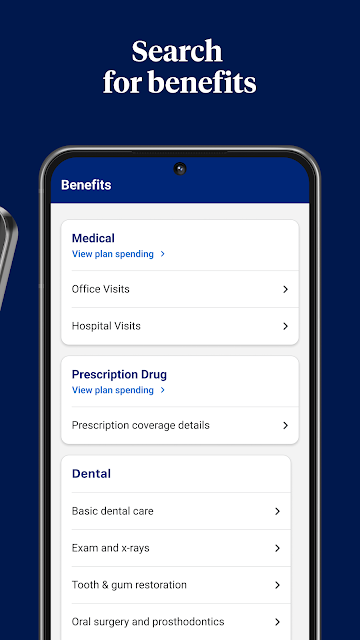
The ID card feature is another clear convenience: members can view and share the card from the app. There are also cost estimates for treatments and specialty services, plus references for copays, deductibles, and out-of-pocket expenses, where supported. Some members can view balances for health reimbursement, flexible spending, and Optum Bank health savings accounts. Personalized preventive-care recommendations are also listed as a possible feature.
A Simple Monthly Check-In
A sensible routine might be to keep a saved provider list current and check the app when planning care. If a cost estimate is available for a treatment or specialty service, it can be one reference to review ahead of time. I would also open the ID card before leaving for an appointment, rather than discovering at the front desk that I need to find it elsewhere.
After a visit, a member could look for the related claim by date, provider, service, or status, then review the payment details and Explanation of Benefits. Checking available deductibles or out-of-pocket figures can help keep plan information in view over time. This is a small administrative routine, not a requirement to monitor the app constantly. The best use is simply having details accessible when a real question comes up.
Keep the Boundaries in View
The main limitation is plan support. UnitedHealthcare says not all plans are supported and that not every feature is available to every plan. That caveat matters because the app's most attractive tools, including cost estimates, account balances, and preventive-care recommendations, may not appear for all members. I would check the options attached to my own coverage before building a routine around a particular feature.
The app also should not be mistaken for a full substitute for every insurance interaction. Its described role is to provide access to information and tools, including provider search and claims review. It does not promise that every task can be handled in the app. If a member cannot find a needed detail, the app's feature set alone may not answer the question; the member may need to use another UnitedHealthcare channel.
UnitedHealthcare makes the most sense as a pocket reference for members who regularly need plan details. The ID card, provider search, claims view, and selected cost or balance information address ordinary administrative chores without turning the app into something it is not. I like the practical focus, with the important qualification that what appears depends on the plan.
If you have supported UnitedHealthcare coverage and want those details on your Android phone, I would give it a try. It is less compelling if you need general medical guidance or expect every listed tool to be available to every member. Think of it as a useful companion to your coverage, not a replacement for understanding the plan itself.
UnitedHealthcare Frequently Asked Questions
What is the UnitedHealthcare app used for?
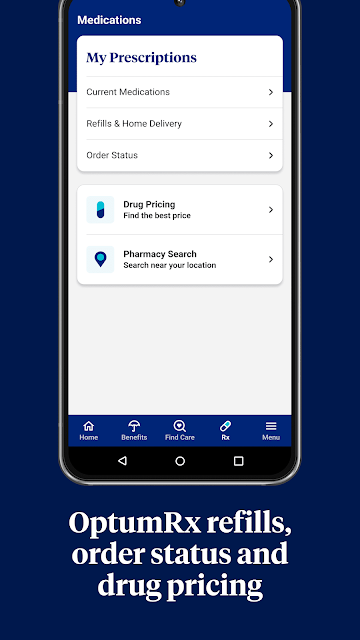
UnitedHealthcare gives members access to plan-related tools that may include provider and facility searches, saved favorites, claims and payment details, an insurance ID card, cost estimates, and benefit or account information. Available features depend on the member's plan. It is designed for managing coverage information, rather than serving as a general medical advice app.
Which devices can run the UnitedHealthcare app?
The supplied platform information identifies UnitedHealthcare as an Android app distributed through Google Play. Check Google Play for current device compatibility and the Android version required for your phone, since a minimum version was not provided in the supplied facts and requirements may vary.
What Android version does UnitedHealthcare require?
The minimum Android version is not included in the supplied app details. Requirements can vary as the app is updated, so check the Google Play page on your device for the current compatibility information before installing.
Does the UnitedHealthcare app cost money?
The app is free to download according to the supplied facts, with no in-app purchases or ads reported. Access to specific tools depends on a supported UnitedHealthcare plan. Store details can change, so Google Play is the place to check current download and compatibility information.
Is UnitedHealthcare a good fit for every member?
It may suit members who want plan details, provider searches, claims, or an ID card on their phone. Not all plans are supported, and features vary by plan, so the app may not provide every tool to every member. It is focused on coverage management, not broad medical guidance.
Pros
- Keeps an insurance ID card accessible for supported members.
- Offers several ways to search and filter provider and claim information.
- Can bring cost and benefit details together with plan-specific tools.
- Free to download, with no ads or in-app purchases reported.
Cons
- Plan support and available features vary between members.
- It focuses on insurance administration rather than general medical guidance.
- The minimum Android requirement should be checked in Google Play.
- Category
- Medical
- Version
- 3.17.0