Leafly: Find Cannabis and CBD
- 95.48K
- 4.7
- Installs
- 5.00M
- Price
- Free

Screenshots
Analysis by Reviewed APKs
Leafly: Find Cannabis and CBD is a discovery and information app for people exploring cannabis products or looking for nearby dispensaries. I found its mix of strain reviews, store menus, and educational reading more useful than a simple store finder. It suits curious adults and regular consumers who want to compare options, though it is a guide and directory rather than a substitute for personal judgment.
A Nearby Dispensary Search
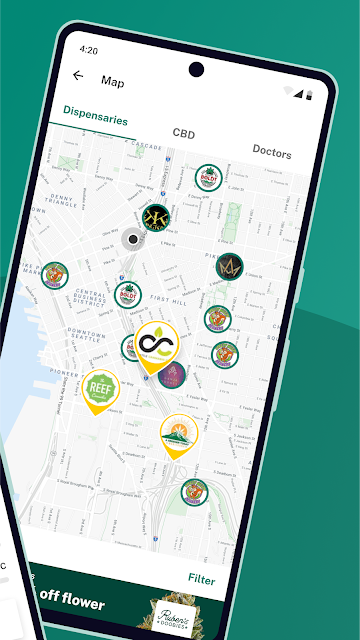
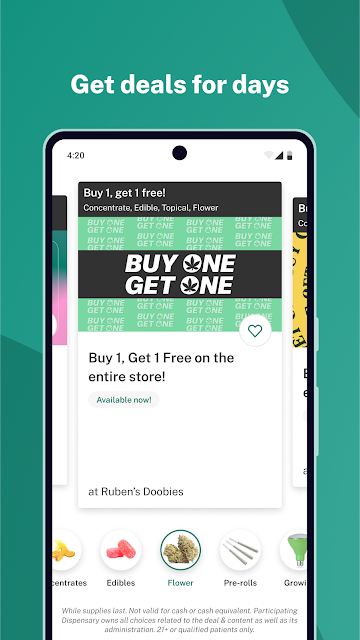
When I first opened Leafly, I pictured using it before a weekend errand: check which dispensaries are nearby, browse their menus, and see whether pickup or delivery is offered. The app brings those practical details together with deals, specials, and customer reviews. That makes it easier to narrow down where to look before heading out, rather than starting with a general web search and several separate store pages.
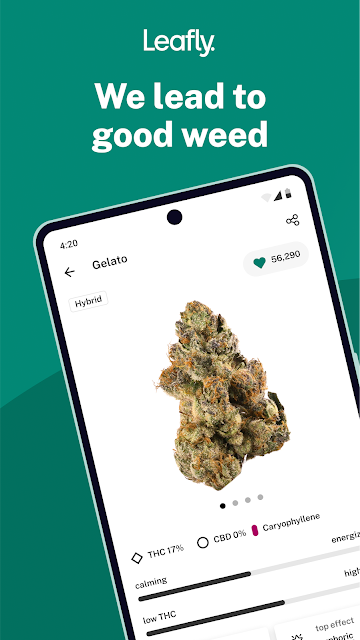
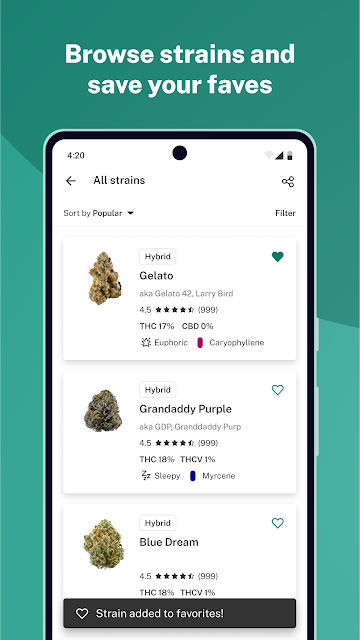
I also used the strain browsing as a way to make a broad search more manageable. Instead of trying to remember product names, I could explore by reported effects, aromas, flavors, and recommendations, then compare user-submitted reviews. Availability at nearby dispensaries can help connect that research to local options. The experience is most useful as a combination of discovery and local browsing, especially when I want context before visiting a store.
Directory, Not a Dispensary
Leafly sits somewhere between a cannabis reference library and a local shopping directory. It offers strain information and reviews alongside nearby dispensary listings, menus, and delivery or pickup options. That mix is its main distinction from a basic map search: I can explore products and read about other users’ experiences before checking what local retailers carry. The app covers cannabis discovery broadly rather than focusing on just one shop or product category.
It is not itself a dispensary, and browsing its information is not the same as buying a product. I would use it to research options, learn vocabulary, and locate retailers, then make any purchase arrangements through the available local channels. Leafly also includes news, educational material, and videos, so it can serve readers who are learning about cannabis. Someone who only wants a bare list of addresses may find its wider content unnecessary.
Small Habits That Help
I’d get more from Leafly by starting with a specific question rather than scrolling without a plan. For example, I might compare a few strains by reported flavor or effect, read several user reviews, and then see whether nearby stores show them on their menus. That sequence keeps the app’s reference and location features connected. It also makes clear that a review is one person’s account, not a promise of the same experience for everyone.
For repeat browsing, I’d check a favorite dispensary’s updates when planning an errand. Leafly can send daily notifications from favorite medical dispensaries, retail stores, or delivery services, which may be handy if I want to keep up with deals and specials. I’d also make time for the Learn and News material when I have a broader question. Using those sections in short sessions feels more practical than treating the app as a single-purpose locator.
More From Our News Desk

Zoom Meetings, Google Meet, or Teams: Which Is Easiest to Join?

How I Build a Free Streaming Lineup With Tubi

Why Crunchyroll Is the Default Anime App for So Many Fans

YouTube TV: A Practical Guide to Cutting Cable

Rummikub and the Small Comfort of Phone Games

TeamViewer Remote Control or AnyDesk for Helping Family?
Who Might Find It Useful
I’d recommend Leafly to adults who want a starting point for learning about strains, reading user reviews, and finding nearby legal dispensaries or delivery services. It is particularly handy for someone who likes to compare options before making a local visit. The blend of menus, deals, educational articles, and videos gives regular users more to explore than a simple directory, while newcomers can use the Learn material to get oriented.
It may not suit someone who wants a stripped-down map, or anyone expecting the app to make a personal product choice for them. Its strain information draws on reported effects and user-submitted reviews, so I’d treat it as a way to explore rather than a definitive answer. The app is focused on cannabis, so its content will also be irrelevant to people who have no interest in that subject.
Leafly: Find Cannabis and CBD is developed by Leafly Holdings, Inc. On Google Play, it has over 5 million installs and a 4.7-star rating from about 95,000 ratings. It is free to download, contains ads, and does not offer in-app purchases. Its content rating is Mature 17+, which fits an app centered on cannabis information and local listings.
The supplied app details give version 9.2.0, a release date of January 24, 2012, and a last update date of November 5, 2026. The minimum Android version is not included in the available app details, so check the Google Play page on your device for current compatibility information.
A Practical Guide to Browsing Leafly
A Clear First Impression
Leafly’s purpose becomes clear quickly: it combines cannabis information with a way to find local retailers. I like that those jobs sit together, because learning about a strain can naturally lead to checking nearby availability. The app also gives space to news, educational material, and videos, so it is not limited to a search box and a list of stores.
For a first session, I’d begin with whichever need brought me there. Someone planning an errand can head toward dispensaries, menus, and pickup or delivery details. A curious reader can start with strain browsing or Learn content. That flexibility is useful, though it means there is more to take in than there would be in an app built only to show nearby businesses.
Browsing Day to Day
In everyday use, the most natural loop is browse, compare, and check local availability. I can look through strains by aromas, flavors, or reported effects, read reviews, and then see whether nearby dispensaries or retail stores list relevant options. When I’m deciding where to stop, menus and specials add useful practical context without taking away the exploratory side of the app.
Leafly’s user reviews give the browsing a human perspective, but I would read more than one before drawing a conclusion. People describe their own experiences, and those accounts can differ. That makes reviews helpful for discovering themes and questions to explore, not a reliable way to predict exactly how a product will affect another person.
More Than Strain Search
One standout is the range of product types and discovery angles Leafly brings together. Its browsing includes strains, tinctures, topicals, concentrates, and edibles, with exploration based on user reviews and reported characteristics. That breadth can help someone who does not yet know which category they want to investigate, rather than steering every search toward one familiar format.
The local tools add another useful layer: dispensary and retail listings, menus, deals, pickup and delivery options, and a way to leave reviews. Leafly also offers daily notifications from favorite dispensaries, stores, or delivery services. These features make the app more relevant to ongoing local browsing than a reference guide that ends after explaining a strain.
For quieter reading, Leafly News and Learn cover cannabis basics, studies, legalization updates, and lifestyle topics, while videos address using, growing, cooking, and creating with cannabis. I appreciate that the app makes room for education alongside shopping-oriented discovery. It gives me something useful to read even when I’m not actively planning a store visit.
A Useful Personal Routine
A simple routine I’d use is to open Leafly before making a dispensary stop. I’d browse a few relevant products, check reviews for recurring descriptions, then compare nearby menus and specials. If pickup or delivery is available, I can factor that into the plan. This turns an open-ended search into a short checklist and helps me arrive with a clearer sense of what I want to ask about.
On days when I’m not shopping, I’d use the app more like a reading shelf. A short Learn article or video can answer a general question, while news offers a way to follow cannabis-related topics. If I have a favorite local retailer, notifications may help me notice its updates. Keeping those activities separate makes the app useful without requiring me to browse every section in one sitting.
Keep Its Limits in Mind
Leafly’s usefulness depends on having relevant local listings and menu information to browse. The app can help find nearby businesses and show available details, but a directory is not the same as a direct conversation with a retailer. I’d check the shop’s own information before making a trip based on a menu or deal, particularly when timing and availability matter.
The other limit is that much of the discovery experience rests on reported effects and user-submitted reviews. Those can provide ideas and context, but they remain individual accounts. I would not treat a strain description or another person’s review as a personal recommendation. That careful approach matters especially for a subject where people may have different needs, preferences, and experiences.
Finally, Leafly is a focused app with a lot of cannabis-related content. That is a strength for people who want a broad resource, but a distraction for anyone who only needs an address or has no interest in articles, videos, and product browsing. Its best role is as a research and discovery companion, not an all-purpose local search app.
Leafly combines a strain reference, user reviews, local dispensary discovery, and educational content in one place. I found the strongest use case in preparing for a store visit: compare a few options, check menus, and learn enough to browse with better questions. Its wide scope is useful, though the amount of information may feel like more than a simple locator needs.
I’d recommend it to adults who want to explore cannabis information and local retail options, with the understanding that reviews are personal accounts and listings are a starting point. If you want only a basic map, Leafly may be more app than you need. For curious readers and regular local shoppers, it is a practical, well-rounded resource.
Leafly Frequently Asked Questions
What is Leafly: Find Cannabis and CBD used for?
Leafly helps people explore cannabis strains and products, read user-submitted reviews, and find nearby dispensaries or retail stores. It also includes menus, deals, pickup and delivery options, educational articles, news, and videos. I’d use it as a discovery and information resource, rather than as the retailer itself or as a substitute for individual judgment.
Which devices can run Leafly: Find Cannabis and CBD?
The app is available on Android through Google Play. The available app details do not specify a minimum Android version, so compatibility can depend on your device and may change. Check the Google Play page for Leafly: Find Cannabis and CBD to see whether your current Android device meets its requirements.
Does Leafly: Find Cannabis and CBD cost money?
Leafly is free to download on Google Play and contains ads. The supplied details show no in-app purchases. Store information can change over time, so it is worth checking the Google Play page for the current cost and any changes before installing.
Can Leafly: Find Cannabis and CBD help me find a dispensary?
Yes. Leafly includes a dispensary finder for nearby legal options, along with retail listings, menus, and information about pickup or delivery where available. It can help you research local choices, but I’d check with the retailer directly if a specific product or offer is important to your plans.
Who is Leafly: Find Cannabis and CBD best for?
It is best suited to adults interested in cannabis information, strain reviews, and local dispensary discovery. Beginners may appreciate the educational articles and videos, while regular users may value menus and notifications from favorite retailers. It may not suit someone who wants only a simple map or has no interest in cannabis-related content.
Pros
- Combines strain browsing and user reviews with nearby dispensary discovery.
- Menus, deals, and pickup or delivery details support practical local planning.
- Includes educational articles, news, and videos alongside product research.
- Browsing spans strains, tinctures, topicals, concentrates, and edibles.
Cons
- A wide range of cannabis content may feel excessive for a basic store search.
- User-submitted reviews describe individual experiences, not predictable outcomes.
- Local usefulness depends on the listings and menu details available in your area.
- Category
- Medical
- Version
- 9.2.0