Tampermonkey
- 61
- 3.1
- Installs
- —
- Price
- $2.99

Screenshots
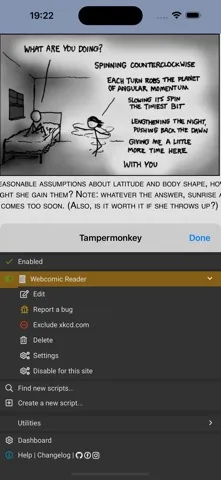
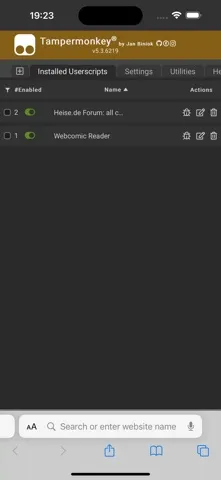
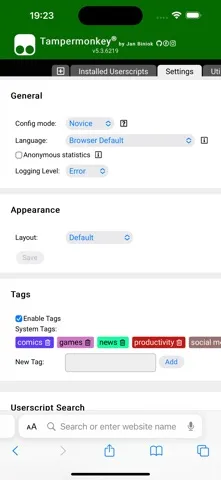
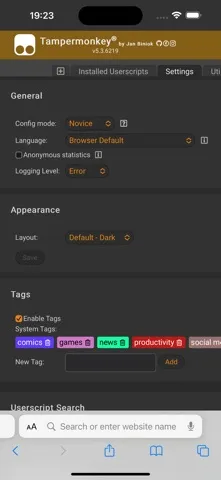
Analysis by Reviewed APKs
Tampermonkey is a tool for using small JavaScript programs, called userscripts, to customize or add features to web pages. It suits people who want more control over how particular sites look or behave and are comfortable working with scripts. After spending time with its purpose in mind, I see it as a focused utility rather than an all-purpose browser upgrade: useful when you have a specific change in mind, less compelling if you do not.
A Small Fix for a Website
Picture a routine visit to a website where one page could use a small adjustment. A userscript can change or add page features, and Tampermonkey gives you a place to create, manage, and run those scripts. That makes the app’s job easier to understand through a concrete goal: identify a page-level annoyance, find or write a script intended to address it, and use Tampermonkey to apply it.
When I first thought through that workflow, the appeal was the fine-grained control. Instead of changing how every part of my browsing works, I could focus on the pages where a particular tweak would help. The trade-off is that the value depends on having a script and a reason to use it. Tampermonkey is a tool for customization, not a ready-made collection of website improvements.
A Tool, Not a New Browser
Tampermonkey sits between a browser and the web pages you visit: userscripts are the means of changing or extending page behavior. That puts it in a different category from a browser itself, a general productivity suite, or a service that gives you a new destination for browsing. Its role is narrower and more hands-on. You bring a script-based idea, and the app helps you run and manage it on websites.
I would not choose Tampermonkey as a replacement for a browser or expect it to make every site better automatically. Nor is it aimed at someone who wants a simple visual switch for every possible preference. The core mechanism is JavaScript userscripts, so a bit of technical curiosity is useful. If you only need ordinary browsing, this extra layer may feel like more tool than you need.
Keep Scripts Intentional
A sensible habit is to start with one specific page and one clear change, rather than collecting scripts without a purpose. That makes it easier to tell whether a customization is actually useful in your routine. Since Tampermonkey is designed to create, manage, and run userscripts, keeping your choices focused also makes the central job easier to understand: each script should have a reason to be there.
I’d also treat script management as part of the workflow, not an afterthought. When a page behaves differently than expected, being able to review the scripts you use can help you narrow down what is happening. The app is most rewarding when you approach it deliberately, with a practical goal and enough patience to work with the script-based approach rather than expecting a one-tap fix.
More From Our News Desk

Zoom Meetings, Google Meet, or Teams: Which Is Easiest to Join?

How I Build a Free Streaming Lineup With Tubi

Why Crunchyroll Is the Default Anime App for So Many Fans

YouTube TV: A Practical Guide to Cutting Cable

Rummikub and the Small Comfort of Phone Games

TeamViewer Remote Control or AnyDesk for Helping Family?
Who May Find It Useful
I’d recommend Tampermonkey to people who already know what a userscript is, or who are interested in learning how small JavaScript programs can change web pages. It can be a practical companion for someone who repeatedly visits the same sites and wants to customize specific page features. The appeal is control: userscripts give you a way to tailor web interactions instead of accepting every page exactly as it appears.
It may not suit someone looking for a turnkey browsing app, a set of built-in site themes, or a broad productivity dashboard. The description centers on creating, managing, and running scripts, so the experience naturally favors users willing to think in those terms. I’d also pause if I had no particular website change in mind; without a concrete use, the app’s specialized purpose can be hard to appreciate.
Tampermonkey is developed by Jan Biniok and is listed in the Apple App Store as a paid app for $2.99. The store shows a 3.1-star rating from 61 ratings. Its content rating is 4+. Those figures give a quick sense of the app’s store presence, though ratings are only one part of deciding whether a specialized userscript tool fits your own needs.
The App Store version is 5.6.6243, released November 18, 2024, with its most recent update dated October 9, 2026. It requires iOS 15.0 or later. Those are the practical device details to check before installing, especially if you use an older iPhone or iPad. The app is intended for Apple’s mobile platform, rather than an Android installation.
A Closer Look at Script-Based Browsing
Getting Oriented
My first impression of Tampermonkey is that its purpose is unusually clear: work with userscripts that alter or extend web pages. That clarity is welcome, but it also sets expectations. This is not a conventional browser with a broad set of everyday features. It is a specialized layer for people who want to use small JavaScript programs to shape particular website experiences.
I’d begin setup by deciding what I want to change, rather than opening the app with no goal and hoping it suggests one. The description says users can create, manage, and run scripts on websites, which gives the basic outline of the work ahead. For a newcomer, the key first step is understanding that a userscript is the actual customization, while Tampermonkey is the tool that handles it.
The Everyday Experience
In day-to-day use, the idea is to let a script do something useful on a page you visit. That might mean adding a feature or modifying an existing one, depending on the script. I like that the concept is tied to a real browsing routine: rather than making a sweeping change to the device, you can focus on the page where a particular adjustment would matter.
The experience is inherently more deliberate than tapping a general setting. You need a userscript that fits the change you want, and the app is built around handling those scripts. That makes Tampermonkey feel most relevant to people who are comfortable with the idea of code influencing a web page. For casual browsing without a customization goal, its central workflow may not come up often.
What Makes It Distinct
The defining feature is userscript support: small JavaScript programs can add or modify features on web pages. Tampermonkey brings the creation, management, and running of those scripts together in one app. That is a specific and useful proposition. Instead of presenting itself as a general-purpose browser, it concentrates on the mechanism that enables page-level customization.
I find that focus more meaningful than a long list of unrelated tools would be. When someone wants to personalize a web interaction, the script itself is the important building block, and Tampermonkey is organized around working with it. The description also presents the app as compatible with major browsers, though the mobile app’s store platform is iOS. The central feature remains the userscript workflow.
A Practical Routine
A useful routine starts with noticing a repeated friction point. Perhaps there is a page you visit often where you would like an extra feature or a different behavior. I’d write down what I want to change in plain language before looking for a userscript or trying to create one. A clear goal makes it easier to judge whether a script is relevant and whether the result actually improves that routine.
After settling on a script, I’d keep the workflow focused: use Tampermonkey to manage it, then return to the page where the change matters. If the result is not what I expected, I’d revisit the script rather than stacking on more changes immediately. This measured approach helps keep customization understandable, particularly when the app’s value comes from scripts rather than from a broad set of built-in page presets.
Limits to Keep in Mind
The biggest limitation is also the source of the app’s appeal: it depends on userscripts. Someone who has never encountered JavaScript or script-based page changes may need time to understand what the app is for. Tampermonkey can manage and run scripts, but the core idea is not the same as choosing a simple setting from a menu. That distinction matters when deciding whether it fits your comfort level.
The app’s narrow focus may also make it feel unnecessary if your browsing habits do not include repeated site-specific annoyances. It is not presented as a complete browser or a universal fix for every website. I’d approach it with a particular customization in mind and realistic expectations about a tool built around scripts. That keeps the decision grounded in what Tampermonkey actually does.
Tampermonkey is a focused option for people who want to customize web pages through userscripts. Its core purpose is easy to explain, and the ability to create, manage, and run scripts gives technically curious users a practical route to page-level changes. The catch is that it is specialized: its usefulness depends on having a script-based goal.
I’d recommend it to users who are comfortable exploring JavaScript userscripts and want more control over particular websites. If you simply want a browser that works out of the box, I’d look elsewhere. For the right person, Tampermonkey can fill a specific gap; for everyone else, its narrow workflow may not earn a regular place in the routine.
Tampermonkey Frequently Asked Questions
What is Tampermonkey used for?
Tampermonkey is used to create, manage, and run userscripts on websites. Userscripts are small JavaScript programs that can add or modify web-page features. It is intended for people who want to customize particular site experiences, rather than for general browsing alone. The app’s usefulness depends on having a script or a specific page-level change in mind.
Which devices can run Tampermonkey?
The app described here is the iOS version, available through the Apple App Store. It requires iOS 15.0 or later. Tampermonkey is described as compatible with major browsers, but for this mobile app, check the App Store details for current device compatibility and any platform-specific requirements before installing.
What iOS version does Tampermonkey require?
Tampermonkey requires iOS 15.0 or later. The current store version is 5.6.6243. If you are unsure whether your device or operating system is compatible, check the App Store entry, since device requirements and available versions can vary over time.
Does Tampermonkey cost money?
Tampermonkey is a paid app listed for $2.99 in the Apple App Store. Store prices and availability can vary by region or change, so check the App Store listing for the current amount before buying. The provided store details do not specify any in-app purchases.
Is Tampermonkey suitable for beginners?
It can suit a beginner who is curious about userscripts and willing to learn how small JavaScript programs customize web pages. It may be less comfortable for someone who wants a ready-made collection of simple settings and does not want to work with scripts. Tampermonkey’s core purpose is managing and running userscripts, so a specific customization goal helps.
Pros
- Focused on creating, managing, and running userscripts for web-page customization.
- Lets users add or modify website features through small JavaScript programs.
- A practical fit for people with specific, recurring page-level preferences.
Cons
- Its script-based approach may take time to understand if you are new to userscripts.
- The specialized purpose may offer little value without a website customization goal.
- The iOS app requires iOS 15.0 or later.
- Category
- Productivity
- Version
- 5.6.6243











