Swann Security
- 132.05K
- 4.6
- Installs
- 1.00M
- Price
- Free

Screenshots

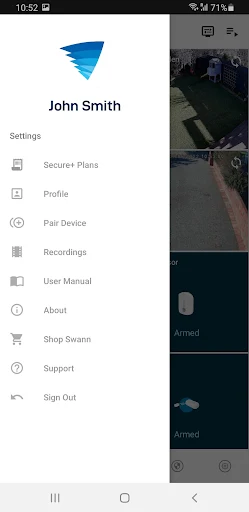
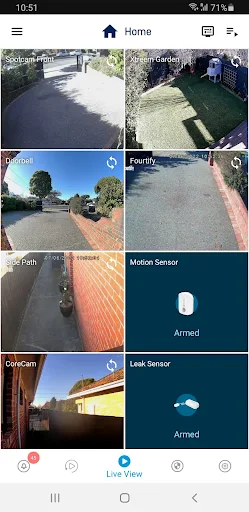
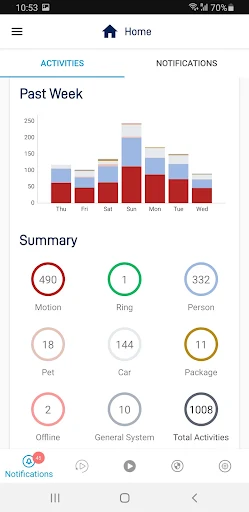
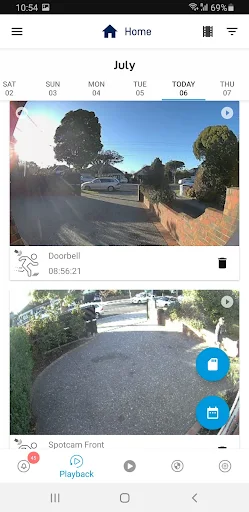
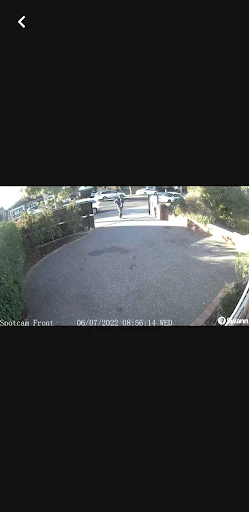
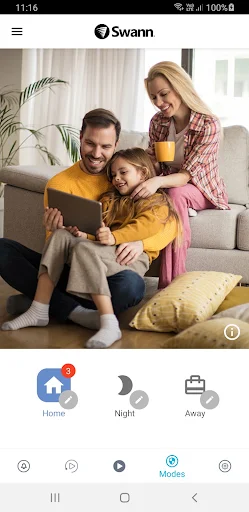
Analysis by Reviewed APKs
Swann Security is a companion app for viewing and controlling compatible Swann home or small-business security systems from a phone. It suits people who already have supported Swann equipment and want a convenient way to check in while away. I like the idea of bringing wired recorders and Wi-Fi cameras together in one place, but compatibility is the key detail: this is a system companion, not a general-purpose camera app.
A Quick Check While Away
Imagine heading out for the day and wanting to see what is happening at home. With a compatible Swann setup, I can use the app to connect to the system over Wi-Fi or mobile data and view its video stream. That makes a brief check-in possible without being in front of the recorder. It is a practical role for a phone app: give an existing security system a mobile viewing and control point.
The same basic routine can suit a small business owner who wants to check a space remotely. I would open Swann Security, connect to the supported system, and look at the available video when needed. The app is designed to bring certain wired DVR and NVR systems together with Swann indoor and outdoor Wi-Fi cameras. The convenience depends on owning equipment that works with it, so checking compatibility comes before building a routine around the app.
A Companion, Not a Camera
Compared with a standalone phone camera app, Swann Security has a narrower job: it connects with Swann security equipment rather than turning the phone itself into a surveillance camera. Its appeal is the shared app experience for compatible wired and wireless products. If you already use a supported recorder or Wi-Fi camera, having those devices accessible through one app can be more convenient than treating them as unrelated tools.
That focus also sets a clear boundary. Swann says some of its wired systems and newer indoor and outdoor Wi-Fi cameras work with this app, but other Swann CCTV and IP camera models do not. It is not a universal viewer for every camera, nor is it useful as a standalone security setup without compatible hardware. I would treat the product compatibility information as an essential first step, not a minor detail.
Make Check-Ins Deliberate
A simple habit is to open the app only when I have a reason to check the property: after leaving, before closing up, or when I want to confirm a space is as expected. That keeps the app’s role straightforward and avoids treating a live video stream as something to watch constantly. The practical benefit is access to a compatible Swann system from a phone, when a quick look is useful.
I would also pay attention to which connection I am using. Swann notes that video viewed over 4G or 5G may count as downloads against a mobile plan, so Wi-Fi is the sensible choice when available and appropriate. If I expect to check in often, being mindful of data use is part of making the workflow comfortable. A little planning can prevent an otherwise convenient routine from becoming an unexpected data drain.
More From Our News Desk

Zoom Meetings, Google Meet, or Teams: Which Is Easiest to Join?

How I Build a Free Streaming Lineup With Tubi

Why Crunchyroll Is the Default Anime App for So Many Fans

YouTube TV: A Practical Guide to Cutting Cable

Rummikub and the Small Comfort of Phone Games

TeamViewer Remote Control or AnyDesk for Helping Family?
Who Gets the Most From It
I would recommend Swann Security to someone who already owns a compatible Swann DVR, NVR, or Wi-Fi camera and wants phone-based access to that system. It is also worth considering for a home or small business where wired and wireless Swann equipment needs to be reached through one app. The fit is strongest when the hardware is already in place and the main need is convenient viewing and control away from it.
It may not suit someone shopping for a camera-only app, hoping to connect equipment from many brands, or expecting every Swann camera model to work. Compatibility is specific, and the app cannot replace the physical system it connects to. I would also be cautious about frequent mobile-data viewing if a plan has tight limits. For people whose equipment and habits match its purpose, though, the focused approach makes sense.
Swann Security is published by Swann Communications. On Google Play, it has over 1 million installs and a 4.6-star rating from about 132,000 ratings. The app is free to download, contains in-app purchases priced from $1.99 to $199.99 per item, and does not contain ads. Its content rating is Everyone.
The supplied app details give version 4.9.5, a release date of May 16, 2019, and a last update date of September 17, 2026. The minimum Android version is not included in the available app facts, so check Google Play for the requirement on your device. Swann describes the app as connecting to compatible wired and wireless systems through Wi-Fi or a 4G/5G data connection.
A Practical Window Into Your Swann System
First Open and Setup
When I first opened the idea of Swann Security, the main thing I wanted to establish was whether my equipment belonged in its supported family. The app is built to work with certain Swann wired DVR and NVR systems and Swann indoor and outdoor Wi-Fi cameras. That gives it a clear purpose, but it also means the useful first step happens before relying on it: identify the exact device and confirm compatibility.
Once the equipment matches, the app’s promise is a single place to access the system. I find that more appealing than juggling a separate app for each compatible product type. Still, setup expectations should stay grounded in the hardware. This is not a substitute for owning or configuring a Swann system; it is the mobile companion through which that system can be viewed and controlled.
The Everyday Experience
Day to day, the central task is connecting to the Swann system and viewing its video stream. That is useful for a quick look at home or a business while away, provided the phone has Wi-Fi or mobile data. I would think of it as an on-demand check-in rather than an app that needs constant attention. Its value comes from making an existing system reachable in an everyday mobile setting.
The connection choice matters more than it might with a text-based utility. Swann says video over 4G or 5G may count as downloads under a phone plan and could contribute to usage limits. I would use Wi-Fi when practical and keep mobile streaming in mind when away. That small consideration is easy to overlook, but it affects how casually I would use a video-focused security app.
One App for Compatible Gear
The standout idea is combining compatible wired and wireless Swann products in one app. Swann says its wired security systems, including its latest DVR and NVR series, work with its indoor and outdoor Wi-Fi camera range. For someone with a mix of those devices, a shared access point is a sensible convenience. It makes the app feel like a companion to a broader system rather than a viewer for just one camera.
That breadth has a firm limit: not every Swann CCTV or IP camera model works with Swann Security. I would check the supported-products information before assuming an older camera will connect. This is the detail that most shapes the experience. If the hardware is compatible, the unified approach is useful; if it is not, the app’s central benefit may not apply.
A Sensible Check-In Routine
A practical routine might be checking a home after leaving or taking a look at a small business space when I am away. I would open the app when I need that view, rather than make frequent video checks out of habit. The app’s role is clear: connect to the compatible Swann system and let me see its stream from the phone. That can be reassuring without making the app more complicated than the task requires.
For regular use, I would make two checks part of the routine: confirm the equipment is supported and choose the connection thoughtfully. At home or work, Wi-Fi can avoid using mobile data for viewing. Away from those networks, I would remember that streaming may count toward the phone plan. These are modest habits, but they help keep remote viewing convenient and predictable.
Limits to Keep in View
The biggest limitation is compatibility. The app is not presented as a universal camera platform, and Swann explicitly excludes some of its own CCTV and IP camera models. That makes the exact device model more important than the brand name alone. I would not download it expecting it to discover or manage any camera I happen to own; its purpose is specifically tied to supported Swann products.
The other practical limit is data use when viewing away from Wi-Fi. Video can consume mobile data, and Swann cautions that usage may count toward a plan’s download limits. Beyond those points, the app’s usefulness depends on the connected equipment and the need for remote access. It is a focused companion, so people seeking a standalone camera or a broad cross-brand tool should look elsewhere.
Swann Security makes the most sense as a convenient mobile window into compatible Swann equipment. I like its aim of bringing supported wired and wireless devices into one app, and remote video access suits straightforward check-ins. The experience is less compelling if the hardware does not match or mobile-data use is a concern.
If you own a supported Swann system, I would give it a try and confirm your model before depending on it. If you are choosing an app first and hardware later, its narrow compatibility makes it a less flexible starting point. For the right owner, it is a practical companion rather than an all-purpose security solution.
Swann Security Frequently Asked Questions
What is Swann Security used for?
Swann Security is a companion app for controlling and viewing compatible Swann security systems. Swann describes support for certain wired DVR and NVR systems as well as indoor and outdoor Wi-Fi cameras. It connects to the system using Wi-Fi or 4G/5G, so it is intended for people with supported Swann equipment rather than as a standalone camera app.
Which phones and devices can use Swann Security?
The app is available for Android through Google Play. It connects with compatible Swann wired and wireless security products, but not every Swann CCTV or IP camera model works with it. Check the supported-products information and Google Play listing for current device compatibility and phone requirements before relying on a particular setup.
What Android version does Swann Security require?
The Android minimum requirement can vary with the app listing and device, so check the current Google Play page before installing. The app’s supplied details identify version 4.9.5, but do not provide a minimum Android version. A compatible phone also needs a way to connect to the Swann system, such as Wi-Fi or mobile data.
Is Swann Security free, and does it have purchases?
Swann Security is free to download on Google Play and contains in-app purchases. The supplied price range is $1.99 to $199.99 per item, and the app does not contain ads. Purchase details can change, so check the current Google Play listing for the items and prices available to you.
Is Swann Security right for my home or business?
It may suit you if you have a compatible Swann system and want to view or control it from your phone. It is less suitable if you need a standalone camera app or broad support for other brands. Compatibility varies by Swann model, so check the supported-products information before choosing the app for a particular setup.
Pros
- Brings compatible Swann wired systems and Wi-Fi cameras into one app.
- Supports viewing a Swann system over Wi-Fi or mobile data.
- Free to download and contains no ads.
- Useful for remote check-ins at home or a small business.
Cons
- Works only with specific compatible Swann equipment, not every model.
- Video viewed over mobile data may count toward phone-plan limits.
- In-app purchases are available, with prices varying by item.
- Category
- Productivity
- Version
- 4.9.5











