Speechify – Text to Speech
- 291.08K
- 4.1
- Installs
- 10.00M
- Price
- Free

Screenshots



Analysis by Reviewed APKs
Speechify – Text to Speech turns written material into audio, with extra tools for asking questions about documents and dictating text. It suits students, busy readers, and anyone who would rather listen to articles, PDFs, or emails than stay on the page. After spending time with its mix of reading and voice features, my overall take is that it is a flexible listening companion, though its broader assistant tools may be more than some people need.
Reading Between Tasks
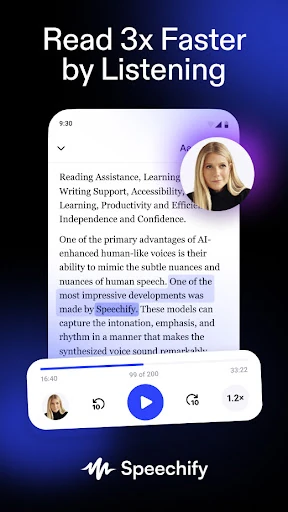
When I first tried Speechify, I pictured a familiar sort of day: a long article to get through, a few emails waiting, and not much time to sit and read. The app’s basic appeal is straightforward. Give it text from a document, webpage, email, or PDF, then listen while doing something that does not demand all of your attention. It makes reading-heavy days feel a little less tied to a screen.
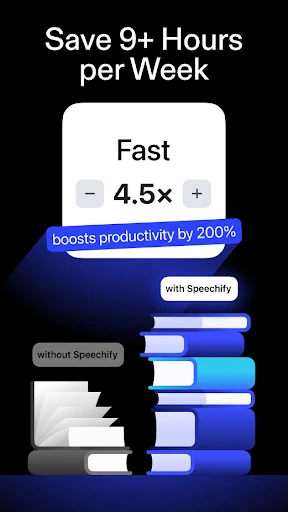
The same idea works for study material or a report I want to review while walking around the house. I can listen at a comfortable pace or push the speed higher when I am revisiting familiar material. Speechify supports listening at up to 4.5 times normal speed, but that ceiling is a choice, not a recommendation. I found the useful question was whether I could follow the material, not how quickly I could finish it.
Reader, Not a Replacement
Speechify sits between a standard ebook reader and a general-purpose voice assistant. Its main job is to make written content audible, while features such as document questions, spoken dictation, and AI-generated podcasts extend that idea. If I am already reading something on a screen, being able to hear it is the distinctive convenience. The app also includes a collection of free classic books, which gives listeners another place to start.
That breadth does not make it a substitute for every reading or writing tool. Someone who only wants to open an ebook and read silently may not need a text-to-speech app. And while Speechify can answer questions about documents and help with spoken input, it is not simply a conventional podcast player or a dedicated word processor. I would choose it when listening is central, rather than expecting it to replace every app in a study or work routine.
Make Listening Easier
A small habit that helps is choosing the right speed for the material instead of setting everything to the maximum. I would keep dense or unfamiliar passages slower, then speed up when listening to something I already know. Speechify offers a wide range of voices, including options described as human-sounding, and supports voices across 60-plus languages. A few minutes spent finding a voice and pace that suit a particular task can make a longer listening session feel more natural.
It also helps to treat the app as a place for active reading, not just passive audio. Speechify supports audio bookmarks and note-taking tools, and its assistant can be asked to pull out main takeaways or quiz you on a document. I would use those tools after listening to a chapter or report, rather than interrupting every few minutes. For quick input, the voice keyboard can dictate into text fields in other apps when its optional accessibility permission is enabled.
More From Our News Desk

Zoom Meetings, Google Meet, or Teams: Which Is Easiest to Join?

How I Build a Free Streaming Lineup With Tubi

Why Crunchyroll Is the Default Anime App for So Many Fans

YouTube TV: A Practical Guide to Cutting Cable

Rummikub and the Small Comfort of Phone Games

TeamViewer Remote Control or AnyDesk for Helping Family?
Who Will Get the Most From It
I would recommend Speechify to people who regularly face more reading than they can comfortably fit into a quiet block of screen time. Students may appreciate being able to listen to study materials and ask questions about a document. Professionals with reports and emails to review may like the same hands-free option. It can also suit readers who find audio easier to follow than a page, or who want to switch between reading and listening.
It may be less appealing if you prefer to read everything silently, only need an occasional short read-aloud, or want a simple app with no additional assistant and dictation features. Speechify has several different ways to work with text, so there is more to explore than in a bare-bones reader. I would also suggest taking time to test voices and speeds: a feature-rich app is only useful if its listening experience works for your ears and routine.
Speechify – Text to Speech is a free Android productivity app from Speechify - Voice AI Assistant. On Google Play it has more than 10 million installs and a 4.1-star rating from about 291,000 ratings. The app is rated Everyone. The supplied release date is August 16, 2021, and the current version is 6.5.0.
The app is free to install and offers in-app purchases, with listed items ranging from $0.49 to $139.99. It does not contain ads. The supplied last-update date is October 27, 2026. A minimum Android version is not provided in the app facts, so check Google Play for the requirement that applies to your device.
A Closer Look at Listening
Getting Started
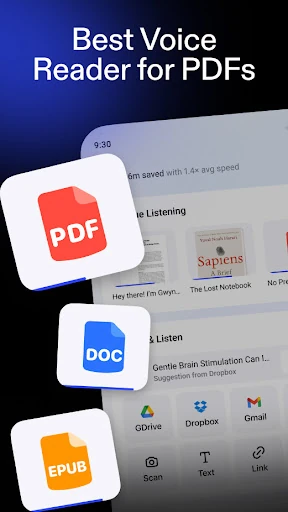
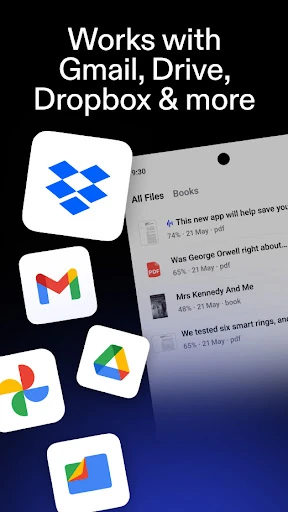
My first impression is that Speechify is built around a simple promise: make text available to your ears. The range of possible material makes that idea feel useful beyond a single kind of reading. Its description covers documents, articles, PDFs, emails, and websites, and it also offers the option to photograph text for audio. That gives the app several routes from a written page to a listening session.
There is also a bigger set of tools waiting behind the basic read-aloud use. Speechify describes a voice keyboard, an AI assistant for questions about documents, and AI podcasts created from a document or prompt. I would not try to learn all of those at once. Starting with one article or PDF makes it easier to decide whether the core listening experience fits before adding extra steps to the routine.
The Daily Listening Loop
Day to day, the appeal is the ability to move reading into moments when looking at a page is inconvenient. I can imagine listening to an article during a household task, then returning to a document later for closer attention. Speechify supports different playback speeds, including up to 4.5 times normal speed. The flexibility is handy, but quick playback works best when the material and my attention are both suited to it.
I like that the app's purpose does not depend on having a long uninterrupted session. A short email or a few pages can be a reasonable listening task, just as a longer report can. The challenge is that audio still asks for attention: I would not count a document as absorbed simply because it played in the background. For important or complicated material, listening and then checking the original text can be a more practical combination.
More Than Read Aloud
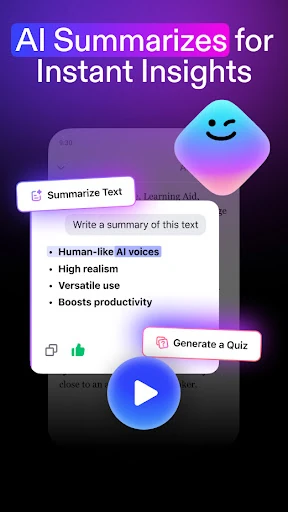
The standout feature is the set of ways Speechify lets a reader interact with text. Its Voice AI Assistant can respond to questions about documents, including requests for key takeaways or a quiz on an essay. That makes the app more than a voice reading layer. It gives students and other readers a way to turn listening into a follow-up activity, although I would still treat a generated response as a tool for engaging with the material rather than a replacement for the material itself.
The voice keyboard is another practical addition. It is designed to let you speak and insert dictated words into the text field you are using in another app. Speechify says this feature uses Android's AccessibilityService API and requires the user to enable the optional permission in Android Settings. The description explains that it uses the permission for focused text fields and active dictation, including limited nearby text to improve transcription accuracy.
I also noticed the app's more distinctive listening options: AI podcasts made from a document or prompt, and a library of free classic books. The podcast styles include options such as Thoughtful Talk and Lecture. These features give people different ways to approach text, but they are best understood as additional formats rather than the core reason everyone needs the app.
A Practical Study Session
For a study session, I would start by choosing one reading rather than loading up a whole week’s work. I could listen to a section at a moderate pace, save an audio bookmark when I want to return, and use a note-taking tool to capture the point I want to remember. Afterward, asking the assistant for main takeaways or a quiz could help me check what stuck. The sequence keeps listening connected to the actual goal of learning.
For work, the same routine could apply to a report or a long email: listen through once to get the shape of it, then return to specific parts that need careful reading. If I need to compose a response, dictation through the voice keyboard may be useful in an editable field. I would keep the permission choice deliberate and enable it only if the cross-app dictation feature is something I expect to use.
Keep Expectations Grounded
Speechify’s wide feature set can be both its strength and its main complication. If all I want is occasional read-aloud, the assistant, podcasts, voice keyboard, and other tools may feel like unnecessary extras. The experience also depends on choosing a suitable voice and pace; fast playback is not automatically easier or more productive. A little setup and experimentation are part of getting value from the app.
There are practical limits to any listen-first approach. Audio is not ideal for every task, especially when I need to compare details on a page or scan back and forth through a document. The app can help me spend more time with text, but it does not remove the need to pay attention or verify what matters. Its value is strongest when it complements reading, rather than being treated as a universal shortcut.
Speechify makes a convincing case for listening to more of the text already in my day. Read-aloud playback is the clear foundation, while document questions, dictation, AI podcasts, and classic books broaden the ways I could use it. The extra options take some exploring, and they will not matter to every reader.
I would try Speechify if articles, PDFs, study materials, or work documents regularly pile up and audio would help me fit them into my routine. If I only want a simple silent reader, it is probably more app than I need. For a reading-heavy routine, it is a useful set of listening tools worth testing.
Speechify Frequently Asked Questions
What is Speechify – Text to Speech used for?
Speechify turns written material such as documents, articles, PDFs, emails, and websites into audio. It also offers photo-to-audio, questions about documents through its Voice AI Assistant, a dictation keyboard, and AI podcasts made from documents or prompts. The main use is listening to text, with additional tools for engaging with or entering words.
Which devices can run Speechify – Text to Speech?
The supplied app facts describe the Android version on Google Play. Speechify's description also says its library can sync across desktop and mobile, and names Chrome, iOS, and Android as places to continue listening. Availability and compatibility can vary by device, so check the relevant store or service for your setup.
What Android version does Speechify – Text to Speech require?
The minimum Android version is not included in the supplied app facts. Google Play shows the current device requirement, so it is worth checking the Speechify – Text to Speech store page before installing, especially if your phone or tablet runs an older Android release.
Does Speechify – Text to Speech cost money?
Speechify – Text to Speech is free to install and offers in-app purchases. The supplied Google Play facts give an in-app purchase range of $0.49 to $139.99 per item and say the app contains no ads. Available purchase options and prices can vary, so check Google Play for current details.
Is Speechify – Text to Speech suitable for students?
It may suit students who want to listen to study materials, use document questions to review ideas, or dictate text. Speechify also offers note-taking tools and audio bookmarks. Whether it fits a particular student depends on their reading habits and preferences; people who prefer silent reading may not need its audio-focused features.
Pros
- Reads documents, articles, PDFs, emails, and websites aloud.
- Offers adjustable playback speeds and voices across many languages.
- Adds document questions, dictation, bookmarks, and AI podcast options.
- Free to install and contains no ads.
Cons
- The range of extra tools may feel excessive for simple read-aloud use.
- Fast playback is not a good fit for every document or listener.
- The minimum Android version is worth checking before installation.
- Category
- Productivity
- Version
- 6.5.0











