RoboForm Password Manager
- 37.27K
- 4.7
- Installs
- 1.00M
- Price
- Free

Screenshots
Analysis by Reviewed APKs
RoboForm Password Manager is an Android app for saving logins, filling passwords and forms, and keeping other private notes together. It suits anyone who is tired of remembering a different password for every account, especially people who use the same device for everyday browsing and app sign-ins. My overall take is that it aims to make routine logins less fiddly while offering useful organization tools, though some cross-device conveniences require a subscription.
A smoother sign-in routine
When I picture using RoboForm on an ordinary weekday, it is between small interruptions: checking a delivery update, signing in to a work service, then paying a bill. Instead of switching to a notebook or trying several passwords, I can keep logins in one place and use autofill in supported apps and websites. The appeal is practical rather than flashy: fewer repeated typing sessions and less need to remember which password goes with which account.
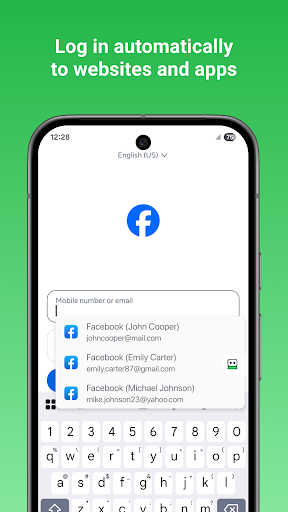
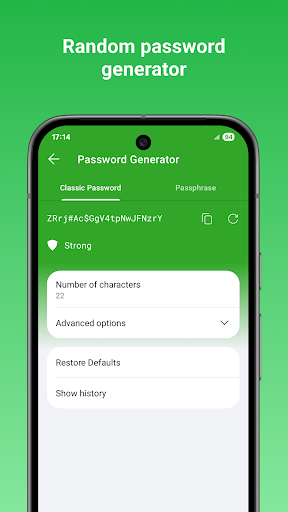
For a new account, RoboForm’s password generator can create a unique password, and its AutoSave feature can capture passwords in Chrome and supported apps on Android 8 or later. When a site asks for several steps to sign in, the app also supports multi-step logins. That makes it a better fit for regular account maintenance than a tool I would open only after forgetting a password.
A vault, not a browser
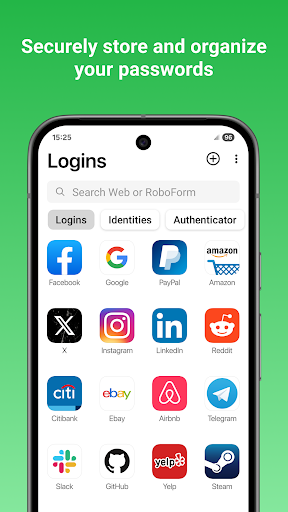
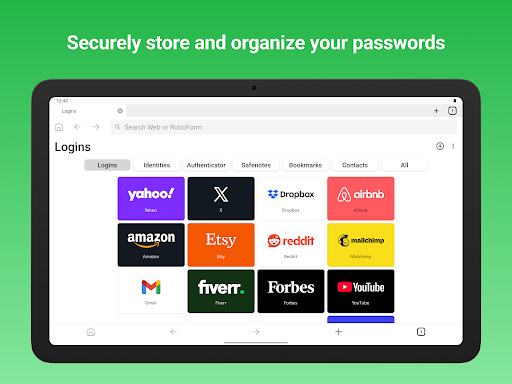
RoboForm sits between a browser’s built-in password saving and a broader personal information vault. It can store logins, identities and Safenotes, organize items into folders, and pin frequently used entries for quicker access. It can also fill long checkout forms and keep bookmarks. That range is handy if I want more than saved website passwords, but it still centers on securely keeping and using information I provide.
It is not a general-purpose browser replacement or a service for managing every part of someone’s digital life. The embedded RoboForm browser can log in to websites, but the app’s main job is password management and form filling. Its free option is limited to one device, while Premium adds syncing and other features. Someone who only needs a password saved on one phone may not need the wider subscription toolkit.
Small habits that help
A little organization can make the vault easier to use later. I would start by saving important accounts as I sign in, then sort them into folders and pin the ones I reach for most often. That avoids turning the first week into a big cleanup project. Safenotes are another practical place for information such as Wi-Fi passwords or license keys that I want to keep with my other saved items.
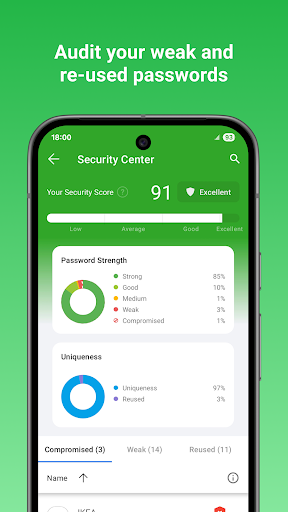
Every so often, I would check the Security Center for weak, reused or duplicate passwords and update accounts that need attention. For a new login, generating a distinct password helps avoid reusing one across several sites. If I use RoboForm on more than one device, I would also consider whether automatic syncing is worth a Premium subscription, since that convenience is not part of the single-device free offering.
More From Our News Desk

Zoom Meetings, Google Meet, or Teams: Which Is Easiest to Join?

How I Build a Free Streaming Lineup With Tubi

Why Crunchyroll Is the Default Anime App for So Many Fans

YouTube TV: A Practical Guide to Cutting Cable

Rummikub and the Small Comfort of Phone Games

TeamViewer Remote Control or AnyDesk for Helping Family?
Who may find it useful
I’d recommend RoboForm to people who sign in to a mix of websites and apps and want one place for passwords, form details and useful notes. It may especially suit someone who is ready to move beyond browser-only password saving, or who wants folders and pinned entries to keep a growing collection manageable. The password generator and Security Center add helpful tools for keeping that collection more organized over time.
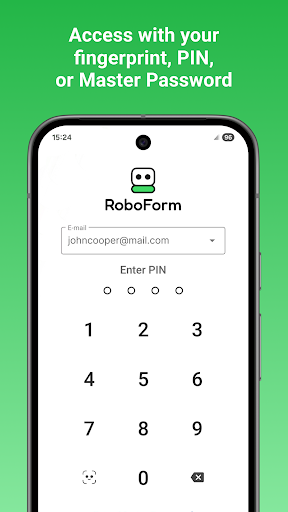
It may be more than a casual user needs if they only save a handful of passwords on one phone and rarely fill forms. People who want their passwords automatically available across several devices should note that syncing is a Premium feature. RoboForm can also store sensitive information, so it is worth thinking carefully about the master password and how the app fits into one’s personal security habits.
RoboForm Password Manager is made by Siber Systems Inc and is listed in Google Play under Productivity. It has over 1 million installs and a 4.7-star rating from around 37,000 ratings. The app is free to download, contains no ads, and offers in-app purchases. The listed in-app purchase range is $29.99 to $47.99 per item.
Google Play gives the app an Everyone content rating. Its version varies with device, and the available facts do not provide a single minimum Android version. RoboForm was released on February 2, 2011, and its listed last update is October 16, 2026. The description says free use covers unlimited logins and web form filling on one device; Premium and Family are renewable one-year subscriptions.
Making Everyday Logins Less Fiddly
A practical first look
When I first opened RoboForm, the most appealing idea was having logins, identity details and Safenotes in one place instead of scattered across browser prompts and scraps of memory. It is an app with a clear, everyday purpose: save information once and use it again when a login or form calls for it. That focus is useful for people who want a password manager rather than a collection of unrelated tools.
Getting started can be gradual. RoboForm can import passwords from Chrome on Android, while imports from major password managers and browsers are handled through its Windows or Mac client. CSV import and export are also available. I like that a user can begin with accounts they use often, rather than needing to sort out every saved detail before the app becomes useful.
The daily sign-in loop
Most days, a password manager earns its keep in small moments. I might open an app that needs a login, visit a site in Chrome, or reach a checkout form with more fields than I want to type on a phone. RoboForm is designed to fill passwords in apps and sites visited using Chrome or other browsers, and it can fill long checkout forms with one tap.
The embedded browser offers another route: it can sign in to websites with one tap and offer to save new passwords. AutoSave in Chrome and supported apps is available starting with Android 8. Having more than one way to handle logins is useful, though how smooth the process feels can depend on the app or site being used. RoboForm supports multi-step logins for accounts that require more than one stage.
More than saved passwords
The wider set of stored information is one of RoboForm’s more distinctive practical touches. Alongside logins, users can save identities, credit cards, bank accounts and other personal information. Safenotes can hold details such as license keys or Wi-Fi passwords, while bookmarks and contact information offer additional ways to keep useful items together.
For everyday navigation through a growing vault, folders and sub-folders give saved items a home, and Pinned view lets users put their most-used passwords in a preferred order. The password generator can make unique passwords for different sites. The Security Center can flag weak, reused or duplicate passwords, giving users a place to notice accounts that may deserve a refresh.
A low-effort weekly check
A manageable routine would be to save new logins as they come up, rather than trying to migrate everything in one sitting. I would pin the accounts I use most, place less frequent ones into folders, and use Safenotes for reference details that are not logins. This keeps the vault useful during the week without turning password management into a separate chore.
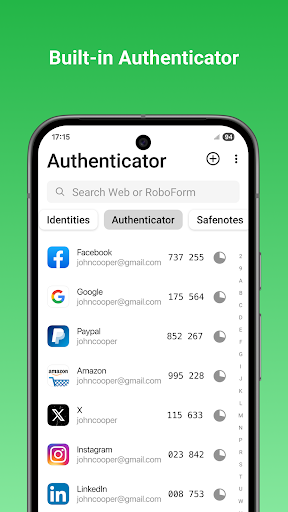
Once in a while, I would review the Security Center and deal with weak or reused passwords when it is convenient. If I use RoboForm on a computer as well as a phone, I would decide whether cross-device sync and secure cloud backup justify Premium. Premium also includes secure sharing, web access, two-factor authentication and priority 24/7 support, according to the app description.
Know the trade-offs
The clearest limitation is the split between single-device free use and paid cross-device convenience. The free version covers unlimited logins and web form filling on one device, while automatic syncing across devices and browsers is a Premium feature. Family is an option for up to five Premium accounts under one subscription. Those plans may be useful, but they make the cost decision part of choosing how to use the app.
A password manager also asks for a habit change: saved information is useful only when it is kept current and organized enough to find. RoboForm supports folders, pinned entries and a password generator, but users still need to decide what to save and when to update an account. The minimum Android version and subscription details can vary, so it is sensible to check Google Play before installing or choosing a plan.
RoboForm makes a solid case for replacing repeated password typing with a more organized routine. Its combination of logins, autofill, Safenotes and form details goes beyond a basic password list, while the Security Center and generator give users practical ways to manage accounts. The trade-off is that the most useful multi-device features sit behind a subscription.
I’d recommend giving it a look if you regularly sign in to apps and websites and want one vault for more than passwords. If you only need a few saved logins on one phone, the free single-device option may be enough. For anyone choosing a plan or checking device compatibility, Google Play is the place to confirm current details.
RoboForm Password Manager Frequently Asked Questions
What is RoboForm Password Manager used for?
RoboForm stores passwords and can fill logins in apps and websites, including sites visited in Chrome or other browsers. It also stores identities, Safenotes and other personal information, and can fill long checkout forms. Its password generator creates unique passwords, while the Security Center identifies weak, reused or duplicate passwords.
Which devices can use RoboForm Password Manager?
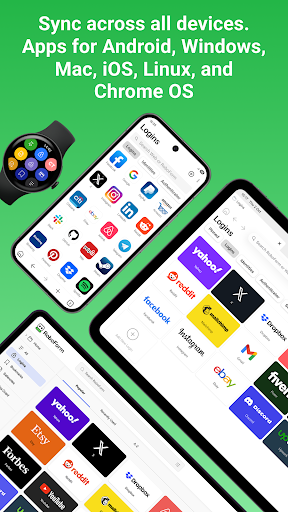
RoboForm is an Android app, and the description also names clients and extensions for Windows, Mac, iOS, Linux and Chrome OS. Automatic syncing across devices and browsers is a Premium feature. A Wear OS version is available and needs the companion Android app to access data. Check Google Play for current device compatibility.
What Android version does RoboForm Password Manager require?
The minimum Android version may vary by device and app release, so check the Google Play details for the phone or tablet you plan to use. The description says AutoSave in Chrome and supported apps starts with Android 8. That detail refers to AutoSave availability, not necessarily the minimum version for the full app.
Does RoboForm Password Manager cost money?
RoboForm is free for unlimited logins and web form filling on one device. Premium and Family are renewable one-year subscriptions, and the app offers in-app purchases. Google Play lists in-app purchase prices from $29.99 to $47.99 per item; current plan pricing and availability are worth checking in the store.
Is RoboForm Password Manager a good fit for me?
It may suit people who want to manage frequent logins, fill forms and keep notes or personal details together. The free option is aimed at use on a single device, while syncing and other features require Premium. If you only have a few passwords or do not want to maintain a separate vault, it may be more than you need.
Pros
- Stores logins, identities, Safenotes and other useful personal details together.
- Offers autofill for apps and websites, plus one-tap checkout form filling.
- Folders, pinned entries and a Security Center help keep a growing vault manageable.
- Free use includes unlimited logins and web form filling on one device.
Cons
- Automatic syncing across devices and browsers requires a Premium subscription.
- The many storage options may be unnecessary for people with only a few passwords.
- Users still need to organize saved information and keep account details current.
- Category
- Productivity











