Replit: Vibe Code Apps
- 22.97K
- 4.6
- Installs
- 5.00M
- Price
- Free

Screenshots
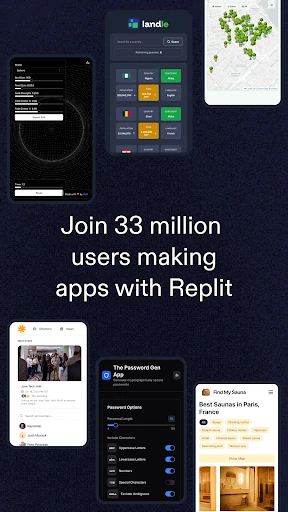
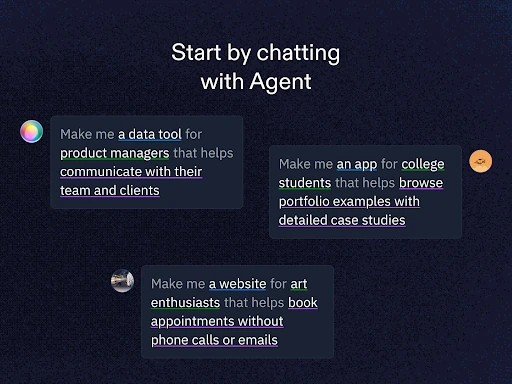
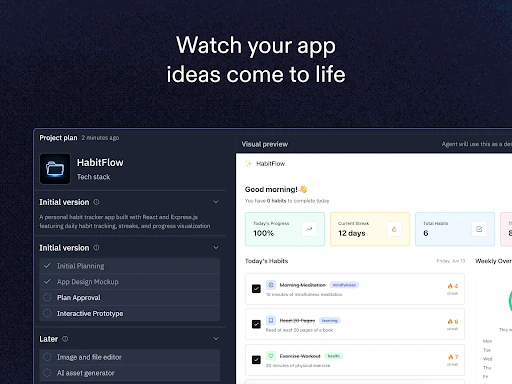
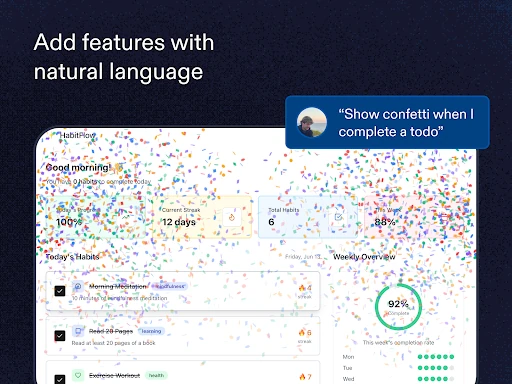
Analysis by Reviewed APKs
Replit: Vibe Code Apps is a mobile workspace for turning an idea into a website, app, game, or other project with help from natural-language prompts. I found its appeal easiest to understand when I wanted to make something small and shareable without sitting down at a computer first. It can suit curious beginners and experienced builders alike, though a phone-sized screen still shapes the experience.
From idea to first draft
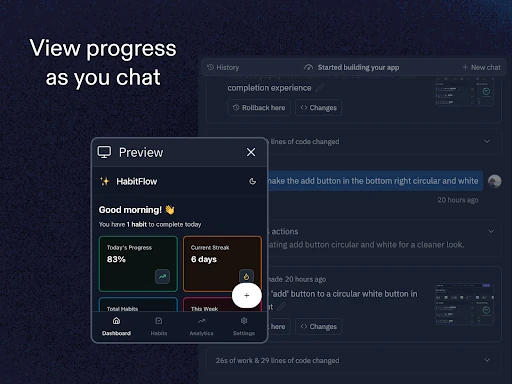
When I first opened Replit, I imagined using it during a spare half hour: I have an idea for a simple site, but my laptop is across the room and I do not want to set up a project from scratch. I can describe what I want to make to Replit Agent in ordinary language and let it build a starting point. That makes the app feel less like a pocket terminal and more like a place to begin.
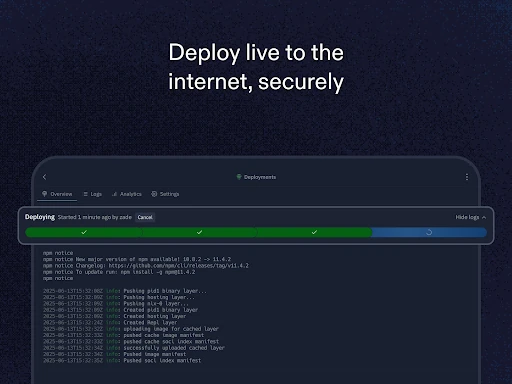
The useful part is having a path from that first prompt toward a project I can actually show someone. Replit supports creating apps and websites, then hosting projects so they can be shared through custom URLs. I would still expect to review and refine what gets built, especially if the idea has several moving parts. But for a personal experiment or a quick prototype, going from a short description to something live is a compelling mobile workflow.
More than a coding notebook
Compared with a notes app, Replit is aimed at making a working project, not merely collecting ideas or snippets. Compared with a conventional desktop coding setup, its pitch is that I can start projects, use prompts, collaborate, and host from my phone. The app also lets people clone and remix projects from other creators, which offers another way in when a blank page feels intimidating.
That does not make it a general-purpose design tool or a substitute for every step of a professional development process. The material describes creation across languages and frameworks, but the phone remains a compact place to work, and complex projects may call for more focused time. I see Replit as useful for exploration, prototypes, and mobile edits, rather than assuming every serious project will be comfortable to build entirely on a handset.
Small habits that help
I would start with one clear outcome instead of asking for an entire product in a sprawling prompt. For example, describe the basic purpose of a site or app and then work through the idea in smaller steps. That keeps the project easier to assess on a phone and gives me a better chance of spotting what needs adjustment before I share it with anyone.
Templates and remixable projects can also make a useful starting point. If I am learning, I can explore a template rather than trying to invent every part at once; if I find a project that sparks an idea, cloning and remixing gives me a route to experiment. When a project is ready to show, Replit's hosting and custom URL options can make sharing part of the same routine.
More From Our News Desk

Zoom Meetings, Google Meet, or Teams: Which Is Easiest to Join?

How I Build a Free Streaming Lineup With Tubi

Why Crunchyroll Is the Default Anime App for So Many Fans

YouTube TV: A Practical Guide to Cutting Cable

Rummikub and the Small Comfort of Phone Games

TeamViewer Remote Control or AnyDesk for Helping Family?
Who may enjoy Replit
I would recommend Replit to people who like making things and want a low-friction way to get an initial project underway. Beginners may appreciate being able to explain an idea in natural language and start from templates, while experienced developers may value the option to work across languages and frameworks, collaborate live, and share a project from the same app. It is especially appealing when an idea arrives away from a desk.
It may be less comfortable for someone who wants a large-screen coding setup for every task, or for a person who only needs a place to jot down plans. The app is oriented around building and shipping projects, so its strengths matter most when I have something concrete to try. I would also approach generated starting points as material to review and shape, not as a reason to skip understanding the project.
Replit: Vibe Code Apps is a Productivity app from Replit. On Google Play, it has more than 5 million installs and a 4.6-star rating from about 23,000 ratings. The app is rated Everyone. Those figures provide a useful sense of its reach, though ratings and install totals can change over time.
The app is free to download and contains in-app purchases; Google Play gives in-app item prices ranging from $25.99 to $259.99. It does not contain ads. The listed Android requirement is Android 7.0 or later. The current version is 2.173.0, released October 14, 2022, and last updated February 5, 2026.
A Pocket Workspace for Building
Opening the workspace
My first impression is that Replit is designed to put the project itself front and center. The central promise is easy to grasp: describe an app or website idea to Replit Agent and use that as a starting point. That feels approachable if I am new to making software, while the broader support for languages and frameworks leaves room for more ambitious work.
The setup story in the provided material is deliberately light on ceremony: it highlights starting from prompts or templates, then working on a project from a phone. I like that framing for a quick experiment. It also sets a sensible expectation: a simple beginning is not the same as having every detail finished, so I would plan to test and revise what I make.
Working through the day
Day to day, I can picture using Replit in short bursts: note a project idea, make an initial version, then return to refine it when I have another pocket of time. Natural-language prompts can help me express what I want without beginning by writing code line by line. For a longer session, I would want a clear goal so that working through the project on a phone stays manageable.
The mobile setting is a practical strength when inspiration strikes somewhere other than my desk. It is also a constraint worth remembering. A small screen changes how much of a project I can comfortably take in at once, so I would treat the phone as a convenient place to start, explore, and make progress rather than assuming it will suit every extended coding session.
Tools beyond prompts
Replit Agent is the headline feature, but the app's project workflow goes further. The description says I can create websites and apps with natural-language prompts, host projects, and collaborate with others in real time. Those pieces make the app feel more complete than a prompt box alone: I can move from an idea toward a project that can be worked on with other people and shared.
I also like the range of starting points and project options described. Replit supports creating in different languages and frameworks, cloning and remixing other creators' projects, setting up custom domains, and using ReplAuth for project login or ReplDB for databases. These are practical building blocks for projects that need more than a static first draft, though I would choose them according to what the project actually requires.
A simple project routine
For a low-pressure routine, I would begin by writing down the one thing I want a project to do. I would feed that idea to Replit Agent, inspect the result, and then make the next request about a specific improvement. This keeps the process conversational and gives me chances to decide whether the project is moving in the direction I had in mind.
Once the basic version feels worth showing, I can use Replit's built-in hosting and share its custom URL. If another person is contributing, real-time collaboration offers a way to work together on the same project. I can also begin from a template or remix an existing project when that is a better fit than starting with a completely blank idea.
Keep expectations grounded
The main limitation I keep in view is the phone itself. Building a project can involve decisions and details that are easier to handle on a larger screen, particularly when I want to inspect a lot of work at once. Replit's mobile-first convenience is attractive, but it does not erase the difference between a quick prompt-driven start and a long, detailed development session.
I would also be deliberate about what I expect from a natural-language starting point. Replit describes Agent as building from an idea, but I would still review the result, refine it, and make sure it matches what I set out to create. The app gives beginners templates and experienced users broader project tools; neither removes the value of understanding and checking the work.
Replit: Vibe Code Apps makes a strong case for keeping project creation close at hand. Prompts, templates, collaboration, and built-in hosting create a satisfying route from an idea to something shareable. I especially like the way it can lower the barrier to starting without limiting its audience to complete beginners.
I would try it if I wanted to experiment with an app or website, learn by making, or keep a project moving while away from my computer. If most of my work involves long, detailed sessions, I would treat the phone as one useful workspace rather than my only one. For quick starts and practical prototypes, Replit is worth exploring.
Replit Frequently Asked Questions
What is Replit: Vibe Code Apps used for?
Replit: Vibe Code Apps is for creating apps, websites, games, and other projects. Its Replit Agent can build from natural-language prompts, and the app also offers templates, project cloning and remixing, real-time collaboration, and hosting. It is designed to help users move from an idea toward a project they can share.
Which devices can run Replit: Vibe Code Apps?
Replit: Vibe Code Apps is an Android app available through Google Play. The listed minimum requirement is Android 7.0. If you are checking compatibility for a particular device, it is sensible to confirm the current requirements on the Google Play store page, since device and store details can vary.
Does Replit: Vibe Code Apps cost money?
The app is free to download and includes in-app purchases. Google Play shows in-app item prices ranging from $25.99 to $259.99, and the app does not contain ads. Prices and available purchase options can change, so check the Google Play store page for current details before making a purchase.
Can I share projects made in Replit?
Yes. Replit describes built-in hosting for projects and custom URLs for sharing them. It also supports real-time collaboration, so people can work together on a project. The exact options that suit a particular project may depend on what you are building, so check the app and its store information for current details.
Is Replit: Vibe Code Apps suitable for beginners?
It can suit beginners: the app supports natural-language prompts and offers templates to help people start creating. It also includes tools aimed at more experienced builders, such as support for different languages and frameworks. If you want only a place to record ideas, though, Replit may be more project-focused than you need.
Pros
- Natural-language prompts offer an approachable way to start app and website projects.
- Templates and remixable projects give users alternatives to starting from scratch.
- Built-in hosting and custom URLs make sharing projects part of the workflow.
- Real-time collaboration can help people work together on a project.
Cons
- A phone screen may feel cramped during long or detailed project sessions.
- Generated starting points still need review and refinement to fit the idea.
- In-app purchases are available, with listed item prices spanning a wide range.
- Category
- Productivity
- Version
- 2.173.0











