PingID
- 8.34K
- 2.7
- Installs
- 5.00M
- Price
- Free

Screenshots
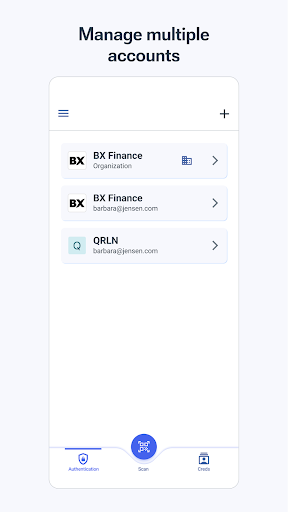
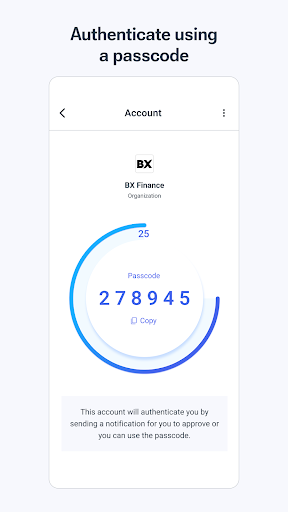
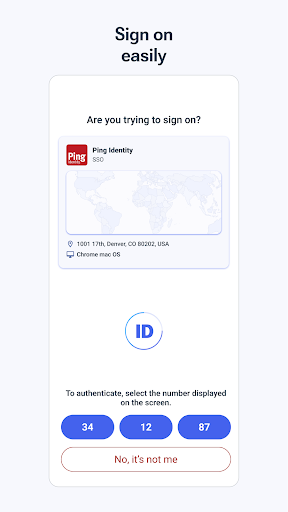
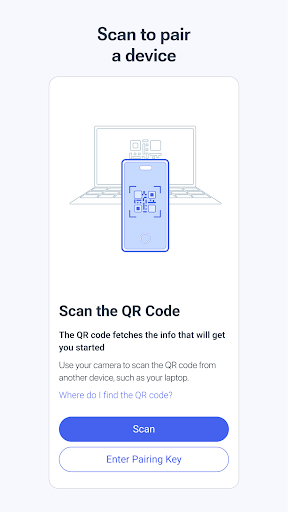
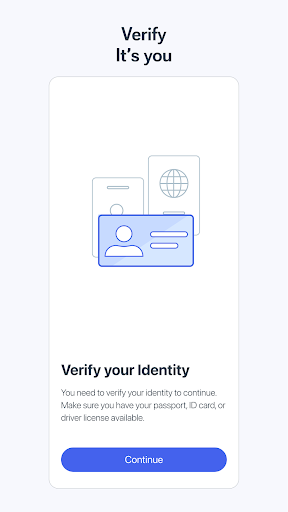
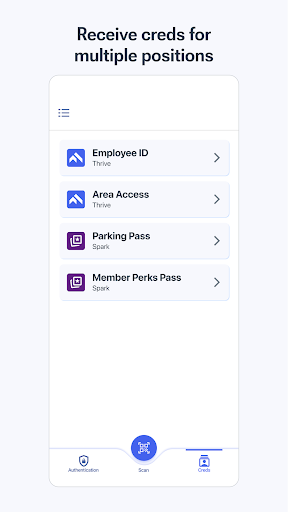
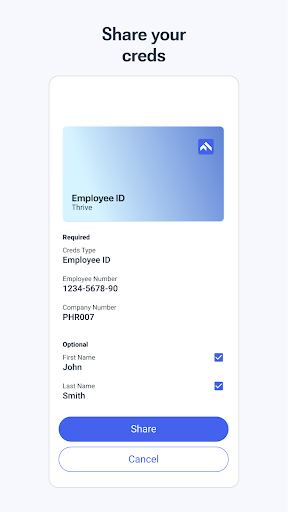
Analysis by Reviewed APKs
PingID is a mobile app for helping people verify their identity and add security to logins connected to their organization. It also works as a digital wallet for managing digital identities. I see it as a practical companion for people whose workplace or other organization already uses Ping Identity services, rather than a general-purpose security app. Its usefulness depends on that connection, but offline support is a thoughtful extra.
A login with an extra check
Imagine signing in to an organization account during a busy morning, then being asked to verify that it is really you. PingID is built for that kind of moment: it supports login security and identity verification through an organization’s setup. When I first considered where it fits, the key point was that it is not a standalone account manager. The organization needs to use a compatible Ping service and have licensed it.
That makes PingID more of a workday utility than an app I would open for fun or browse through every evening. Its job is to support access to connected services and keep digital identity details in one place. I can see it being useful when switching between work tasks or signing in away from a desk. The offline support also matters in situations where a device has no signal.
A companion, not a password manager
The obvious comparison is with general password managers and authenticator apps, but PingID has a narrower role. It focuses on identity verification and login security within an organization’s Ping setup, and it can also store and manage digital identities. That makes it a fit for people whose administrator has chosen Ping Identity tools, not necessarily someone looking for a universal place to organize every personal login.
I would not treat PingID as a broad replacement for other account tools or as a service that works independently of an organization. Its stated integrations include PingOne, PingFederate, PingOne Verify, and PingOne Credentials. If your employer or organization does not use a compatible service, the app may have little to do in your daily routine. That dependency is the main thing to understand before installing it.
Make it part of the routine
The most useful habit is to check with an administrator before relying on PingID. The app requires an organization to have licensed PingID, PingOne Verify, or PingOne Credentials, so confirming that connection first can save a frustrating setup attempt. Once it is part of the organization’s process, I would keep it available on the device I normally use for work access and remember that it is intended to support those connected services.
I would also think about the situations where connectivity is unreliable. PingID includes offline support for scenarios without signal, which can be helpful when traveling or working somewhere with patchy reception. That is not a reason to assume every feature works offline, but it does make the app more considered than a tool that depends entirely on being online. For account-specific setup questions, an administrator or Ping Identity support is the sensible route.
More From Our News Desk

Zoom Meetings, Google Meet, or Teams: Which Is Easiest to Join?

How I Build a Free Streaming Lineup With Tubi

Why Crunchyroll Is the Default Anime App for So Many Fans

YouTube TV: A Practical Guide to Cutting Cable

Rummikub and the Small Comfort of Phone Games

TeamViewer Remote Control or AnyDesk for Helping Family?
Who will get the most from it
I would recommend PingID to people whose workplace, school, or other organization already uses Ping Identity services and wants them to verify logins or manage digital identities. For those users, keeping the relevant identity tool on a phone can make access routines more convenient, including in places where a signal is unavailable. It is best approached as one part of an organization’s identity setup, rather than as an app that can secure unrelated accounts.
It may not suit someone looking for a personal password manager, a general-purpose identity app, or a tool to set up without organizational involvement. The organization must have licensed a compatible Ping service, and an administrator may need to explain how it fits into the sign-in process. I would check that before downloading. PingID’s Google Play rating is 2.7 from about 8,300 ratings, so expectations should stay practical.
PingID is developed by Ping Identity Corporation and is listed in Google Play in the Productivity category. The app has over 5 million installs and a 2.7-star rating from about 8,300 ratings. It is free to download, has no in-app purchases, and contains no ads. Its content rating is Everyone.
The supplied app version is 3.8.3(14002), with a release date of July 13, 2014, and a last update date of October 8, 2026. The available details do not specify a minimum Android version, so check the Google Play page on your device for compatibility.
A Closer Look at PingID
A focused first impression
PingID’s purpose is fairly clear from the outset: it is for login security, identity verification, and managing digital identities. I like that these jobs sit together in one app, but the most important setup step happens outside the app itself. Before spending time trying to use it, I would confirm that my organization uses one of the supported Ping services and has the necessary license.
That organization-first approach shapes the whole experience. PingID is not something I would install and expect to configure for personal accounts on my own. The app’s description points users to their administrator or Ping Identity support for more information, which is a useful reminder that access depends on how the organization has set things up. It is a slightly less self-contained starting point than a consumer app.
The everyday role
In day-to-day use, PingID is meant to support the moment when someone needs to verify an identity or secure a login. That gives it a practical, behind-the-scenes role: it is useful when an organization’s sign-in process calls for it, rather than something that needs regular browsing. I appreciate that distinction because it sets realistic expectations about how often a person might interact with the app.
The day-to-day value will vary with the organization’s setup and the services a person needs to access. The app supports PingOne and PingFederate, as well as PingOne Verify and PingOne Credentials. Those integrations give it a clear place in a wider identity system. They do not make it a universal sign-in tool for every service, so I would keep the scope in mind.
Identity tools in one place
The feature that stands out most is the combination of login security and identity management. PingID is described as a digital wallet for securely storing and managing digital identities, alongside its role in verifying end users. That combination may be useful for an organization that is bringing identity tasks together, though the practical details depend on which Ping services it has licensed and uses.
Offline support is another notable feature. The app is designed to support scenarios where a device does not have a signal, which could matter during travel or in a location with poor reception. I would not assume that every connected task can be completed offline; the stated point is that offline support exists. Still, it is a welcome consideration for a tool people may need when accessing organization services.
A sensible access routine
A simple way to approach PingID is to treat it as part of an organization’s sign-in routine. First, confirm with the administrator that the organization uses a compatible service and has licensed it. Then keep the app available on the device used for those organization tasks. That small check at the start can prevent confusion about why the app is not useful for unrelated personal accounts.
I would also plan for the occasional stretch without reliable reception. Since PingID includes offline support, it may be relevant when work takes someone away from dependable connectivity. If a login or identity task behaves differently than expected, the organization’s administrator is a better source of setup guidance than guesswork. The app is tied to a managed service, so support is naturally connected to that environment.
Keep the scope in view
The biggest limitation is also the clearest: PingID relies on an organization using and licensing a compatible Ping service. Without that connection, it is unlikely to play a meaningful role in an individual’s routine. That is a narrower audience than a standalone consumer security app, and it is worth checking before installation rather than expecting the app to organize personal logins.
The Google Play rating is 2.7 stars, which suggests that many users have had a less-than-smooth experience or different expectations. Ratings do not explain why people feel that way, so I would not read too much into any one score. I would instead judge PingID by whether it serves the specific organization setup it is designed for. For a compatible user, that context matters more than broad feature comparisons.
PingID has a focused purpose: helping an organization’s users verify identity, secure logins, and manage digital identities, with offline support in some scenarios. I like that it brings those tasks together, but it is not a universal tool. The organization’s existing Ping services and license determine whether the app is useful at all.
If your administrator has directed you to use PingID, it is worth trying as part of that organization’s access setup. If you are looking for a personal password manager or a standalone identity service, I would look elsewhere. Check compatibility and setup with your organization before making it part of your routine.
PingID Frequently Asked Questions
What is PingID used for?
PingID supports login security and identity verification for users of compatible Ping services. It also serves as a digital wallet for storing and managing digital identities. The app is intended to work within an organization’s setup, so its usefulness depends on which Ping services that organization uses and has licensed.
Which devices and platforms support PingID?
PingID is available as an Android app on Google Play. The supplied information does not specify a minimum Android version, so check the Google Play page on your device for current compatibility details. It is described as a mobile app, and the organization’s administrator can advise which device is appropriate for its setup.
Does PingID cost money or include purchases?
PingID is free to download on Google Play. The supplied details show no in-app purchases and no ads. However, the app’s use depends on an organization having licensed PingID, PingOne Verify, or PingOne Credentials. Ask your administrator about access within your organization.
Does PingID work without an internet signal?
PingID includes offline support for scenarios where a device has no signal. That does not necessarily mean every connected service or identity task is available offline. If you need to know how offline use works with your organization’s particular setup, check with your administrator or Ping Identity support.
Is PingID suitable for personal accounts?
PingID is primarily for people whose organization uses compatible Ping services for identity verification, login security, or digital identities. It is not presented as a general-purpose personal password manager. If your organization has not licensed a supported service, the app may not be useful for your needs.
Pros
- Combines login security and identity verification in an organization-focused app.
- Also supports storing and managing digital identities as a wallet.
- Includes offline support for situations without a device signal.
- Free to download, with no ads or in-app purchases.
Cons
- Requires an organization to use and license compatible Ping services.
- Not designed as a general-purpose password manager for personal accounts.
- Google Play rating is 2.7 stars from about 8,300 ratings.
- Category
- Productivity
- Version
- 3.8.3(14002)











