Photo Cut: Cutout pro & paste
- 6.18K
- 4.7
- Installs
- —
- Price
- Free
Screenshots
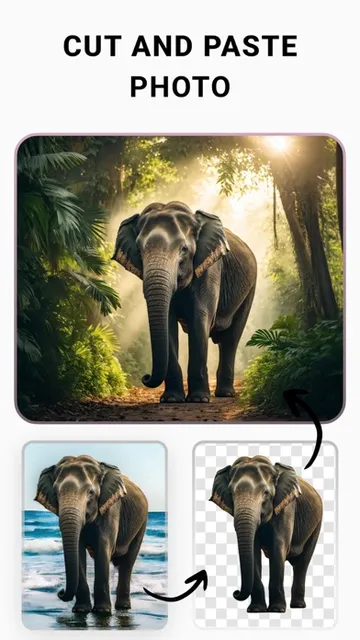
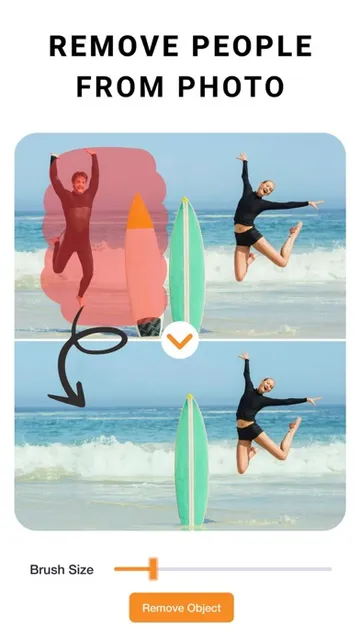
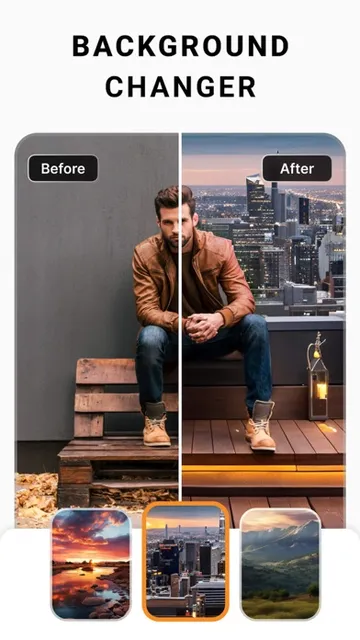
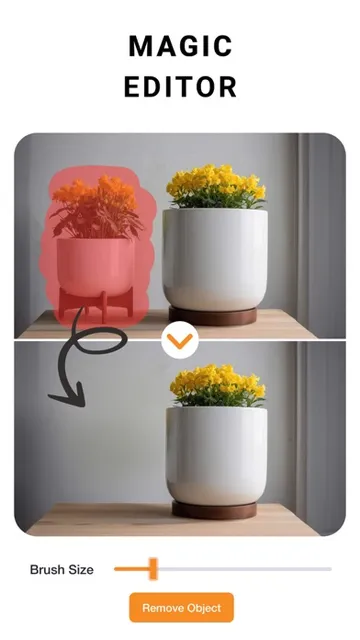
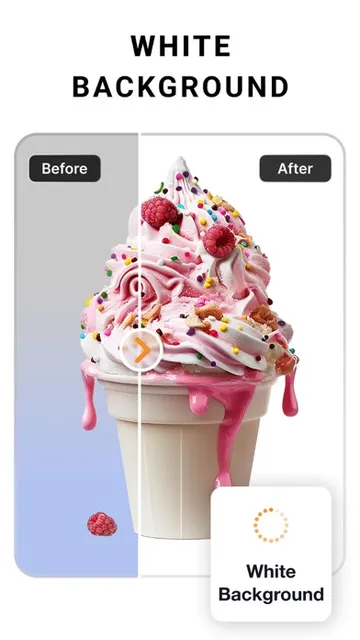
Analysis by Reviewed APKs
Photo Cut: Cutout pro & paste is an iOS photo editor for removing backgrounds, making cutouts, and building designs from pictures. It suits casual creators, small sellers, and anyone who needs a quick social post or product image without opening a desktop editor. I found its mix of cutout tools and design adjustments appealing, though it has more range than someone looking only to crop a photo may need.
A quick product refresh
Picture taking a product photo at home and noticing that the background is busy or distracting. Photo Cut is designed for that kind of small task: remove the background, put the item against a different scene, and adjust the image before using it in a product post. I like that the same app can handle the cutout and the surrounding design instead of making me jump between separate tools.
When I first considered that workflow, the useful part was how many finishing touches are available after the cutout. Contrast, exposure, warmth, saturation, and blur can help the picture feel more consistent with other images. Text, outlines, and shadows give the composition another layer. The app is aimed at making a usable visual from an existing photo, not at replacing the work of staging and photographing a product.
More than a background remover
A basic background-removal tool is the obvious alternative when all I need is a transparent cutout. Photo Cut reaches further, with tools for posters, flyers, invitations, cards, collages, logos, memes, stickers, and social posts. That broader scope makes sense when I want to reuse a cutout in a finished design rather than export it and start over somewhere else.
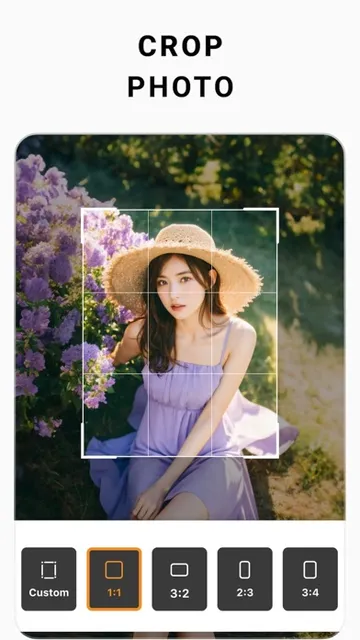
That extra range also means it is not the simplest choice for every edit. If I only need to crop a picture or make a tiny color correction, a lightweight editor may be a more direct fit. Photo Cut is better suited to combining photos, text, and backgrounds into a visual. Its stated purpose is creative editing and design, not a general-purpose desktop publishing or photography workflow.
Small habits, cleaner designs
I would start with the image and settle the cutout before adding decorations. The select, eraser, and cutout tools are there for shaping the subject, while guided positioning and auto alignment can help keep elements in place. Working in that order makes it easier to see whether the main image is clear before text and effects begin competing for attention.
For repeat work, I would keep a simple routine: adjust the photo, place the subject, add a short line of text, and check alignment before finishing. The app includes a nudge tool for precise positioning and text controls for alignment and spacing. If several pictures need attention, its description also calls out editing multiple photos, which may save time on a batch of similar images.
More From Our News Desk

Zoom Meetings, Google Meet, or Teams: Which Is Easiest to Join?

How I Build a Free Streaming Lineup With Tubi

Why Crunchyroll Is the Default Anime App for So Many Fans

YouTube TV: A Practical Guide to Cutting Cable

Rummikub and the Small Comfort of Phone Games

TeamViewer Remote Control or AnyDesk for Helping Family?
Who may enjoy Photo Cut
I would recommend Photo Cut to people who often turn ordinary photos into social content, small promotional graphics, or product images. Its collection of cutout, background, text, and image-adjustment tools gives a casual creator room to make different kinds of visuals in one app. It should also appeal to anyone who enjoys experimenting with filters, curved text, shadows, or outlines rather than stopping at a simple crop.
It may be more than a casual photo taker needs if the usual routine is only trimming pictures or applying one quick filter. The number of creative options is useful when there is a design task to finish, but less important when a plain snapshot is the goal. I would also check the subscription terms before starting a Plus trial, especially if I only need the app for a one-off project.
Photo Cut: Cutout pro & paste is published by IMAGIX AI Private Limited and is available for iOS through the Apple App Store. It requires iOS 15.0 or later. The app is rated 4+ and shows version 1.5.3. Its recorded release date is May 17, 2019, and its most recent update date is August 25, 2026.
On the App Store, Photo Cut has a 4.7 rating from 6,180 ratings. The app is free to download. Its description offers PhotoCut Plus with a seven-day free trial and says subscriptions are billed annually after the trial, with automatic renewal unless turned off. Check the current App Store details for the available subscription options and terms before subscribing.
Building Better Cutouts and Compositions
Opening with a clear purpose
Photo Cut’s purpose is easy to grasp: take a photo, isolate its subject, and use it in a new design. That makes the first impression less intimidating than an editor built around technical photography controls. I can imagine opening it with a specific job in mind, such as changing a product background or putting a person into a more suitable scene.
The app’s description emphasizes that no design background is needed, and its tool set supports that approachable idea. There are direct editing options alongside broader design elements, so a newcomer can start with a single image and add complexity only when it helps. I would still keep the first project modest; even friendly tools can feel like a lot when every effect is tempting.
A flexible editing flow
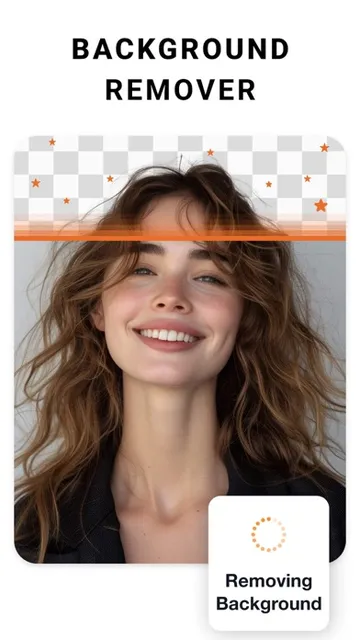
The day-to-day experience described by the app centers on moving from a photo to a composed visual. Background removal and object removal address the image itself, while adjustments such as exposure, contrast, shadows, highlights, and sharpness help refine its appearance. Filters offer a quicker stylistic change when I do not want to tune every setting individually.
Once the picture is in shape, I can add text and position other elements. Alignment controls, auto alignment, and nudging are practical details because small placement errors can make a design feel unfinished. Text can be adjusted for alignment and letter or line spacing, and it can also be curved to follow an arc or circle. Those controls give a simple graphic more ways to feel intentional.
Tools for a finished look
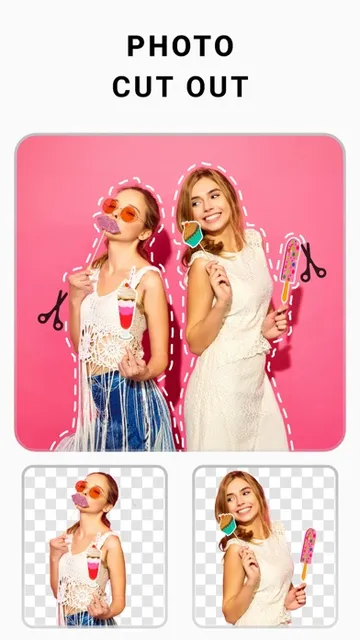
The standout feature is the way cutouts can feed directly into other creative work. A removed background is not only an endpoint; it can become the subject of a new scene, a product image, a collage, or a social post. The ability to change backgrounds behind models or products makes the app useful for experimenting with different settings without taking another photo.
I also appreciate the attention to edges. Outline and shadow tools can separate a cutout from its new background, and the description says users can create custom edge styles. These effects can be useful when the subject blends into a pale or busy scene. They are optional finishing touches, though, and a restrained outline or shadow will usually keep the original subject looking more natural.
Beyond cutouts, the range of formats for creative work is broad: flyers, posters, invitations, cards, collages, logos, memes, profile pictures, and stickers are all listed as possible projects. That breadth matters most for someone who makes different kinds of visual content. It is less compelling if the only goal is to erase a background and save the result.
A repeatable creative routine
For a regular social post, I would begin by choosing the photo that carries the message and removing anything in the background that distracts from it. I would then make only the image adjustments needed to balance it with the intended scene. That restraint keeps the work focused and avoids spending time on effects that do not improve the post.
Next, I would add the headline or short caption and use the alignment and spacing controls to make it easy to read. If the subject needs separation from its new surroundings, a subtle edge effect can help. The nudge tool is useful for the last small placement changes. This kind of sequence turns a collection of tools into a manageable routine rather than a round of random experimenting.
When several similar images need updating, the app’s description says it can edit multiple photos. That can be helpful for a set of product shots or a series of posts that should share a look. I would still review each image individually, since the right background and adjustments can depend on the subject and the original lighting.
Keep the scope in mind
Photo Cut covers a lot of creative ground, and that can be a small drawback when I want one basic edit. The range of adjustment sliders, text options, edge effects, and design types may take longer to explore than a narrowly focused crop tool. Someone who rarely makes graphics may find much of that toolkit unnecessary.
The app also presents PhotoCut Plus as a subscription with a seven-day free trial and automatic renewal terms. That is worth considering before treating the app as a one-time purchase. The core description explains many editing capabilities, but the subscription terms and currently available options are the details I would check in the App Store before committing.
Finally, a cutout is only one part of a convincing composition. Background choice, lighting, and placement still affect whether the finished image feels cohesive. Photo Cut provides ways to adjust and decorate a picture, but it is best approached as a practical creative editor rather than a shortcut that makes every source photo look polished without judgment.
Photo Cut: Cutout pro & paste makes the most sense when I want to turn a photo into a designed image. Its combination of background and object removal, adjustments, text, and edge effects gives a project room to grow without requiring a separate app for every finishing step.
I would recommend it to social creators, small sellers, and casual designers who regularly make visual posts or product images. If I only needed quick crops, I would choose something simpler. For anyone interested in its wider toolkit, the free download is an easy place to start, with the Plus trial and renewal terms worth reviewing first.
Photo Cut Frequently Asked Questions
What is Photo Cut: Cutout pro & paste used for?
Photo Cut is an iOS photo editor and design app for removing backgrounds or objects, adjusting images, and creating visuals such as social posts, product pictures, collages, flyers, and stickers. It also includes text and positioning controls. It is aimed at creative image work rather than serving only as a basic crop tool.
Which devices support Photo Cut: Cutout pro & paste?
Photo Cut is available through the Apple App Store for iOS. It requires iOS 15.0 or later. For device compatibility beyond that operating-system requirement, check the current App Store page, where supported devices and compatibility details may vary.
What iOS version does Photo Cut: Cutout pro & paste require?
The stated minimum requirement is iOS 15.0. If you are unsure whether your device or installed system version is supported, check the app’s current App Store information before downloading, since compatibility details can change.
Does Photo Cut: Cutout pro & paste cost money?
The app is free to download. Its description offers a PhotoCut Plus subscription with a seven-day free trial, followed by annual billing and automatic renewal unless canceled according to the stated terms. Subscription choices and current terms may vary, so review the App Store information before starting a trial.
Is Photo Cut: Cutout pro & paste good for beginners?
It can suit beginners who want to make cutouts, change backgrounds, adjust photos, or build simple designs without a design background. Its range of tools may feel unnecessary for someone who only wants to crop a picture. I would start with one small project and explore the extra controls as needed.
Pros
- Combines background removal with tools for building finished designs.
- Includes useful photo adjustments, text controls, alignment, and edge effects.
- Supports a broad mix of personal and promotional creative projects.
- Free to download, with a seven-day Plus trial described.
Cons
- Its wide tool set may be excessive for simple photo cropping.
- Plus is subscription-based and has automatic renewal terms to review.
- A convincing cutout still depends on thoughtful image and background choices.
- Category
- Art & Design
- Version
- 1.5.3











