ibis Paint X
- 3.02M
- 4.5
- Installs
- 100.00M
- Price
- Free

Screenshots
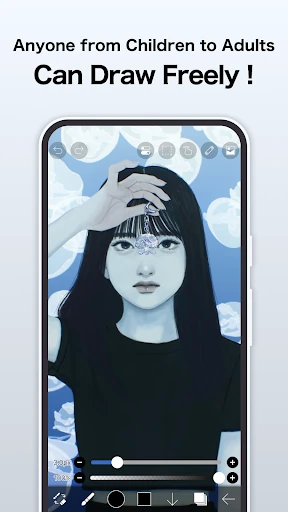
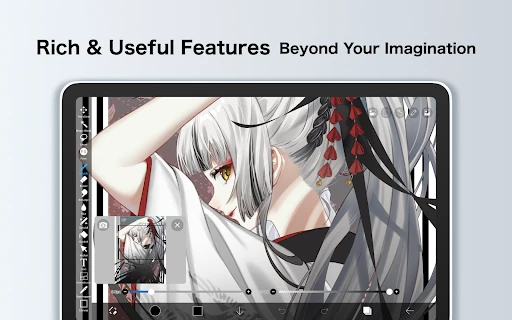


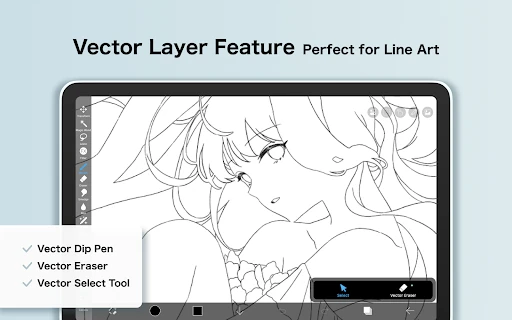
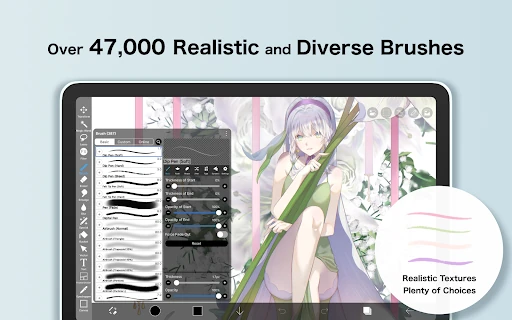
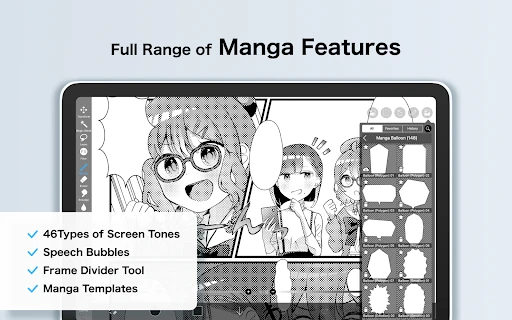
Analysis by Reviewed APKs
ibis Paint X is a drawing, illustration, and animation app for people who want to make art on a phone or tablet, from first sketches to more involved projects. I like the way it makes room for beginners without trimming away serious creative tools. There is plenty to explore, though the breadth of the toolset can take time to learn, and ads and optional purchases are part of the free experience.
A sketch that grows
When I first opened ibis Paint X, I imagined using it for the sort of small drawing that fits into a spare half hour: start with a sketch, refine the lines, then add color and texture. That is a natural fit for the app. It is built around making illustrations on a phone or tablet, and its large selection of brushes, materials, and fonts gives a casual doodle room to become something more considered.
For a more structured session, I could use layers to keep parts of an illustration separate, try blending modes, and use symmetry or radial rulers when a design calls for balanced shapes. The app also supports frame-by-frame animation, so a still image is not the only possible end point. I would not expect every project to be quick, but the combination makes ibis Paint X useful for both experimenting and returning to a piece over several sessions.
More than a quick doodle
Compared with a basic sketching app, ibis Paint X is aimed at a wider range of creative work. The brush and material libraries, filters, vector tools, and animation features put it closer to a compact illustration studio than a digital notepad. That breadth is appealing if I want one app to try different approaches, rather than switching tools as soon as a drawing needs layers or a more specialized effect.
It is still a mobile app, not a replacement for every desktop art workflow or a shortcut to learning how to draw. A phone screen can feel cramped for detailed work, and a large toolset asks for patience. I would not choose it just to annotate documents or make a quick photo edit. Its strengths are drawing, illustration, and animation, with room to build skill through practice.
Small habits that help
I would get more from ibis Paint X by treating each session as a small experiment. Start with a simple sketch, try one brush or material, and use layers when a change should stay separate from the rest of the image. That keeps the process approachable without requiring me to understand every tool before making something. With so many options available, narrowing the goal for a session can make the interface feel less daunting.
For projects that need precision, it is worth exploring the rulers and reference window rather than trying to judge every line by eye. Filters and blending modes can be tested on a small part of an image before becoming central to the design. And if I want to explore movement, frame-by-frame animation offers a next step beyond a finished illustration. The point is not to use everything; it is to find a few tools that suit the work at hand.
More From Our News Desk

Zoom Meetings, Google Meet, or Teams: Which Is Easiest to Join?

How I Build a Free Streaming Lineup With Tubi

Why Crunchyroll Is the Default Anime App for So Many Fans

YouTube TV: A Practical Guide to Cutting Cable

Rummikub and the Small Comfort of Phone Games

TeamViewer Remote Control or AnyDesk for Helping Family?
Who may enjoy drawing here
I would recommend ibis Paint X to beginners who want a welcoming place to start, as well as to illustrators who enjoy having a broad toolset close at hand. It suits people who like to experiment with brushes, layers, materials, and visual effects, and those curious about making simple frame-by-frame animations. Drawing on a phone or tablet is central to the experience, so it works best for someone comfortable creating on a mobile screen.
It may be less appealing to someone who wants a minimal interface with only a few obvious controls, or who needs a desktop-first workspace for long, detailed sessions. The feature count can be a lot to take in at first, and the free app includes ads alongside optional in-app purchases. I would also look elsewhere if the main goal is photo editing, document markup, or a tool that does the drawing for me.
ibis Paint X is an Art & Design app from ibis inc. On Google Play, it has over 100 million installs and a 4.5-star rating from about 3 million ratings. It is free to download, contains ads, and offers in-app purchases. The listed in-app product prices range from $2.99 to $79.99 per item.
The app has an Everyone content rating. Its current listed version is 14.1.4. It was released on February 27, 2014, and its most recent update is dated October 23, 2026. The minimum Android version is not included in the available app details, so check Google Play for the requirement on a particular device.
A Mobile Art Studio With Room to Grow
First look and setup
My first impression is that ibis Paint X tries to make a big creative toolkit feel approachable. The app is described as being for people who may think drawing is difficult, and its range extends well beyond a blank canvas and a pencil. That balance is promising: newcomers have room to begin simply, while more practiced artists can explore tools for a more detailed illustration.
The app can import images and artwork files and save the artwork, images, and videos users create. Access to the photo library is optional, according to the app description; declining optional permissions leaves core features available, though a feature that needs a permission may be limited. Supported digital styluses are also part of the picture, but compatibility depends on the stylus.
The day-to-day drawing
In everyday use, the variety of brushes is an obvious draw. A large brush library gives me room to test different marks and textures without being locked into one look. Layers and blending modes add options for building an image in parts, while materials, fonts, filters, and screentones can help shift its appearance. I would approach the app as a workspace to explore gradually, rather than trying to master it all in one sitting.
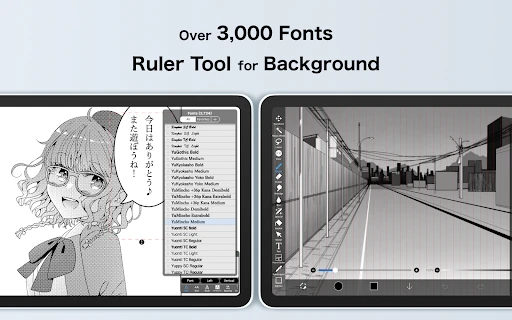
What matters most is that the app connects those tools to a clear purpose: making illustrations on a mobile device. I can imagine opening it for a short sketch and returning later to develop the same idea. The vector tools and rulers give additional ways to work when a drawing needs cleaner shapes or more controlled symmetry. That flexibility is useful, although the number of choices may slow down someone who just wants one simple brush.
Tools beyond the canvas
Some of the more distinctive features reach beyond ordinary painting. The app includes a reference window, radial and symmetry rulers, animated filters, and an AI Disturbance feature. These are specific options for changing how I compose or treat an image, rather than just a long list of brushes. The reference window and rulers in particular point to practical ways of keeping a drawing organized while working on a small screen.
ibis Paint X also supports frame-by-frame animation, and the description includes videos with background music and audio among the kinds of creative work it can handle. It can record a creative process as a time-lapse video, too. These features make the app more versatile than a still-image-only drawing tool, though I would explore them as additional creative paths rather than assume they are necessary for every illustration.
A practical creative routine
A useful routine could begin with a quick sketch during a quiet moment, followed by a more focused session to develop it. I might use a reference window for visual guidance, keep parts of the work on separate layers, and test a filter or blending mode once the basic composition feels settled. That kind of gradual workflow suits an app with a lot of depth: I can add complexity as the piece calls for it.
For someone who wants to learn, the developer also points to a drawing tutorial channel with videos about using ibis Paint. I would pair those lessons with small goals, such as exploring one ruler or trying a new brush, rather than treating the full feature set as homework. When a still illustration feels complete, frame-by-frame animation is a possible next experiment.
Limits to keep in mind
A broad feature set has a trade-off: it can make the first few sessions feel busy. If I want a minimal sketchpad, the many brushes, materials, filters, and other tools may be more than I need. Mobile drawing also depends on the device and screen size; fine detail can be less comfortable on a phone than on a larger tablet. Those are practical considerations, not reasons to dismiss the app.
The free version contains ads, and optional in-app purchases are available. The listed purchase prices cover a wide range, so anyone considering a paid option should review the current store details first. Device requirements can matter, too; check Google Play for the Android version needed. Taken together, ibis Paint X is easiest to recommend to someone who enjoys exploring creative tools and is willing to learn at their own pace.
ibis Paint X earns its place as a flexible mobile drawing app by offering a genuinely broad set of ways to create, from layered illustrations to frame-by-frame animation. I especially like that it can serve someone just starting to draw without limiting what they might try later. Its depth is a strength, but it also means the app rewards patience.
I would recommend it to curious beginners and mobile illustrators who want plenty of tools to explore. If you prefer a very simple canvas, dislike ads, or do most of your detailed work on a desktop, it may not be the best fit. For everyone else, it is a capable place to sketch, develop ideas, and try new forms of creative work.
ibis Paint X Frequently Asked Questions
What is ibis Paint X used for?
ibis Paint X is used for drawing, illustration, and animation on smartphones and tablets. It includes brushes, materials, fonts, layers, filters, vector tools, and options such as frame-by-frame animation and time-lapse recording. The range suits both casual sketches and more involved creative projects, though it may take time to explore the many tools.
What devices can run ibis Paint X?
The app is described as an illustration and animation app for smartphones and tablets. For Android users, the minimum Android version can vary with the app and device, so check Google Play for the current requirement. The description also discusses supported digital styluses; compatibility depends on the stylus being used.
Does ibis Paint X cost money?
ibis Paint X is free to download on Google Play and contains ads. It also offers optional in-app purchases, with listed item prices ranging from $2.99 to $79.99. Prices and purchase options can change, so check the store listing for current details before buying.
What Android version does ibis Paint X require?
The minimum Android version can vary by release and device. Check the ibis Paint X page on Google Play to see the requirement that applies to your phone or tablet. The listed current app version is 14.1.4, but that does not by itself determine whether a particular device is compatible.
Is ibis Paint X suitable for beginners?
It can suit beginners: ibis Paint X is intended to make drawing approachable while still offering tools for more involved illustration and animation. The large selection may feel busy at first, so it is a better fit for someone happy to learn gradually than for someone seeking a very minimal sketching app.
Pros
- A wide brush and material selection supports many illustration styles.
- Layers, rulers, vector tools, and filters provide room to refine work.
- Includes frame-by-frame animation and time-lapse process recording.
- Designed to welcome beginners while offering tools for experienced artists.
Cons
- The number of tools can make the first sessions feel overwhelming.
- Ads appear in the free app, with optional purchases also available.
- Detailed drawing may feel cramped on a small phone screen.
- Category
- Art & Design
- Version
- 14.1.4