Brother Artspira
- 4.28K
- 4
- Installs
- 500.00K
- Price
- Free

Screenshots
Analysis by Reviewed APKs
Brother Artspira is a creative companion for people who own compatible Brother embroidery, cutting, sewing, or printing machines. It brings design ideas, editing tools, learning videos, and a place to share finished projects into one mobile app. I like its focus on turning a spare moment into a useful bit of planning, though its strongest features make most sense when you already have Brother equipment.
From idea to machine
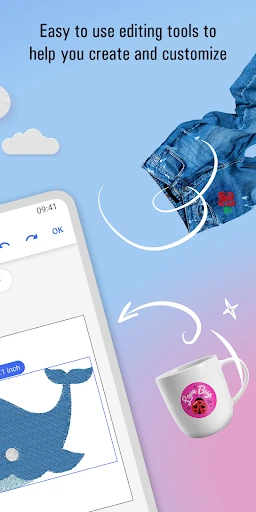
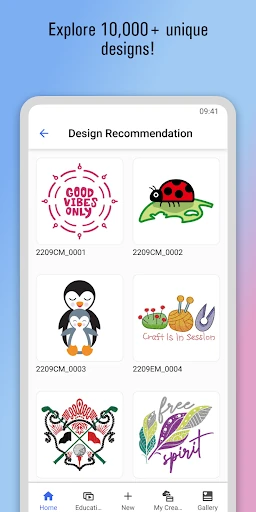
Imagine having a quiet half hour after dinner and wanting to plan a small embroidery or cutting project for the weekend. Artspira gives you a library of designs to browse, text tools for adding a monogram or shaping words, and editing options for designs used with compatible machines. I can see it being handy for gathering an idea on a phone before settling in at the machine, rather than starting every project by searching through separate sources.
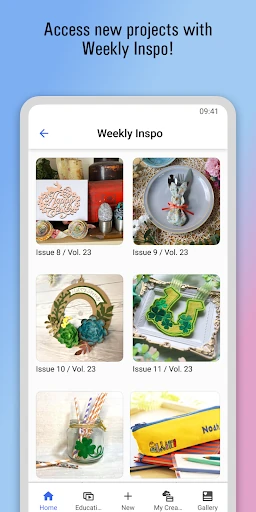
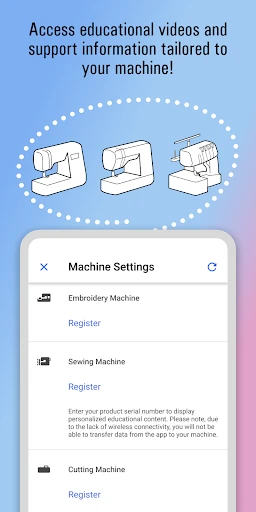
The app also offers project inspiration through weekly magazines, with ideas aimed at different experience levels and seasonal occasions. If I were learning a machine, I’d appreciate being able to find educational videos and support information tailored to it. For a sewing machine, Artspira can link support material using its serial number, although it cannot transfer designs to sewing machines that lack wireless connectivity.
A companion, not a workshop
Artspira sits between a design library and a mobile planning tool. It is more specialized than a general drawing app because its designs and editing options are intended for Brother craft machines and compatible printing workflows. The ability to import supported embroidery, cutting, and image files also gives it a role in organizing existing creative material, not just browsing what the app provides.
It is not a substitute for the physical machine, nor is it a broad-purpose illustration studio for every kind of art. Compatibility matters: the app works with Brother wireless-enabled embroidery and ScanNCut SDX machines, among other supported equipment. Some creation and conversion tools require a subscription, and machine-specific limitations apply. I’d treat it as a useful extension of an existing craft setup rather than a reason on its own to buy hardware.
Make small sessions count
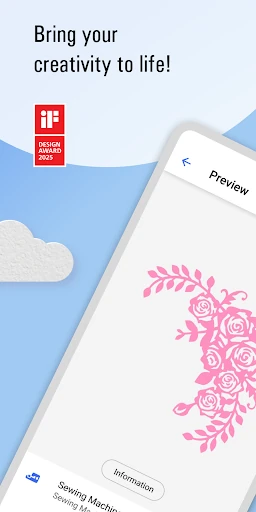
A practical way to use Artspira is to keep a short list of ideas in mind, then browse the design library when you have a few minutes to spare. The app supports text editing and offers more than 300 fonts, along with monogram and text-shaping tools such as arc, circle, and spiral. Those options can help turn a basic design into something more personal without requiring a long planning session.
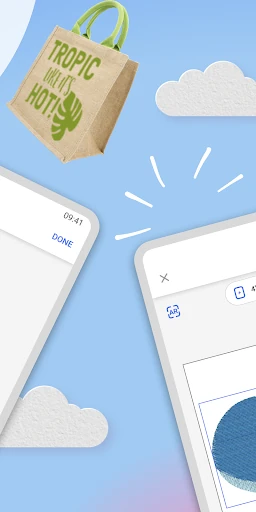
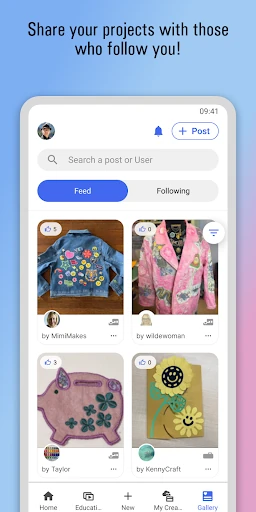
I’d also use the Gallery as a source of ideas from other makers: users can post projects, comment, and follow people whose work they enjoy. Save useful files as you go, keeping in mind that the basic cloud storage holds up to 20 files. Before committing to a stitch-out, the augmented-reality feature can preview how a design may look on a project, giving you one more chance to judge the idea.
More From Our News Desk

Zoom Meetings, Google Meet, or Teams: Which Is Easiest to Join?

How I Build a Free Streaming Lineup With Tubi

Why Crunchyroll Is the Default Anime App for So Many Fans

YouTube TV: A Practical Guide to Cutting Cable

Rummikub and the Small Comfort of Phone Games

TeamViewer Remote Control or AnyDesk for Helping Family?
Who should give it a try
I’d recommend Artspira to Brother machine owners who want design browsing, project inspiration, and learning resources close at hand. It looks particularly useful for people who enjoy embroidery, cutting, or fabric and sublimation printing and like to prepare ideas away from the craft table. Beginners may value the how-to videos, while more experienced makers may appreciate the editing tools, supported file imports, and community Gallery.
It may be less useful if you do not own compatible Brother equipment or mainly want a general drawing app. Owners of sewing machines should note that linking a machine provides tailored information, but design transfer is not available for machines without wireless connectivity. I’d also think about whether the free design library and storage suit your needs before paying for premium tools or expanded storage.
Brother Artspira is made by Brother Industries, Ltd. On Google Play it has over 500,000 installs and a 4.0-star rating from 4,277 ratings. It is free to download, contains no ads, and offers in-app purchases. Individual in-app products are priced from $0.79 to $119.99. The content rating is Everyone.
The app’s Google Play version is 2.9.10. It was released on September 22, 2022, and its listed last update is October 8, 2026. The minimum Android version is not included in the available app details, so check Google Play for the current device requirement before installing.
A closer look at the creative workflow
A focused first impression
Artspira’s appeal is easy to understand: it gathers craft designs, project guidance, and machine-related resources in a single mobile app. Rather than being a blank canvas, it is built around particular creative processes and compatible Brother equipment. That focus is useful if embroidery or cutting is already part of your routine, and less compelling if you are simply looking for an all-purpose place to doodle.
Before relying on it for a project, I’d check which of my machine’s functions are supported. Brother says compatible equipment includes wireless-enabled embroidery and ScanNCut SDX machines, as well as certain fabric and sublimation printing machines. Availability of printing machines varies by region. The app can link a sewing machine by serial number for tailored support, but that does not mean it can send designs to every sewing machine.
Useful between projects
The everyday value is in having design discovery and preparation available on a phone or tablet. A browse through the library or a look at a weekly project magazine can help fill the gap between deciding to make something and sitting down to do it. The magazines include beginner, intermediate, trend, and holiday projects, so the inspiration is not limited to one skill level or occasion.
Artspira’s usefulness depends on how you make things. It supports editing designs from its library for embroidery and cutting, while printing workflows include design editing and sublimation blank templates. Sewing-machine owners get educational videos and support information rather than design transfer. Keeping that distinction in mind prevents the app from seeming more connected to a machine than it actually is.
Design tools with purpose
The design library is one of the app’s central draws, with thousands of embroidery, cutting, and printing designs. The description also highlights more than 2,000 Disney embroidery and cutting designs. For personalization, there are over 300 fonts, monogram options, and text treatments that can arrange wording into shapes such as arcs, circles, and spirals.
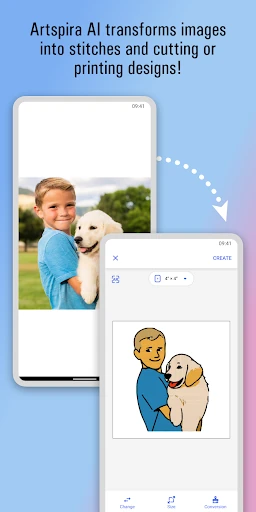
For people who like to start from their own material, Artspira can import supported embroidery files in PES, PHC, PHX, and DST formats; cutting files in SVG and FCM; and printing images in JPEG and PNG. Embroidery users can also draw designs, while cutting users can draw and use line-art tracing. Image-to-embroidery conversion, cross-stitch conversion, and sublimation embroidery require a subscription.
A low-pressure project routine
One workable routine is to browse for an idea during a break, save a promising file, and come back to it when you are ready to use your machine. The basic cloud storage allowance is up to 20 files, so it is worth being selective if you expect to keep a growing collection. The app supports an augmented-reality preview, which can help you consider how a design might look on the intended project before stitching.
When I’m short on inspiration, I’d look at the weekly magazines or follow makers in the Gallery rather than starting with an empty page. The Gallery supports posting projects, commenting, and following other users. Together, those features offer a simple cycle: find an idea, adapt it where the relevant machine tools allow, and see what other makers are doing for the next project.
Keep compatibility in view
The main limitation is that Artspira is not equally useful with every machine. Its compatible equipment is specific, and the sewing-machine connection is for tailored support rather than transferring designs when wireless connectivity is absent. Fabric and sublimation printing machines are also available only in certain regions. Checking machine compatibility before building a workflow around the app is a sensible first step.
There is also a difference between the basic app and Artspira+. The paid subscription offers more than 10,000 designs, premium editing functions, storage for up to 100 designs, and a discount on Disney design purchases. Some specialized embroidery functions also require a subscription. Artspira+ is available only in certain countries, so the features and subscription availability are worth checking in Google Play.
Brother Artspira is a practical creative companion when it matches the machine and projects you already have. The combination of design browsing, editing, learning resources, file imports, and community inspiration gives it more to offer than a simple catalog. I especially like that it can support both quick idea gathering and more deliberate project preparation.
I’d recommend it to Brother owners who want those tools on a phone or tablet and are comfortable checking which features their equipment supports. If you want general-purpose art software, or expect every machine to accept designs wirelessly, it is not the right fit. For compatible craft setups, the free app is a reasonable place to start.
Brother Artspira Frequently Asked Questions
What is Brother Artspira used for?
Brother Artspira is a mobile design and project app for Brother embroidery, cutting, sewing, and creative printing users. It includes design browsing, editing tools, learning videos, weekly project magazines, and a community Gallery. Supported machines and features vary, so it helps to check compatibility with your equipment before depending on a particular workflow.
Which devices and machines work with Brother Artspira?
Artspira is available for mobile and tablet devices and is designed to work with compatible Brother equipment, including wireless-enabled embroidery and ScanNCut SDX machines. Sewing machines can be linked by serial number for tailored support, but design transfer is not possible when the machine lacks wireless connectivity. Printing-machine availability can vary by region.
What Android version does Brother Artspira require?
The current minimum Android version can vary, so check the Google Play store listing for the requirement shown for your device. Brother says supported operating systems may change over time. Checking the store before installation is the best way to confirm that your phone or tablet can run the current version.
Does Brother Artspira cost money?
Artspira is free to download and includes in-app purchases. Google Play shows individual in-app products priced from $0.79 to $119.99. Artspira+ adds features such as more designs, premium editing functions, and expanded storage; subscription availability varies by country. Check Google Play for current prices and availability.
Is Brother Artspira suitable for beginners?
It may suit beginners who own compatible Brother equipment and want project inspiration or educational videos. The app also has intermediate and seasonal ideas, along with design tools and a Gallery. It may not suit someone seeking general drawing software or an app that transfers designs to every sewing machine.
Pros
- Combines design browsing, project inspiration, and learning resources for Brother craft users.
- Supports several common embroidery, cutting, and image file formats.
- Offers text tools, project previews, and a community Gallery.
- Free to download and contains no ads.
Cons
- Many of its most useful features depend on compatible Brother equipment.
- Some embroidery tools and expanded storage require a subscription.
- Sewing-machine linking does not enable design transfer without wireless connectivity.
- Category
- Art & Design
- Version
- 2.9.10