Nomad Sculpt
- 8.16K
- 3.5
- Installs
- 1.00M
- Price
- Free

Screenshots
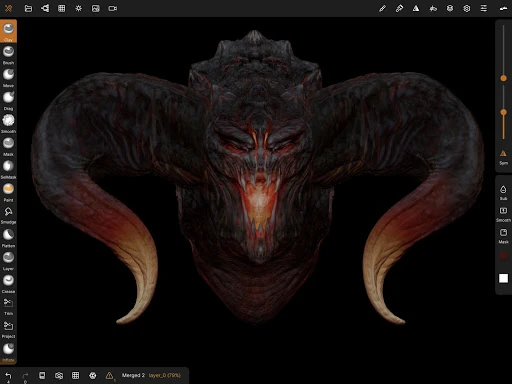
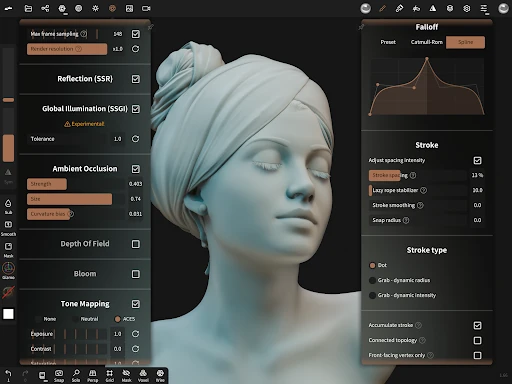
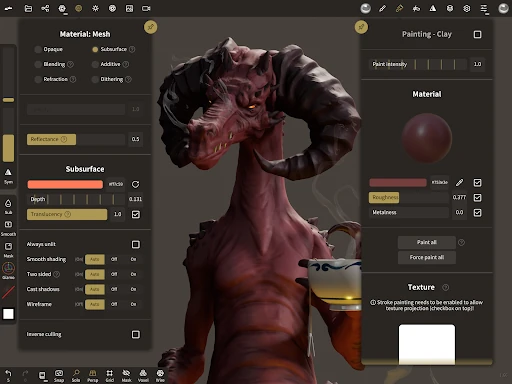
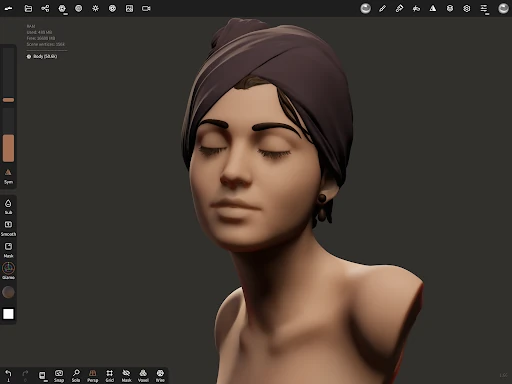
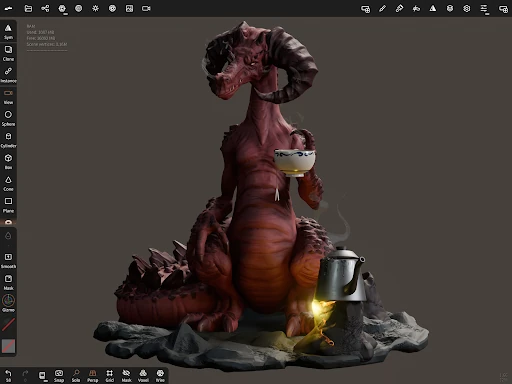
Analysis by Reviewed APKs
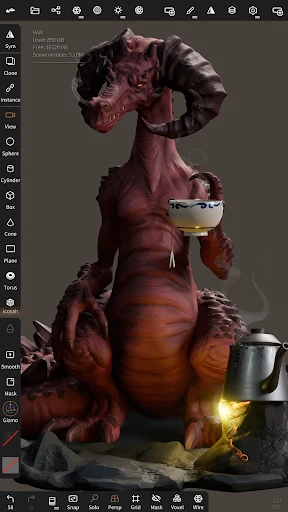
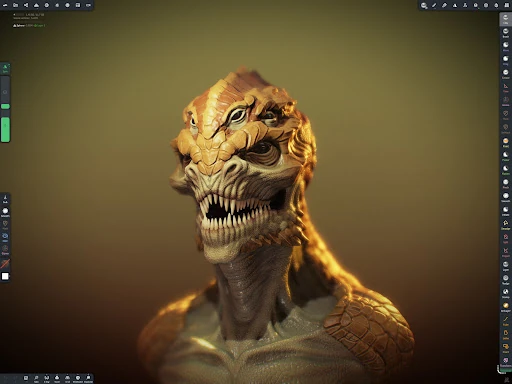
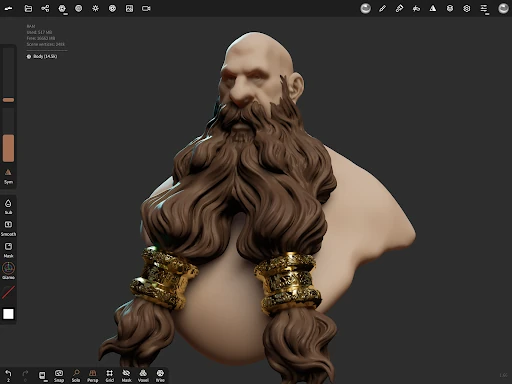
Nomad Sculpt is a mobile 3D modeling app for shaping, painting and preparing digital objects. It suits artists who want to work directly on a phone or tablet, as well as curious beginners willing to learn a more hands-on creative tool. I like how much of the sculpting process it brings together, from rough forms to surface materials, though its range means there is a learning curve.
A quick sculpting session
When I first opened Nomad Sculpt, I pictured using it for the kind of small creative session that fits between other plans: start with a primitive shape, push it into a character or prop, and add a little color before putting the device away. The app has tools for shaping, smoothing and trimming forms, so that session can move from a rough block of geometry toward something more intentional without changing applications.
The mobile setting makes that sort of casual experimentation appealing. I could imagine sketching a creature during a commute or trying out the silhouette of a small object while waiting for dinner. A first pass does not need to be polished: voxel remeshing is described as useful for quickly blocking out a shape, while layers give you a way to separate sculpting and painting changes as you iterate.
A studio, not a toy
Nomad Sculpt is closer to a compact 3D creation workspace than a simple drawing app. Alongside sculpting brushes, it includes mesh tools, painting, UV unwrapping, baking, rendering and support for importing and exporting several common 3D file formats. That breadth makes it more suitable for people who want to build and refine a model than for someone who only needs a quick 2D sketch or a ready-made image filter.
It also is not a shortcut around learning how 3D forms work. A broad set of tools gives you choices, but it also means there are concepts to get comfortable with, such as mesh resolution, materials and texture data. If your goal is only to view or lightly adjust an existing model, this may feel like more workspace than you need. For hands-on sculpting, the depth is the point.
Small habits that help
I would start each session with a clear, modest goal: block out the main shape, clean up one area, or test a color and roughness combination. That keeps the first minutes from disappearing into tool exploration. Saving useful brush settings as presets can also make repeat work less fiddly, especially if you often return to the same kind of surface or stroke.
Layers are worth treating as part of the process rather than a last-minute rescue. Keeping sculpting and painting operations separate makes it easier to revisit an idea while preserving the rest of the model. When a project needs detail in some areas but not others, dynamic topology can refine locally, while multiresolution sculpting lets you move between levels of detail. Exporting a working copy in a supported format is a sensible finishing step.
More From Our News Desk

Zoom Meetings, Google Meet, or Teams: Which Is Easiest to Join?

How I Build a Free Streaming Lineup With Tubi

Why Crunchyroll Is the Default Anime App for So Many Fans

YouTube TV: A Practical Guide to Cutting Cable

Rummikub and the Small Comfort of Phone Games

TeamViewer Remote Control or AnyDesk for Helping Family?
Who will enjoy sculpting here
I would recommend Nomad Sculpt to people who enjoy making things and want more than a basic modeling toy on a mobile device. It has room for exploratory sketching, detailed sculpting, material work and file exchange, so it can serve both as a place to practice and as part of a broader 3D workflow. The mobile-focused interface is a useful fit if you like creating directly on a phone or tablet.
It may be a tougher fit for anyone who wants instant results without learning the vocabulary of 3D modeling, or who mainly needs a straightforward drawing app. The number of sculpting and mesh options can take time to understand, and small screens may not suit every detailed task. I would approach it as a capable creative tool to learn gradually, rather than expect every feature to feel obvious on day one.
Nomad Sculpt is an Art & Design app by Hexanomad. On Google Play it has over 1 million installs and a 3.5-star rating from about 8,200 ratings. It is marked free to download, with in-app purchases listed at $19.99 per item. The app contains no ads, and its content rating is Everyone.
The listed minimum requirement is Android 8.0, and the current version is 2.8. Google Play gives August 3, 2020 as the release date and December 22, 2025 as the most recent update date. Recent changes include fixes involving importing and exporting, boolean operations, touch input and reference handling.
From Rough Shape to Finished Model
First look and setup
My first impression is that Nomad Sculpt takes the idea of mobile creation seriously. The app describes its interface as designed for mobile use and allows customization, which matters when a workspace has to accommodate both a model and a useful set of tools. I would still expect some adjustment at the start: a 3D sculpting workspace asks you to think about shape, view and surface, not just where to tap.
A practical first project is a primitive such as a cylinder, torus or tube. Starting with a supplied shape gives you something to push, smooth or trim instead of facing an empty scene. I would spend the setup session learning a few core brushes and how to move between views, then save a simple test model. That is less intimidating than trying to learn every tool before making anything.
The daily sculpting loop
The central rhythm is hands-on: shape a form with brushes such as clay, flatten and smooth, then make a change and judge it from the model itself. Stroke settings can be adjusted, including falloff, alphas, tilings and pencil pressure. That makes the tools more than fixed stamps, although it also gives curious users plenty of settings to explore before settling into a comfortable routine.
When I spend time with a sculpting app, I tend to alternate between broad changes and smaller corrections. Nomad Sculpt’s multiresolution workflow supports moving between levels of mesh detail, while dynamic topology adds detail locally under the brush. These approaches give you different ways to manage a model as it develops. They are useful options, but the best choice depends on what part of the object you are working on.
More than sculpting
Painting is integrated into the work rather than treated as an afterthought. The app supports vertex painting for color, roughness and metalness, and it includes material presets. Layers can record both sculpting and painting operations, which gives you room to try a surface treatment without having to fold every decision into one irreversible pass.
There are also tools for work beyond the visible surface. Face groups can segment a mesh, and the automatic UV unwrapper can use those groups to guide its process. Baking can transfer data such as color, roughness, metalness and small-scale detail into textures, or move texture data back into vertex data or layers. These are specialist capabilities, but they make the app more useful for projects that continue past a sculpted shape.
A repeatable project routine
For a small character or prop, I would begin with a primitive and block in the silhouette before spending time on surface detail. Voxel remeshing can produce a uniform level of detail and is described as useful for rough early shapes. Once the main proportions look right, I would refine selected areas, using dynamic topology where extra local detail is needed rather than making every part equally dense.
After the form is established, I would separate experiments into layers, then try color and material values with vertex painting. A quick look under the app’s PBR rendering, lighting and shadows can help me judge how the surface reads; matcap is another shading option for sculpting. When the model is ready to leave the app, Nomad Sculpt supports formats including glTF, OBJ, STL and PLY.
Keep the scope in mind
The same range that makes Nomad Sculpt appealing can make it feel busy. Brushes, mesh resolution, painting, UVs, baking and rendering are quite a lot to absorb when you are new to 3D work. I would not judge the app by how quickly I can find every setting on the first day. A small project and a few familiar tools are a better way to see whether its workflow suits me.
It is also worth matching the app to the job. Nomad Sculpt focuses on creating and refining 3D models; it is not a general-purpose drawing app. Some of its advanced options will matter more to particular projects than to everyday sketching, and fine-detail work on a small device may not suit everyone. The listed Android requirement is version 8.0, so device compatibility is another practical check before getting started.
Nomad Sculpt makes a convincing case for mobile 3D creation by combining sculpting, painting, mesh refinement and export in one app. I especially like that it supports both loose early experimentation and more deliberate finishing work. The learning curve is real, but it comes with useful depth rather than needless complexity for its own sake.
I would recommend it to aspiring or experienced 3D artists who want to shape models on an Android device and are comfortable learning a substantial toolset. If you only want a quick sketching app, it is probably more than you need. For anyone curious about sculpting, starting with a simple primitive is an approachable way to find out.
Nomad Sculpt Frequently Asked Questions
What is Nomad Sculpt used for?
Nomad Sculpt is used to create and refine 3D models. Its tools cover sculpting, painting, mesh editing, material work, rendering, UV unwrapping, baking, and importing or exporting supported model formats. It can suit both rough shape exploration and more detailed work, though how much of its toolset you need depends on the project.
Which devices can run Nomad Sculpt?
The app is available for Android through Google Play, with a listed minimum requirement of Android 8.0. Check the Google Play store page for current device compatibility and availability before installing, since those details can vary. The provided platform information covers Android, so I would not assume availability on other platforms from that alone.
Does Nomad Sculpt cost money?
Nomad Sculpt is listed as free to download and includes in-app purchases priced at $19.99 per item. It contains no ads according to its Google Play details. If you want to know exactly what a purchase covers or whether current pricing has changed, check the store page before buying.
What Android version does Nomad Sculpt need?
The listed minimum is Android 8.0. That gives you a useful starting point for checking whether a device meets the stated requirement, but it does not guarantee how every project will perform on every device. For the latest compatibility details, consult Nomad Sculpt’s Google Play store page.
Is Nomad Sculpt beginner-friendly?
A beginner can start with primitive shapes and a few core sculpting brushes, but Nomad Sculpt has enough tools to take time to learn. It is a better fit for someone willing to experiment with 3D modeling than for someone looking for instant results from a simple drawing app. Starting with a small project can make the first sessions easier.
Pros
- Combines sculpting, painting, mesh refinement, rendering and file export in one mobile workspace.
- Layers support separate sculpting and painting operations for easier iteration.
- Multiple resolution and topology tools offer flexible ways to add detail.
- Supports common 3D formats including glTF, OBJ, STL and PLY.
Cons
- The broad toolset can take time for newcomers to learn.
- Its 3D modeling focus may be excessive for casual 2D sketching.
- Detailed work may feel less comfortable on a small device.
- Category
- Art & Design
- Version
- 2.8