MediBang Paint:Draw Art, Comic
- 302.71K
- 3.7
- Installs
- 10.00M
- Price
- Free

Screenshots
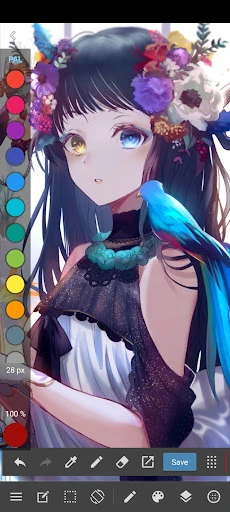
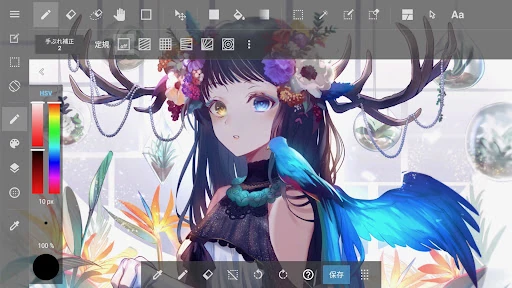
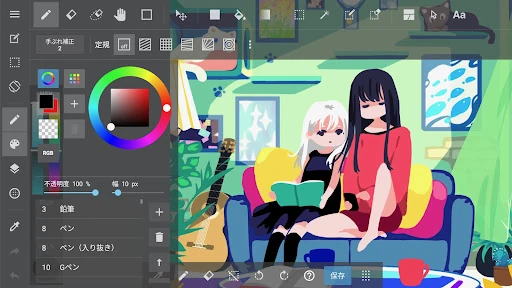
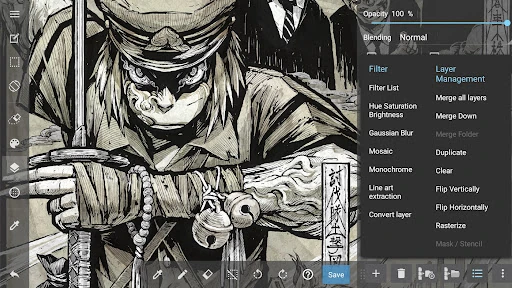
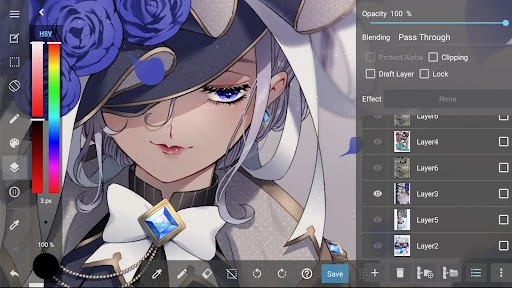
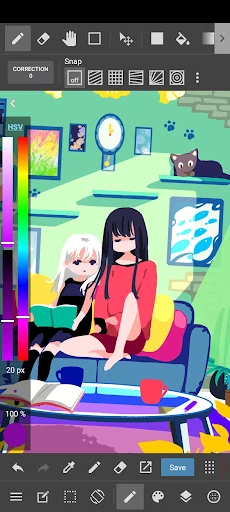
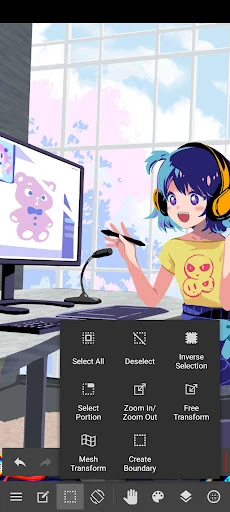
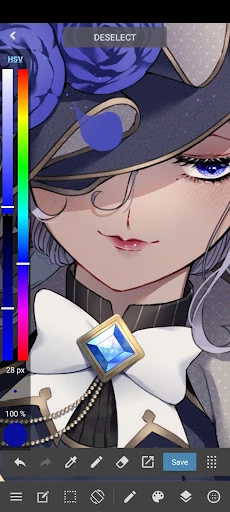
Analysis by Reviewed APKs
MediBang Paint is a drawing and comic-making app for people who want to sketch, paint, color, or build illustrated pages on a phone or tablet. I see its strongest appeal in the range: it has everyday drawing tools alongside comic-focused features and file formats aimed at more involved projects. It can feel like a lot at first, but it gives curious artists plenty to explore.
From Quick Sketch to Page
When I picture a typical session with MediBang Paint, it starts with a small idea: a character pose during a break, or a rough scene I want to remember before it disappears. I can begin with pencil or pen, then move into coloring and painting with brushes such as airbrush or watercolor. Having those tools together makes the app useful for both loose experiments and more finished illustrations.
For a comic page, the work can continue beyond the drawing itself. MediBang includes panel-making tools, screen tones, speech bubbles, and a library of more than 60 fonts. That combination is especially handy when I want to rough out a page and add its visual structure in the same app. Rather than treating every project as a single standalone picture, it also gives comic creators tools for arranging a sequence.
A Flexible Drawing Alternative
Compared with a basic phone sketchpad, MediBang Paint is geared toward people who may want to develop an idea into a more detailed illustration or comic. Its brush selection, comic tools, and PSD and CMYK compatibility give it a broader creative scope than a simple place to jot down doodles. The interface and feature range may be more than someone needs for occasional marks or a quick note.
It is a drawing and illustration tool, not a general-purpose photo editor or a substitute for every part of a desktop publishing workflow. Its mobile and tablet focus makes it suited to drawing on the go, while the supported file formats may help when projects move into other creative work. I would choose it for making art, not for routine image touch-ups or managing unrelated tasks.
Small Habits, Better Flow
I get more from an app like this when I decide what kind of session I am having before opening the canvas. A quick sketch can stay loose with pencil and pen, while a comic page benefits from using the panel and tone tools as part of the plan. That simple distinction keeps me from browsing brushes endlessly when all I wanted was to capture a pose or test a composition.
For longer projects, cloud sync can support working across devices, and collaboration features allow others to draw on the same canvas. I would treat those as useful options for a project that needs them rather than steps every drawing requires. Timelapse recording is another feature to consider when I want to show how a piece developed, while MediBang Library offers tutorials, templates, and other resources to explore.
More From Our News Desk

Zoom Meetings, Google Meet, or Teams: Which Is Easiest to Join?

How I Build a Free Streaming Lineup With Tubi

Why Crunchyroll Is the Default Anime App for So Many Fans

YouTube TV: A Practical Guide to Cutting Cable

Rummikub and the Small Comfort of Phone Games

TeamViewer Remote Control or AnyDesk for Helping Family?
Who Will Enjoy Drawing Here
I would recommend MediBang Paint to beginners who want room to grow, and to hobby artists who like switching between sketching, painting, and coloring. Comic and manga makers have especially clear reasons to try it: panel tools, screen tones, speech bubbles, and a large font selection all address page-making needs. Artists who work across devices may also appreciate cloud sync, while collaborators can make use of shared-canvas drawing.
It may be less appealing if you only need a very simple doodle pad, or if a broad set of tools feels distracting rather than helpful. The extra brush selection for subscribers also means not every available brush is part of the included set. I would suggest starting with the core tools and seeing whether the drawing and comic workflow suits your habits before investing time in its wider feature set.
MediBang Paint is made by MediBang Inc. and is listed on Google Play in the Art & Design category. It has over 10 million installs, with a 3.7-star rating from about 303,000 ratings. The app is free to install and contains ads. These figures give a useful sense of its reach, though they do not say whether its particular workflow will suit an individual artist.
In-app purchases are available, with listed items ranging from $2.49 to $8.99 each. Google Play gives the app a Teen content rating. The current version shown is 28.27; it was released on June 16, 2015, and last updated on October 18, 2026. I would check the store page for device compatibility and any current purchase details before installing or subscribing.
A Closer Look at the Drawing Workflow
Opening the Canvas
My first impression is of an app trying to serve several kinds of artist at once. The basic promise is easy to understand: sketch, draw, paint, and color with pencil and pen tools. Then the wider feature set comes into view, from comic page elements to cloud sync. That breadth is appealing, though a new user may need a little time to decide which parts matter for their own work.
I would start with one uncomplicated drawing rather than trying to test every option immediately. A pencil sketch or a simple colored illustration is enough to get a feel for the core activity. Once that feels familiar, the specialized tools are easier to approach with a purpose. MediBang is optimized for phones and tablets, so it is designed around mobile and tablet drawing rather than being only a desktop-oriented art package.
Drawing Day to Day
The everyday appeal is having a substantial brush collection ready for different kinds of marks. MediBang includes more than 180 brushes, including pencil, pen, paint, airbrush, and watercolor options. That makes it possible to move from a quick line study to a softer painted look without leaving the app. For someone who draws regularly, this variety can be a welcome source of experimentation.
In practice, the breadth also calls for a little restraint. I find it easier to focus on the drawing when I choose a brush that fits the task and get started, instead of treating selection as the main event. The app supports sketching, drawing, and coloring, so it can stay useful across stages of an illustration. Artists who want additional options can explore the subscription brushes separately.
Tools for Comic Makers
The comic-specific features are one of the clearest reasons MediBang stands apart from a general drawing canvas. Panel tools help structure a page, while screen tones and speech bubble options speak directly to comic and manga work. More than 60 fonts offer choices for lettering. Together, these features make the app relevant to creators who want to put a story on a page, not just produce individual pictures.
There are also options that matter when art is part of a wider process. MediBang supports PSD and CMYK formats, and its cloud sync is intended to support work across devices. Those capabilities may be useful when a project moves between contexts or needs to be shared. They do not change the basic fact that the heart of the app is drawing, but they help it reach beyond casual sketching.
A Practical Project Routine
For a personal comic project, I would begin by sketching a scene, then decide how it should be divided into panels before adding tones and speech bubbles. Keeping that order in mind makes the comic tools feel connected to the page rather than like a separate set of extras. After the basic composition is working, I can focus on line work and coloring with the brushes that fit the look I want.
If the project continues elsewhere, cloud sync offers a way to work across devices. A team drawing can make use of the collaborative canvas, while a solo artist can ignore that feature and keep working alone. When I want to share how a picture came together, timelapse recording provides a way to show the drawing process. MediBang Library resources may also be worth browsing when I want a tutorial or template.
Things to Keep in Mind
The first practical limit is that a large toolset can take time to learn. Someone who only wants an empty canvas and a couple of simple marks may find the comic tools, formats, and other options unnecessary. Starting with a straightforward sketch is a sensible way to judge the app before building a workflow around features that may not be relevant.
The included brush selection is already extensive, but the 700-plus additional brushes and custom brush-set access are described as subscription features. The app is also free with ads and offers in-app purchases, so those are worth considering alongside the drawing experience. The listed Android requirement is worth checking in Google Play for the device in hand, since compatibility can vary.
MediBang Paint has a useful balance of approachable drawing basics and more specialized tools for comics, illustration, and shared projects. Its strongest point is that a sketch can grow into a more structured piece without immediately requiring a different app. The range is not a reason to use every feature, but it gives artists options as their projects change.
I would try it if I wanted a mobile art app with both painting brushes and comic-making tools, especially if I draw on a tablet or expect to work across devices. If I only needed the simplest possible sketchpad, I would look for something less feature-rich. For everyone else, MediBang Paint is worth exploring one small drawing at a time.
MediBang Paint:Draw Art, Comic Frequently Asked Questions
What is MediBang Paint used for?
MediBang Paint is used for sketching, drawing, painting, and coloring digital art. It also includes tools for making comics and manga, such as panels, screen tones, speech bubbles, and fonts. Its features suit everything from rough ideas to more developed illustrations, with options including cloud sync, collaboration, and timelapse recording.
Which devices can run MediBang Paint?
MediBang Paint is an Android app on Google Play and is designed for mobile phones and tablets. The minimum Android version can vary with device and app compatibility, so check the Google Play page on the device you plan to use. The app description also mentions use across devices through cloud sync.
Does MediBang Paint cost anything?
MediBang Paint is free to install and contains ads. It also offers in-app purchases, with listed items priced from $2.49 to $8.99 each. The description says subscribers can access additional brushes and create custom brush sets. Check Google Play for current purchase options and terms before deciding whether any paid features suit your needs.
Does MediBang Paint work for comic making?
Yes. MediBang Paint includes comic paneling tools, screen tones, speech bubble options, and more than 60 fonts. It also supports drawing and coloring workflows, so artists can work on both the artwork and page elements. These tools make it a particularly relevant option for comic and manga creators.
Is MediBang Paint suitable for beginners?
It can suit beginners who want to learn digital drawing and appreciate having room to try more tools over time. The app also serves experienced artists and comic creators, so its range may feel like more than a newcomer needs at first. Starting with a simple sketch is a practical way to see whether its workflow feels comfortable.
Pros
- More than 180 included brushes cover sketching, painting, and coloring styles.
- Comic tools include panels, screen tones, speech bubbles, and over 60 fonts.
- PSD and CMYK support can help with projects that move into wider workflows.
- Cloud sync, collaboration, and timelapse recording add options for sharing and working across devices.
Cons
- The broad feature set may feel like too much for someone seeking a basic sketchpad.
- Access to additional brushes and custom brush sets requires a subscription.
- The free app contains ads and also offers in-app purchases.
- Category
- Art & Design
- Version
- 28.27