Krita
- 6.69K
- 3.3
- Installs
- 1.00M
- Price
- Free

Screenshots
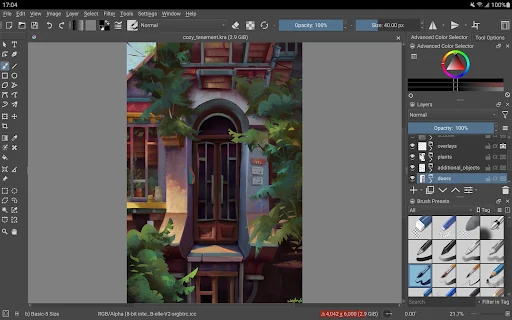
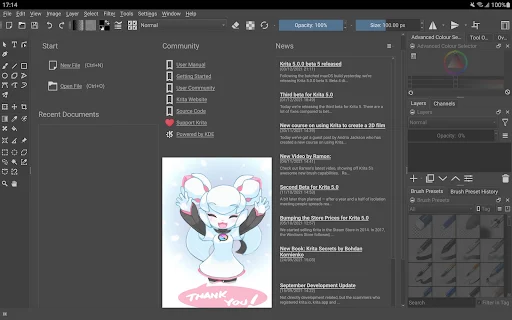
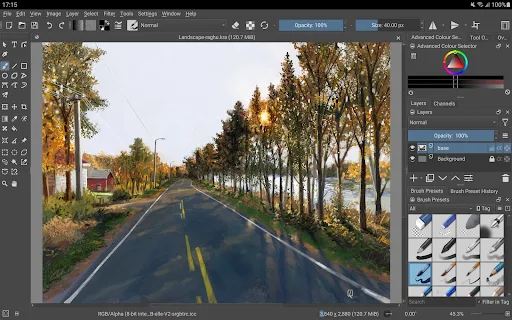
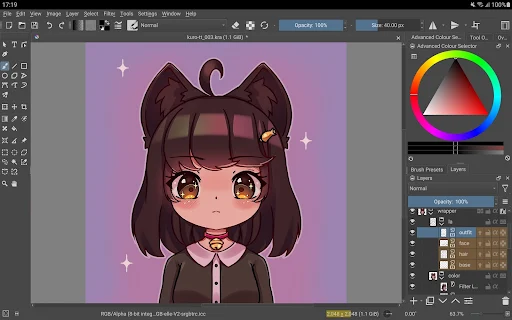
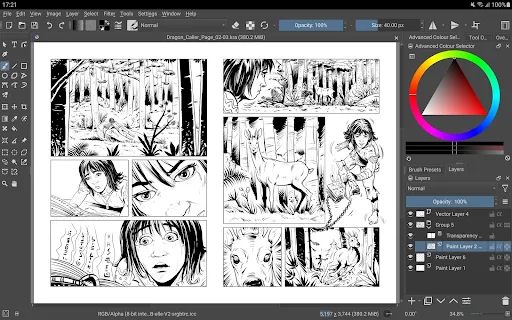
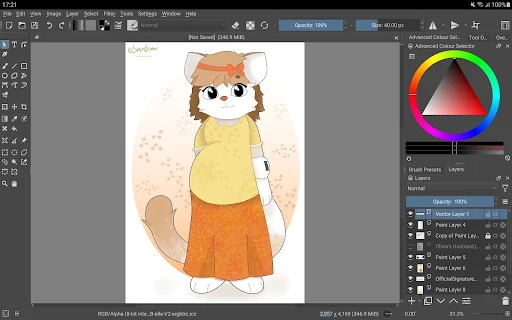
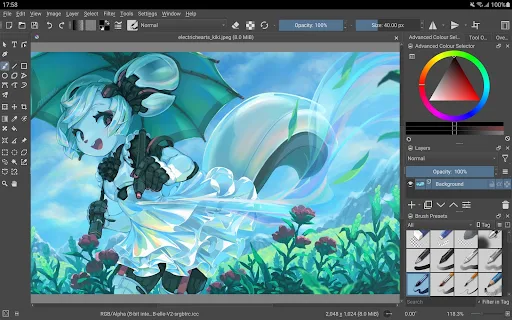
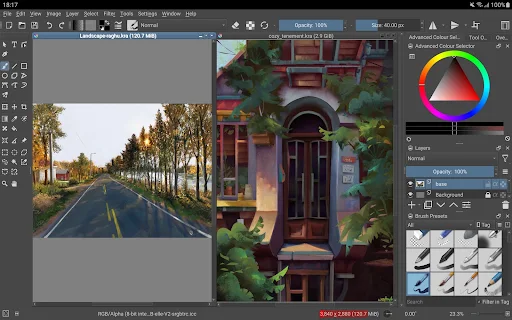
Analysis by Reviewed APKs
Krita is a digital painting app for people who want to draw, paint, make comics, or work on animation projects on an Android tablet or Chromebook. I like the breadth of its creative tools, but there is an important caveat: this release is marked as beta and is not intended for serious work yet. It is also designed for big screens, not phones, so the right device matters.
A sketching session on a tablet
Imagine settling in at the kitchen table with a tablet to sketch a character, then turning that rough idea into a more finished illustration. Krita is built for that kind of hands-on painting session. Its brush engines support sketching and painting, while stabilizers can help make freehand inking feel steadier. If a scene needs perspective or other construction help, the app also includes assistants for building complex scenes.
When I think about a typical session, the useful part is having room to move from loose marks to more deliberate work without changing apps. I could sketch an outline, refine the ink, and use layers to organize the image. The canvas-only mode is meant to reduce interface distractions while painting. That makes Krita sound best suited to a tablet session where I can give the artwork some space.
A studio tool, not a quick doodler
Krita sits closer to a full digital painting program than a lightweight doodle pad. Its stated audience includes illustrators, comic makers, concept artists, storyboard artists, and people working with animation. Layers, masks, filters, color tools, and support for common formats such as PSD point toward projects that may need editing and organization beyond a single quick sketch.
That depth is also a reason to choose carefully. If I just want a fast note or a casual phone doodle, Krita is a poor fit: this Android release is optimized for tablets and Chromebooks and is not available for phones. It is also a beta release that the developer says is not suitable for real work yet. I would treat it as a way to explore, rather than rely on it for a deadline.
Small habits for better sessions
A simple way to approach Krita is to separate an idea into stages: sketch first, ink once the shapes feel right, then build color and detail on separate layers. Stabilizers may be handy for cleaner freehand lines, while the scene assistants can help when drawing more complex settings. These tools do not make the decisions for me, but they give a session more structure than putting every mark on one layer.
I would also keep the canvas-only mode in mind when I want to focus on painting rather than interface controls. For projects that involve revisions, the listed non-destructive options—such as filter and transform masks, clone layers, and layer styles—offer ways to work without baking every change directly into the image. Since this is beta software, I would keep important work elsewhere too, rather than assume every project is ready for production.
More From Our News Desk

Zoom Meetings, Google Meet, or Teams: Which Is Easiest to Join?

How I Build a Free Streaming Lineup With Tubi

Why Crunchyroll Is the Default Anime App for So Many Fans

YouTube TV: A Practical Guide to Cutting Cable

Rummikub and the Small Comfort of Phone Games

TeamViewer Remote Control or AnyDesk for Helping Family?
Who may enjoy Krita
I would point curious digital artists toward Krita if they use an Android tablet or Chromebook and want to explore a substantial painting toolkit. The range described covers sketching, illustration, comics, storyboards, and animation, so it can appeal to people who like experimenting across different kinds of visual work. PSD support and layer-based tools may also matter to artists who move images between applications.
I would steer phone-first users and anyone who needs dependable software for paid or time-sensitive work elsewhere for now. The Android release is a beta, and its own description says it is not suitable for real work yet. People who prefer a simple interface with only a few drawing options may also find the breadth more than they need. The 3.3-star Google Play rating suggests experiences vary, so it is worth checking recent feedback.
Krita is developed by Stichting Krita Foundation and is listed on Google Play in the Art & Design category. It has over one million installs and a 3.3-star rating from about 6,700 ratings. The app is free to download, with in-app purchases priced from $2.49 to $13.99 per item. Google Play marks its content rating as Everyone.
The current version in the provided app details is 5.3.4.1. The release date is April 8, 2024, and the recorded last update is October 23, 2026. The details do not provide a minimum Android version, so device compatibility is worth checking on Google Play. The app contains no ads.
A closer look at painting on Android
First look and setup
When I first opened the description for Krita, the first thing I would check is whether I am using a tablet or Chromebook. The interface is optimized for larger screens, and the app is not available for phones. That is a more important starting point than any individual brush: a painting program needs enough screen room to make its tools and canvas practical.
I would also set expectations before beginning a project. Krita’s Android release is identified as beta, and its description cautions against using it for real work yet. That does not make it useless for exploring the tools or trying out an idea, but it does change what I would entrust to it. I would begin with a small, low-stakes sketch rather than a project I could not afford to lose time on.
The everyday painting experience
The central job here is making images with a broad set of painting tools. Krita includes brush engines for both sketching and painting, plus stabilizers for freehand inking. In practice, that combination suggests a workflow that can start with rough lines and move toward cleaner contours without changing to a separate app. Artists who enjoy working directly on a canvas should find that focus familiar.
I would expect a learning curve compared with a basic drawing tool. Krita’s feature set reaches into layers, masks, filters, color management, and flexible workspaces, rather than stopping at brushes and a blank page. The canvas-only mode offers a way to concentrate on the artwork itself. Still, this release’s beta status is a real part of the day-to-day experience, not a small footnote.
Tools beyond the brush
The strongest distinction is how many kinds of visual work Krita aims to support. The listed features include assistants for constructing complex scenes, selection and colorizing tools, and powerful filters. For edits that may need adjustment later, it also offers clone layers, layer styles, and filter and transform masks. Those options make the app more than a place to put down a few paint strokes.
There is support for animation with onion skinning, along with tools for storyboarding and comic book project management. Krita also supports scripting in Python and commonly used file formats, including PSD. I would not assume every feature is equally comfortable on every device, but the range is notable. It is the sort of feature list that gives an artist room to explore different projects in one application.
A practical project routine
For a low-pressure routine, I would use Krita to develop one idea through a few clear passes. Start with a sketch using the painting brushes, use stabilizers when cleaner freehand ink is needed, and keep later edits organized with layers. If the image has a complicated setting, try an assistant to help construct the scene. The point is to make use of the tools as the drawing develops, not to reach for every feature at once.
For a comic or storyboard idea, I would keep the session focused on making and revising visual material, since those are among the kinds of projects Krita describes supporting. A colorizing tool or a filter may be useful as the work takes shape, and canvas-only mode can help during a stretch of painting. With a beta app, I would keep the session exploratory and avoid depending on it as the only home for important work.
Limits to keep in view
The clearest limitation is device fit. Krita’s Android interface is designed for tablets and Chromebooks, not phones. Even if a phone can install an app, that does not make this an appropriate phone drawing experience. I would check device compatibility before downloading and choose a larger screen if I planned to do more than briefly explore the tools.
The other major caveat is the beta label and the developer’s warning that this release is not suitable for real work yet. That makes recommendations more cautious than the expansive feature list might suggest. Google Play shows a 3.3-star score, which is another reason to read current user feedback before committing to a workflow. For now, I see it as an interesting option to test, not a dependable production setup.
Krita brings a serious range of painting, illustration, comic, and animation tools to Android tablets and Chromebooks. I like that it reaches well beyond basic sketching, with layers, masks, scene assistants, and more. But the beta warning and large-screen focus are central to the decision, not minor details.
I would recommend giving it a cautious try if you are an artist with a compatible larger-screen device and want to explore a capable painting app. I would not choose this beta for phone drawing or work that needs a reliable production tool. Start small, check compatibility, and see whether its broad toolkit suits the way you draw.
Krita Frequently Asked Questions
What is Krita used for?
Krita is a digital painting app for work such as illustrations, comics, concept art, storyboards, and animation. It includes painting and sketching brushes, inking stabilizers, layer tools, filters, and other features for creating and editing artwork. Its Android release is described as beta and not suitable for real work yet.
Can I use Krita on a phone or tablet?
Krita is an Android app, but this release is designed for larger screens such as tablets and Chromebooks, not phones. The app description says it is not being made available for phones. Device compatibility can vary, so check the Google Play page for details that apply to your device.
What Android version does Krita require?
The minimum Android version can vary by release and device. Check Krita’s Google Play page for the requirement shown for your device before installing. The app is intended for larger-screen Android devices such as tablets and Chromebooks, rather than phones.
Is Krita free, and does it have in-app purchases?
Krita is free to download and contains no ads. Google Play shows in-app purchases priced from $2.49 to $13.99 per item. Prices and purchase details may vary, so check the store page for the current information before buying anything.
Is Krita suitable for professional work?
Krita has a broad set of tools for painting, illustration, comics, and animation, but its Android release is marked as beta. The app description says it is not suitable for real work yet. I would treat it as an option to explore rather than rely on it for important deadlines.
Pros
- Broad painting toolkit includes brushes, inking stabilizers, layers, masks, and filters.
- Supports several creative workflows, including comics, storyboards, and animation.
- Includes PSD support and tools for non-destructive editing.
- Free to download and contains no ads.
Cons
- The Android release is beta and not recommended for real work yet.
- Designed for tablets and Chromebooks, not phones.
- Google Play rating is 3.3 stars, so experiences may vary.
- Category
- Art & Design
- Version
- 5.3.4.1