One Calendar
- 64.93K
- 4.7
- Installs
- 1.00M
- Price
- Free

Screenshots
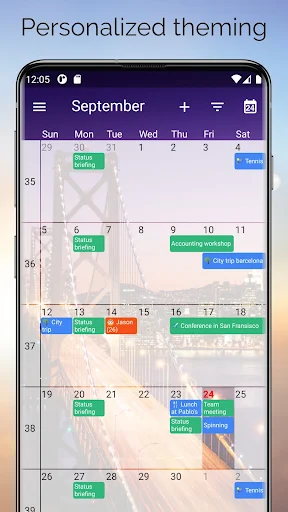
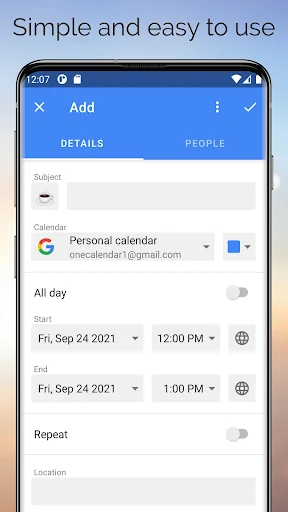
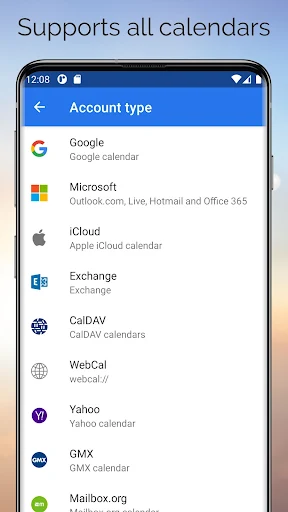
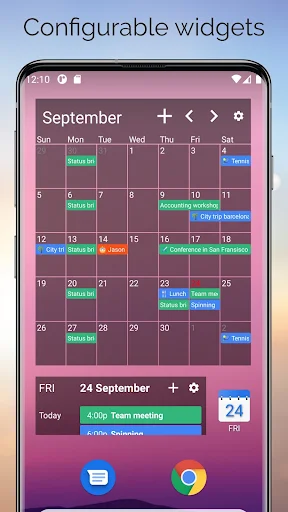
Analysis by Reviewed APKs
One Calendar is a productivity app for bringing calendars from services such as Google, Outlook, iCloud and Exchange into one overview. It suits people who keep personal, work and family dates in different places and want to see appointments, events and birthdays together. After spending time with its central idea, my take is that it is a practical organizer for busy schedules, especially if switching between calendar apps has become a routine annoyance.
A clearer view of a busy week
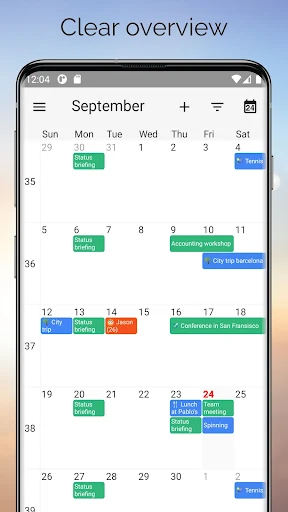
I can picture One Calendar being most useful on an ordinary weekday morning. I want to check whether I have a work appointment, a family event and a birthday coming up without opening three separate calendar apps. One Calendar is built around that combined view: it brings calendars from supported services into one place, where I can see and manage appointments, events and birthdays. The payoff is less app-hopping before the day gets going.
That single overview is also useful when plans change. If I am checking a date while arranging a meeting or deciding whether I can take on an errand, I would rather see the relevant commitments together than rely on memory. One Calendar’s purpose is straightforward: gather calendars from services including Google, Outlook, iCloud, Exchange, Office365, Yahoo, Nextcloud, Synology, GMX, Mailbox.org and ownCloud. It is a practical answer to a scattered schedule, not a new way to plan every part of life.
A hub, not a whole planner
The obvious alternative is to open each provider’s own calendar separately. That can work if I only use one service, or if I prefer each account to stay in its own app. One Calendar makes more sense when my dates are spread across several supported services and I want a consolidated place to review and manage them. The appeal is not that it replaces every calendar provider, but that it reduces the need to check each one in turn.
I would not treat it as a general task manager, email client or all-purpose productivity suite. The described focus is calendars, appointments, events and birthdays. That distinction matters if I am looking for to-do lists, email-based event creation or special reminder tools; those are not part of the feature information I can rely on here. For straightforward schedule visibility across services, though, the focused approach is a plus rather than a shortcoming.
Make the overview work for you
A useful habit is to look at the combined calendar at the same moments I already check my schedule: in the morning, before agreeing to a new commitment and when reviewing the week ahead. The value of a unified view grows when it becomes the place I consult first. If I have calendars for work and home on different services, keeping them together can make conflicts easier to notice before I promise to be in two places at once.
I would also take a little time at the beginning to think through which calendars I actually need to see regularly. One Calendar supports a broad range of providers, so the aim is not necessarily to bring every old or rarely used calendar into my daily view. A concise, relevant set of dates is easier to scan. From there, a quick review of upcoming appointments and birthdays can become a dependable part of the day.
More From Our News Desk

Zoom Meetings, Google Meet, or Teams: Which Is Easiest to Join?

How I Build a Free Streaming Lineup With Tubi

Why Crunchyroll Is the Default Anime App for So Many Fans

YouTube TV: A Practical Guide to Cutting Cable

Rummikub and the Small Comfort of Phone Games

TeamViewer Remote Control or AnyDesk for Helping Family?
Who may find it useful
I would recommend One Calendar to anyone whose schedule is split among several supported calendar services. That could mean someone who uses one account for work and another for home, or a household that keeps different kinds of dates in separate places. The central benefit is easy to understand: appointments, events and birthdays can be viewed and managed from one app instead of repeatedly switching between calendar providers.
It may be less compelling if all my dates already live in one calendar and its own app does everything I need. It is also not the choice I would make on the strength of advanced planning tools, task management or email features, since those are not established as part of the app’s described scope. For people who mainly want a combined calendar overview, One Calendar is a sensible option to consider.
One Calendar is a free productivity app from Code Spark. Google Play shows more than 1,000,000 installs, a 4.7-star rating from 64,931 ratings, and an Everyone content rating. The app contains no ads. Its free starting price makes it easy to try as a calendar hub, while its Google Play information also indicates that in-app purchases are available.
The listed in-app product price is $5.99 per item. The current version is 10.110.2. One Calendar was released on April 27, 2018, and its listed latest update date is October 16, 2026. Android is the platform covered in this review; check Google Play for device compatibility and any requirements that apply to your phone or tablet.
One place to keep dates in view
A focused first impression
When I first consider One Calendar, the appeal is immediately practical rather than flashy: it is meant to make several calendars readable together. That is a useful promise for anyone who has opened one app to check work, another to check family plans and then still had to remember birthdays elsewhere. The app’s description stays close to that everyday job, which makes it clear what I should expect from it.
Getting value from the app depends on which calendar services I already use. One Calendar supports a wide selection, including Google, Live, Outlook, iCloud, Exchange, Office365, Yahoo, Nextcloud, Synology, GMX, Mailbox.org and ownCloud. I would start by identifying the accounts that hold dates I need to see, then use the app as the shared point of reference. The exact connection steps are best checked in the app itself.
The everyday calendar check
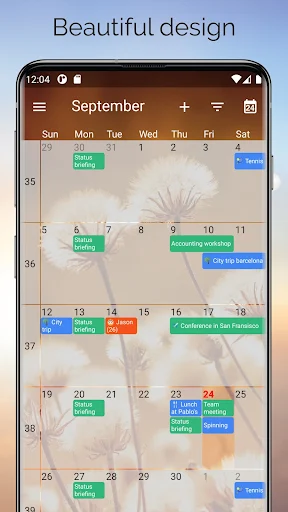
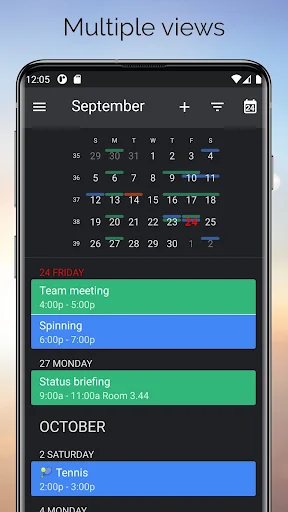
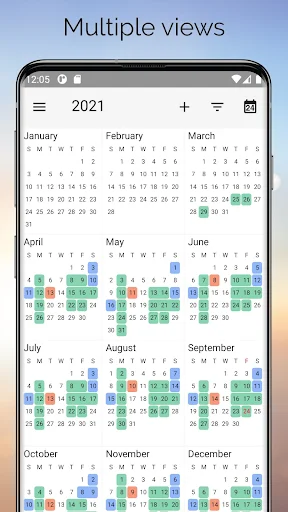
The day-to-day experience I want from a calendar hub is simple: open it, get a coherent sense of what is coming up, and manage the dates that matter. One Calendar describes an easy-to-read overview of multiple calendars, with appointments, events and birthdays included. That makes it a natural place for a quick morning check or a last look before I agree to a new meeting.
What matters most is whether the combined view saves me from mentally stitching together separate schedules. If I have work dates on one service and personal events on another, seeing them in one place can make the week easier to reason about. I would still keep each provider’s own calendar as an option, but One Calendar’s value is that I do not have to make those separate checks my default routine.
Broad service coverage
The range of calendar providers is the feature that stands out most. One Calendar covers familiar services such as Google, Outlook and iCloud, alongside Exchange, Office365, Yahoo and several others. That breadth makes the app relevant to people whose calendars do not all come from the same company. Instead of presenting a single-provider experience, it is designed to gather different sources into a common overview.
I also like that the described job includes managing dates, not only looking at them. A calendar hub is more useful when it helps me work with appointments, events and birthdays in the same place. The supplied feature details do not establish extra tools such as tasks or customized reminders, so I would judge the app on its core strengths: calendar coverage, a combined view and the ability to manage the schedule.
A routine that sticks
A simple routine would be to open One Calendar at the start of the day and scan the commitments ahead. I would check for overlaps, note the next appointment and make sure a birthday or personal event is not hidden in a separate account. Before accepting a new commitment, I would return to the same overview. That repeated check is where a central calendar can become more useful than a collection of disconnected apps.
Once a week, I would use the same habit on a broader scale: review the coming days and check that the calendars I rely on are represented. The aim is not to spend more time organizing. It is to make one quick review dependable enough that I am less likely to overlook a date simply because it lives in a different service. One Calendar’s combined approach fits that modest, repeatable workflow.
Keep expectations grounded
One Calendar is focused, and that means it should not be mistaken for a complete personal productivity system. Its described functions center on viewing and managing calendars, appointments, events and birthdays. If I need a dedicated task list, detailed project planning or features beyond calendars, I would look for those separately rather than assume this app covers them.
The number of supported services is helpful, but the right fit still depends on whether the calendars I use are among them and whether the app works well on my device. I would also check Google Play for current compatibility and purchase details before deciding whether any paid option is worthwhile. Those are sensible checks for any app that sits at the center of a daily schedule.
One Calendar does one useful thing: it brings supported calendars together so I can review and manage dates in a single place. Its appeal is strongest for people balancing work, home and other schedules across multiple services. The wide provider coverage and straightforward purpose make it easy to understand why it has found an audience.
I recommend giving it a look if switching between calendar apps is part of your routine. If one provider already covers everything you need, the benefit may be smaller. For a scattered schedule that needs a clearer overview, One Calendar is a practical option, with the usual advice to check device compatibility and in-app purchase details on Google Play.
One Calendar Frequently Asked Questions
What is One Calendar used for?
One Calendar is a productivity app for viewing and managing calendars from supported services in one place. It brings together appointments, events and birthdays in an easy-to-read overview. It supports services such as Google, Outlook, iCloud, Exchange, Office365 and Yahoo, among others. It is best understood as a calendar hub rather than a general task or email app.
What platforms and devices support One Calendar?
One Calendar is available on Android, and its description also names iOS, macOS and Windows. This review covers the Android app through Google Play. Compatibility can depend on your particular device and system version, so check the Google Play page for current device details before installing. The app’s presence on other platforms does not establish that every feature behaves identically across them.
What Android version does One Calendar require?
The Android version requirement can vary with the device and the current app release. Check One Calendar’s Google Play page on your phone or tablet for the requirement shown for your device. The app is identified there as version 10.110.2, but that version number alone does not determine whether it will run on every Android device.
Does One Calendar cost money or include purchases?
One Calendar is free to install and contains no ads. Google Play also indicates that in-app purchases are available, with a listed item price of $5.99 per item. The exact purchase options and prices can vary, so check the current Google Play page before buying. You can start with the free app and decide whether any paid option suits your needs.
Who is One Calendar best suited to?
One Calendar is a good fit for people who keep appointments and events across several supported calendar services and want to review them together. It may be less useful if you rely on one calendar already or want a broader planner with task-management features. The app’s content rating is Everyone, but suitability still depends on the calendar services and device you use.
Pros
- Combines calendars from a wide selection of services in one overview.
- Supports managing appointments, events and birthdays together.
- Free to install, with no ads.
- Available on Android, iOS, macOS and Windows.
Cons
- Less useful when one existing calendar already meets all your needs.
- The described focus is calendars, not a full task-management system.
- In-app purchase details should be checked in Google Play.
- Category
- Productivity
- Version
- 10.110.2











