Okta Verify
- 43.80K
- 4
- Installs
- 10.00M
- Price
- Free

Screenshots
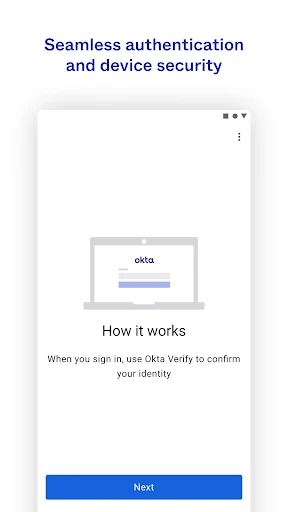
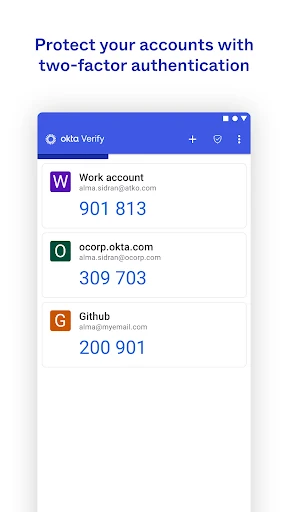
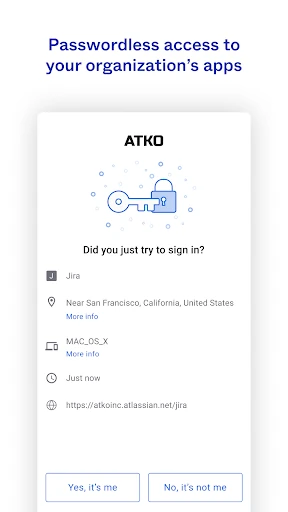
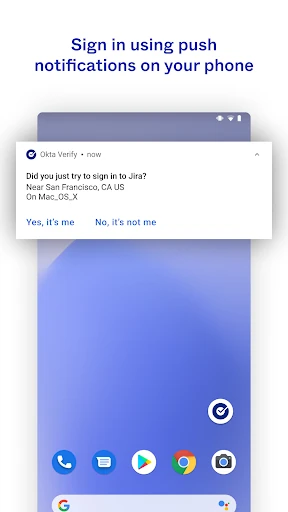
Analysis by Reviewed APKs
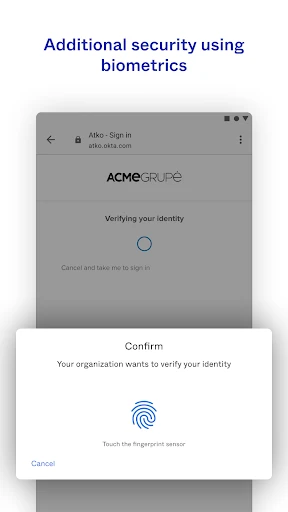
Okta Verify is a two-step verification app for people who use accounts protected by an organization’s Okta sign-in system. It helps confirm that a login attempt is yours, using an approval notification, a temporary six-digit code, or biometrics when your organization enables those options. I see it as a focused security companion rather than a general-purpose authenticator: useful when your work or school requires it, less compelling as a standalone app.
A Login With One More Step
Picture signing in to an Okta-protected work account at the start of the day. You enter your usual sign-in details, then Okta Verify gives you another way to confirm it is really you. If your organization has enabled push verification, you can respond to a notification on your phone; otherwise, a temporary six-digit code may be the method available. The extra step takes a little attention, but it gives the sign-in process a clear identity check.
That makes the app most useful at the moment you need to access an account, not as something you open to browse or organize information. When I think about the everyday experience, the important detail is that the method depends on what the organization has enabled. A code is straightforward to use when a prompt asks for one, while a push notification can make approval feel more direct. Biometrics are another possible option, if enabled.
A Companion, Not a Replacement
Compared with a general-purpose authenticator, Okta Verify has a more specific job: it supports two-step sign-in for apps using Okta. That focus can be convenient when an employer, school, or other organization already uses Okta and has asked you to enroll. You do not need to treat it as a place to manage every part of your digital life. Its value is tied to the sign-in systems and verification choices your organization provides.
It is not a password manager, a work chat app, or a broad security dashboard. Nor should I assume it can approve sign-ins for services that do not use the relevant Okta setup. If you want an authenticator that you can choose and configure independently for a wide range of accounts, this app may not be the right fit. For people whose organization relies on Okta, though, a dedicated verification app has a practical purpose.
Make Enrollment Less Fiddly
A small preparation step can make the first sign-in smoother: keep your phone nearby when your organization asks you to enroll, since setup may involve scanning a QR code with the device camera. I would do this before I am rushing to join a meeting or finish a task. The camera permission request has a clear purpose in this flow: scanning that enrollment code, rather than taking photos as part of ordinary verification.
After enrollment, it helps to notice which verification method your organization actually uses. If it relies on push notifications, keep an eye out for the prompt when signing in. If it asks for a six-digit code, be ready to use the code at the sign-in step. These are small habits, but they make an extra security check feel more like a routine part of logging in than an unexpected interruption.
More From Our News Desk

Zoom Meetings, Google Meet, or Teams: Which Is Easiest to Join?

How I Build a Free Streaming Lineup With Tubi

Why Crunchyroll Is the Default Anime App for So Many Fans

YouTube TV: A Practical Guide to Cutting Cable

Rummikub and the Small Comfort of Phone Games

TeamViewer Remote Control or AnyDesk for Helping Family?
Who Gets the Most From It
I would recommend Okta Verify to anyone whose organization uses Okta and expects them to confirm sign-ins on a phone. It is especially suited to people who want a focused way to complete a required second step, whether that means approving a push notification or entering a temporary code. The app has a clear role, and that can be reassuring when you simply need to verify an account and get on with the workday.
It may not suit someone looking for a standalone tool to manage many unrelated accounts, or someone who has no need to sign in through an Okta-enabled organization. The available methods are also shaped by organizational settings, so the experience is not entirely yours to customize. I would think of it as a useful companion supplied for a particular sign-in environment, rather than a universal app that everyone needs.
Okta Verify is a free Android productivity app from Okta Inc. Google Play shows more than 10 million installs and a 4.0-star rating from about 43,800 ratings. The app is rated Everyone. It contains no ads and offers no in-app purchases, so there are no listed purchase tiers to weigh against its verification features.
The Google Play version is listed as varying by device. The app was released on October 4, 2011, and its most recent update is dated October 27, 2026. The supplied store details do not give a minimum Android version, so check the Google Play page on your device for current compatibility information.
A Closer Look at the Sign-In Flow
A Focused First Impression
Okta Verify’s purpose is easy to understand: help confirm your identity when you access an app through an Okta sign-in. There is no suggestion that the app is meant to compete with a calendar, task manager, or full security suite. That narrow role is a strength for someone who has been told to use it. I would approach it as one piece of an organization’s login process, rather than expect it to work independently of that setup.
Enrollment is the moment when the camera permission makes sense. The app may use the device camera to scan a QR code as you enroll with Okta. When I first think through that setup, the useful thing is knowing why the permission is being requested: it supports scanning the enrollment code. Once that step is done, the reason to keep the app around is the verification needed during later sign-ins.
The Everyday Check
The regular experience centers on a sign-in request. Depending on what your organization has enabled, you may receive a push notification to approve, use a temporary six-digit code, or verify with biometrics. That gives the app a practical rhythm: sign in where you need to work, complete the extra check on your phone, then return to the account. It is a small pause in a familiar task, rather than a separate activity to manage.
What matters most is choosing the method actually offered for your account. I would not count on every option being available to every person, because push and biometric verification are described as dependent on organizational settings. That is a sensible distinction. The app can support several ways to verify, but your organization determines which ones are part of your sign-in experience.
Three Ways to Verify
The choice of verification methods is the most notable part of the app’s feature set. A push notification can put the decision right on the phone; a temporary six-digit code provides a number to use at the sign-in prompt; and biometrics offer another route when enabled by the organization. Those options cover different kinds of sign-in moments without turning Okta Verify into a general account-management tool.
I like that the core choices are easy to describe, though the flexibility has a boundary: availability depends on organizational configuration. Someone who expects to select any method at any time may find that their account only offers a subset. The app’s job is to provide the verification methods made available, not to override how an employer or other organization has set up access.
A Workday Routine
A sensible routine is to keep the enrolled phone close when you expect to access an Okta-protected app. If you are starting work at a desk, signing in before a call, or returning to an account after a break, that little bit of preparation can prevent the verification step from catching you off guard. You can respond to the method presented at sign-in, then continue with the task you opened the account to do.
I would also treat enrollment as a task worth doing at a calm moment. If the process asks you to scan a QR code, having the phone ready and granting camera access for that purpose keeps the setup from becoming a last-minute scramble. Afterward, the main habit is simply recognizing that an additional sign-in check is part of accessing the organization’s apps.
Keep the Scope in Mind
The biggest limitation is also the app’s defining constraint: it is built around Okta-enabled access. If your accounts do not use that system, its focused approach may offer little reason to install it. The available verification methods can also depend on what the organization has enabled, so the experience may not match someone else’s even if both people use the same app.
There is also a small interruption inherent in two-step verification. You need access to the verification method at the moment you sign in, whether that means responding to a notification or using a code. For people who need the extra check, that is the point rather than a flaw; still, anyone hoping for a completely hands-off login may find the added step inconvenient.
Okta Verify is a straightforward, purpose-built companion for confirming sign-ins to apps protected by Okta. Its push, code, and biometric options give organizations more than one way to ask for that confirmation, while the enrollment QR scan supports getting started. The experience is focused, and that means it makes the most sense when your organization has already made it part of the login process.
I would install it if my employer or school required it, and I would be comfortable recommending it to others in the same situation. If you are looking for an all-purpose authenticator for unrelated accounts, this is probably not the tool to choose first. Its usefulness depends on the Okta environment you need to access, but within that role, it keeps verification clear and practical.
Okta Verify Frequently Asked Questions
What is Okta Verify used for?
Okta Verify helps confirm your identity when signing in to apps through an Okta-protected account. Depending on what your organization has enabled, verification can use a push notification, a temporary six-digit code, or biometrics. It is designed for that additional sign-in step, rather than general account management.
Which devices can run Okta Verify?
The supplied app information describes Okta Verify for Android and identifies Google Play as its store. The minimum Android requirement is worth checking on the Google Play page for your device, since compatibility details can vary. The app’s version is also described as varying by device.
What Android version does Okta Verify require?
The minimum Android version can vary with device and current app compatibility. Check the Google Play page from the Android device you plan to use for the latest requirement before installing. Okta Verify’s listed version varies by device.
Does Okta Verify cost money?
Okta Verify is free to download from Google Play. The supplied store details say it has no in-app purchases and contains no ads. If pricing or store terms change, check the Google Play page for the current information.
Is Okta Verify right for personal use?
It is most useful when an organization you use protects sign-ins with Okta and expects you to complete verification on a phone. If you want an authenticator for accounts unrelated to an Okta setup, it may not suit your needs. Your organization also determines which verification methods are available.
Pros
- Supports push, temporary six-digit code, and biometric verification when enabled by your organization.
- A focused companion for confirming sign-ins to Okta-protected apps.
- Free to download, with no ads or in-app purchases.
- QR-code scanning supports device enrollment.
Cons
- Its usefulness depends on needing access to an Okta-protected account.
- Your organization controls which verification methods are available.
- The additional sign-in step can interrupt a hurried login.
- Category
- Productivity











