AT&T
- 450.11K
- 4.5
- Installs
- 100.00M
- Price
- Free

Screenshots
Analysis by Reviewed APKs
The AT&T app brings everyday account tasks together for people who use AT&T wireless or internet service. I can see the appeal of having bills, usage, devices, offers, and support in one place instead of hunting through separate tools. After looking at what it covers, my take is that it is a practical account companion, especially for households managing more than one connection, rather than a general-purpose phone utility.
A bill-day companion
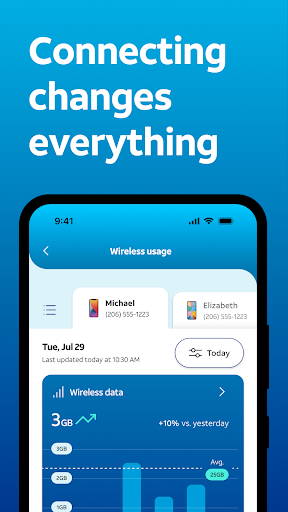
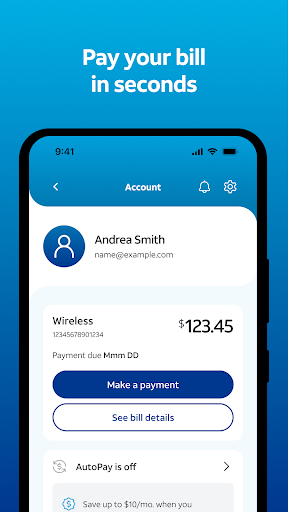
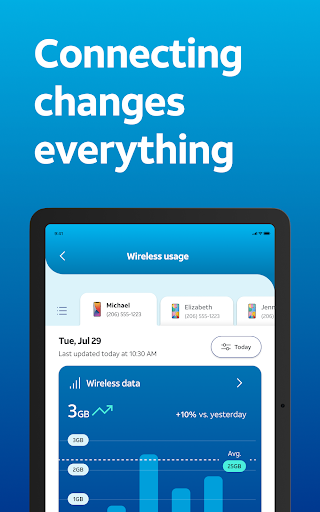
When I picture using the AT&T app on an ordinary week, bill day is the clearest starting point. I open it to view the bill and make a payment, then check how much wireless or internet data the account has used. Those are the tasks most likely to bring me back, and they make the app useful without requiring me to learn a complicated new routine.
The broader payoff comes when the account includes several connections. The app is designed to bring AT&T wireless and internet management together, with device and usage information alongside billing. I could imagine checking a family line’s usage while sorting out a home internet question, then using the same place to look for support or an account alert. That is a more natural flow than treating each service as a separate chore.
An account tool, not a toolbox
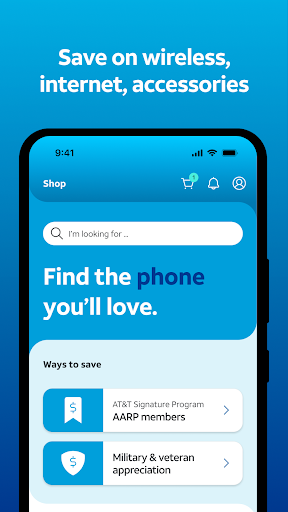
Compared with visiting AT&T through a browser or handling a question through other support channels, the app’s main advantage is having account tasks and connection details gathered in one mobile experience. It also includes shopping for plans and devices, help from the AI assistant Andi, and network tools such as health checks and speed tests. For an existing AT&T customer, that range can make routine account management feel less scattered.
I would not mistake it for a general phone-management app or a replacement for every kind of customer support. Its purpose is specifically to manage AT&T services, equipment, and account needs. If you do not use AT&T, much of its value will not apply. And while it can help with troubleshooting and provide account information, it is not itself the internet connection or a fix for every service problem.
Small habits that help
A useful habit is to check usage before it becomes a surprise. The app supports tracking data across wireless and internet services, so a quick glance during the month can give me a better sense of how a connection is being used. Account alerts and notifications can also help keep important updates visible, rather than relying on memory to revisit the app at exactly the right time.
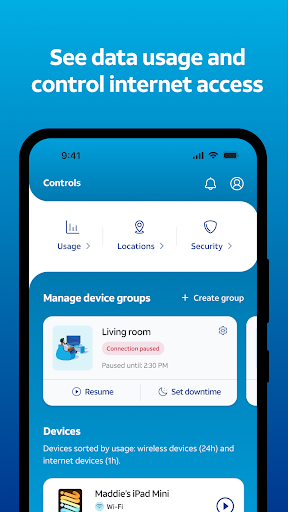
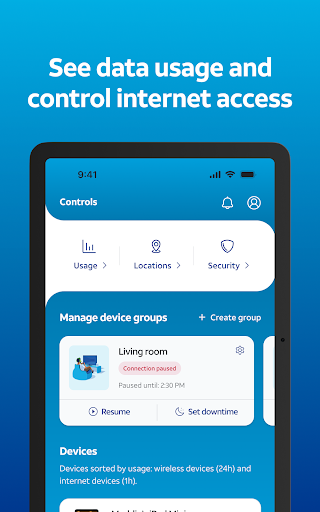
For a household account, it may also help to make use of user-level access and device profiles where those options apply. The description says profiles can be used to assign devices, manage content and internet access, and track locations. I would treat those as account-management tools to explore when setting up a household routine, not as something every customer needs to configure before the app is useful.
More From Our News Desk

Zoom Meetings, Google Meet, or Teams: Which Is Easiest to Join?

How I Build a Free Streaming Lineup With Tubi

Why Crunchyroll Is the Default Anime App for So Many Fans

YouTube TV: A Practical Guide to Cutting Cable

Rummikub and the Small Comfort of Phone Games

TeamViewer Remote Control or AnyDesk for Helping Family?
Who will get the most from it
I would recommend the AT&T app to customers who regularly need to check a bill, review data use, manage wireless and internet accounts, or get help with their connected devices. It is particularly relevant when more than one service or device belongs to the same account. The combination of account controls, offers, support, and network information gives frequent customers several reasons to keep it handy.
It may be a poor fit for someone who does not have AT&T service, or for a customer who only wants a basic phone utility unrelated to an account. People who prefer to handle every task on a desktop may also have less reason to use a mobile companion. The app’s breadth is useful, but users interested only in one occasional task may not need all its account and shopping features.
AT&T is developed by AT&T Services, Inc. On Google Play, it has over 100 million installs and a 4.5-star rating from about 450,000 ratings. The app is free to download, and the provided facts say it contains ads. They also say it does not offer in-app purchases. Its content rating is Everyone.
The supplied app information gives version 2026.10.2, a release date of April 28, 2010, and a last update date of October 29, 2026. No minimum Android version is provided in the facts, so it is best to check the Google Play entry for current device compatibility. Version and compatibility details can change over time.
How the AT&T App Fits Daily Account Life
First look and setup
My first impression is of an app built around the practical questions customers ask about an account: what is due, how much data has been used, and where to go for help. The description also presents it as a place to manage connected devices and explore offers. That broad scope is promising, though the most relevant parts will depend on which AT&T services are attached to an account.
I would start by getting into the account and locating the essentials rather than browsing every feature at once. Bill access and usage are easy tasks to use as landmarks. From there, a customer can look for wireless or internet controls, device information, and support options as needed. That gradual approach keeps the app’s many functions from feeling like a checklist that must be completed immediately.
Everyday account checks
The core experience is about returning for small, practical checks. Viewing and paying a bill, reviewing usage, and managing wireless and internet accounts are all part of the app’s stated purpose. I like that these are tasks with a clear reason to open the app; it does not ask the user to invent a daily ritual just to justify keeping it installed.
Device management expands the day-to-day role beyond billing. The app describes support for smartphones, smartwatches, and home internet equipment such as Wi-Fi extenders. Customers can also run network health checks and speed tests. Those tools make the app more useful when something seems off, while keeping its main identity firmly rooted in AT&T account and connection management.
Features with practical reach
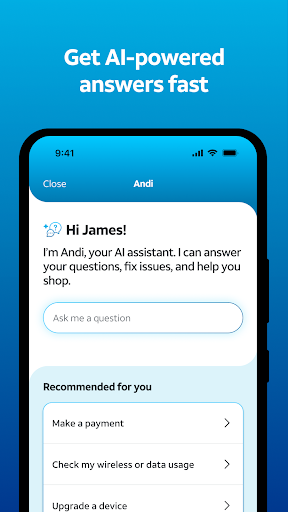
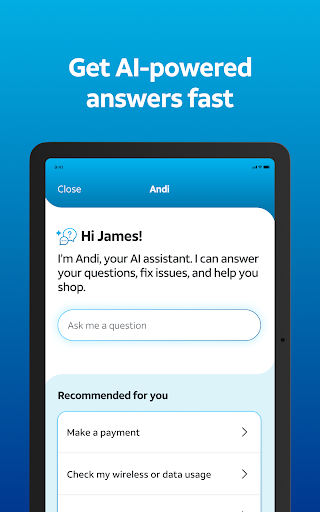
Andi, AT&T’s AI assistant, is one of the more distinctive options described. It can help with support, troubleshooting, and account questions, and can guide customers toward plans, devices, and upgrades. I see that as a convenient starting point when a question is not obvious, although the app also offers broader support access and account notifications for staying informed.
The network and household features add another layer. The app supports monitoring network-level security features, blocking robocalls and spam with AT&T ActiveArmor, and using internet backup during outages for eligible customers. It also describes profiles for assigning devices, managing content and internet access, and tracking locations. Which of these matters most will vary by service and household, but they give the app more range than billing alone.
A simple monthly routine
A sensible routine would be to open the app around bill time, review the amount due, and check data usage for both wireless and internet services. If there is an account notification, I would use that as a prompt to look at the relevant service rather than repeatedly checking every screen. The app is meant to keep account information and alerts in one place, so this can stay a short task.
When a device or connection needs attention, I would then use the related tools: review device management, try a network health check or speed test, or ask Andi for help with an account question. If I were considering a plan or device change, the shopping and comparison features would be more relevant. Separating routine checks from occasional troubleshooting makes the app feel more manageable.
Limits to keep in mind
The biggest limitation is also straightforward: this is built for AT&T customers. Its account controls, usage tracking, device tools, and offers are tied to AT&T services, so someone outside that ecosystem is unlikely to get much from it. Even within a household, not every feature will apply to every connection; internet backup, for example, is described as available to eligible customers.
The app covers a lot of ground, from bill payment to network tools and shopping, which may be more than a person needs if they only check a bill occasionally. Its listed content rating is Everyone, and the store facts say it contains ads. I would keep those practical details in mind alongside the convenience of consolidating account tasks on a phone.
The AT&T app makes the most sense as a central account companion: a place to handle billing, check usage, manage services and devices, and find help. Its mix of everyday tasks and troubleshooting features is useful for customers who want fewer separate places to look.
I would recommend it to AT&T customers who actively manage wireless or internet service, especially across a household. If you do not use AT&T or rarely need account tools, its broad feature set may not earn a regular spot on your phone.
myAT&T Frequently Asked Questions
What is the AT&T app used for?
The AT&T app is for managing AT&T wireless and internet accounts. Its listed functions include viewing and paying bills, tracking data usage, managing devices, exploring plans and device offers, and getting support. It also describes network tools such as health checks and speed tests, plus an AI assistant for account questions and troubleshooting.
Which phones and platforms support the AT&T app?
The supplied facts identify the AT&T app as an Android app distributed through Google Play. The minimum Android version is not included in the provided details, so check the Google Play entry for current device requirements and compatibility before installing. Availability and compatibility can vary by device.
Does the AT&T app cost money?
The AT&T app is free to download, and the supplied facts say it has no in-app purchases. They also indicate that the app contains ads. Store details can change, so check the Google Play entry for the latest information about cost and app features.
Can I use the AT&T app to manage internet and wireless?
Yes. The app is described as a place to manage AT&T Wireless and Internet accounts together, including tracking data usage across both service types. It also offers device management and support features. The tools available to a particular customer can depend on their services and eligibility.
Is the AT&T app worth trying if I only need occasional help?
It can still be useful for occasional bill checks, usage reviews, or account support, but its broader value is strongest for people who actively manage AT&T services and devices. Customers without AT&T service are unlikely to benefit much. Whether it suits you depends on how often you use its account tools.
Pros
- Combines AT&T wireless and internet account management in one mobile app.
- Covers bill payment, data usage, device controls, and support.
- Includes network health checks, speed tests, and an AI assistant.
- Offers tools for managing household devices and internet access.
Cons
- Most features are relevant only to AT&T customers.
- Its broad collection of account and shopping tools may feel unnecessary for occasional users.
- The supplied store facts say the app contains ads.
- Category
- Productivity
- Version
- 2026.10.2