MEGA
- 1.56M
- 4.6
- Installs
- 100.00M
- Price
- Free

Screenshots
Analysis by Reviewed APKs
MEGA is a cloud storage app for keeping files online, moving them between devices, and sharing them with other people. It suits anyone who wants mobile access to their documents, photos, and other files, with encrypted storage as a central part of the service. I like that it brings uploads, backups, sharing, and chat together, though remembering the account recovery details is an important responsibility.
Files Along for the Day
When I think about MEGA’s everyday role, it is easiest to picture a file I need in more than one place. I can upload it from my phone, then use the cloud drive to find, download, view, or share it from another device. That is useful for a document I want handy while away from home, or a photo I want to send without first moving it through a cable.
The basic routine is practical rather than complicated: put a file in the drive, search for it when needed, and decide whether to keep it private or share it. MEGA also supports uploading from a phone or tablet and lets users rename or delete files. For me, that combination makes it feel more like an everyday file cabinet than a one-purpose photo backup tool.
Storage, Not Just Chat
Compared with keeping everything only on a phone, MEGA gives files a cloud home that can be reached from other devices. It also goes beyond a simple storage folder: users can share folders with contacts, follow updates, and use encrypted one-to-one or group chats and meetings. The range is appealing if I want file access and communication in one app, rather than treating each as a separate task.
Still, MEGA is not a replacement for every tool. Its described strengths are storing, managing, backing up, and sharing files, plus private communication; it is not presented as a document editor or a full desktop productivity suite. I would choose it for file access and controlled sharing, not expect it to create or edit complex work projects. That distinction helps keep its role clear.
Small Habits That Help
A little organization makes a cloud drive more useful. I would give files clear names before uploading them, use search when I need something quickly, and periodically remove items I no longer want to keep. If I share a folder with someone, checking its contents first is a sensible habit. These are simple steps, but they make a growing collection easier to navigate and reduce accidental sharing.
MEGA’s sync and backup options suit different routines. Sync can keep local data aligned with the cloud drive, while the backup feature is described as a one-way transfer from selected local folders. I would decide which folders matter before setting either up, then revisit that choice as my files change. And because the service relies on a recovery key, I would store it somewhere safe rather than trusting memory alone.
More From Our News Desk

Zoom Meetings, Google Meet, or Teams: Which Is Easiest to Join?

How I Build a Free Streaming Lineup With Tubi

Why Crunchyroll Is the Default Anime App for So Many Fans

YouTube TV: A Practical Guide to Cutting Cable

Rummikub and the Small Comfort of Phone Games

TeamViewer Remote Control or AnyDesk for Helping Family?
Who May Find It Useful
I would recommend MEGA to people who regularly move files between a phone, tablet, and other devices, or who want a place to back up selected local folders. It is also a reasonable fit for people who share folders with friends, family, or teammates and value encrypted storage and communication. Its file tools cover common needs without requiring every task to begin and end on the phone where a file was created.
It may be less appealing to someone who wants a simple automatic experience with no account-recovery responsibility. MEGA says it cannot access or reset the password, so losing both the password and recovery key means losing access to files. Users looking primarily for editing tools should also look elsewhere for that part of their workflow. The app’s focus is storage, access, backup, sharing, and communication.
MEGA is developed by Mega Ltd and is listed in the Productivity category on Google Play. The app has more than 100 million installs and a 4.6-star rating from about 1.6 million ratings. It is free to download, with in-app purchases priced from $5.49 to $375.00 per item. Google Play marks it as containing ads and gives it an Everyone content rating.
The app’s release date is February 8, 2016, and its most recent update is dated February 8, 2026. The available version and minimum Android requirement can vary, so I would check the Google Play store page on the device I plan to use. The app description also says the service can be accessed through web browsers and dedicated mobile apps.
A Closer Look at MEGA
Starting With the Drive
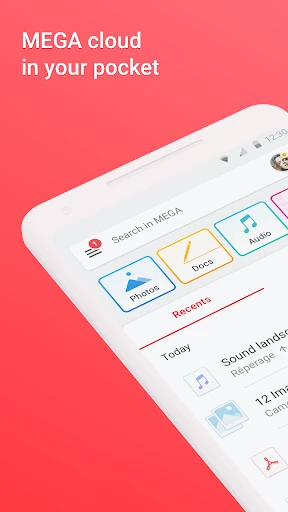
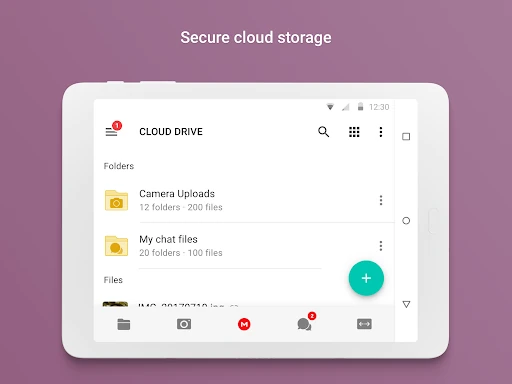
When I first opened an app like MEGA, the first question I would want answered is straightforward: can I get a file into the cloud and retrieve it later? The app’s core promise is to upload from a smartphone or tablet and then search, view, download, stream, rename, share, or delete those files. That breadth makes the drive feel useful for more than simply parking items out of sight.
The privacy model deserves attention early, not as a small-print afterthought. MEGA describes its storage as encrypted and says encryption and decryption happen on client devices. The account holder also has to remember the password and keep the recovery key backed up. I appreciate the clear trade-off: more control over access comes with more personal responsibility if account details are lost.
Everyday File Access
Day to day, the appeal is being able to reach files without relying on the original device. I can imagine uploading a useful document before heading out, then searching for it later when someone asks for a copy. The app supports common file actions from the drive, so I do not have to treat every upload as permanent storage that can only be managed from a computer.
Sharing is part of the same flow. MEGA lets users share folders with contacts and see updates in real time, which can help when several people need access to a changing collection. Direct file exchange is also integrated into chat. I would still be deliberate about what I share and with whom; convenience is most useful when it does not turn into a reason to share a whole folder by accident.
More Than Cloud Storage
The standout feature is the combination of cloud storage with client-side encryption. MEGA says it cannot access users’ stored data or reset their passwords. That is a different emphasis from a basic online folder, and it makes the recovery key especially important. It is a feature with a practical consequence, not just a privacy label: account recovery depends on the user keeping the right credentials safe.
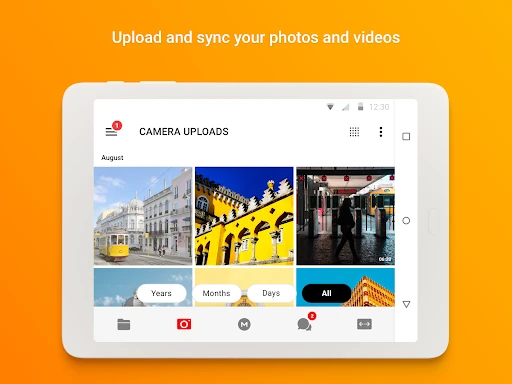
Backups and synchronization add another useful layer. The sync feature can keep local data aligned with the cloud drive, while the backup option lets users select specific folders for one-way backup. I like that these are described as distinct jobs, since mirroring and one-way backup are not the same thing. Choosing the right setup for a folder can make routine file protection less hands-on.
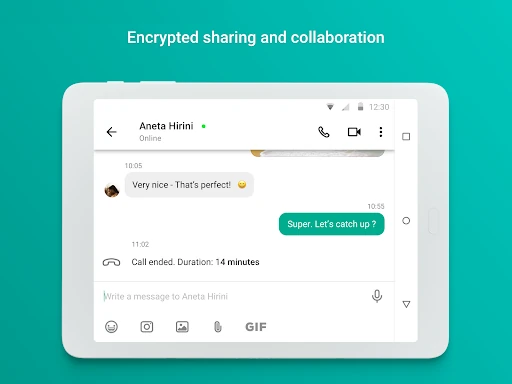
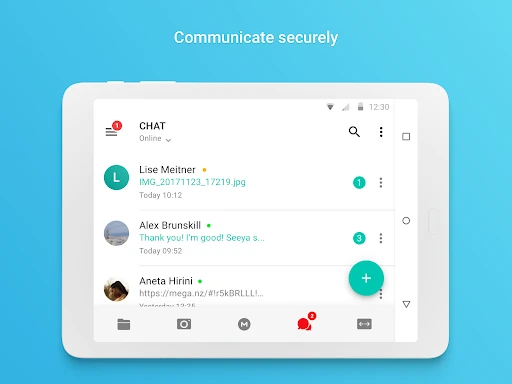
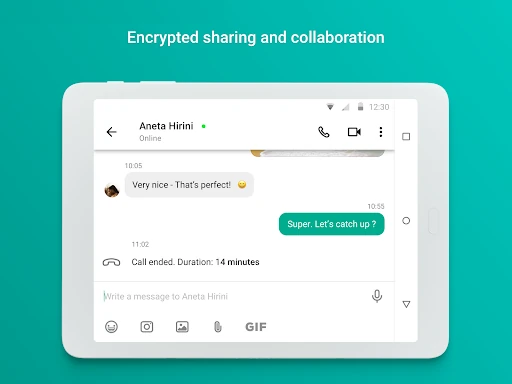
MEGA also includes encrypted one-to-one and group chats and meetings. Users can share files through the chat integration, and the app may request access to the microphone or camera for calls and recordings. These communication tools are a notable extension of the drive, though I would treat them as an added convenience rather than assume they replace every messaging or meeting service.
A Useful Weekly Routine
A sensible routine could start with deciding what belongs in the cloud and what needs a backup. I would select only the local folders that matter for the backup feature, then use the drive for items I want to access or share across devices. That modest bit of planning can keep a cloud account from becoming a dumping ground full of files I cannot identify later.
For shared work or family files, I would create a habit of checking the folder before inviting contacts and reviewing it when its contents change. Since MEGA supports folder sharing and updates, it can help keep everyone working from the same collection. Clear file names and occasional cleanup would make that arrangement easier to follow, especially when the folder contains more than a handful of items.
I would also make account recovery part of the setup routine. The app’s description is explicit that losing both the password and recovery key results in lost access to files. I would keep the key somewhere separate and secure, then make sure I can find it when needed. That is not a glamorous feature, but it is likely more valuable than remembering another clever folder name.
Limits to Keep in Mind
MEGA’s privacy approach depends on the user taking care of account credentials. A forgotten password is not something the company can reset according to the app description, so the recovery key is not optional housekeeping. Anyone who prefers a provider to handle account recovery for them should weigh that trade-off before making MEGA the only home for important files.
The app’s many roles can also make it feel broader than a focused storage tool. Alongside uploads, backups, and sharing, it includes chats and meetings. That may be convenient, but people who only want a basic file locker may not need every part of the package. Likewise, the described file functions do not make it a dedicated editing suite, so other apps may still be needed for creating or revising work.
Some permissions are tied to optional actions: contacts for adding people, camera and microphone for capture and calls, media access for uploads and chat sharing, and location for sharing it in chat. I would consider those requests in context and grant access when I want the related feature. The app also contains ads according to Google Play, a detail worth considering if I prefer an ad-free experience.
MEGA makes a strong case as a flexible cloud drive for people who want file access, backups, folder sharing, and encrypted communication in one place. I like that its privacy model is paired with a clear explanation of the user’s role in protecting account access. That responsibility is the main point I would think through before moving important files in.
I would try MEGA if I needed to reach files across devices or share folders with other people, and I would set up recovery details before relying on it. If I wanted editing tools or a service that can reset a forgotten password, I would pair it with other options. For storage-focused users comfortable managing their own credentials, it is worth a look.
MEGA Frequently Asked Questions
What is the MEGA app used for?
MEGA is used for cloud storage and file management. You can upload files from a phone or tablet, then search, view, download, stream, rename, share, or delete them. It also supports syncing and backing up selected local folders, sharing folders with contacts, and encrypted chats and meetings. The main focus is keeping files accessible across devices.
Which devices and platforms can use MEGA?
MEGA is available as an Android app, and its description also mentions dedicated mobile apps and access through web browsers. That makes it possible to reach cloud files from more than one kind of device. For current compatibility and availability on a particular device, check the relevant store page or the service’s current access options.
What Android version does MEGA require?
The minimum Android requirement can vary by app release and device. I would check MEGA’s Google Play store page from the Android device you plan to use before installing or updating. That is the best way to confirm whether the current version is compatible with your phone or tablet.
Is MEGA free, and does it offer in-app purchases?
MEGA is free to download on Google Play and offers in-app purchases. The listed in-app purchase range is $5.49 to $375.00 per item, and the app description says subscriptions renew automatically for successive periods. Prices and available options may change, so check the Google Play store page for the current details before choosing a purchase.
Is MEGA a good fit for my needs?
MEGA may suit you if you want cloud file access, selected-folder backups, folder sharing, and encrypted communication. Its security approach means you need to remember your password and keep the account recovery key backed up; the app says losing both can result in lost file access. If you want editing tools or password resets, consider whether you need another service too.
Pros
- Combines cloud file access, selected-folder backup, synchronization, and sharing.
- Supports encrypted one-to-one and group chats with file sharing.
- Users can search, view, download, rename, and delete cloud files.
- Google Play shows over 100 million installs and a 4.6-star rating.
Cons
- Losing both the account password and recovery key can mean losing file access.
- Google Play indicates that the app contains ads.
- The app’s broad mix of storage and communication may be more than some users need.
- Category
- Productivity
- Version
- VARY











