Keeper Password Manager
- 111.84K
- 4.7
- Installs
- 10.00M
- Price
- Free

Screenshots
Analysis by Reviewed APKs
Keeper Password Manager is a password manager and digital vault for keeping logins, payment details, documents, and other private information together. It suits people who are tired of reusing passwords or searching through notes for account details. My overall take is that it aims to make secure sign-ins part of an ordinary routine, while offering plenty beyond passwords. That breadth is useful, though it may be more than a casual user needs.
A smoother sign-in routine
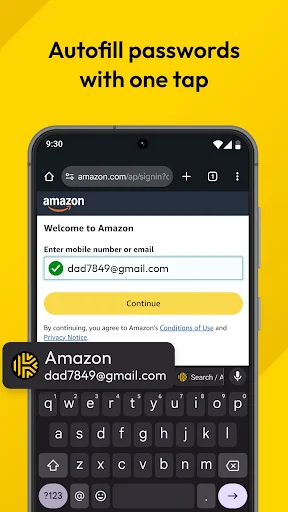
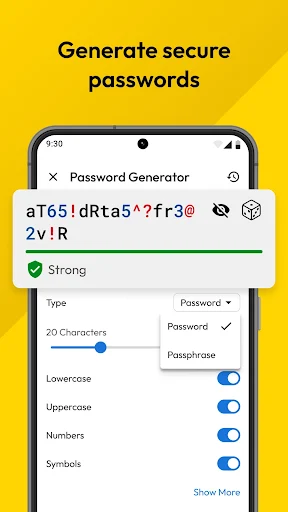
Picture the usual weekday scramble: I’m trying to sign in to a delivery app while waiting for a train, and I can’t remember which password I used. Keeper’s core job is to give me one place to save that login, generate a strong replacement when needed, and autofill credentials in apps and browsers. The appeal is practical: less time switching between screens and less temptation to reuse a password just because it’s easy to recall.
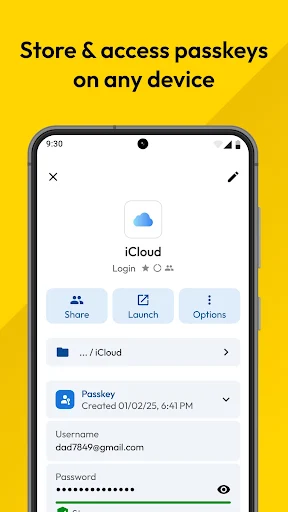
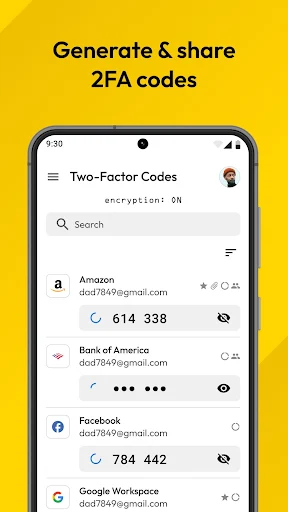
The same idea helps on a quieter evening, when I’m setting up a new account or checking a payment portal. Keeper can save passkeys and two-factor authentication codes in the vault, so those details sit alongside passwords rather than in a separate app or scrap of paper. I’d still want to take care when approving autofill, but having the relevant account information together can make routine sign-ins feel less fiddly.
More than a login locker
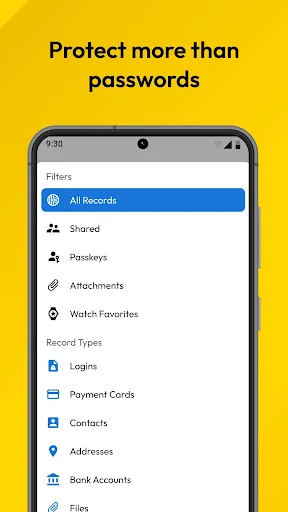
Compared with keeping passwords in a browser or a note, Keeper is designed as a dedicated vault: it can hold credentials as well as payment cards, identity documents, secure notes, and other sensitive records. It also offers password generation, autofill, and secure sharing. That makes it a broader option for someone who wants one organized home for private information, rather than simply a way to remember a few website passwords.
It isn’t a general-purpose file organizer, and it won’t remove the need to think carefully about account security or sharing permissions. Some of its features, including breach monitoring and family-oriented storage, may matter more to certain households than to a person with only a handful of logins. If I wanted the simplest possible place to save one or two passwords, Keeper’s range could feel like extra setup rather than a benefit.
Small habits that help
A little organization should make a vault more useful over time. I’d save each account as I sign in, rather than postponing a large cleanup, and use unique generated passwords where I’m updating old credentials. Keeper can also store secure notes and other records, so I’d keep related details together instead of scattering them across ordinary notes and messages. Searchable records make that sort of tidy-up easier to return to.
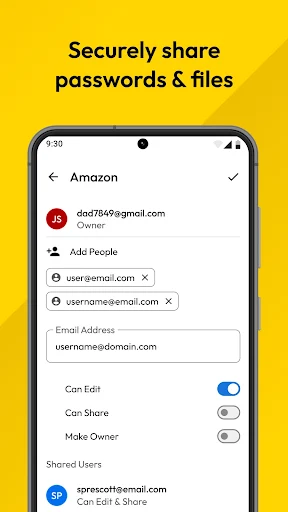
For a shared household login, I’d use Keeper’s sharing options rather than sending a password through a message. The app describes one-time links that expire, with controls for viewing or editing and the ability to revoke access. I’d also make a habit of checking which records I’m sharing and with whom. These small steps help keep convenience from turning into a broad, ongoing invitation to access more than intended.
More From Our News Desk

Zoom Meetings, Google Meet, or Teams: Which Is Easiest to Join?

How I Build a Free Streaming Lineup With Tubi

Why Crunchyroll Is the Default Anime App for So Many Fans

YouTube TV: A Practical Guide to Cutting Cable

Rummikub and the Small Comfort of Phone Games

TeamViewer Remote Control or AnyDesk for Helping Family?
Who will get the most from it
I’d recommend Keeper to people managing many online accounts, especially if they also want a place for passkeys, two-factor codes, payment details, or important documents. It may be particularly useful for households that share selected credentials, since the app supports shared folders and family plans. Someone moving from another password manager may appreciate the option to import passwords from services such as Chrome, Google Password Manager, 1Password, LastPass, Bitwarden, and Dashlane.
It may not suit someone who wants a very lightweight password notebook and has no interest in extra vault features. A password manager also works best when I’m willing to build a habit around saving and maintaining records, rather than expecting it to organize everything automatically. Keeper offers paid in-app products, so anyone comparing costs should check the current Google Play details and decide whether the features they plan to use justify the expense.
Keeper Password Manager is a productivity app from Keeper Security, Inc. On Google Play, it has over 10 million installs and a 4.7-star rating from around 112,000 ratings. The app is free to download and contains in-app purchases, with listed item prices ranging from $9.99 to $239.99. It does not contain ads, and its content rating is Everyone.
The Android version varies with the device, and the current app version is also listed as varying with device. The app’s last update was October 26, 2026. No minimum Android version or original release date is provided in the supplied app details, so I’ve left those out.
A closer look at daily vault use
Getting started with a vault
My first impression of Keeper is that it treats password management as a broader organizing task, not just a generator tucked away in a settings screen. The central idea is a vault for logins and other sensitive records, with sign-in tools such as autofill, passkeys, and stored two-factor codes. That combination gives the app a clear purpose: make frequently needed private information easier to reach without keeping it in scattered places.
For someone arriving with passwords already saved elsewhere, the import feature looks like a useful starting point. Keeper says it can bring in credentials from Chrome, Google Password Manager, and several dedicated password managers. I’d approach that as a deliberate transition: move the records I rely on, then make sure the vault contains the accounts I actually use. A gradual move is less daunting than trying to rebuild every login at once.
The everyday experience
Day to day, the most useful part is the link between a saved login and the next sign-in. Keeper can autofill credentials in apps and browsers, and it uses Android’s AccessibilityService API for KeeperFill. That makes the app relevant at the moment I need it, rather than only when I’m sitting down to review passwords. Fingerprint or face unlock can also be used to open the vault, depending on the device.
The small time savings add up when I’m moving between services for errands, work, or household tasks. Instead of remembering which variation of a password belongs to a particular account, I can rely on saved credentials and generate strong passwords for new ones. I’d still review autofill prompts with care, especially when handling a sensitive account. Convenience is valuable, but it works best alongside a moment of attention.
Useful extras in one place
Keeper stands out for the range of information it can hold beyond passwords. The description includes payment cards, passports, driver’s licenses, insurance cards, secure notes, SSH keys, software licenses, and medical records. Records are described as searchable, which matters when I need one particular detail in a hurry. It can also fill payment details, addresses, and forms on websites, extending the vault’s role beyond account sign-ins.
There are practical security and sharing tools too. The app can store two-factor codes, save passkeys, support hardware security keys such as YubiKey, and let users share a password, passkey, or file through an expiring one-time link. Shared folders can have individual permissions and nested subfolders. Those options give families or small groups ways to share selected access without simply sending a password in a chat.
A sensible weekly rhythm
I’d make Keeper part of the moment I create or change an account. Save the login then, generate a unique password if I’m choosing a new one, and let the vault handle autofill on the next visit. That routine avoids a later catch-up session and makes it less likely that a new credential ends up in an ordinary note. I’d also store only the extra records I expect to need again.
For a household, I’d separate private records from the credentials that genuinely need to be shared. Keeper describes shared folders with individual permissions, plus one-time links that can expire and be revoked. That gives me a reason to review access instead of treating every shared password as permanent. If I use the vault for documents as well as logins, a regular quick check can help keep the contents useful and current.
Limits to keep in mind
Keeper’s breadth is also its main trade-off. A person who only wants to save a few website passwords may not need secure notes, identity records, family sharing, or breach monitoring. More options can mean more decisions about what to save and how to organize it. I’d start with the core login routine, then add other record types only if they solve a real problem in my day.
It’s also worth considering the cost before relying on features that may be part of a paid product. Keeper is free to download, but it offers in-app purchases, and listed item prices span a wide range. The Android version varies by device, and the app depends on autofill permissions for KeeperFill. I’d check the current store information and my device’s compatibility before settling on it as my main vault.
Keeper Password Manager makes a strong case for keeping passwords and other sensitive records in one searchable vault. Autofill, password generation, stored two-factor codes, and sharing tools address everyday needs, while the wider set of document features gives it room to grow with a household’s routine.
I’d try it if I manage a lot of accounts or want more structure around shared credentials and private records. If my needs are limited to a couple of passwords, I’d compare the extra features and in-app costs before committing. Keeper is most compelling when I’m ready to use it as a regular habit, not just a place to stash logins.
Keeper Password Manager Frequently Asked Questions
What is Keeper Password Manager used for?
Keeper Password Manager is used to store and organize passwords, passkeys, two-factor codes, payment details, secure notes, and other sensitive records in a digital vault. It can generate passwords, autofill credentials in apps and browsers, and support secure sharing. It is intended to make private information easier to retrieve during everyday sign-ins and other online tasks.
Which devices can I use Keeper Password Manager on?
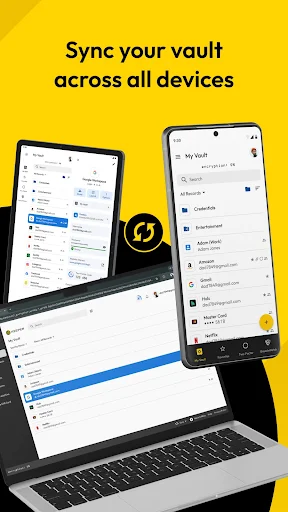
Keeper is available as an Android app, and its description says passkeys and vault information can sync across devices. It also describes autofill in apps and browsers and support for Wear OS. Check the Google Play details for current Android device compatibility and the relevant store for availability on any other device you plan to use.
What Android version does Keeper Password Manager require?
The Android version requirement can vary by device and app release. Check the Google Play page for the current compatibility details before installing Keeper Password Manager. The app version itself is described as varying with device, so the version shown may differ across phones or tablets.
Does Keeper Password Manager cost money?
Keeper Password Manager is free to download and contains in-app purchases. Listed in-app item prices range from $9.99 to $239.99, and the app does not contain ads. The available products and prices may vary, so check the current Google Play information to see what applies to the features or plan you want.
Is Keeper Password Manager right for me?
It may suit someone who manages many accounts, wants autofill and password generation, or needs a vault for additional sensitive records. Sharing features may also help a household organize selected credentials. If you only have a few passwords or prefer a very simple tool, Keeper’s wider feature set may be more than you need. Consider the current in-app purchase options before choosing it.
Pros
- Stores passwords, passkeys, two-factor codes, and other sensitive records in one searchable vault.
- Autofill and password generation support everyday sign-ins and new account setup.
- Includes sharing controls such as expiring one-time links and folder permissions.
- Can import passwords from several popular browsers and password managers.
Cons
- The broad feature set may feel like more than a casual password keeper needs.
- In-app purchases cover a wide price range, so check current options before choosing a plan.
- KeeperFill relies on Android’s AccessibilityService API for autofill.
- Category
- Productivity











