HotSchedules
- 24.99K
- 3.5
- Installs
- 1.00M
- Price
- $2.99

Screenshots
Analysis by Reviewed APKs
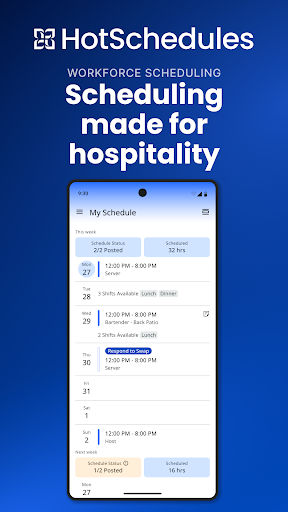
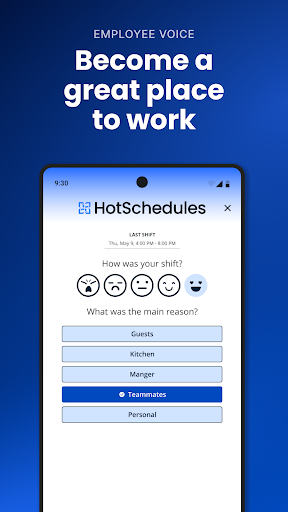
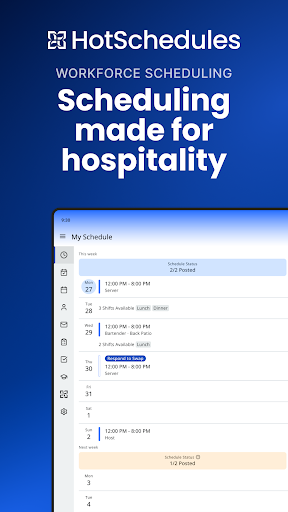
HotSchedules is a work-scheduling and team communication app for employees and managers whose workplace uses the service. Employees can keep track of shifts, request time off, and handle shift changes; managers can review requests and stay in touch with the team. I see its appeal in making routine schedule coordination easier to manage from a phone, though it depends on having an employer account.
A Shift Change, Handled
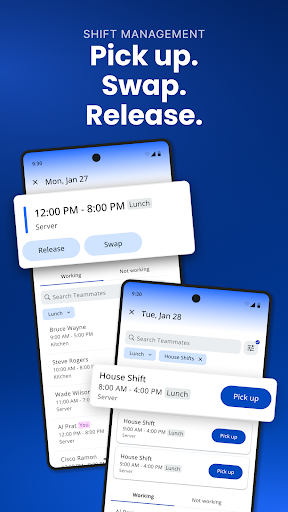
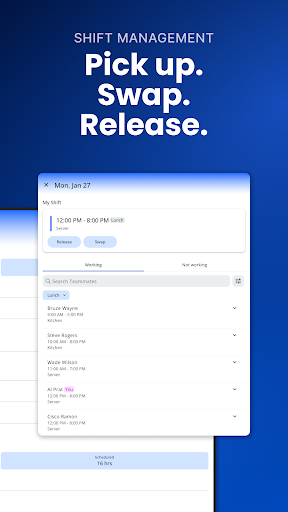
Imagine checking your week on a Sunday evening and realizing a shift no longer works. With HotSchedules, a team member can use the app to release a shift, request a pickup, or swap with someone else. That puts a common workplace task in one place instead of leaving the details to scattered messages. The change still depends on manager approval where required, so the app helps coordinate the request rather than making every schedule decision automatically.
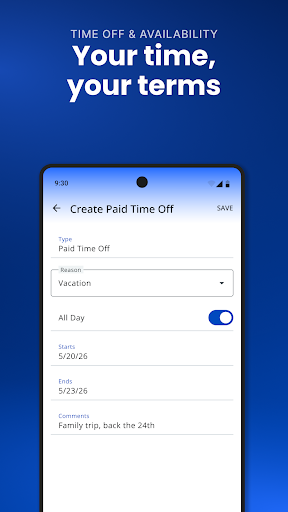
The same idea helps when you want more hours. You can look for a shift to pick up, while a time-off request gives you a route to ask for a day away. Calendar sync and notifications are intended to keep your phone aligned with manager-approved changes. I like that this addresses the small uncertainties that make shift work harder to plan around: whether a request went through, or whether the roster has changed since you last checked.
A Work Tool, Not a Planner
HotSchedules is best compared with the schedule and messaging tools supplied by an employer, not a general calendar app. Its focus is the work roster and the requests around it: shift pickups, releases, swaps, and time off. Calendar syncing can help that work information sit alongside the rest of your week, but the core purpose remains coordinating with your workplace rather than organizing every appointment, errand, or personal commitment.
It also is not a standalone way to find a job or build a schedule for a group that does not use HotSchedules. The app requires a valid user account through an employer, which is a meaningful limitation for someone who simply wants a personal shift planner. For a team already using the service, however, having scheduling and team communication together may be more convenient than relying on separate informal channels.
Make Requests Easy to Track
A useful habit is to check the schedule at a regular time, such as when planning the week, rather than waiting until a shift is close. That gives you a chance to spot conflicts and submit time-off or shift-change requests early. Notifications can help draw attention to approved schedule changes, while calendar sync gives the roster a place in your broader view of the week.
For managers, the practical workflow is to review shift requests and approvals as part of ordinary schedule upkeep, then use broadcast or one-to-one messages when the team needs an update. Employees can also use the app to keep requests tied to the schedule instead of assuming that a message alone changed the roster. These habits cannot replace workplace rules, but they can make the handoff between asking and confirming clearer.
More From Our News Desk

Zoom Meetings, Google Meet, or Teams: Which Is Easiest to Join?

How I Build a Free Streaming Lineup With Tubi

Why Crunchyroll Is the Default Anime App for So Many Fans

YouTube TV: A Practical Guide to Cutting Cable

Rummikub and the Small Comfort of Phone Games

TeamViewer Remote Control or AnyDesk for Helping Family?
Who Might Find It Useful
I would recommend HotSchedules to employees whose workplace already uses it and who regularly need to check shifts, request time off, or coordinate a swap. It is particularly relevant to shift-based teams where schedules can change and staff need a direct way to communicate with coworkers or managers. Managers may also appreciate having approvals, team messages, and the schedule-related tools available from a phone.
It may not suit someone looking for a free personal calendar, a job-search service, or a scheduling app they can adopt without an employer. The required employer account is central to whether the app will be useful at all. If your workplace does not use HotSchedules, its work-focused tools are unlikely to be helpful on their own. I would first confirm that your employer provides access before paying for the app.
HotSchedules is a productivity app from Fourth Enterprises, LLC. Google Play shows over one million installs and a 3.5-star rating from about 25,000 ratings. The app costs $2.99, and Google Play says it contains no ads and offers no in-app purchases. Its content rating is Everyone. A valid HotSchedules user account through an employer is required to use the service.
The current version shown in the supplied app details is 6.1.2. HotSchedules was released on August 17, 2010, and its last update is dated October 14, 2026. The supplied details do not give an Android minimum version, so check the Google Play page for device compatibility before installing. Store figures and compatibility information can change over time.
How HotSchedules Fits a Workweek
Getting Started
When I first opened HotSchedules, the important question was not which feature to try first; it was whether my employer provided an account. The app requires a valid HotSchedules user account through an employer, so it is not a service anyone can fully set up independently. That requirement makes sense for a workplace roster, but it is worth sorting out before paying for the download.
Once access is available, the app's purpose is straightforward: help keep the schedule and work communication close at hand. The description highlights calendar sync and notifications for manager-approved schedule changes. Those are useful basics for someone who checks a phone more often than a paper roster, especially when a change needs to be noticed between shifts.
Checking Shifts Day to Day
The everyday value is having a place to manage schedule-related requests rather than treating each shift question as a separate conversation. Employees can request time off, release a shift, or seek a pickup or swap. That makes HotSchedules a practical companion to the weekly routine of checking when you work and figuring out whether a change is possible.
The app does not make workplace approval irrelevant. A manager-approved change is what matters for keeping the roster updated, and notifications can help signal that the schedule has changed. I would still treat the displayed roster and the employer's process as the source of truth, rather than assuming that submitting a request means a shift is already covered.
Useful Team Connections
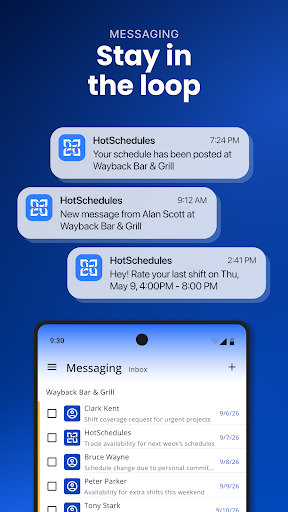
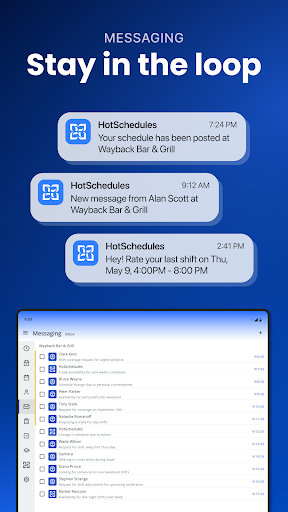
The standout feature set is the combination of schedule changes and communication. HotSchedules includes broadcast and one-to-one messaging, giving managers a way to reach a team or an individual. For employees, shift pickup, release, swap, and time-off requests address the kinds of coordination that often come up around a roster.
Calendar sync and notifications add another layer by helping schedule information reach a phone's routine. On the manager side, the app description also points to one-click approvals for shift changes and sales and labor snapshots. These are workplace tools, not general productivity extras, and their usefulness depends on a team actually using HotSchedules and the relevant employer account.
A Practical Weekly Routine
A simple routine could start with a weekly schedule check. I would look over upcoming shifts, compare them with personal commitments, and submit a time-off request or shift-change request as soon as a conflict appears. Calendar sync can help keep the roster visible alongside other plans, while notifications are useful for catching approved updates without repeatedly asking whether anything changed.
Managers can build a complementary routine around checking requests and sharing needed updates through broadcast or direct messages. The app description also calls out sales and labor snapshots for managers who need a view of business performance away from the back office. Used this way, HotSchedules can support both sides of the schedule: employees managing availability and managers keeping the team informed.
Limits to Keep in Mind
The biggest limitation is access: HotSchedules requires an employer-provided account. That makes the app a poor fit for someone who wants to organize shifts independently, and it means the download alone does not provide a useful schedule. A paid app is also a less appealing trial for people who have not confirmed that their workplace uses the service.
Another point to keep in mind is that requests are not the same as confirmed changes. The description specifically refers to manager-approved schedule updates, so employees should not assume a pickup, swap, or time-off request has altered the roster until it is approved. Finally, the supplied app details do not specify a minimum Android version; check Google Play to see whether a particular device is supported.
HotSchedules makes the most sense as a workplace companion, not as a general-purpose planner. Its shift requests, calendar sync, notifications, and team messaging target real coordination needs for employees and managers. The employer-account requirement is the deciding factor, and the $2.99 price makes it sensible to confirm access before downloading.
If your team already uses HotSchedules, I can see it being a handy way to keep work shifts and related requests in view. If you are looking for a schedule tool to use on your own, I would skip it. Its value depends on the workplace connection and on treating pending requests as pending until approval.
HotSchedules Frequently Asked Questions
What is HotSchedules used for?
HotSchedules is a work scheduling and communication app. Employees can use it to manage shift pickups, releases, swaps, and time-off requests, while managers can approve shift changes and communicate with the team. Calendar sync and notifications can help keep schedules current on a phone. A valid account through an employer is required.
Which devices can run HotSchedules?
HotSchedules is listed for Android on Google Play. The supplied app details do not give a minimum Android version, so check the Google Play page for the current device requirements before installing. Compatibility can vary by device and may change as the app is updated.
How much does HotSchedules cost?
Google Play shows HotSchedules at $2.99. The supplied details say it has no in-app purchases and contains no ads. Since the app requires a valid user account through an employer, it is worth confirming that your workplace provides access before buying it. Store prices and terms can vary, so check Google Play.
Does HotSchedules need an employer account?
Yes. HotSchedules requires a valid user account through your employer. The app is designed around a workplace schedule and team, so downloading it without employer access will not provide the intended scheduling service. Ask your workplace about access if you are unsure whether your team uses HotSchedules.
Who is HotSchedules best suited to?
It is best suited to employees and managers at workplaces that use HotSchedules, especially teams that need to coordinate shifts, requests, and schedule updates. It may not suit someone looking for an independent personal planner or job-search app. Whether you can use it depends on employer access and the device requirements shown in Google Play.
Pros
- Combines shift requests with team messaging in a workplace-focused app.
- Calendar sync and notifications can help surface approved schedule changes.
- Supports shift pickups, releases, swaps, and time-off requests.
- Managers can approve shift changes and communicate with individuals or teams.
Cons
- Requires a valid HotSchedules account provided through an employer.
- A submitted shift or time-off request still depends on approval.
- The $2.99 price is harder to justify without confirmed workplace access.
- Category
- Productivity
- Version
- 6.1.2











