Grok
- 4.07M
- 4.9
- Installs
- 100.00M
- Price
- Free

Screenshots

Analysis by Reviewed APKs
Grok is an AI assistant for asking questions, researching topics, working through problems, and creating images or short videos. I can see it suiting curious students, busy professionals, developers, and creators who want several kinds of help in one app. Its mix of chat, voice, current information, and creative tools gives it more range than a basic question-and-answer bot, though that breadth can take some getting used to.
A Question Becomes a Project
When I first opened Grok, I pictured using it during the small gaps in a normal day: asking for a plain-language explanation while studying, checking a detail for a work note, or talking through a coding question before returning to a project. The chat format makes those jobs feel approachable. I can begin with a broad question, then follow up with specifics instead of trying to phrase a perfect search query on the first try.
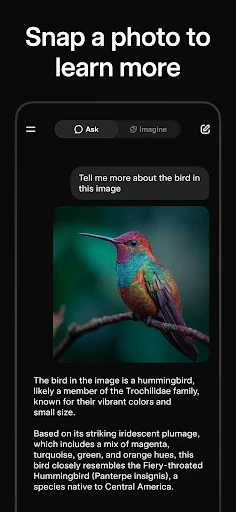
For a more involved task, I would give Grok the background and ask it to help organize the next steps. Its description says it can research the web, work through multi-step problems, and analyze documents, photos, and links in a chat. That suggests a useful flow for turning a confusing subject into a clearer summary. I would still review the answer before relying on it, especially when accuracy matters.
More Than a Chatbot
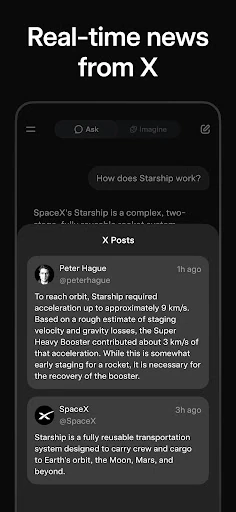
Compared with a conventional search engine, Grok is built around conversation: I can ask a question, request a different explanation, or keep adding context. Its access to the web and X is intended to help with current news, trends, and conversations, while its research and reasoning tools reach beyond a quick fact lookup. That makes it a flexible companion for exploration, not simply a box for retrieving a list of links.
It also stretches beyond a text assistant with voice conversations and image and video generation. That range may be appealing if I want to switch between research, writing, and creative experiments without changing apps. But Grok is not a substitute for checking important claims or for specialized professional judgment. And if all I need is a single, simple web search, its broader conversational toolkit may be more than the task calls for.
Small Ways to Get More
I get more from an assistant like this when I treat the first reply as a starting point. I can say what I already know, explain what I am trying to accomplish, and ask Grok to make a complicated idea easier to follow. For a research session, I would break a large question into smaller ones and ask for a concise summary at the end. That gives the conversation a practical shape instead of letting it wander.
The other useful habit is matching the input to the job. A voice conversation can suit a moment when my hands are occupied, while a document, photo, or link can provide context for a more focused chat. For creative work, I can try a text prompt for an image or use the editing options described for changing a background or removing an object. I would save more ambitious requests for time to review the result.
Reads About Grok
More From Our News Desk

Zoom Meetings, Google Meet, or Teams: Which Is Easiest to Join?

How I Build a Free Streaming Lineup With Tubi

Why Crunchyroll Is the Default Anime App for So Many Fans

YouTube TV: A Practical Guide to Cutting Cable

Rummikub and the Small Comfort of Phone Games

TeamViewer Remote Control or AnyDesk for Helping Family?
Who Might Enjoy Grok
I would recommend Grok to people who like asking follow-up questions and want one assistant for a mix of everyday tasks. Students can use it to explore explanations, professionals can use it for research and writing support, and developers can ask for help with coding problems. Creators may be drawn to the image and video tools. The variety is the main appeal: a single conversation-based app can support both information work and creative exploration.
It may be less satisfying for someone who wants a narrowly focused utility or expects every answer to be ready to use without review. The app covers a lot of ground, so getting a useful response can depend on giving it clear context and checking what comes back. People who mainly want straightforward search results may prefer a simpler approach. I would also keep expectations measured when using generated content or answers for consequential decisions.
Grok is listed as a productivity app from SpaceX Super Intelligence. On Google Play, it has over 100 million installs and a 4.9-star rating from about 4.1 million ratings. The app is free to download and contains in-app purchases, with listed item prices ranging from $4.99 to $300.00. It is rated Teen and does not contain ads.
The listed version is 1.2.51-release.00. Google Play gives its release date as March 24, 2025, and its last update as October 28, 2026. The supplied app details do not give a minimum Android version, so I would check the Google Play page on the device I plan to use. Store information and purchase options can change over time.
A Closer Look at Everyday Grok
An Easy Starting Point
My first impression is of an app designed to invite a question rather than make me choose one narrow tool. The description brings together chat, research, coding help, document and image analysis, voice, and creative generation. That breadth is attractive, but it also means I would start with one simple task and learn the assistant’s style before asking it to handle a complicated project.
A helpful setup habit is to bring context into the conversation early. Instead of asking for a general answer, I can explain whether I am studying, drafting, troubleshooting, or exploring an idea. Grok is described as handling links, photos, and documents in chat, so those can also help make a request more specific. I would treat the first exchange as a way to find the right level of detail.
The Daily Chat Loop
The core experience is conversational. I can ask an initial question, see a response, and keep going with follow-ups rather than restarting each time. That is handy for a topic that needs unpacking: first get the short version, then ask what a term means or request a clearer explanation. Grok is described as helping with subjects ranging from science and math to writing and coding.
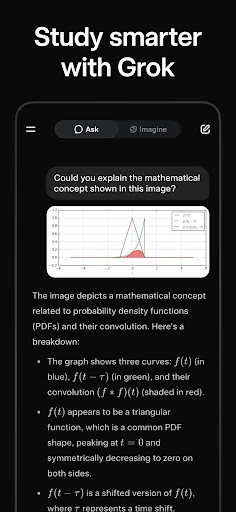
For a work or study session, I would use the chat to move from a rough question toward a more useful result. I might ask for an explanation, then request a summary or a different angle that makes the subject easier to understand. The assistant can also analyze provided material, which may help when a question relates to a particular document, photo, or link. I would check the output against the original material.
A Wider Creative Toolkit
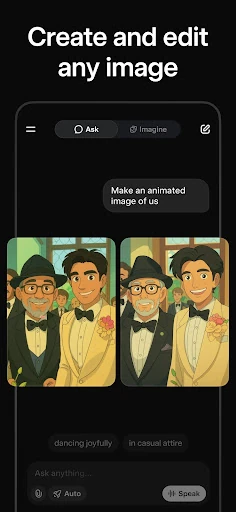
Grok Imagine is one of the app’s more distinctive parts. It can generate images from text prompts, create short videos with sound, and turn photos into dynamic videos. The description also mentions generating images with voice and editing existing images by removing objects, changing backgrounds, or applying artistic styles. That gives a creator several ways to experiment without making the whole app feel like a dedicated editing program.
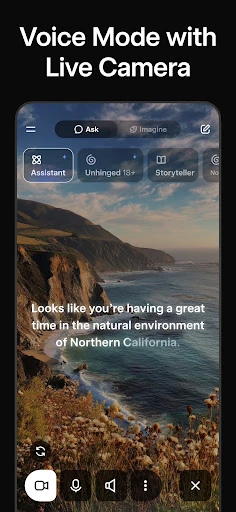
Voice mode adds another way to interact when typing is inconvenient. Grok is described as supporting natural voice conversations and different conversation styles, so a spoken exchange can feel more flexible than entering a series of short prompts. I would see this as a convenient alternative for casual questions or idea exploration, rather than assuming it will suit every setting. The central benefit is having both spoken and written conversation available.
A Practical Research Routine
For a current-events or research session, I would start with the question I actually need answered, then ask Grok to look more deeply at the topic. Its described access to the web and X is intended to surface current information, news, trends, and public conversations. That may be useful when a static explanation is not enough and I want to understand what people are discussing right now.
I would keep the session organized by asking follow-ups that narrow the subject, then request a short recap of the points I want to carry forward. If I already have useful context from another AI tool, Grok is described as supporting the transfer of conversations and context from ChatGPT, Claude, Gemini, or other tools. That could make switching assistants less of a restart, though I would still check that the important context came through.
Keep the Scope in Mind
Grok’s range is useful, but range is not the same as a perfect fit for every task. A broad assistant can offer a starting point for research, coding, or creative work, yet its replies still need a human read-through. I would be especially careful with specific claims that matter to a project or decision. The app can help me understand and organize information, but I would not treat a confident tone as proof.
The creative tools also invite experimentation, which means I would allow time to review generated images and videos rather than expecting the first attempt to match an exact idea. Similarly, a detailed research request may take more effort to frame than a quick question. Grok makes several capabilities available in one place, but that can feel like a lot if I only need a simple lookup or prefer a specialized tool with a narrower purpose.
There is also a practical store detail to keep in view: the app is free to download, while in-app purchases are available. The listed purchase range is broad, so I would check the current Google Play page for the options that apply to my use. The minimum Android version is worth checking there too before installing, since it can affect whether the app works on a particular device.
Grok makes a compelling case as an all-purpose AI assistant, particularly for people who move between questions, research, voice conversations, and creative experiments. I like that its chat can take context from documents, photos, and links, while its described access to web and X aims to help with current topics. The breadth is real, even if it asks users to be thoughtful about how they frame and check requests.
I would try Grok if I wanted a flexible assistant for learning, work, coding support, or image and video ideas. I would not choose it expecting an answer to replace careful review, or if I only needed a basic search box. For curious users willing to steer the conversation and assess its results, it is a capable, varied option.
Grok Frequently Asked Questions
What is Grok used for?
Grok is an AI assistant for questions, research, writing, coding help, and problem-solving. It can also analyze documents, photos, and links in chat, hold voice conversations, and generate or edit images and short videos. Its described web and X access is intended to help with current information. I would treat its replies as assistance to review, not as a replacement for checking important details.
Which devices can run Grok?
The supplied app information is for the Android version of Grok on Google Play. It does not specify a minimum Android version, so check the Google Play page on your device for current compatibility details. The description also refers to Grok on other AI services as context sources, but that does not establish which other versions of the app are available.
How much does Grok cost?
Grok is free to download on Google Play, and the app contains in-app purchases. The listed price range for in-app items is $4.99 to $300.00 per item. Options and prices can change, so check the current store page for the purchases available to you. The app does not contain ads according to its supplied store details.
What Android version does Grok require?
The minimum Android version is not provided in the supplied app details. Requirements can vary as the app is updated, so I would check the Grok page on Google Play from the Android device I plan to use. The listed version is 1.2.51-release.00, but that does not by itself establish which Android versions are supported.
Is Grok a good fit for students and creators?
It could suit students who want explanations and research help, or creators interested in generating images and short videos. Professionals and developers may also find the described writing, analysis, and coding support useful. Grok is less suited to someone who wants a simple, specialized tool or expects to use answers without review. Its Teen content rating is another store detail families may want to consider.
Pros
- Combines conversational help, research, coding support, and creative tools in one app.
- Can analyze documents, photos, and links as context for a chat.
- Offers voice conversations alongside text-based interaction.
- Described web and X access can help with current topics and discussions.
Cons
- The wide range of tools may feel like more than a simple search needs.
- Answers and generated media still need review before use.
- In-app purchase prices span a broad range, so check current options.
- Category
- Productivity
- Version
- 1.2.51-release.00











