Google Translate
- 9.03M
- 4.3
- Installs
- 1.00B
- Price
- Free

Screenshots
Analysis by Reviewed APKs
Google Translate is a practical language tool for quick reading, travel questions, and basic conversations across language barriers. I find it most useful when I need a fast first pass: a sign, a short message, or a phrase I cannot make sense of on my own. Its mix of typing, camera, voice, and offline options makes it versatile, though a translation is still best treated as a helpful starting point.
A Sign, Then a Quick Check
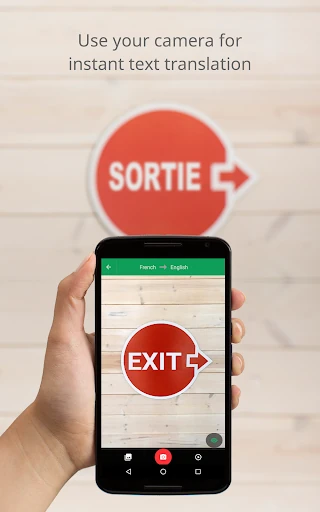
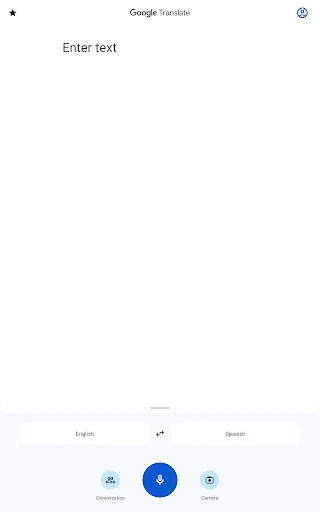
When I first opened Google Translate, I pictured the small moments that make a language gap feel bigger than it is: a notice on a door, a menu item, or a message that needs a quick reply. I can type or paste text for a translation, or use the camera for printed words. That makes the app handy when I am out and need context without stopping to look up each word separately.
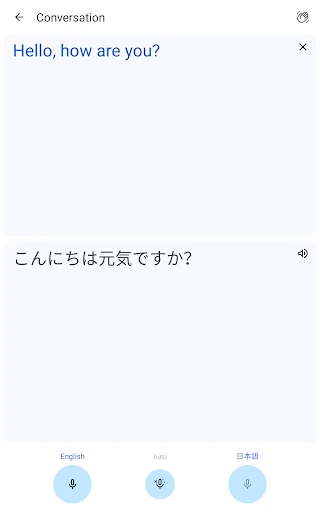
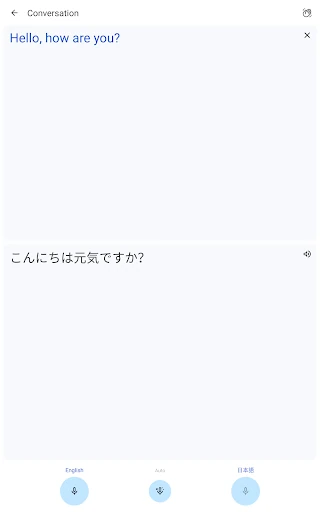
For a more involved exchange, conversation mode can translate bilingual conversations on the fly, and Transcribe can continuously translate speech in near real time. I would still keep questions short and check that both people understand the result. The app can lower the friction of a basic interaction, but it does not replace patience, context, or a fluent speaker when the details really matter.
A Pocket Tool, Not a Course
Google Translate suits the quick-reference role better than a structured language course. I can reach for it when I want the gist of a sentence, a translation of a photo, or a phrase to save for later. It also covers many languages, which is useful when an occasional trip or a single conversation takes me beyond the one language I regularly study.
I would not use it as my only method for learning grammar or developing natural fluency. Its tools focus on translating text and speech, not building a step-by-step study plan. For sensitive wording, long documents, or subtle tone, I would treat its output cautiously and ask someone who knows the language to review it rather than assuming a quick translation captures every nuance.
Make It Easier to Reach
A little preparation helps when I expect to need a translation away from reliable internet. Google Translate supports offline translation in 59 languages, so downloading the relevant language data ahead of time can make a difference. I would also save useful words and phrases in the phrasebook rather than relying on memory, especially if I expect to reuse them during a trip or recurring conversation.
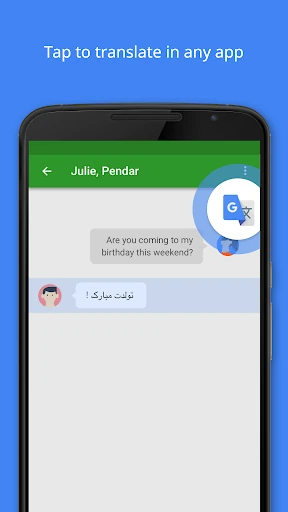
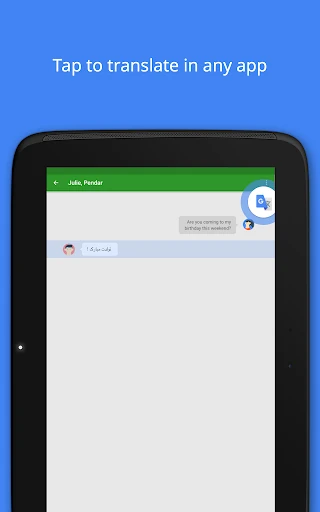
For text I encounter in another app, Tap to Translate offers a direct route: copy the text and tap the Google Translate icon. If I expect to read printed material, the camera and photo tools give me another option. I would choose the method to match the task instead of treating every translation as a typing job.
More From Our News Desk

Zoom Meetings, Google Meet, or Teams: Which Is Easiest to Join?

How I Build a Free Streaming Lineup With Tubi

Why Crunchyroll Is the Default Anime App for So Many Fans

YouTube TV: A Practical Guide to Cutting Cable

Rummikub and the Small Comfort of Phone Games

TeamViewer Remote Control or AnyDesk for Helping Family?
Who Will Find It Useful
I would recommend Google Translate to travelers, multilingual households, and anyone who regularly runs into short passages in another language. Its range of input methods is a real strength: typing works for a message, the camera helps with printed text, and conversation features can support a basic exchange. Offline translation is especially helpful for planning around places where connectivity may be limited.
It may be less satisfying for someone looking for a full language-learning program, detailed grammar instruction, or a polished human translation for important writing. I also would not expect every feature to cover every language equally; the available language count differs by tool. For ordinary reference and everyday communication, though, the broad set of options makes it a useful app to keep close.
Google Translate is developed by Google LLC and is listed in the Tools category on Google Play. It has over a billion installs and a 4.3-star rating from around 9 million ratings. The app is free to download, with no in-app purchases or ads indicated in the provided store facts. Its content rating is Everyone.
The listed version is “Varies with device,” and the last update date shown is November 4, 2026. A minimum Android version and original release date are not provided in the available facts, so compatibility is best checked on Google Play for the device in question.
A Flexible Toolkit for Everyday Translation
Starting With the Right Tool
My first impression is that Google Translate is built around getting from a question to a usable first answer quickly. A text box handles typed words, while camera and photo translation suit material already in front of me. Rather than forcing every task through one input method, the app gives me a few practical routes into the same basic job.
Some options use device permissions for their specific purpose. The app may ask for microphone access for speech translation, camera access for camera translation, external storage for offline data downloads, or contacts for account setup and management. These permissions are optional according to the description, and the app can still be used if they are declined.
Useful in Small Moments
The day-to-day appeal is its ability to handle a quick translation without making me switch to a separate tool for every kind of input. I can type between 108 languages, copy text from another app and use Tap to Translate, or point the camera at writing. For a longer printed passage, taking or importing a photo is another supported route.
The experience is most valuable when I need a practical clue rather than a perfect literary rendering. I might want to understand the basic meaning of a short note, identify what a sign says, or prepare a simple phrase before speaking. Keeping that modest goal in mind makes the app easier to use well.
More Than Typed Text
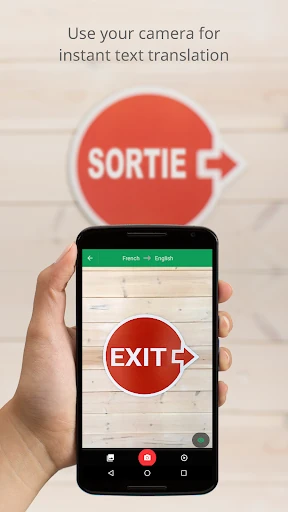
The camera options are among the features that make Google Translate feel more adaptable than a plain text translator. Instant camera translation supports 94 languages, while taking or importing photos for higher-quality translation supports 90. That distinction gives me a way to handle printed words either in the moment or from an image I already have.
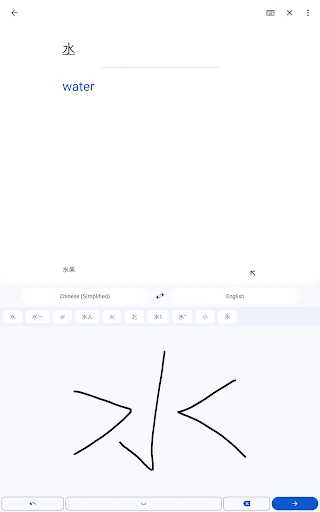
Voice and writing tools broaden the choices further. Conversation translation supports 70 languages, handwriting input supports 96, and Transcribe continuously translates speech in near real time for 8 languages. I can also star words and phrases in a phrasebook, then sync that saved collection between the app and desktop when logged in.
A Simple Travel Routine
Before a trip, I would download offline translation data for the language I expect to use, then save a handful of useful phrases in the phrasebook. The offline feature supports 59 languages. That preparation gives me a fallback for basic text translation when there is no internet connection, and keeps repeated phrases easy to find instead of buried in old searches.
During the day, I would use the camera for signs or menus and type a question when I need more control over the wording. If someone is speaking, conversation mode or Transcribe may be a better fit, depending on the exchange. These are complementary tools, not a reason to stop checking context or clarifying what the other person means.
Keep the Scope in Mind
The main limitation is that translation depends on context, and a short automated result may not preserve tone or fine distinctions. I would be careful with important messages or wording where a small mistake could change the meaning. Google Translate is best treated as a useful aid for understanding and communication, not as a substitute for a qualified human translator in every situation.
Language coverage also varies by feature: typed translation, camera translation, photos, conversations, handwriting, offline use, and transcription each support different totals. That means the feature I want may not be available for every language pair. Checking the app’s available options for the languages I need is a sensible step before depending on a particular mode.
Google Translate earns its place as an everyday utility because it can handle text, images, handwriting, and speech in one app. I especially like the flexibility to prepare offline data and save phrases for later. Its best role is quick understanding and practical communication, with a little judgment from the person using it.
I recommend it to travelers and anyone who regularly encounters other languages, particularly when a fast first translation is enough to get oriented. If I needed formal language instruction or a carefully polished translation, I would look elsewhere as well. For the smaller language hurdles that appear during an ordinary day, it is a capable and convenient option.
Google Translate Frequently Asked Questions
What is Google Translate used for?
Google Translate helps translate typed text, copied text, images, handwriting, and speech. It also offers offline text translation, a phrasebook for saved words and phrases, conversation translation, and near-real-time transcription for supported languages. The best option depends on the kind of material and language involved.
Which devices can run Google Translate?
The supplied app facts place Google Translate on Google Play for Android. The description also mentions phrasebook syncing between the app and desktop after logging in. For device compatibility and any system requirements, check the Google Play page for the device you plan to use.
What Android version does Google Translate require?
The Android minimum version can vary with the device and the current store information. Check Google Translate’s Google Play page on your device for the applicable requirement before installing or updating.
Does Google Translate cost money?
Google Translate is free to download on Google Play. The supplied facts indicate no in-app purchases and no ads. Store details can change, so it is worth checking the current Google Play page if you want to confirm the terms before installing.
Is Google Translate suitable for important translations?
It can help with everyday understanding and basic communication, but automated translations may miss context or tone. For important wording, I would treat the result as a starting point and seek a fluent human review when accuracy matters. Feature and language availability also vary by translation mode.
Pros
- Handles text, photos, camera input, handwriting, and speech in one app.
- Offline translation supports 59 languages for basic use without internet.
- Phrasebook saves useful translations and can sync with desktop.
- Free to download, with no ads or in-app purchases in the supplied facts.
Cons
- Different translation tools support different numbers of languages.
- Automated results may miss context, tone, or subtle meaning.
- It is a translation utility, not a structured language-learning course.
- Category
- Tools