WhatsApp Business
- 19.63M
- 4.6
- Installs
- 1.00B
- Price
- Free

Screenshots
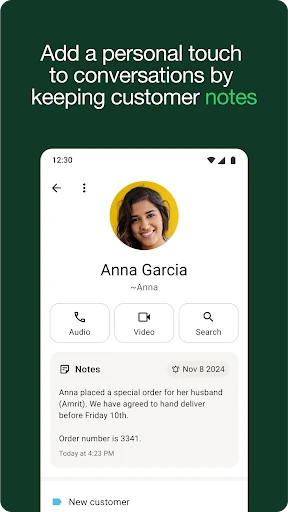

Analysis by Reviewed APKs
WhatsApp Business gives small businesses a dedicated way to handle customer conversations, with quick replies, away messages, labels and a profile alongside familiar messaging. I found its appeal easiest to understand in the daily gaps between serving people: it can help keep common answers handy and chats organized without turning every interaction into a formal support ticket. It suits solo sellers and small teams already communicating with customers by message.
A Busy Day in the Inbox
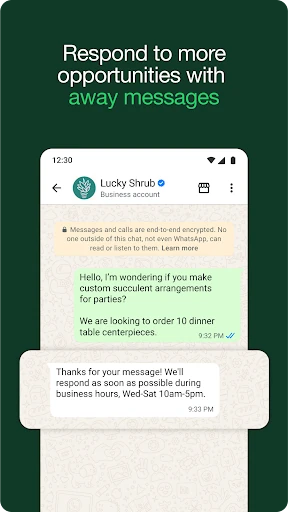
Imagine a small shop owner checking messages between customers at the counter. One person asks about an offer, another wants to place an order, and a third needs a reply after closing time. WhatsApp Business is built around those ordinary exchanges. A quick reply can handle a recurring question, while an away message can respond when the owner is unavailable. The goal is to make customer communication more manageable, not to replace the conversation.
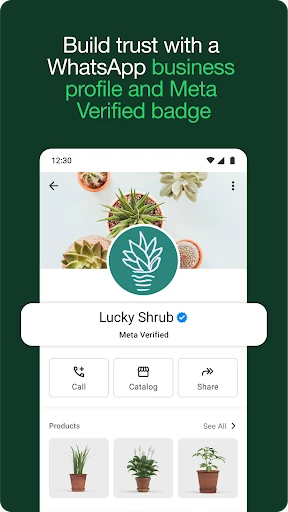
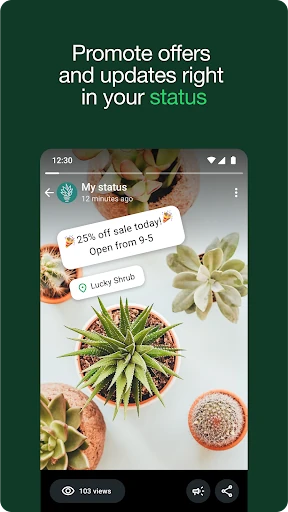
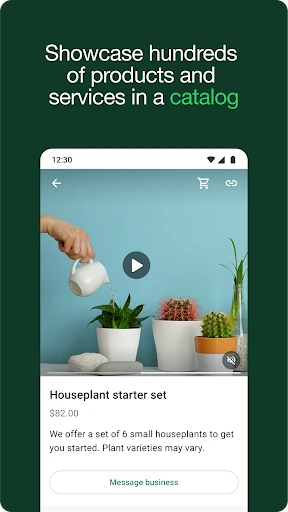
When I picture using it in that routine, labels are especially practical. A business can sort chats so that an order needing attention does not disappear among general questions. A status can share news or an offer, and a product catalog gives customers a way to browse what the business presents. These tools make the app feel less like a personal inbox and more like a lightweight workspace for customer relationships.
Messaging, Not a Full CRM
The obvious comparison is regular WhatsApp, and Business keeps the familiar emphasis on direct conversations while adding tools aimed at work. A professional business profile, automated quick replies and chat labels can make routine customer contact easier to handle. For a small operation whose customers already use WhatsApp, that may be a more natural fit than asking everyone to learn a separate service channel.
I would not treat it as a complete sales, inventory or customer-management system. Its center of gravity is messaging, with catalog, status and order or payment options adding useful context where available. It is not a substitute for every business tool a growing company might need. The best fit is a business that wants to make customer conversations more organized, rather than one looking for an all-in-one operations platform.
Small Habits That Help
The app is likely to work best when a business takes a little time to make its common responses useful. A saved answer to a frequent question can reduce repeated typing, but it still needs to sound appropriate to the person asking. I would keep replies concise and use them as a starting point rather than sending canned text when a customer needs a more personal answer.
A second helpful habit is to use labels consistently. If chats are categorized by a simple status or type, it becomes easier to spot which conversations need follow-up. A status update can also share timely news without composing the same announcement individually. These are small routines, but they help the app do more than collect messages in one long stream.
More From Our News Desk

Zoom Meetings, Google Meet, or Teams: Which Is Easiest to Join?

How I Build a Free Streaming Lineup With Tubi

Why Crunchyroll Is the Default Anime App for So Many Fans

YouTube TV: A Practical Guide to Cutting Cable

Rummikub and the Small Comfort of Phone Games

TeamViewer Remote Control or AnyDesk for Helping Family?
Who It Suits Best
I would recommend WhatsApp Business to independent sellers, local services and small businesses that already talk with customers through messaging. It is particularly appealing when the same questions come up often or when an owner needs a clearer way to separate customer chats from ordinary correspondence. The combination of a business profile, quick replies and labels feels useful without demanding a complicated workflow.
It may be less appealing to businesses that need extensive team controls, detailed customer records or a broad suite of back-office tools. The app focuses on conversations, and some commerce features depend on market availability. People who want a strictly personal messenger may also find the business-oriented profile and organization tools unnecessary. It makes the most sense when customer messaging is already part of the workday.
WhatsApp Business is a communication app from WhatsApp LLC. On Google Play it has over a billion installs and a 4.6-star rating from around 19.6 million ratings. It is free to download, though the app includes a mix of free and paid features. Google Play lists in-app purchases ranging from $0.29 to $2,799.99 per item.
Google Play gives the app an Everyone content rating and lists Android 5.0 as the minimum requirement. The current version in the provided app details is 2.26.4.85. WhatsApp Business was released on January 18, 2018, and its most recent listed update was February 8, 2026. The app contains no ads.
How Business Chats Become Easier to Handle
A Familiar Starting Point
When I first opened WhatsApp Business, the central idea was easy to grasp: this is a messaging app with extra tools for customer communication. That matters because a small business owner may not have time to learn a sprawling system before answering the next question. The familiar chat-first approach keeps the purpose clear, while the business features offer ways to add structure around those conversations.
Getting value from it begins with treating the account as a business contact point. The professional profile helps present the business, and quick replies or an away message can prepare it for common moments in the day. The setup does not need to be elaborate to be useful. Even a modest set of prepared responses can make recurring customer exchanges less repetitive.
The Everyday Conversation
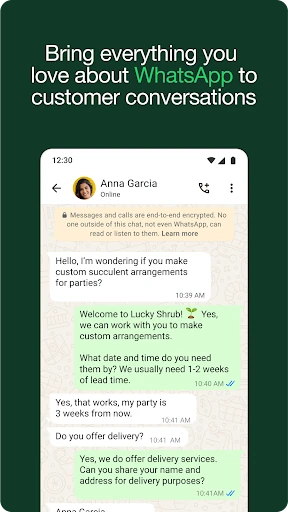
The core experience is still conversation: customers send messages, and the business responds. That simplicity is a strength for shops and services whose questions are specific and better answered directly. Free calls and international messaging are part of the described offering, though data charges may apply. For a business already communicating this way, keeping useful business tools close to the message thread feels practical.
What I would watch is the temptation to treat automation as a replacement for attention. Quick replies and away messages can cover predictable situations, but they do not know the context of every customer’s request. A useful workflow lets the prepared response handle the routine part, then leaves room for a real person to respond thoughtfully when the exchange needs it.
Tools Beyond Texting
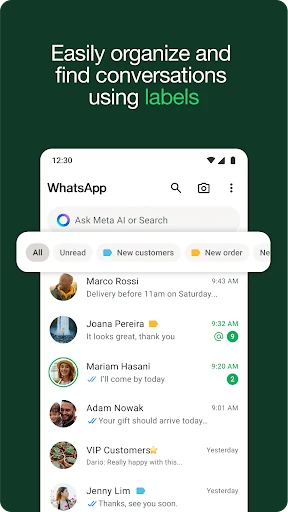
Labels are one of the more grounded additions because they help make a busy set of chats easier to sort and find. A business can use them to keep important conversations visible or distinguish different kinds of interactions. Quick replies and away messages tackle another everyday problem: repeating the same information or leaving a customer without an initial response while the business is unavailable.
The catalog and status tools extend the conversation in a more customer-facing direction. A business can showcase products in a catalog and share offers or news through status. The description also includes in-app orders and payments, as well as ads that click to WhatsApp. Orders and payments are not available in every market, so their usefulness depends on where the business operates.
A Practical Daily Routine
A sensible routine might begin by checking customer messages at a few natural points in the workday, rather than letting every notification interrupt a task. Labels can help distinguish a conversation that needs attention from one that is already handled. When the same question appears repeatedly, a quick reply can save typing while still giving the owner a chance to adjust the answer.
At the end of the day, an away message can set expectations for customers who write later. A status update is another way to share a timely offer or business news, while a catalog can give customers something concrete to browse. None of these steps needs to be used constantly. The benefit comes from choosing the tools that match the business’s actual communication habits.
Limits to Keep in Mind
WhatsApp Business is strongest when the business and its customers are comfortable using WhatsApp. It does not turn messaging into a comprehensive management system, and the available description centers on conversations, customer-facing information and selected commerce features. A business with more demanding coordination needs may find that these tools cover only one part of its broader workflow.
There are also practical conditions around its features. Some functions are paid, and order and payment availability varies by market. Calls and international messages may still involve data charges from a provider. A personal WhatsApp account can live on the same device if it uses a different phone number, and chat history can be restored during setup, but those details do not remove the need to decide how the business wants to manage its conversations.
WhatsApp Business is a focused upgrade for businesses that handle customer questions and updates through messaging. The profile, labels, quick replies and away messages address small but familiar sources of friction, while catalogs and status can add a simple way to present products and news. It stays centered on the conversation rather than trying to be every business tool at once.
I would try it if customer messaging already takes up a noticeable part of the workday and a lighter organizational layer would help. Businesses looking for deep team management or a broad operations suite should keep their expectations modest. For small sellers and services, though, its practical tools make it a sensible place to manage everyday customer contact.
WhatsApp Business Frequently Asked Questions
What is WhatsApp Business used for?
WhatsApp Business is used by businesses to communicate with customers. It adds tools such as a professional business profile, quick replies, away messages and labels for organizing conversations. Businesses can also share status updates and showcase products in a catalog. The description includes in-app orders and payments, although those options are not available in every market.
Which phones and platforms support WhatsApp Business?
The app is available on Android through Google Play. The provided requirements list Android 5.0 as the minimum version. WhatsApp Business also says a personal WhatsApp account and a business account can be used on one device when they have different phone numbers. The account can connect to a total of five web-based devices or mobile phones.
Does WhatsApp Business cost money?
WhatsApp Business is free to download, but its features include a mix of free and paid options. Google Play lists in-app purchases from $0.29 to $2,799.99 per item. The exact paid features or costs relevant to an individual account may vary, so check the Google Play page for current details before deciding.
Can WhatsApp Business restore my old chats?
The app description says that during setup you can restore a backup from a WhatsApp account to transfer messages, media and contacts to the business account. This may be useful when moving an existing conversation history. The steps and available options can depend on the account and current app setup, so check the in-app instructions when setting up.
Is WhatsApp Business a good fit for every company?
It is a natural fit for small businesses that handle customer conversations through WhatsApp and want practical tools for replies and organization. It may be less suitable for a company seeking a complete operations or customer-management system. Some commerce features vary by market, so businesses should check the Google Play page and feature availability where they operate.
Pros
- Quick replies and away messages can reduce repetitive work during busy periods.
- Labels help organize customer conversations and make important chats easier to find.
- A business profile, catalog and status offer useful customer-facing information.
- Personal and business accounts can share one device when they use different numbers.
Cons
- The app focuses on messaging rather than providing a complete business-management suite.
- In-app orders and payments are not available in every market.
- Some features are paid, and data charges may apply to calls and messaging.
- Category
- Communication
- Version
- 2.26.4.85