Telegram
- 17.35M
- 3.8
- Installs
- 1.00B
- Price
- Free

Screenshots


Analysis by Reviewed APKs
Telegram is a messaging app for one-to-one conversations, large groups, and sharing files across devices. I see its strongest appeal for people who want more than a basic text-and-photo chat, especially community organizers and anyone who moves between a phone, tablet, and computer. Its range is impressive, though that breadth can make it feel busier than a simple messenger. My overall take: capable and flexible, best when your contacts are there too.
A busy day, one conversation
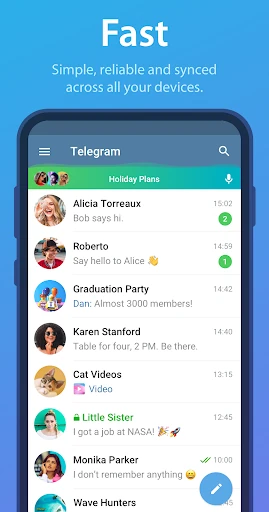
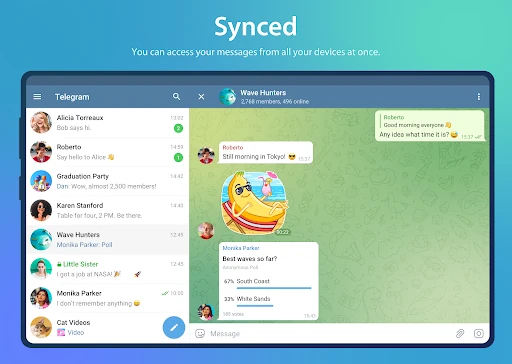
When I picture Telegram in an ordinary day, I think of a group coordinating a weekend plan. Someone can post the time, another person can send a photo or a document, and the conversation stays available when I switch from my phone to a computer. Telegram’s cloud syncing is useful here: I can pick up the thread on another device without needing the phone to remain connected.
The same setup works for a practical file handoff. I might send a document in a chat, then find it later from another device rather than digging through a local folder. Telegram supports media and files of different types, with individual files up to 2 GB according to its description. That makes it more versatile than a chat routine limited to short messages and snapshots.
More than basic messaging
Compared with a bare-bones messenger, Telegram puts group conversations, large communities, file sharing, bots, and customization in the same app. Groups can accommodate up to 200,000 members, so the app can serve a small household chat and a much larger community. The flexibility is the point: people who regularly share files or organize busy group conversations have more room to work.
It is still a messaging app, not a substitute for every tool a team or community might use. Its description highlights group coordination and bots, but it does not promise a complete project-management or office suite. And a long feature list may be unnecessary if all I want is a quiet place to send a few texts. Telegram makes most sense when its broader toolkit solves a real need.
Small habits that help
I get more value from Telegram when I treat it as a cross-device conversation space rather than a phone-only inbox. Starting a message on one device and finishing it on another is a simple habit that fits naturally into a workday. Keeping useful files in the relevant conversation can also make them easier to return to later, instead of scattering copies across devices.
For a group, it helps to keep updates in the conversation where everyone involved can find them. Bots are another option for specific tasks, while themes, animated stickers, and emoji let people personalize the experience. I would add these gradually rather than trying to use everything at once. A few familiar routines make a feature-rich messenger feel manageable instead of like another system to maintain.
Reads About Telegram
More From Our News Desk

Zoom Meetings, Google Meet, or Teams: Which Is Easiest to Join?

How I Build a Free Streaming Lineup With Tubi

Why Crunchyroll Is the Default Anime App for So Many Fans

YouTube TV: A Practical Guide to Cutting Cable

Rummikub and the Small Comfort of Phone Games

TeamViewer Remote Control or AnyDesk for Helping Family?
Who will get the most from it
I’d recommend Telegram to people who move between devices, share more than the occasional photo, or participate in active group chats. Community organizers may appreciate the large group capacity and bot support, while everyday users can keep conversations and shared files accessible across phones, tablets, and computers. The appeal is less about one standout trick and more about having several communication tools gathered in one place.
It may be a poor fit for someone who wants only a very simple messenger or whose friends and groups use other apps. Telegram’s many options can add clutter if you have no use for them, and its large groups may be irrelevant to a small circle. Privacy-conscious users should also understand the distinction between regular messaging and Secret Chats: the description specifically identifies end-to-end encryption for Secret Chats.
Telegram is a communication app from Telegram FZ-LLC. On Google Play it has over a billion installs and a 3.8-star rating from about 17.3 million ratings. The app is free to download, with in-app purchases priced from $0.31 to $289.99 per item. It contains no ads, and its content rating is Mature 17+.
The Android version is listed as varying with the device, and no minimum Android requirement is provided in the available app details. Telegram was released on September 6, 2013, and its listed last update is October 22, 2026. Its description says the service syncs messages across phones, tablets, and computers, with standalone apps that do not require the phone to stay connected.
A flexible messenger with real range
A straightforward first impression
When I first open a messaging app, I want to understand its basic job before I think about extras. Telegram presents itself as a place for conversations, media, and files, with the promise that chats can follow me across devices. That is an easy idea to grasp, even if the full range of group, customization, and bot features takes longer to explore.
The service is designed to work on phones, tablets, and computers, and its apps operate independently rather than requiring a connected phone. That is a practical difference if I leave my phone behind or switch screens during the day. The initial appeal is less about a complicated setup and more about having one conversation history available in several places.
The everyday conversation
For daily messaging, the useful part is that Telegram is not limited to plain text. Its description covers media and file sharing, and says chat history is stored in the cloud rather than taking up device disk space. That can make it easier to revisit an older conversation or retrieve something shared earlier, especially when I am not using the same device as before.
Telegram also emphasizes using little data and working on weak mobile connections. I can see why that would matter during a commute or in a spotty-coverage area, although the actual experience depends on the connection at hand. The day-to-day strength is flexibility: personal messages, group conversations, and shared files all fit within the same messaging service.
Features with a purpose
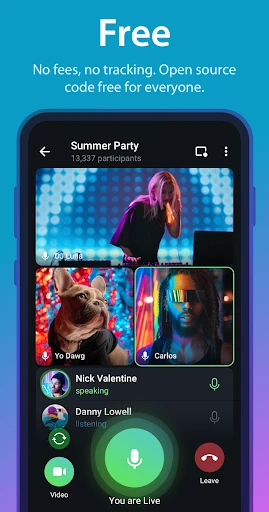
The scale of Telegram’s groups is one feature that clearly sets it apart for community use. Its description says a group can hold up to 200,000 members, a capacity far beyond what a family or small friend group needs. For a large online community, though, that headroom can make a single shared space more practical than splitting people across many smaller chats.
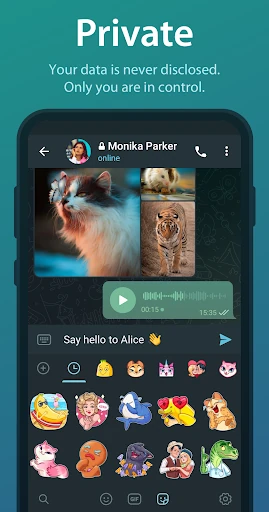
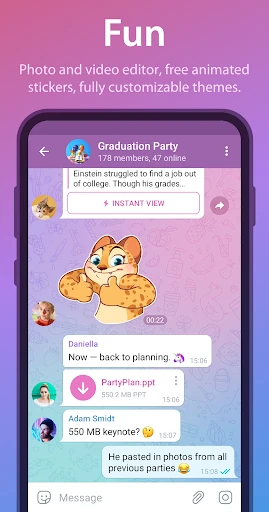
Bots offer another way to handle specific tasks within the service, while media tools, animated stickers, emoji, and customizable themes give conversations more personality. I like that these features can serve different kinds of users: a group admin may care about bots, while a casual chatter may simply enjoy themes. They are options, not requirements for sending a message.
A useful weekly routine
One realistic routine is using Telegram as the thread for a recurring group activity. I could keep schedule changes, shared documents, and photos in the same group, then check the conversation from a tablet or computer when I am away from my phone. Its synced access makes that workflow feel more natural than treating each device as a separate messaging inbox.
For a more private exchange, Telegram offers Secret Chats, where messages can be set to self-destruct from both participating devices. The app’s description says these chats use end-to-end encryption. I would choose that mode deliberately when it suits the conversation, rather than assuming every chat works the same way. Knowing which feature applies is a small but worthwhile habit.
Limits to keep in mind
Telegram’s breadth can be a drawback. If I mainly need a basic chat with a small group, the options for communities, bots, file sharing, and appearance changes may feel like more than I asked for. The app is most convincing when I use those capabilities; otherwise, a simpler messaging routine could be easier to manage.
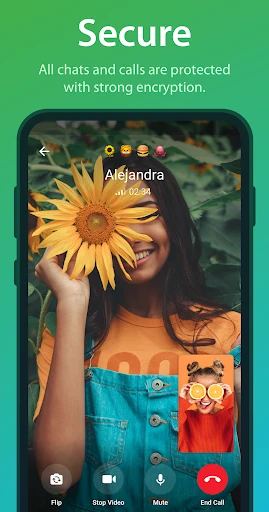
Privacy also deserves a precise reading. Telegram describes encryption across its service, but specifically calls out Secret Chats as using end-to-end encryption. That distinction matters when choosing how to communicate, so I would not treat a general claim about security as a reason to overlook the type of chat being used. The app’s many strengths do not remove the need to choose features thoughtfully.
Telegram is a flexible messenger with a clear advantage for people who share files, manage large groups, or move between devices. I especially like the combination of synced conversations and support for both everyday chats and bigger communities. It has more going on than a minimal messenger, but that extra range can be genuinely useful.
I’d try Telegram if its cross-device access or group tools match how I already communicate. If I only want a very simple chat app, its broader feature set may be unnecessary. Either way, it is worth understanding the difference between regular conversations and Secret Chats before choosing it for a particular privacy need.
Telegram Frequently Asked Questions
What is Telegram used for?
Telegram is a messaging app for conversations, groups, media, and file sharing. Its description also highlights syncing across phones, tablets, and computers, plus bots for specific tasks. Groups can support up to 200,000 members, which makes the app suitable for large communities as well as everyday chats.
Which devices can I use Telegram on?
Telegram is available for Android and has apps for phones, tablets, and computers, according to its description. Its apps are described as standalone, so the phone does not need to remain connected for the other devices to work. Availability and compatibility can vary by device, so check the relevant store for your model.
What Android version does Telegram require?
The Android version requirement can vary by device and app release. Check Telegram’s Google Play page on your device for the current compatibility details before installing. The app’s listed version also varies with the device.
Does Telegram cost money?
Telegram is free to download and contains no ads. It offers in-app purchases, with listed item prices ranging from $0.31 to $289.99. The exact purchase options and prices can vary, so check the Google Play page for current details before buying anything.
Is Telegram a good fit for me?
Telegram may suit you if you want cross-device messaging, file sharing, or large group chats. It may feel like too much if you only need a basic messenger. For privacy-focused conversations, note that Telegram identifies Secret Chats as end-to-end encrypted; choose the chat type that fits your needs.
Pros
- Syncs conversations across phones, tablets, and computers without keeping the phone connected.
- Supports large groups and file sharing, including individual files up to 2 GB.
- Offers Secret Chats with end-to-end encryption and self-destructing message options.
- Free to download and contains no ads.
Cons
- The broad feature set may feel unnecessary for people who only want basic messaging.
- Secret Chats are a distinct option, so users should pay attention to chat type.
- In-app purchase prices range widely, from $0.31 to $289.99 per item.
- Category
- Communication