Samsung Members
- 1.86M
- 4.4
- Installs
- 1.00B
- Price
- Free

Screenshots
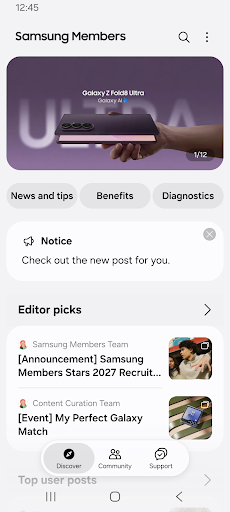
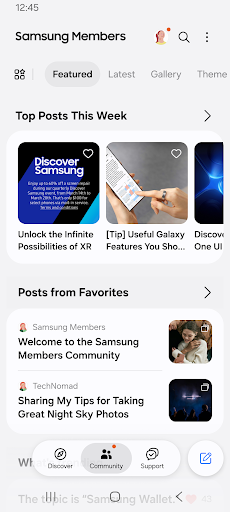
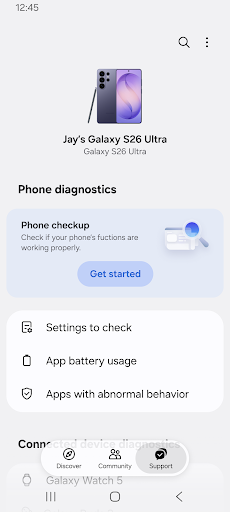
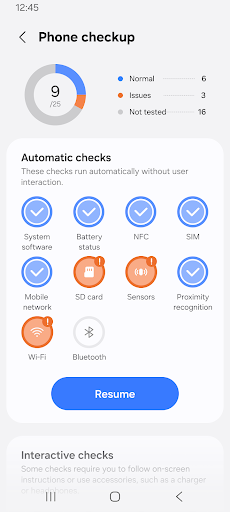
Analysis by Reviewed APKs
Samsung Members is a companion app for people who use Samsung Galaxy devices and want help, tips, community conversation, and access to brand events and benefits in one place. I see it as most useful when a device question comes up or I want to learn a feature I have been overlooking. It brings several kinds of support together, though it is not a substitute for a general-purpose social network or repair shop.
Help for a Galaxy question
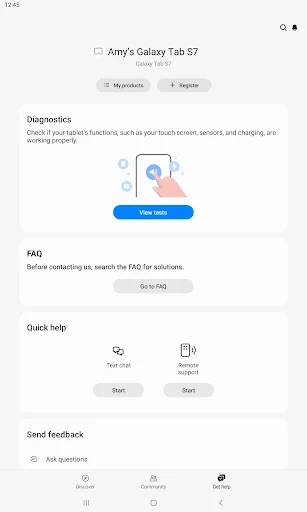
Imagine noticing that your phone’s battery seems to be draining faster than usual during a busy week. Samsung Members gives you a place to review device diagnostics, including battery status, and to look for help without immediately searching the wider web. I like that the app’s purpose is tied to Galaxy devices: the information and support are meant to relate to the hardware and its features, rather than technology in general.
The same visit can turn into a quick learning session. I might browse device tips, read what other Galaxy users have shared, or pose a question to Samsung’s experts for one-on-one customer support. That range makes the app feel like a practical first stop when I am unsure whether I have missed a setting or need help understanding a device issue. The services offered can differ by country or region.
A Galaxy-focused alternative
Samsung Members sits between a device-help resource and a user community. A general web search can surface information from many sources, while a broad social platform can be useful for conversation across all sorts of topics. This app keeps its focus on Samsung Galaxy: it offers brand news, device tips, a community for Galaxy users, and access to expert support. That focus is the reason I would open it for a Samsung-specific question.
It is not a universal phone utility, a general chat app, or a replacement for every kind of customer service. Its community is centered on Galaxy users, and the listed diagnostics cover device checks such as battery status and camera. I would not expect it to solve every technical problem on its own. For something that needs hands-on attention, it is better thought of as a route to information and support than as a repair service.
Small ways to use it well
I would make Samsung Members a place to check when I have a device question, rather than trying to remember every tip it contains. A quick browse through the device guidance can help me get more familiar with features I already own. When a concern is more specific, the option to ask experts directly gives me a clearer next step than endlessly changing settings without understanding what they do.
It can also be useful to check in occasionally for Samsung Galaxy news, community posts, and events or benefits available through the app. I would treat those as extras rather than the main reason to install it, since availability varies by region. Keeping the app in mind for diagnostics, learning, and questions gives it a straightforward role in a normal device routine without turning every phone task into an app visit.
More From Our News Desk

Zoom Meetings, Google Meet, or Teams: Which Is Easiest to Join?

How I Build a Free Streaming Lineup With Tubi

Why Crunchyroll Is the Default Anime App for So Many Fans

YouTube TV: A Practical Guide to Cutting Cable

Rummikub and the Small Comfort of Phone Games

TeamViewer Remote Control or AnyDesk for Helping Family?
Who may find it useful
I would recommend Samsung Members to Galaxy owners who like having device guidance and brand support close at hand. It should suit someone who wants to learn more about a phone or other Galaxy device, check available diagnostics, ask a question, or compare notes with fellow users. People who prefer to start with information related to their specific device may appreciate its focused mix of tips, community, and expert help.
It may be less appealing if you do not use Samsung Galaxy products, since the community and advice are built around that product family. It is also not designed as a general-interest social app, and its events or benefits may not be available everywhere. If you rarely need help and already know your device well, you may open it only occasionally. I see it as a useful companion, not an app everyone needs to use every day.
Samsung Members is published by Samsung Electronics Co., Ltd. On Google Play, it has over a billion installs and a 4.4-star rating from around 1.9 million ratings. The app is free to download, with no in-app purchases or ads indicated in the supplied store details. Its content rating is Everyone, making the rating suitable for a broad audience.
The supplied app details give version 5.8.20.31, a release date of June 30, 2020, and a last update date of October 26, 2026. A minimum Android version was not included in the supplied facts, so I have left that requirement out. The app requires a network connection, and network charges may apply depending on the user’s connection and plan.
A Closer Look at Galaxy Support
Starting out
When I first opened Samsung Members, the clearest thing about its role was its close connection to Galaxy devices. The app brings together several kinds of help rather than presenting itself as a single-purpose diagnostic tool. I can see the appeal for someone who wants device tips, community discussion, brand updates, and support in the same place, especially when a question arises during ordinary phone use.
There is one practical point to keep in mind from the start: Samsung Members requires a network connection. That makes sense for community posts, news, and direct support, but it means the app is not simply an offline manual. I would open it when I can connect and take a little time to explore the available guidance, rather than expecting every part of it to be available without a connection.
The everyday experience
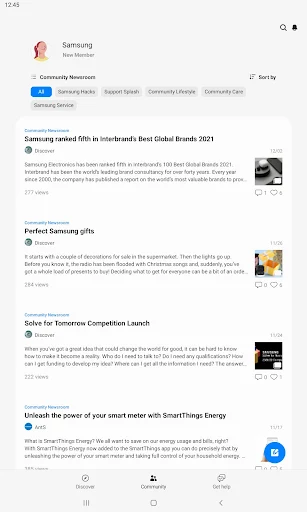
The day-to-day value depends on what I need at the moment. If I want to understand a device feature, the tips are relevant to that job. If I have a question I cannot answer from the guidance, I can turn to the Galaxy community or pose it to experts. That gives the app more than one route to help, while keeping those routes centered on Samsung products.
I would not treat every visit as a task that needs to end with a fix. Sometimes the useful outcome is simply learning a feature or seeing how another Galaxy user approaches a question. The app’s mix of information and interaction is practical for occasional check-ins, though someone who only wants a quick answer may still prefer a focused search for a very specific issue.
Tips, checks, and community
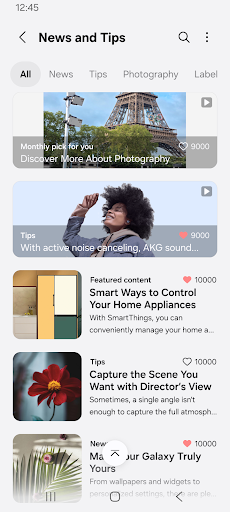
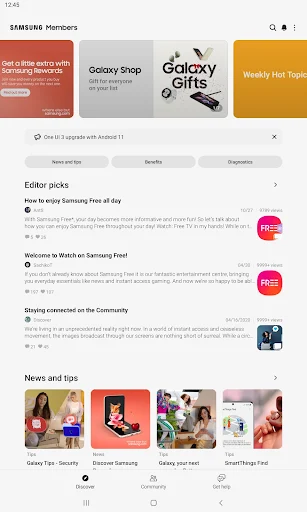
The standout feature set is the combination of device guidance with diagnostics and human support. Samsung Members lets users review checks such as battery status and camera, browse tips, connect with other Galaxy users, and ask experts questions for one-on-one customer support. I like that these are related tools: a tip may answer a small question, while community or expert help offers another avenue when the answer is less obvious.
There is also official Samsung Galaxy news, along with events and benefits available through the app. Those additions can make it worth checking even when I do not have an immediate device problem. Availability varies by country and region, so I would not assume every event or service is offered to every user. The strongest reason to keep the app around remains its practical Galaxy support.
A useful check-in routine
A simple routine would be to open Samsung Members when I first notice a device behavior I want to understand. I could review the relevant diagnostics, read a device tip, and then decide whether a community question or expert support makes more sense. That sequence is more deliberate than trying random settings, and it keeps the app’s role clear: help me understand my Galaxy device and find an appropriate source of information.
I would also make occasional visits when I have no immediate problem. Browsing tips can reveal ways to use a feature more effectively, while the community and brand news offer a reason to check in now and then. I would not build a daily habit just for its own sake. A light, question-led routine seems more natural and useful than treating the app as another feed to keep up with.
What to keep in mind
Samsung Members is most relevant to Samsung Galaxy users, and that focus also limits its audience. Someone using a different brand is unlikely to get the same value from Galaxy-specific tips and discussion. The app’s services and benefits can vary by region, too, so the experience may not be identical for every user. I would approach events and extra services as possible bonuses rather than universal parts of the experience.
The network requirement is another practical consideration, and charges may apply for the connection. The app gathers several kinds of support, but it cannot make every device question simple or replace hands-on repair when that is what a problem calls for. I also would not install it expecting a broad social network. Its clearest purpose is focused help and connection for people in the Galaxy ecosystem.
Samsung Members makes the most sense as a convenient Galaxy companion: a place to learn device tips, review certain diagnostics, connect with other users, and reach expert support. I appreciate that it covers both everyday learning and more specific questions without pretending to be a tool for every phone owner.
I would recommend it to Samsung Galaxy owners who like having an extra support option within reach. If you use another brand or have little interest in device guidance and community, it may not earn much space in your routine. For its intended audience, it is a useful app to keep available for the occasional question.
Samsung Members Frequently Asked Questions
What is Samsung Members used for?
Samsung Members is a companion app for Samsung Galaxy users. It offers device tips, official Galaxy news, a community for users, device diagnostics such as battery status and camera checks, and a way to ask experts questions for one-on-one customer support. It also provides access to events and benefits, though services and availability can differ by country or region.
Which devices can use Samsung Members?
Samsung Members is described as an app for Samsung Galaxy users and is available on Android through Google Play. The supplied details do not give a minimum Android version, and compatibility can depend on the device and current app requirements. Check the Google Play store information for the requirements that apply to your particular phone or tablet.
Does Samsung Members cost money?
Samsung Members is free to download, and the supplied store details indicate no in-app purchases and no ads. The app does require a network connection, and network charges may apply depending on your connection and plan. Some services, events, or benefits can vary by country or region, so check the Google Play store for current details.
Does Samsung Members need a certain Android version?
The app requires a network connection, but the supplied details do not specify a minimum Android version. Requirements can change with app updates and may depend on the device. Before installing or updating, check Samsung Members on Google Play for the current compatibility information for your Galaxy device.
Is Samsung Members useful for every phone owner?
It is primarily suited to people who use Samsung Galaxy devices and want tips, diagnostics, community discussion, or expert support. People using other phone brands may find little that applies to them. Some services and benefits vary by region, so the available experience can differ. I would recommend it most to Galaxy owners who want an additional support resource.
Pros
- Combines Galaxy device tips, diagnostics, community discussion, and expert support.
- Offers a focused place to learn about Samsung Galaxy features.
- Free to download, with no ads or in-app purchases indicated.
- Includes access to Samsung Galaxy news, events, and regional benefits.
Cons
- Its guidance and community are mainly relevant to Samsung Galaxy users.
- Some services, events, and benefits vary by country or region.
- Requires a network connection, and network charges may apply.
- Category
- Tools
- Version
- 5.8.20.31