Google Fi Wireless
- 59.06K
- 4.1
- Installs
- 10.00M
- Price
- Free

Screenshots
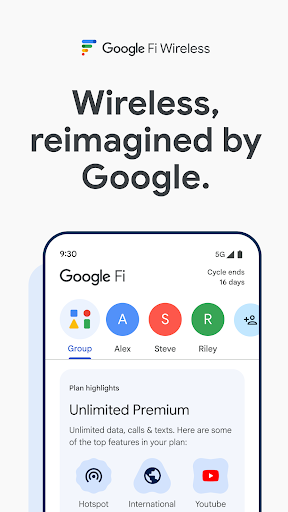
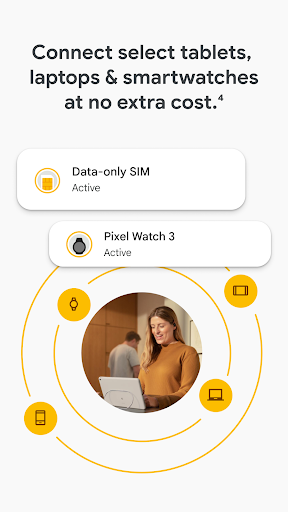
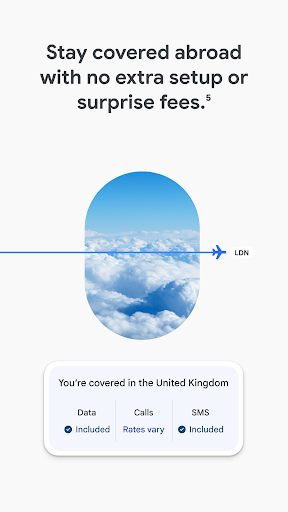
Analysis by Reviewed APKs
Google Fi Wireless is the companion app for managing Google’s U.S. phone service, from activating a line and checking data use to adjusting family safety settings. It suits people who already use Fi and want plan controls and support in one place, especially households managing several members. My overall take is practical: the app’s value comes less from novelty than from making everyday account and connectivity tasks easier to handle.
A Day With Fi
Picture checking your phone bill’s data use before a weekend trip, then making sure everyone in the family is set up for the month. Google Fi Wireless gives subscribers a place to check member data usage, manage plan settings and adjust data budgets. I like that these are the kinds of tasks the app is built around: quick account checks that otherwise can become a chore when several people share a plan.
For a parent, a useful routine might be reviewing a child’s data budget and enabling the option to allow calls and texts only from trusted numbers on that child’s Android phone. If a family member is traveling, the app also supports sharing real-time location, which requires Google Maps. These tools make Fi’s family-oriented angle concrete, though they depend on the service and compatible devices rather than working as a general family organizer.
A Carrier Companion, Not a Phone Toolbox
The obvious comparison is a carrier account app: Google Fi Wireless handles plan and line management, rather than trying to replace your phone’s settings or become a general communications hub. You can activate service, switch plans, see data use, find phone deals and reach support around the clock. That gives subscribers a clear home for account tasks without suggesting that the app itself provides a separate messaging or calling service.
It also sits alongside Fi’s network features, including 5G on supported phones, 4G LTE, hotspot tethering and connectivity for select smartwatches. Coverage and performance depend on location, device and network conditions, and hotspot use counts toward monthly data. The app is not meant for extended international use, and Google Fi is available only to U.S. residents. If you want a tool unrelated to a Fi subscription, there is little reason to install it.
Small Habits That Help
A quick data check can be useful before tethering a laptop or heading into a month when you expect heavier phone use. Since hotspot tethering counts toward monthly data, checking usage before turning it on helps keep that activity in perspective. On Simply Unlimited, hotspot tethering is capped at 5GB. The app’s data view is most valuable when it becomes a small regular check, not something you remember only after a surprise.
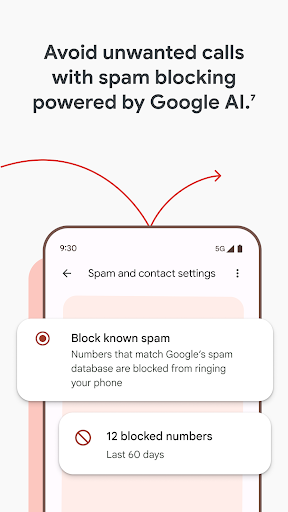
Families can make the safety controls part of account setup: review data budgets, choose whether to restrict a child’s trusted callers and set up location sharing where it makes sense. I’d also keep the app handy for plan changes or support rather than trying to remember every setting. Spam blocking can help with calls Google recognizes as spam, but it may not catch every unwanted call, so it is best treated as one layer of protection.
More From Our News Desk

Zoom Meetings, Google Meet, or Teams: Which Is Easiest to Join?

How I Build a Free Streaming Lineup With Tubi

Why Crunchyroll Is the Default Anime App for So Many Fans

YouTube TV: A Practical Guide to Cutting Cable

Rummikub and the Small Comfort of Phone Games

TeamViewer Remote Control or AnyDesk for Helping Family?
Who Will Get the Most From It
I’d recommend Google Fi Wireless to current Fi subscribers who want to manage service from their phone, especially anyone coordinating lines for a family. Account activation, plan switching and data checks are practical reasons to keep it installed. The safety controls add value for households that want data budgets, trusted-number limits for a child’s Android phone or location sharing through Google Maps.
It is less compelling for someone who is not signing up for Fi, since you need to become a subscriber before using the app. It also may not suit people seeking an all-purpose family safety app or a service built for extended international stays. Those limits are fairly clear: this is an account companion for a specific U.S. wireless service, not a universal phone-management tool.
Google Fi Wireless is published by Google LLC and is available on Android through Google Play. The app is free to install, has no in-app purchases and contains no ads. Google Play shows a 4.1-star rating from about 59,000 ratings and over 10 million installs. Its content rating is Everyone. The app’s version varies with device, and the release date shown is April 29, 2015.
The recorded last update is October 19, 2026. An Android minimum version is not provided in the available app details, so check Google Play on your device for compatibility. The app itself has no purchase price, but using it requires signing up for Google Fi Wireless. Wireless plan costs are separate from the app and should be checked against the current plan options.
The Practical Side of Managing Fi
Getting Started
Google Fi Wireless makes the most sense once you know it is a service companion, not a standalone utility. The first step is signing up for Google Fi; the app then supports activating service and managing the account. That prerequisite shapes the first impression. If you already subscribe, the purpose is immediately clear. If you do not, installing it alone will not give you access to its account tools.
I’d approach setup by thinking about who needs access and which controls matter: plan management, data checks or family safety settings. The app’s description points to a fairly focused set of jobs rather than an elaborate customization process. It also helps to remember that service availability and features depend on factors such as device support and location, particularly for 5G.
Everyday Account Checks
The most routine use is checking how the plan is doing. Data usage is available in the app, and members can be added or plans switched. I find that sort of utility more useful when it answers a specific question quickly: how much data has been used, or where to go when a plan needs changing. It is a straightforward role, and the feature set stays close to the wireless account.
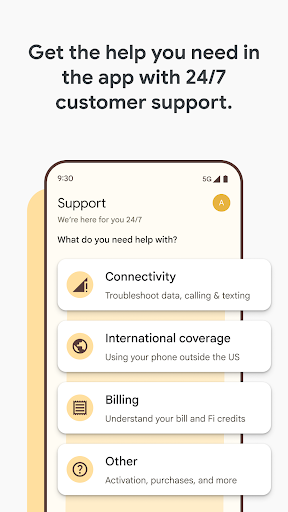
Support is another practical part of the experience, with contact available 24/7. That gives the app a second purpose beyond self-service account controls: it is also a route to help when a setting or service question needs attention. I would not expect it to replace every conversation with a carrier, but having support and common plan tasks together is convenient for subscribers managing things on the go.
Safety and Connectivity
The family features are among the more distinctive parts of Fi’s offer. Subscribers can enable spam blocking for calls Google identifies as spam, share real-time location with family members, set data budgets and restrict calls and texts on a child’s Android phone to trusted numbers. Location sharing requires Google Maps. These are useful controls to know about, but they do not promise to catch every spam call or replace a broader family safety setup.
Connectivity features sit in the background of the account experience. Fi plans include 4G LTE, hotspot tethering, and connectivity for select smartwatches, while 5G is available on supported phones where coverage allows. International coverage is automatic when traveling, but Fi is not intended for extended international use. In practice, these details make the app relevant to people who want to manage a service as well as check how its features fit their routine.
A Simple Monthly Routine
One useful routine is to check data use early in the month and again before a trip or a stretch of heavy hotspot use. Tethering draws from monthly data, and Simply Unlimited allows up to 5GB of hotspot tethering. A quick look can help put that use in context before connecting a laptop. It is a modest habit, but it makes the app’s usage tools feel more purposeful than an occasional afterthought.
For a family account, a monthly review could include confirming each member’s data budget and checking that the intended child safety settings remain in place. I would pair that with a quick look at plan needs and use the app to switch plans if appropriate. This is not about constantly monitoring everyone; it is about bringing the handful of relevant controls together when the household’s needs change.
Limits to Keep in Mind
The biggest limitation is also the clearest: the app only serves people who sign up for Google Fi, and Fi is for U.S. residents. It is not intended for extended international use. That makes it a poor fit for a traveler looking for a long-term overseas phone solution or a person who simply wants general phone tools without changing wireless providers.
Some benefits depend on conditions beyond the app. 5G availability and performance vary with coverage, device capabilities, traffic and signal conditions. Spam blocking only targets spam known to Google, and location sharing requires Google Maps. Hotspot data also counts toward the plan’s monthly use. These are reasonable caveats, but they mean the app cannot guarantee identical results for every subscriber.
Google Fi Wireless is a focused companion app that brings plan management, usage checks, support and selected family safety controls together. It is not useful without a Fi subscription, but for subscribers those everyday account jobs are a sensible reason to keep it within reach. The strongest fit is a household that wants a convenient place to manage several lines and review basic controls.
I’d recommend it to current or prospective U.S. Fi customers who value self-service plan tools and family settings. I would skip it if you want a carrier-independent utility or need service intended for extended international use. As a companion to Fi, it keeps its purpose clear and offers practical tools without pretending to be more than an account app.
Google Fi Wireless Frequently Asked Questions
What is Google Fi Wireless used for?
Google Fi Wireless is used to manage a Google Fi phone service account. The app supports service activation, adding members, switching plans, checking data usage, managing safety settings, finding phone deals and contacting support. It also provides access to features such as data budgets and spam blocking. You need to sign up for Google Fi before using the app.
Which devices and platforms support Google Fi Wireless?
Google Fi Wireless is an Android app available through Google Play. Some service features depend on device compatibility, including 5G on supported phones and connectivity for select smartwatches. The minimum Android version is not specified in the available details, so check Google Play on your device to confirm compatibility.
What Android version does Google Fi Wireless require?
A minimum Android version is not provided in the app details available here. Requirements may vary as the app is updated and across devices, so check the Google Play page for the latest compatibility information before installing or updating.
Is Google Fi Wireless free, and are there in-app purchases?
The app is free to install and has no in-app purchases or ads. However, you need to sign up for Google Fi Wireless to use it, and the app price does not cover wireless service. Plan pricing can change, so check the current Google Fi plan information before signing up.
Is Google Fi Wireless suitable for families or international travel?
The app may suit Fi households that want to manage members, set data budgets, limit calls and texts on a child’s Android phone, or share location through Google Maps. Google Fi is available to U.S. residents and is not intended for extended international use. 5G and other connectivity features also depend on coverage and device support.
Pros
- Puts activation, plan switching, data checks and support in one account app.
- Includes family controls such as data budgets and trusted-number limits for a child’s Android phone.
- Offers spam blocking and family location sharing through Google Maps.
- Free to install, with no ads or in-app purchases.
Cons
- Requires signing up for Google Fi before the app can be used.
- Fi is limited to U.S. residents and is not intended for extended international use.
- 5G performance and some features depend on coverage, compatible devices and other conditions.
- Category
- Tools















