Garmin Connect™
- 1.12M
- 4.4
- Installs
- 50.00M
- Price
- Free

Screenshots
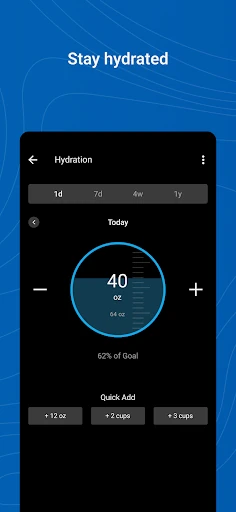
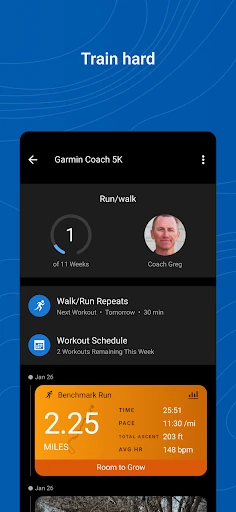
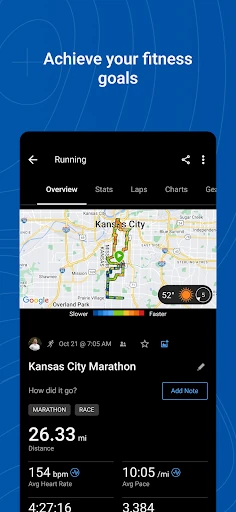
Analysis by Reviewed APKs
Garmin Connect is a companion app for people who use compatible Garmin devices to track activities and keep an eye on health and fitness information. I see it as most useful for runners, regular exercisers and anyone who likes reviewing patterns over time. Its appeal is the mix of activity detail, health trends and planning tools; it makes more sense as a hub for Garmin users than as a standalone fitness app.
A Day With Your Data
Imagine finishing a morning run, putting your phone away and coming back to your activity later. With a compatible Garmin device paired, Garmin Connect gives you a place to review the tracked session and its detailed statistics. I like that the app’s job does not end when the workout does: it can help turn one run into something you can look back on alongside other activities and health metrics.
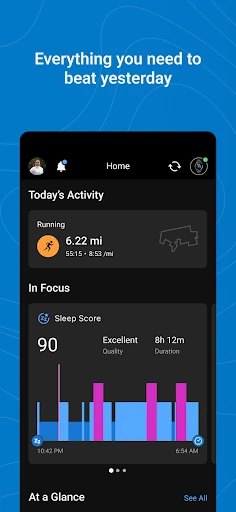
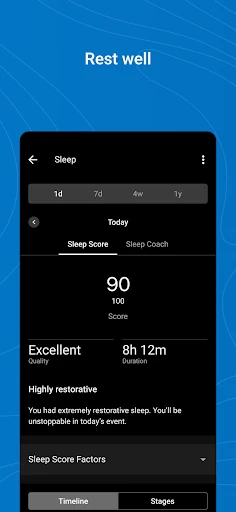
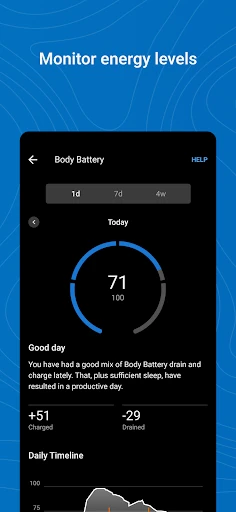
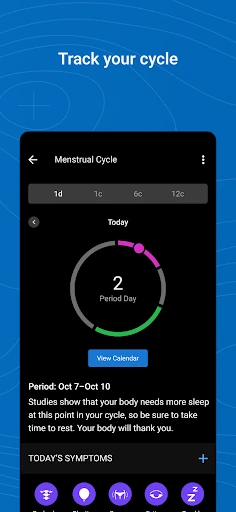
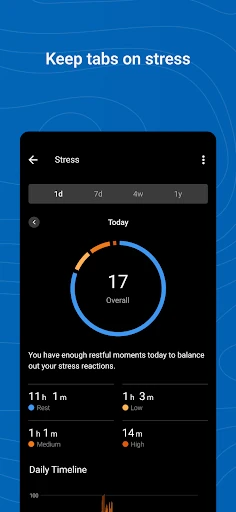
On a less ambitious day, I might check steps or sleep rather than plan a workout. Garmin Connect brings those kinds of measures together with heart rate, stress, weight, calories and menstrual cycle information. That range makes the app relevant to everyday routines as well as training blocks. The useful part is having a broader record to consult, rather than relying on the memory of how active or rested I felt.
A Garmin-Centered Hub
The obvious comparison is with other fitness and activity apps, but Garmin Connect has a clear center of gravity: it works with compatible Garmin devices and helps users review the information those devices track. It also supports syncing with apps such as MyFitnessPal and Strava. That makes it a useful home base for Garmin owners who already use other services, rather than a reason to abandon every tool they have.
I would not treat Garmin Connect as a replacement for a compatible Garmin device, since the described activity and health tracking depends on pairing one. Nor is it presented as a general-purpose social network or a coaching service. Its strengths are reviewing data, creating workouts and courses, and taking part in friend challenges. If you do not use a compatible Garmin device, the main appeal is harder to access.
Make the App Yours
A small setup choice can make daily check-ins feel more useful: personalize the home screen so the information you care about is easy to spot. A runner might prefer activity-related information, while someone focused on everyday movement may want to see steps or sleep trends. The point is not to watch every number constantly, but to make the app’s first view reflect the reasons you open it.
I’d also use the app in short, repeatable sessions: review an activity after finishing, check a health trend now and then, and create a workout or course when there is a clear plan to follow. Badges and friend leaderboards add optional motivation, while syncing with other apps can fit an existing routine. Picking a few useful habits is likely more satisfying than trying to monitor everything at once.
Reads About Garmin Connect
More From Our News Desk

Zoom Meetings, Google Meet, or Teams: Which Is Easiest to Join?

How I Build a Free Streaming Lineup With Tubi

Why Crunchyroll Is the Default Anime App for So Many Fans

YouTube TV: A Practical Guide to Cutting Cable

Rummikub and the Small Comfort of Phone Games

TeamViewer Remote Control or AnyDesk for Helping Family?
Who Will Get the Most From It
I’d recommend Garmin Connect to people who already own a compatible Garmin device and want a single place to review its tracked activities and health information. It suits runners and other active users who enjoy looking at statistics, planning customized workouts or courses, and checking how habits change over time. The personalized home screen and optional challenges give it room to serve both data-minded users and people who mainly want a steady record.
It may be less appealing if you want a fitness tracker app that works independently of a Garmin device, or if detailed stats and trends are not something you expect to revisit. The breadth of metrics can be useful, but it can also feel like more information than a casual user needs. I’d start by deciding which measures or activities matter to you, then make those the focus of your routine.
Garmin Connect is made by Garmin and is available on Google Play for Android. The app is free, with no in-app purchases or ads. Google Play shows a 4.4-star rating from about 1.1 million ratings and over 50 million installs. Its content rating is Everyone, so the store classifies it for a general audience.
The current version is 5.30.1. Garmin Connect was released on January 9, 2013, and was last updated on October 7, 2026. A minimum Android version is not provided in the supplied app details, so check Google Play for current device compatibility. Using the app’s tracking features requires pairing a phone with a compatible Garmin device.
A Closer Look at Garmin Connect
Getting Oriented
When I first open an app like this, I want to know whether it can become part of an ordinary routine rather than just a place to visit after a big workout. Garmin Connect’s customizable home screen is a sensible starting point: it lets users make the most helpful information more visible. That matters when a quick glance is all the time available before heading out the door.
The main prerequisite is pairing a phone with a compatible Garmin device, such as a Forerunner, Venu or fēnix. Garmin Connect supports other compatible devices too, and the exact fit depends on the device. Once paired, the app’s role becomes clearer: it is where users can review tracked activities and health metrics, and make use of planning and challenge features.
Reviewing the Day
The everyday experience is built around looking back at recorded information. After an activity, the detailed statistics give users more to consider than simply whether they exercised. For someone training regularly, that can make it easier to revisit sessions and notice how one effort fits into a broader pattern. For a less structured routine, the same app can serve as a place to check basic activity and health measures.
The health view covers a wide range, including heart rate, steps, sleep, stress, menstrual cycle, weight and calories. I would not try to give every metric equal attention; choosing a few that match a personal goal makes the information easier to use. Trends are more meaningful as an ongoing reference than as a reason to react to every day’s changes.
Tools Beyond Tracking
Garmin Connect is not limited to viewing completed activities. Users can create customized workouts and build courses, which gives it a planning role as well as a record-keeping one. That combination is useful when a routine moves from spontaneous exercise to a more deliberate plan. The app also offers support for Garmin devices and their features, keeping device-related information within the same general ecosystem.
The social and motivational additions are there if they suit the user. Friends can be challenged on a leaderboard, and accomplishments can earn badges. These features can add a little structure to a routine without being the main reason to use the app. Syncing with MyFitnessPal and Strava is another practical touch for people who already use those services and want them involved in their broader activity setup.
A Practical Weekly Rhythm
A manageable routine could begin with a quick look at the personalized home screen in the morning, followed by an activity review after exercise. I’d use the detailed statistics when I have time, but keep routine check-ins brief. That avoids turning a simple record of movement into another task that needs constant attention. The app’s range is most helpful when it supports a routine rather than taking it over.
Once a week, a user might look back at activity and health trends, then prepare a customized workout or course if the coming days call for one. Someone who enjoys friendly motivation can also check a leaderboard or aim for a badge. These are options, not obligations; the app can still be useful as a straightforward place to review tracked information.
Keep the Limits in View
The biggest practical limitation is the device requirement. Garmin Connect’s activity and health information comes from a compatible Garmin device, so people without one should not expect the same experience from the app alone. Compatibility also varies by device, which makes it worth checking whether a particular Garmin model works with the features a user cares about before building a routine around them.
A wide selection of metrics and statistics can feel busy if all you want is a simple activity log. The customizable home screen helps focus attention, but it still takes some personal judgment to decide what is worth checking. Garmin also notes that continued background GPS use can significantly reduce battery life, so that is worth keeping in mind when GPS is running.
Garmin Connect is a capable companion for compatible Garmin device owners who want activity reviews, health trends and planning tools in one place. I like that it can support both a training-focused routine and everyday check-ins, while leaving badges and challenges optional. Its real value depends on having a compatible device and finding a few parts of the data that genuinely matter.
I’d recommend trying it if you already use Garmin hardware and enjoy reviewing your progress or preparing workouts. If you want an independent tracker or a very minimal app, it may be more than you need. Set up the home screen around your priorities, keep check-ins practical, and let the rest of its features stay in reserve.
Garmin Connect Frequently Asked Questions
What is Garmin Connect used for?
Garmin Connect is used to review activities and health metrics tracked by a compatible Garmin device. It also lets users create customized workouts and courses, view trends, earn badges, challenge friends on a leaderboard and sync with apps such as MyFitnessPal and Strava.
Which phones and devices work with Garmin Connect?
Garmin Connect is available on Android through Google Play. It is designed to pair a phone with a compatible Garmin device, including models in the Forerunner, Venu and fēnix families. Compatibility depends on the device, so check Google Play and Garmin’s compatibility information for your particular setup.
What Android version does Garmin Connect require?
The required Android version may vary as the app is updated and by device. Check the Google Play store entry for the current requirement before installing. Garmin Connect’s tracking features also require pairing your phone with a compatible Garmin device.
Is Garmin Connect free, and does it have purchases?
Garmin Connect is free on Google Play. The supplied app details show no in-app purchases and no ads. Store details can change, so check Google Play for the current information before installing.
Is Garmin Connect right for casual fitness users?
It can suit casual users who own a compatible Garmin device and want to check steps, sleep or other health trends without focusing only on training. Users who prefer a simple app or do not have a compatible Garmin device may find less to use. The home screen can be personalized to emphasize the information that matters most.
Pros
- Combines activity reviews with a broad range of health trends.
- Lets users personalize the home screen around useful information.
- Includes workout, course, badge and friend-challenge features.
- Can sync with services including MyFitnessPal and Strava.
Cons
- Its main tracking experience depends on a compatible Garmin device.
- The range of statistics may feel excessive for users wanting a simple log.
- Background GPS use can significantly reduce battery life.
- Category
- Health & Fitness
- Version
- 5.30.1