MyFitnessPal: Calorie Counter
- 2.88M
- 4.4
- Installs
- 100.00M
- Price
- Free

Screenshots
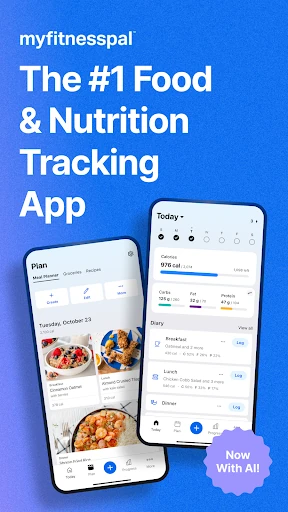
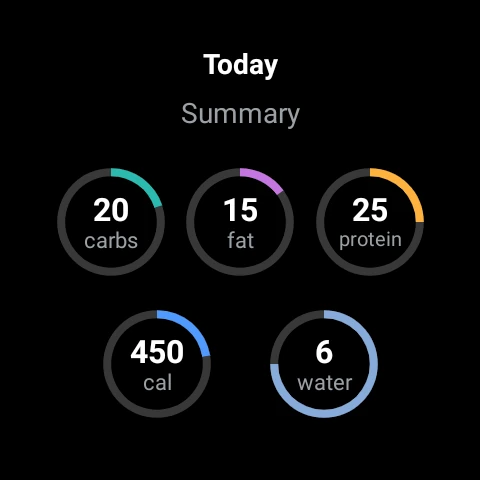
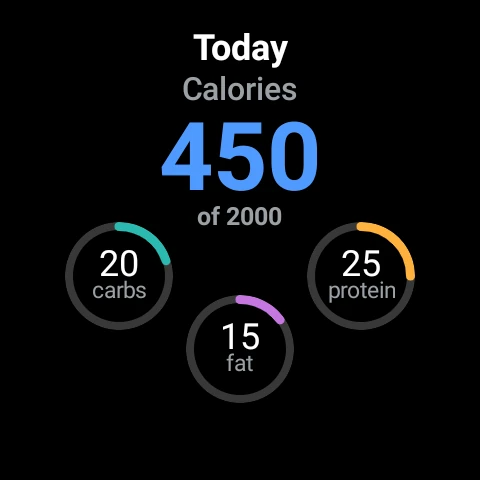
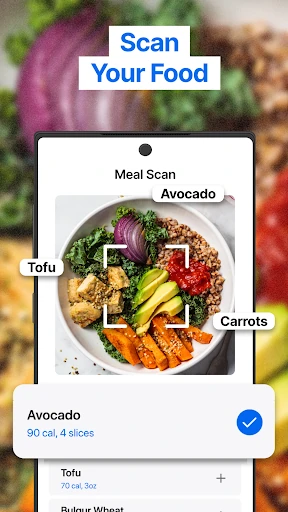
Analysis by Reviewed APKs
MyFitnessPal: Calorie Counter is a food, nutrition, and fitness tracker for people who want a clearer picture of what they eat and how they move. I like that it brings meal logging, nutrient goals, water, workouts, and progress into one place instead of scattering them across separate tools. It suits curious, consistent trackers best; it asks for regular input, so it is less appealing if you want everything to happen automatically.
A Day in the Food Log
When I first opened MyFitnessPal, I pictured using it during an ordinary workday rather than treating tracking as a full-time project. I could log breakfast, add a snack later, and check the day’s calories and nutrients as I went. The food database covers everyday foods and restaurant dishes, while saved meals and recipes can make familiar entries quicker to repeat.
By dinner, the useful part is having the day’s entries together with water and activity rather than trying to remember everything from scratch. I can also see carbs, fat, and protein, with goals available for nutrients such as sodium and fiber. That kind of running record can help me notice patterns, but it depends on entering food and portions thoughtfully; the app cannot make those choices for me.
Tracker, Not Meal Service
Compared with a simple calorie counter, MyFitnessPal reaches further: food and macro tracking sit beside workout and step logging, weight and progress tracking, water tracking, and goal setting. It also offers recipe saving, meal planning, and connections with other apps and devices. I’d consider it when I want one place to review eating and activity, rather than maintaining separate food and exercise records.
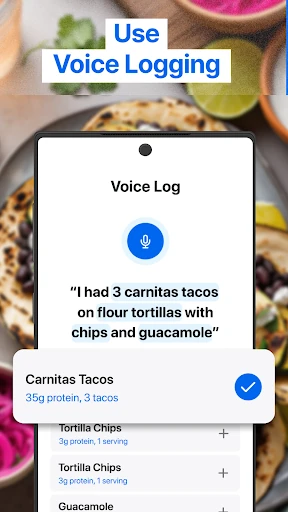
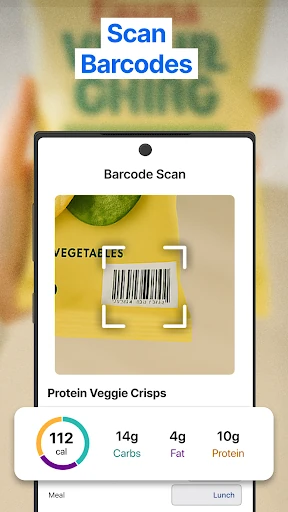
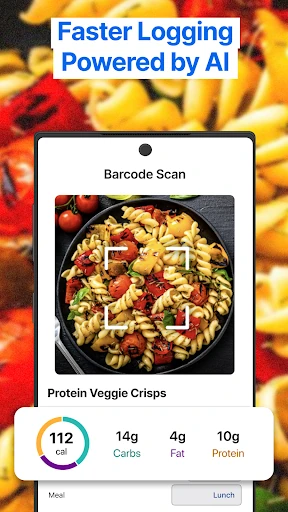
It is still a tracking tool, not a substitute for deciding what to eat or for professional guidance. Logging can make routines more visible, but it does not prepare meals or exercise on my behalf. Some tools, including barcode, meal, and voice logging, are described as Premium features, and expanded meal-planning options are associated with Premium Plus. People who dislike detailed entry may prefer a lighter routine.
Make Logging a Habit
I get more from a tracker like this when I log close to the moment I eat, rather than trying to reconstruct a whole day at bedtime. Saving meals and recipes helps with repeat breakfasts or weekday lunches, and setting goals for nutrients beyond calories gives the diary more context. A quick water entry during a break can also keep hydration records from becoming an afterthought.
A useful rhythm is to review the dashboard once or twice, not to check it constantly. I can add a workout or steps, then look at how activity appears alongside food and daily goals. If I use a compatible watch or another connected service, integrations may reduce the amount of duplicate logging. The point is to build a record I can actually maintain, not to make every meal a research project.
More From Our News Desk

Zoom Meetings, Google Meet, or Teams: Which Is Easiest to Join?

How I Build a Free Streaming Lineup With Tubi

Why Crunchyroll Is the Default Anime App for So Many Fans

YouTube TV: A Practical Guide to Cutting Cable

Rummikub and the Small Comfort of Phone Games

TeamViewer Remote Control or AnyDesk for Helping Family?
Who Will Get the Most From It
I’d recommend MyFitnessPal to people who want to understand their food habits and are willing to enter meals, drinks, and activity regularly. It can suit someone working toward weight loss, weight gain, maintenance, or broader nutrition and fitness goals, since the app supports those goal types. The combination of calories, macros, water, workouts, and progress records is especially useful for people who want more context than a basic food diary provides.
It may not suit someone who finds calorie counting stressful, dislikes manual logging, or wants a meal plan without tracking. The app offers meal-planning tools, but its central experience still revolves around recording and reviewing information. Some features are tied to paid tiers, and ads are present. I’d suggest starting with the core logging routine and deciding whether the extra tools are worth exploring for your own habits.
MyFitnessPal: Calorie Counter is developed by MyFitnessPal, Inc. On Google Play, it has over 100 million installs and a 4.4-star rating from about 2.9 million ratings. The app is free to download and contains ads. It also offers in-app purchases, with listed items ranging from $0.99 to $99.99.
Google Play gives the app an Everyone content rating. Its Android requirement and current version can vary by release and device, so check the store page for the details that apply to your phone. MyFitnessPal was released on April 26, 2010, and its listed last update was February 2, 2026.
How MyFitnessPal Fits a Real Routine
Getting Started
My first impression is of a tracker built around seeing several parts of a routine together. The food diary is the obvious starting point, but the app also covers exercise, water, weight, and nutrition goals. That breadth is helpful if I want a fuller daily record; it also means the experience can feel more involved than an app that only counts calories.
I’d begin by choosing a goal that matches what I’m trying to track, then make a small plan for logging meals consistently. MyFitnessPal supports goals such as weight loss, gain, maintenance, nutrition, and fitness. A modest start makes the setup feel practical: I can focus on meals and water first, then add workout or progress records as they become useful.
The Daily Experience
The everyday loop is straightforward in concept: record what I eat, check the nutrient totals, and add activity or water when relevant. With a database containing more than 20.5 million foods, including restaurant dishes, there are many entries to search through. Still, I would take a moment to check that a chosen food and portion match what I actually had.
The dashboard brings diet, fitness, and health statistics together, which makes a brief review more useful than looking at isolated numbers. I can see calories and macro breakdowns, then consider them alongside workouts and steps. This is a record-keeping experience, not a verdict on whether a day was good or bad. Its value comes from spotting patterns over time.
Tools Beyond Calories
Macros are one of the more useful additions to the basic calorie diary. The app can track carbs, fat, and protein, and goals can also cover nutrients such as sodium and fiber. A water tracker adds another everyday item to the same record. For someone trying to pay attention to more than total calories, having these details together can make reviews less fragmented.
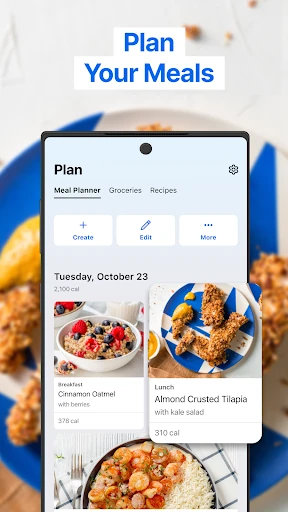
There are also tools for workouts, steps, weight, and progress, plus food and workout inspiration. MyFitnessPal describes connections with more than 40 apps and devices, and Wear OS support can put calorie, water, and macro tracking on a watch. Premium adds features such as barcode, meal, and voice logging, while Premium Plus includes expanded meal-planning options and recipes.
A Practical Weekly Rhythm
For a realistic routine, I’d log breakfast and lunch when I have a quiet minute, then add dinner after eating. Repeating meals are good candidates for saved recipes or meals, which can cut down on repeated searching. I’d also use the water tracker during natural pauses in the day and add exercise when I finish a workout.
Once or twice a week, I’d look over the dashboard and progress records rather than reacting to every daily fluctuation. If I use connected fitness tools, I can explore whether linking them helps keep activity records together. The app also has forums and meal-planning features for people who want those extras. I’d keep the routine simple enough that logging remains sustainable.
Limits to Keep in Mind
The main tradeoff is the time and attention that tracking requires. A large food database gives me plenty to choose from, but searching, selecting portions, and keeping entries accurate still take effort. If I miss several meals, filling in the gaps later can become tedious. People who prefer not to think about food details throughout the day may find this style of app intrusive.
Not every tool is part of the free experience. MyFitnessPal includes ads, and some logging and customization features are described as Premium; Premium Plus adds further meal-planning capabilities. These tiers can make the app more capable, but they may also complicate the choice for someone who only wants a basic diary. I’d start with the routine itself before paying for additional features.
MyFitnessPal is a capable option for people who want food, macros, water, workouts, and progress in one tracker. I appreciate its range and the way saved meals can support repeat routines. The strongest results come from steady, thoughtful logging, not from simply installing the app.
I’d try it if keeping a detailed record sounds useful and manageable. If you want minimal input or prefer not to track calories, it may be more app than you need. Start with the basic diary, see whether it fits your day, and explore paid extras only if they solve a real need.
MyFitnessPal Frequently Asked Questions
What is MyFitnessPal: Calorie Counter used for?
MyFitnessPal is used to track food, calories, macros, water, workouts, steps, weight, and progress. It also supports personal goals, saved meals and recipes, and meal planning. The app is designed to bring nutrition and fitness records together, so it can help users review habits over time. It requires regular entries to build a useful record.
Which devices can run MyFitnessPal?
MyFitnessPal is available on Android through Google Play, and its description also mentions Wear OS support for tracking on a compatible watch. It can connect with other apps and devices. The Android version requirement can vary, so check the Google Play page for the current requirement for your phone or watch.
What Android version does MyFitnessPal require?
The Android requirement may vary by release and device. Before installing, check MyFitnessPal: Calorie Counter on Google Play to see the current compatibility information for your phone. The app also describes Wear OS features, but watch compatibility can depend on the device and software you use.
Does MyFitnessPal cost money?
MyFitnessPal is free to download on Google Play, contains ads, and offers in-app purchases. Listed in-app items range from $0.99 to $99.99. Some features are associated with Premium or Premium Plus, including additional logging and meal-planning tools. Specific offers and prices may vary, so check the store listing for current details.
Is MyFitnessPal a good fit for beginners?
It can suit beginners who want to learn about their food and activity habits and are comfortable logging information regularly. The app includes calorie and nutrient tracking, water, workouts, and progress records. It may feel like too much if you want a hands-off experience or prefer not to track food in detail. Starting with a few daily entries can help you judge the fit.
Pros
- Combines food, macro, water, workout, and progress tracking in one app.
- Large food database includes restaurant dishes and supports saved meals.
- Offers goals and connected app or device options for varied routines.
- Wear OS support brings selected tracking tools to compatible watches.
Cons
- Regular meal and portion logging takes time and attention.
- Ads are present, and several tools sit behind paid tiers.
- A detailed tracking approach may not suit people seeking minimal input.
- Category
- Health & Fitness
- Version
- VARY