 About Minecraft
Minecraft Still Makes a Surprisingly Good Phone-Sized Creative Space
A world that fits spare moments
When I first opened Minecraft on a phone, the appeal was less about recreating a grand PC-style session and more about having a world I could return to in small pockets of time. I could gather a few materials, add a room to a house, or simply look around. The world gives even a short visit somewhere to go, without demanding that every session become a major project.
That flexibility is a big reason the game still works as a creative space years after its 2011 release. It can be a place for a practical little farm one day and a sprawling city the next. I like that there is no single definition of a successful visit. Sometimes I make something; sometimes I wander and collect ideas for what I might build later.
The mobile version is a paid game on Google Play, currently priced at $6.99, with optional in-app purchases. It has a 4.3-star rating from around 5.9 million ratings and over 50 million installs. Those numbers suggest a very broad audience, but the everyday appeal is more personal: it is easy to make a world feel like yours, one small decision at a time.
Creative mode removes the pressure
When I want building to feel relaxing, Creative mode is the clearest place to start. It provides unlimited resources, so I can concentrate on shape, color, and layout rather than making repeated trips to gather materials. That makes it a natural fit for experimenting with a design, especially when I am playing on a screen where precise, rapid interactions can take more effort.
I spent an evening treating a simple house as a series of small choices: where the entrance should sit, how wide a room needed to be, and whether a path should lead toward the landscape or stop at the door. The pleasure came from adjusting the plan as I went. I did not need a detailed blueprint or a long uninterrupted session to feel that the build was taking shape.
Creative freedom can also be a little overwhelming. With so many possible directions, I find it helps to give myself one modest goal before I begin. A garden, a bridge, or one finished room is enough. That kind of limit is not a game rule; it is a way to keep a big sandbox from turning into a screen full of half-started ideas.
Survival gives each visit a purpose
Survival mode changes the feeling of a session. Gathering resources, crafting tools, and making it through the night give ordinary tasks a sense of purpose. Instead of building only because I feel like it, I have practical reasons to shape a shelter and prepare for what might happen next. That structure can be satisfying when I want a little more direction than Creative mode provides.
On a phone, I find that Survival is most comfortable when I keep the immediate task clear. I might focus on collecting what I need for one tool or improving one corner of a shelter, rather than trying to manage a long list of ambitions in one sitting. The game includes danger and battles, so this mode can feel busier than open-ended building. Short, focused visits make that pace easier to enjoy.
The two modes make Minecraft feel less like one fixed experience and more like a choice between different moods. I can use Creative mode when I want room to experiment, then return to Survival when I want challenges and a reason to gather materials. That flexibility is valuable on mobile, where the time and attention I have available can change from one day to another.
Make touch play feel more deliberate
I would not pretend touch controls make every building task effortless. Small adjustments can take patience, and a plan that would be simple to execute in your head may feel fiddly when you are working on a phone. My most useful adjustment is behavioral rather than technical: slow down, decide what I want to place, and make one change at a time instead of trying to rush through a complicated build.
When I first started building on a smaller screen, I was tempted to keep going until a whole structure looked finished. That often made the session feel more tiring than it needed to be. Now I break a project into visible milestones: outline the footprint, finish one wall, or settle the path outside. Stopping at a natural point makes it easier to return later without losing track of the plan.
It also helps to treat the phone as a different canvas rather than a smaller version of another setup. I choose projects that suit a close view and a few careful adjustments, then save large, intricate ideas for when I have more time. A simple shape can still be expressive. Comfort comes from matching the scale of the task to the attention I want to give it.
Let the world supply your next idea
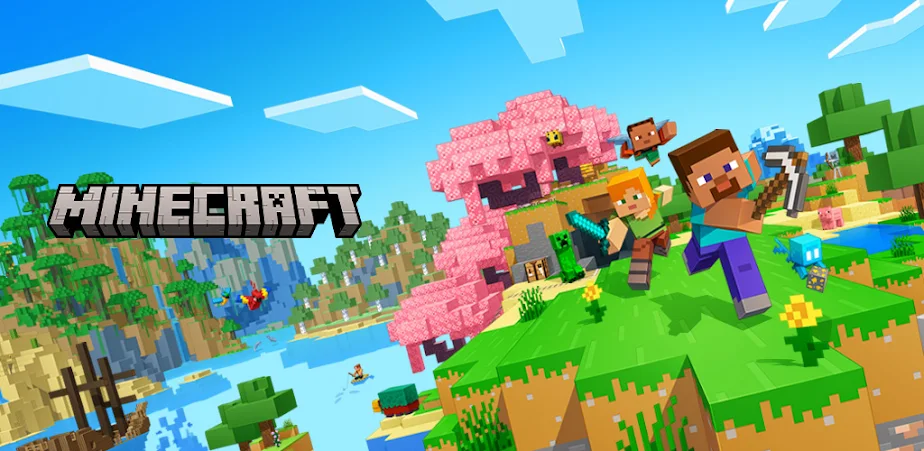
Minecraft's open world gives me a useful alternative to starting with a blank page. Exploring different biomes, mining, and encountering creatures can suggest what I want to do next. I might see a landscape and decide that it needs a path or a small building, or I might head underground because I want resources for something I already have in mind. Either way, exploration can turn wandering into a source of creative direction.
I like this especially when I have only a few minutes and do not feel ready to commit to a major construction project. I can explore, gather materials, or notice a spot worth revisiting. Those small acts still connect to a larger world that continues to feel personal. The game does not require every visit to end with a finished structure for the time to feel useful.
There is a trade-off: an open-ended world can make it easy to drift without a clear objective. When that happens, I pick one nearby destination or a single material to gather. It gives me enough direction to enjoy exploring without turning the game into a checklist. The freedom works best for me when I add just a little structure of my own.
Friends expand the building space
Solo play is not the only way to shape a world. Minecraft supports multiplayer, including play with friends, and its Bedrock Edition offers cross-platform play. That gives the creative space a social dimension: a shared project can feel different from a private build, because other people bring their own priorities and ideas. For someone who enjoys making things together, that can be a reason to keep returning.
I would think about the kind of session I want before joining others. A quiet solo visit leaves me free to change direction whenever I like; a shared world is better when I want company or a cooperative goal. Multiplayer is an option rather than a requirement, which matters for a game that can be enjoyable as a personal retreat as well as a place to meet friends.
The mobile game also includes creator-made add-ons, worlds, and cosmetics through Minecraft Marketplace, with purchases available in the app. I see those as optional ways to explore more, not prerequisites for building something satisfying. The basic appeal is already in the sandbox itself: gathering ideas, making choices, and watching a place gradually become your own.
Minecraft still makes sense on a phone because its best creative moments do not require a long session or a perfect plan. Creative mode offers room to experiment; Survival adds purpose; and exploration gives you ideas when you are not sure what to build. Touch play asks for patience, but smaller goals and deliberate sessions make it easier to settle into.
I would recommend it most to players who enjoy shaping a world at their own pace and do not mind making a few careful adjustments on a small screen. If you want every task to be quick and precise, mobile building can feel fussy. But for a flexible world that welcomes both brief visits and ongoing projects, Minecraft remains a comfortable place to create.