Crackle : Movies & series
- 418
- 1.9
- Installs
- 100.00K
- Price
- Free
Screenshots
Analysis by Reviewed APKs
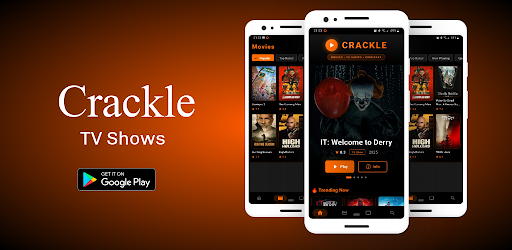
Crackle : Movies & series is a trailer-discovery app for people who want a quick preview before choosing a movie or TV show elsewhere. I like the narrow idea: browse previews, search by title or genre, and save trailers that catch my attention. The main thing to understand is that this is not a streaming service; it helps with the decision, not the full evening of watching.
A Better Preview Break
When I have a few minutes between errands and want to pick something for later, a trailer app can be more useful than scrolling through full streaming catalogs. Crackle is designed for that short window: I can look through movie trailers or TV previews, see what an upcoming release is about, and get a feel for its genre before deciding whether to pursue it.
The app describes a catalog spanning action, comedy, drama, horror, documentaries, and more, with previews for both films and shows. That gives a casual browsing session some direction without requiring me to know the exact title first. I can search by genre, title, or release date, which makes the experience work for both aimless discovery and a specific “what was that movie?” moment.
Trailers, Not Streaming
The obvious comparison is a streaming app, but Crackle has a different job. It offers trailers and previews rather than full movies or episodes, so I would use it before opening a streaming service, not instead of one. That distinction matters when I am planning a movie night: the app can help me shortlist options, but I still need to find the selected title through its official streaming platform or service.
It also differs from a broad entertainment guide because the focus here is watching previews. The appeal is simple and specific: see a trailer, explore titles, and keep favorites for later. If I want a full episode, a complete film, or a place to manage my subscriptions, this is not the right tool. Its usefulness depends on enjoying trailers as a way to choose what to watch next.
Make Browsing Count
A small habit that makes sense here is saving interesting trailers as I come across them. Instead of trying to remember a title after a quick browse, I can use the favorites feature to keep a short list for later. That is especially handy when I am collecting options during the week and want to make a choice when friends or family are ready to watch.
I would also alternate between searching by genre and searching by title. Genre browsing suits an open-ended evening when I have no particular pick in mind; a title search is quicker when someone has already suggested a film or show. Release-date search can help surface previews associated with upcoming content. These are modest tools, but together they give a short discovery session a practical shape.
More From Our News Desk

Zoom Meetings, Google Meet, or Teams: Which Is Easiest to Join?

How I Build a Free Streaming Lineup With Tubi

Why Crunchyroll Is the Default Anime App for So Many Fans

YouTube TV: A Practical Guide to Cutting Cable

Rummikub and the Small Comfort of Phone Games

TeamViewer Remote Control or AnyDesk for Helping Family?
Who Might Enjoy It
I would recommend Crackle to people who like watching trailers and want a dedicated place to browse previews before choosing a movie or TV show. It suits the indecisive part of a viewing routine: when the group chat has produced three possibilities, or when I want to see what a title is like before looking for it elsewhere. Genre and title search, plus saved favorites, give the browsing a little structure.
It may not suit someone expecting to press play on a complete film or episode. The app’s own description is clear that it provides trailers only, and full titles must be accessed through their official streaming platforms or services. I would also set expectations around the store reception: Google Play shows a 1.9-star rating from 418 ratings. That does not establish why users rated it that way, but it is worth weighing before installing.
Google Play identifies the developer as Crackle TV. The app has 100,000+ installs and a 1.9-star rating from 418 ratings. It is free to download, contains ads, and does not offer in-app purchases. Its content rating is Teen. Those figures give a useful snapshot of the app, while the actual experience is focused on previews rather than full-length entertainment.
The listed version is “Varies with device,” and the release date is February 5, 2026. The Android version requirement is not included in the available app facts, so it is sensible to check the Google Play page on the device you plan to use. I have left out an update date because there is no last-updated date in the available facts.
A Closer Look at Trailer Browsing
A Focused First Look
When I first opened the idea behind Crackle, the most important expectation to set was that I was browsing trailers, not entering a library of full shows. That framing makes the app easier to judge. Its purpose is to help me preview movie and TV options, including upcoming releases, and then decide whether to find them through another service.
The feature set is straightforward on paper: browse previews, search by a few useful criteria, and save favorites. There is no need to treat it like a complicated media organizer. I would start with a genre if I wanted inspiration, or a title search if I already knew what I hoped to find.
The Everyday Browse
Day to day, the central activity is watching short previews and moving on when something does not grab me. That can be a pleasant alternative to reading several descriptions when I am trying to make a quick choice. The app says its trailers cover multiple genres and include both movies and television, so the browsing is not limited to one kind of release.
The trade-off is that a trailer only gives me a preview. It cannot replace watching the actual show or film, and it does not complete the search for where to watch it. I would treat Crackle as one stop in a two-step routine: use it to decide what sounds promising, then use the appropriate streaming platform or service for the full title.
Useful Discovery Tools
Search by title is the most direct feature when I already have a name in mind. Genre search is better for browsing without a plan, while release-date search gives another way to explore titles. These options suit different moods without changing the app’s basic purpose: finding a preview that helps narrow down a viewing choice.
Saving favorite trailers is a practical touch because discovery often happens at the wrong time. I might see something interesting while waiting in line, then want to revisit it when I have time to choose a film. The app also describes its trailer selection as regularly updated, which is useful for people who like checking for newer releases and previews.
A Movie-Night Routine
For a simple movie-night routine, I would open Crackle before everyone settles in and ask each person to suggest a genre or title. A few trailer previews can turn a vague debate into a shorter list of options. If nobody is sure what they want, genre browsing gives the group a starting point instead of another round of scrolling through descriptions.
When a preview earns a place on the shortlist, saving it for later can keep the idea from disappearing. Once the group picks a title, the next step is to check its official streaming platform or service, since Crackle supplies trailers rather than full movies and episodes. It is a small workflow, but it keeps the app’s role clear and useful.
Keep the Scope in Mind
The biggest limitation is also the clearest one: Crackle is for trailers only. Someone expecting full movies, complete episodes, or a streaming subscription experience will need another app or service. That is not a minor detail to discover halfway through a movie night; it should shape the decision to install the app in the first place.
The Google Play rating is low at 1.9 stars from 418 ratings, so I would approach it with measured expectations rather than assuming every browsing session will be smooth. The available facts do not explain the reasons behind those ratings. Ads are present as well, though the app is free and does not offer in-app purchases. Check the store page for device compatibility before downloading.
Crackle : Movies & series has a clear use: it gives trailer fans a place to discover movie and TV previews, search across titles and genres, and save favorites. I like that focused role, especially for narrowing down choices before opening a streaming service. It is best understood as a discovery companion, not a place to watch full-length entertainment.
I would suggest trying it if trailers are part of how you decide what to watch and you are comfortable with ads. I would skip it if you want a one-stop streaming library. The low Google Play rating is a reason to keep expectations practical, but the app’s trailer-only purpose may still suit a quick, specific browsing need.
Crackle Frequently Asked Questions
What is Crackle : Movies & series used for?
Crackle : Movies & series is used to discover and watch movie and TV show trailers. It offers previews across genres, including action, comedy, drama, horror, and documentaries, and lets users search by genre, title, or release date. It also supports saving favorite trailers. Full movies and episodes must be watched through their official streaming platforms or services.
Which devices and platforms support Crackle : Movies & series?
Crackle : Movies & series is listed on Google Play as an Android app. The available information does not specify other platforms or a full list of compatible devices. Check the Google Play page on the device you plan to use for current compatibility details, since availability and requirements can vary.
What Android version does Crackle : Movies & series require?
The minimum Android version for Crackle : Movies & series is not provided in the available app details. Requirements can vary by device and app release, so check the requirements shown on its Google Play page before installing. The version information currently says it varies with device.
Does Crackle : Movies & series cost money?
Crackle : Movies & series is free to download and contains ads. It does not offer in-app purchases according to its Google Play details. The app provides trailers only, so watching full movies or TV episodes requires access to the relevant official streaming platform or service.
Is Crackle : Movies & series a good fit for me?
It may suit you if you enjoy browsing trailers to decide what to watch and want to save previews for later. It is not a fit if you expect a library of full movies or episodes, since the app is for trailers only. Its Google Play rating is 1.9 stars from 418 ratings, so consider that alongside your own needs.
Pros
- Focused trailer browsing for both movies and TV shows.
- Search by genre, title, or release date.
- Favorite trailers can be saved for later.
- Free to download, with no in-app purchases.
Cons
- Trailers only; full movies and episodes require another service.
- Contains ads during the browsing experience.
- Google Play rating is low at 1.9 stars from 418 ratings.
- Category
- Productivity











