Clipper - Clipboard Manager
- 26.61K
- 3.9
- Installs
- 1.00M
- Price
- Free
Screenshots
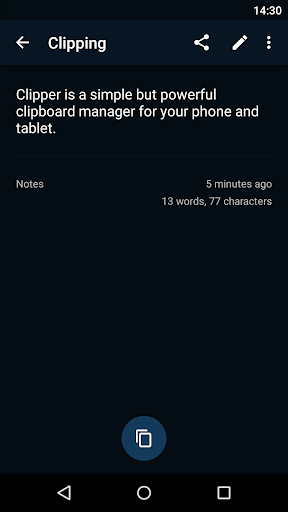
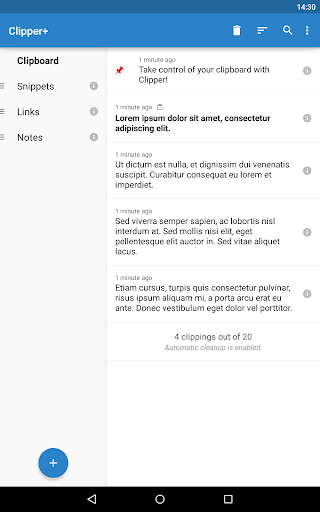
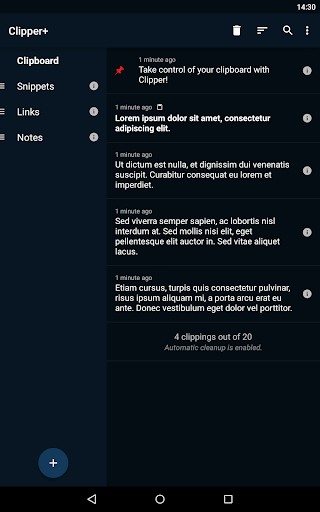
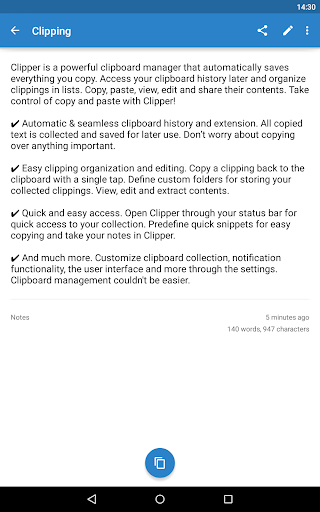
Analysis by Reviewed APKs
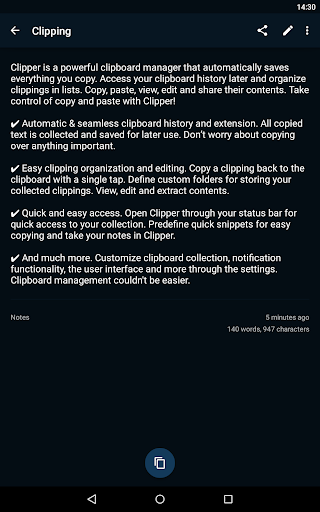
Clipper - Clipboard Manager is a productivity app for keeping copied text within reach instead of losing it when you copy something new. I found its appeal easy to understand: it turns the phone’s clipboard into a reusable collection, with ways to organize, edit, and paste clippings again. It suits people who regularly reuse snippets or juggle bits of text, though it works best as a practical utility rather than a full note-taking app.
A Busy Day of Copying
Picture a morning spent replying to messages, filling in a repeated address, and moving bits of text between apps. Normally, each new copy pushes the last one out of reach. Clipper is designed to save copied text automatically, so I can return to an earlier clipping, tap it to copy it again, and paste it where it belongs. That makes the app useful for small, frequent interruptions rather than one big organizing project.
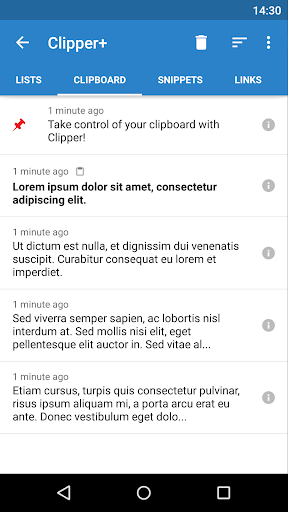
When I first opened Clipper, the key idea was straightforward: start the app once to activate monitoring, then let it collect text I copy. A quick-start tutorial helps explain that initial step. Later, I can open Clipper from the status bar and browse saved clippings without needing to remember exactly where I used them. It is the kind of utility I would notice most on a day with lots of short messages and repeated details.
Clipboard, Not Notebook
The obvious alternative is the clipboard already built into a phone, which is fine when I only need the most recent thing I copied. Clipper is for a different pattern: keeping a history, finding a useful old clipping, and arranging text I expect to reuse. Custom folders and editable clippings give that collection more structure than a one-item clipboard, without asking me to turn every quick bit of text into a formal note.
That focus also defines what Clipper is not. It is not presented as a general-purpose writing space or a way to sync a working document across devices. Its job is to collect and reuse copied text on the device. If I only copy something once in a while, the regular clipboard may be enough. If I need a lasting archive of polished notes, a dedicated notes app may fit that habit better.
Make Reuse a Habit
Clipper makes more sense when I treat it as a small part of an existing routine. After copying a useful piece of text, I can leave it in the history for later or move recurring material into a custom folder. When I need it again, opening the app from the status bar and tapping the clipping is a short path back to the clipboard. That is a modest workflow, but it avoids repeatedly searching through old conversations.
For text I use often, predefined snippets can save another round of copying from somewhere else. I can also edit a clipping or extract its contents, which is useful when the saved text needs a small adjustment before I reuse it. Settings allow changes to clipboard collection, notifications, and the interface. I would start with the basics, then adjust those options only if the default behavior does not suit my day.
More From Our News Desk

Zoom Meetings, Google Meet, or Teams: Which Is Easiest to Join?

How I Build a Free Streaming Lineup With Tubi

Why Crunchyroll Is the Default Anime App for So Many Fans

YouTube TV: A Practical Guide to Cutting Cable

Rummikub and the Small Comfort of Phone Games

TeamViewer Remote Control or AnyDesk for Helping Family?
Who May Find It Useful
I would recommend Clipper to people who copy and paste the same information throughout the day: addresses, short replies, reference text, or other reusable snippets. It is especially relevant if losing an earlier copied item causes a minor but constant annoyance. The combination of saved history, folders, editing, and quick access gives those users a simple place to retrieve text without rebuilding a larger system around it.
It may be less compelling if your clipboard use is occasional, or if what you need is a full notes workflow rather than a text-reuse tool. Clipper is also designed around copied text, so I would not choose it expecting a general media library or cross-device workspace. Task killers may interfere with its monitoring, and the app needs to be started once to activate that function, so users should keep that setup detail in mind.
Clipper - Clipboard Manager is a free Android productivity app from rojekti. Google Play shows over 1 million installs and a 3.9-star rating from around 26,600 ratings. The app contains ads and has an Everyone content rating. Its recorded release date is March 20, 2010, and the current version is 3.0.12.
The recorded last update is May 3, 2026. Clipper’s description also presents Clipper Plus as an upgrade with additional options, including unlimited clippings and search. I would check the Google Play store for current details about that upgrade and any requirements that matter for a particular device.
A Clipboard That Remembers the Useful Bits
Starting Out
My first impression is that Clipper is built around a single useful promise: copied text should not vanish just because I copied something else. The setup is not elaborate, but it does have one important step. After installing, I need to start the app once to activate monitoring, and the quick-start tutorial introduces how it works. That makes the first launch worth doing rather than leaving the app unopened.
From there, the app can collect copied text for later access. The description says the collection and notification behavior, along with the interface, can be adjusted in settings. I would begin with the default setup and make changes only when I notice a real annoyance. One practical caveat is that task killers may interfere with Clipper, so a user who relies on them may need to account for that.
Retrieving Text Daily
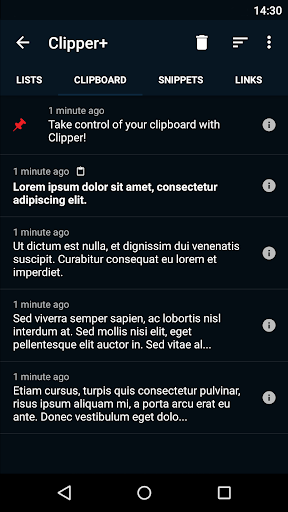
The core experience is less about managing a complicated library and more about getting back to a piece of text at the right moment. Clipper saves copied material, then lets me view the history and tap a clipping to copy it again. I can open it from the status bar, which is handy when I am already working in another app and want to return to an earlier item quickly.
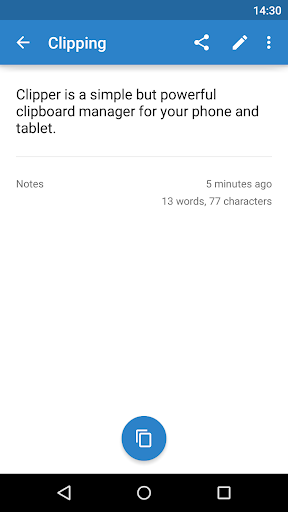
I also like that a clipping is not entirely fixed once it has been saved. Clipper supports viewing and editing its contents, as well as extracting contents. That gives the history a little flexibility when a snippet needs to be checked or adjusted. The everyday payoff is simple: less retracing my steps to find the original source of a line I have already copied.
Useful Organization Tools
Folders are the standout organizing feature for anyone whose clipboard history grows beyond a few recent items. I can define custom folders for collected clippings, separating material I expect to reuse from the broader stream of copied text. This is a practical middle ground: more structure than a plain clipboard, but not a demand to categorize every single thing before I can use it.
Predefined quick snippets are another useful feature. They let me keep repetitive pieces of text ready to copy, while Clipper can also serve as a place to take notes. The description further mentions options for customizing collection, notifications, and the interface. Those are the supported ways to adapt the app; I would not assume that it offers device syncing or shortcuts beyond what its own settings describe.
A Simple Work Routine
For a realistic routine, I would let Clipper handle the small text I repeatedly move around during the day. I might copy a useful reference line, keep a recurring snippet in a folder, then open the app from the status bar when I need it again. A tap copies the clipping back to the clipboard, so I can return to the app where I was working and paste it there.
I would make a brief habit of reviewing which clippings are worth keeping organized, rather than trying to curate every copied item. Editing is useful if a saved piece needs a correction, and predefined snippets are a natural home for the text I use repeatedly. This approach keeps Clipper as a lightweight helper: a place to retrieve and reuse text, not another daily project to maintain.
Limits to Keep in Mind
Clipper’s central strength is also its boundary: it is focused on clipboard management and text reuse. That is a good match for copied snippets, but it should not be mistaken for a full note-taking system or a shared workspace. The description does not establish syncing across devices, so I would plan around using it as a phone utility rather than expecting the same collection to follow me elsewhere.
There are also a couple of practical details to weigh. The app contains ads, and its description says task killers may interfere with monitoring. Clipper Plus is described as adding unlimited clippings, search, dynamic values, and other options, so the free experience may not be the whole story for someone with heavier needs. I would check the store for current upgrade details before deciding whether those options matter.
Clipper - Clipboard Manager does one everyday job that can save repeated effort: it keeps copied text available after the next copy. History, folders, editing, snippets, and status-bar access make that job more flexible than relying on a basic clipboard alone. The app is most convincing when I have frequent, predictable reasons to reuse text.
I would try it if clipboard history is a real irritation in my routine, while keeping expectations focused on text collection and reuse. Occasional copiers may not need another utility, and anyone wanting a broader notes or cross-device system should look elsewhere. For its intended task, Clipper offers a practical set of tools, with ads and setup behavior worth considering.
Clipper+ Frequently Asked Questions
What is Clipper - Clipboard Manager used for?
Clipper saves copied text so you can return to it later instead of losing an earlier item when you copy something new. It lets you view, edit, organize, and copy clippings again, including through custom folders and predefined snippets. It is mainly a clipboard and text-reuse utility, rather than a general-purpose writing or document app.
What devices can run Clipper - Clipboard Manager?
Clipper - Clipboard Manager is an Android app available through Google Play. Its description covers using it on an Android device and opening it from the status bar. The minimum Android version is worth checking on the Google Play store, since device requirements can vary with the current app release.
What Android version does Clipper - Clipboard Manager require?
The app is for Android, but the minimum Android version can vary and is worth checking in its Google Play store details before installing. The description says Clipper needs to be started once to activate clipboard monitoring. It also notes that task killers may interfere with that monitoring.
Does Clipper - Clipboard Manager cost money?
Clipper - Clipboard Manager is listed as free and contains ads. Its description also presents Clipper Plus as an upgrade with features such as unlimited clippings and search. Upgrade availability and current terms may vary, so check the Google Play store for the latest details.
Who should use Clipper - Clipboard Manager?
Clipper is a good fit for Android users who often copy and reuse bits of text and want a history, folders, or ready-made snippets. It may be less useful if you rarely copy text or need a full note-taking system. Its description focuses on clipboard management, not a shared workspace across devices.
Pros
- Automatically keeps copied text available for later reuse.
- Custom folders help organize clippings beyond the recent history.
- Editing and predefined snippets support repeatable text workflows.
- Status-bar access provides a quick route back to saved clippings.
Cons
- Contains ads, which may be distracting during frequent use.
- Task killers may interfere with clipboard monitoring.
- Focused on text reuse rather than a full notes or shared workspace.
- Category
- Productivity
- Version
- 3.0.12











