CamScanner- scanner, PDF maker
- 5.06M
- 4.6
- Installs
- 500.00M
- Price
- Free

Screenshots
Analysis by Reviewed APKs
CamScanner- scanner, PDF maker turns a phone camera into a tool for digitizing paperwork, from receipts and notes to invoices and certificates. I see it fitting people who regularly need to capture, organize, and share documents without reaching for a dedicated scanner. Its appeal is the broad workflow: scan, clean up, search, and export. It is more than a camera shortcut, though its many tools may be more than occasional users need.
From Paper to PDF
When I imagine using CamScanner on an ordinary workday, it starts with a small pile of paper: a receipt to keep, a signed form to send, and notes from a meeting. I can capture each with the phone camera and turn the images into digital documents. Smart cropping and image enhancement are intended to make the result easier to read, so I do not have to treat every scan as a raw snapshot.
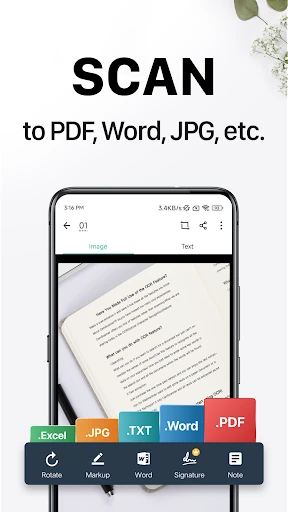
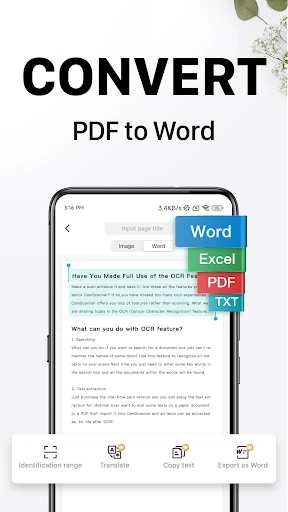
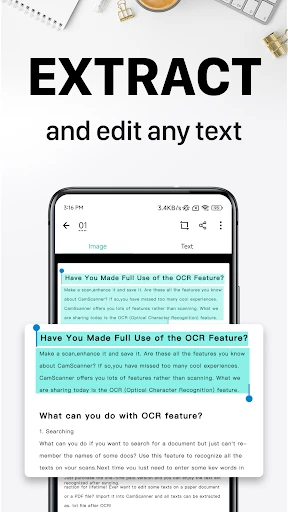
The useful part is what happens after capture. CamScanner can save documents as PDF or JPEG, and its text recognition can pull words from images or PDFs for later searching, editing, or sharing. That makes the app relevant for both a one-off scan and paperwork I may need to find again. For a quick handoff, I can share a file by email or other supported routes rather than passing around the original page.
A Scanner, Not an Office
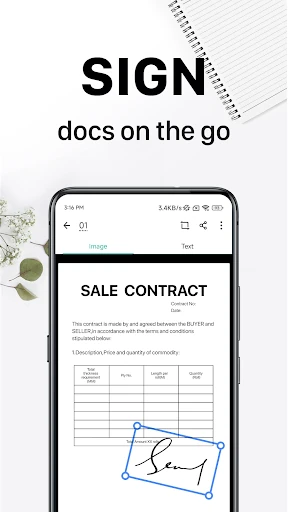
Compared with photographing a page in the regular camera app, CamScanner is built around document handling: cropping, improving scan appearance, extracting text, and organizing files. That difference matters when I want a clean PDF rather than an image buried among vacation photos. It also offers tools for annotations, watermarks, document search, and sharing, giving it a wider role than a simple capture-and-save camera workflow.
Still, I would not treat it as a full replacement for an office setup or a general-purpose word processor. It is centered on capturing and managing documents with a mobile device, with options such as wireless printing and remote fax alongside file sharing. If I only scan a page once in a while, the breadth may feel unnecessary. Its strengths are more apparent when paperwork regularly moves between capture, storage, and sending.
Small Habits That Help
A useful habit is to scan a document when it is already in my hand, rather than leaving a loose receipt or note to deal with later. I can give saved documents tags and use text recognition to search for words inside images, which helps when I need to retrieve something after the moment has passed. That workflow is especially practical for recurring paperwork that would otherwise collect in a drawer or a camera roll.
I would also choose an export format based on the next step: PDF when I am sending a document as a file, or JPEG when an image is more convenient. For a document that needs context, annotations and a customized watermark are available. If I use CamScanner across devices, signing in can sync documents between a smartphone, tablet, or computer. These small choices make the app feel more like a document routine than a one-time scanner.
Reads About CamScanner
More From Our News Desk

Zoom Meetings, Google Meet, or Teams: Which Is Easiest to Join?

How I Build a Free Streaming Lineup With Tubi

Why Crunchyroll Is the Default Anime App for So Many Fans

YouTube TV: A Practical Guide to Cutting Cable

Rummikub and the Small Comfort of Phone Games

TeamViewer Remote Control or AnyDesk for Helping Family?
Who Will Get the Most From It
I would recommend CamScanner to students, independent workers, and anyone who regularly handles paper away from a desk. It can help with notes, receipts, invoices, business cards, and other everyday documents, then provide ways to search or share the results. People who move between a phone, tablet, and computer may also appreciate the option to sign in and sync documents across devices.
It may be less appealing if you only need to photograph a page occasionally and have no interest in organizing or editing scans. The broad set of tools can feel like extra machinery for that simple job, and the app includes ads and in-app purchases. I would also check the available plan details before relying on paid features. For frequent paperwork, though, the combination of capture, OCR, and sharing is a useful package.
CamScanner- scanner, PDF maker is a Productivity app from INTSIG PTE. On Google Play it has over 500 million installs and a 4.6-star rating from about 5.1 million ratings. It is free to download, contains ads, and offers in-app purchases. The store gives a content rating of Everyone.
The listed version is 7.27.5.2610140000. CamScanner was released on October 30, 2010, and its listed last update is October 29, 2026. Individual in-app purchase items range from $0.49 to $399.99. The Android version requirement can vary by device and release, so it is worth checking the Google Play entry for compatibility.
A Closer Look at the Scanning Workflow
Starting With a Scan
My first impression is that CamScanner wants to cover the whole document journey, not just the moment when I point a camera at a page. The basic idea is easy to understand: use the phone to digitize paper, then save or share the result. Its stated document types range from receipts and notes to whiteboard discussions, business cards, and certificates, which gives the app a broad everyday brief.
The capture workflow is paired with smart cropping and automatic enhancement. Those tools are intended to improve the framing and readability of the scan, a helpful distinction from keeping an unprocessed camera image. I would still take a moment to check the result before sending it, especially when a document has small text or important details near its edges. A quick review is a sensible part of any scanning routine.
The Everyday Flow
The day-to-day appeal is the path from paper to a file I can use elsewhere. CamScanner can save scans as PDF or JPEG, and its OCR can recognize text in images or PDFs. That text can then be searched, edited, or shared. For me, this is most useful when a document is not just something to send now but something I may need to locate again weeks later.
Sharing is another practical piece of the routine. The app supports sending documents through options such as email attachments or download links, as well as sharing PDF or JPEG files. When I need a physical copy, it also describes wireless printing to a nearby printer. The range is convenient, although the best route depends on what the recipient or printer can handle.
Tools Beyond Capture
OCR and document search are two features that change how I would use the app over time. I can tag documents, and text recognition can make it possible to search based on words inside an image. That is a better fit for an expanding collection than relying only on memory or scrolling through files. It turns the scan archive into something more useful than a stack of digital pages.
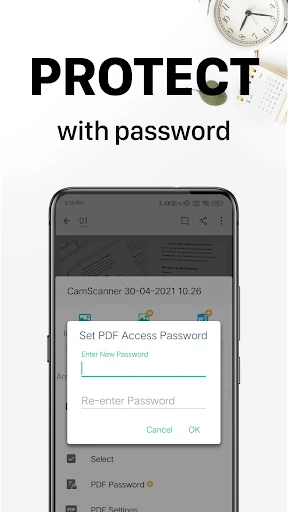
CamScanner also includes document annotations and customized watermarks, plus password options for viewing confidential documents or protecting a download link. These features add ways to prepare and control a document before sharing it. I would consider them practical extras rather than reasons everyone needs the app; many quick scans will not call for markup or password protection.
There are also remote fax and wireless printing options. The app says documents can be faxed to destinations in over 30 countries and regions. That makes CamScanner more versatile for paperwork that still needs a fax or printed copy, though those are occasional needs for many people. The core value remains capturing, organizing, and sharing documents.
A Repeatable Paperwork Routine
For a simple weekly routine, I would scan receipts and forms as they arrive, check the crop, and save each in a format that suits its next use. Adding tags at the point of capture can make later retrieval easier, while OCR-based search gives another way to find a document by its text. This is a small habit, but it can prevent a growing pile of unlabelled scans.
When a document needs to go to someone else, I can choose a PDF or JPEG and share it through an available route such as email. If I work across devices, signing in is the route CamScanner provides for syncing documents between a phone, tablet, and computer. That can keep a scan within reach when I move from capturing it on the go to handling it later.
Things to Keep in Mind
CamScanner offers a lot of functionality, and not all of it will matter to a casual scanner. OCR, tags, annotations, watermarks, password options, printing, faxing, and syncing make the app broad, but they also mean there is more to explore than a basic camera capture. Someone who only needs an occasional image of a page may prefer a simpler routine.
The app is free to download, but it contains ads and offers in-app purchases. The listed item prices span a wide range, so I would check the purchase details in Google Play before choosing paid access. The description also explains that membership subscriptions are available in weekly, monthly, quarterly, or annual billing periods; the selected plan determines the charge.
A phone scan is still a digital capture of a physical page, so I would review important documents before sharing them rather than assuming every edge and line came through perfectly. Compatibility requirements can also depend on the current release and device. Those are practical checks, not reasons to avoid the app, but they are worth keeping in mind when setting up a regular workflow.
CamScanner makes the most sense when scanning is part of a real routine. Its combination of image cleanup, OCR, tags, multiple file formats, and sharing options can take paperwork beyond a quick photo. I also like that the app includes tools for printing, faxing, annotations, and syncing, even if many users will only need a few of them.
I would try it if I regularly collect or send paper documents and want a more organized mobile workflow. If my scanning needs are rare and simple, the ads, purchases, and extra tools may be more than I need. For people who handle paperwork often, CamScanner is a capable option worth considering.
CamScanner Frequently Asked Questions
What is CamScanner- scanner, PDF maker used for?
CamScanner uses a mobile device camera to digitize paper documents such as receipts, notes, invoices, and certificates. It can save scans as PDF or JPEG, improve their appearance, recognize text with OCR, and provide tools to search, annotate, organize, and share documents.
Which devices support CamScanner- scanner, PDF maker?
CamScanner is available on Android through Google Play. Its description also says signed-in users can sync documents with a smartphone, tablet, or computer. Availability and compatibility can vary by device, so check the Google Play entry for the current requirements for your device.
What Android version does CamScanner- scanner, PDF maker require?
The Android requirement can vary with the app release and device. Check the current Google Play entry for the version requirement that applies to your phone or tablet before installing or updating CamScanner.
Is CamScanner- scanner, PDF maker free?
CamScanner is free to download, contains ads, and offers in-app purchases. Listed purchase items range from $0.49 to $399.99, and the app describes optional subscriptions with weekly, monthly, quarterly, or annual billing. Check Google Play for current plan details and prices.
Who should use CamScanner- scanner, PDF maker?
It is a good fit for people who regularly scan, organize, search, or share paperwork from a phone. Students and workers handling receipts, notes, or forms may find its OCR and document tools useful. Someone who only needs an occasional basic photo of a page may not need its wider feature set.
Pros
- Turns common paper documents into PDF or JPEG files using a phone camera.
- OCR and tags provide practical ways to search a growing collection of scans.
- Includes sharing, annotations, watermarks, printing, faxing, and cross-device syncing.
- Smart cropping and image enhancement help prepare scans for easier reading.
Cons
- The wide range of tools may feel excessive for occasional, simple scanning.
- The app contains ads and offers in-app purchases with a broad price range.
- Scans still benefit from a careful check before sharing important paperwork.
- Category
- Productivity
- Version
- 7.27.5.2610140000











