Calculator
- 797.49K
- 4.3
- Installs
- 1.00B
- Price
- Free
Screenshots
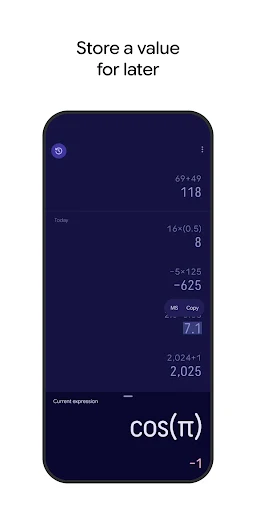
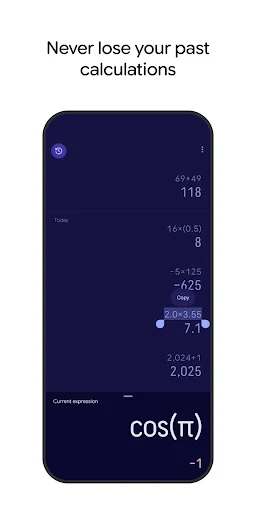
Analysis by Reviewed APKs
Calculator is Google's straightforward Android tool for everyday arithmetic, with scientific functions available when a problem calls for more than basic sums. I see it as a handy default for quick checks at home, at work, or while studying, rather than a specialist math environment. Its appeal is the simple premise: open it, work through a calculation, and move on without needing a separate device.
Quick math, right when needed
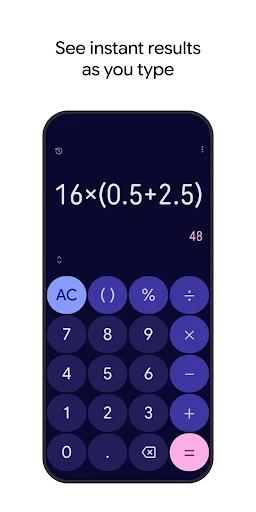
When I first opened Calculator, I thought about the small sums that interrupt an ordinary day: splitting a grocery total, checking a discount, or working out how many items fit within a set amount. Addition, subtraction, multiplication, and division cover those moments without much ceremony. I can bring up the app, enter the numbers, and get back to what I was doing instead of reaching for a physical calculator.
That simplicity also makes it useful when I am comparing a couple of options in the middle of another task. I might calculate a per-item cost or check whether a rough estimate is in the right range. These are not dramatic jobs, but they are frequent ones, and Calculator gives them a dedicated place. It feels best when I have a specific expression to enter and want a direct result.
A utility, not a math course
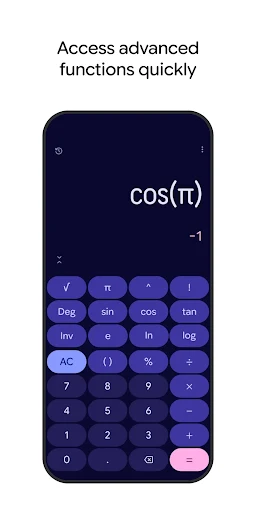
Compared with doing arithmetic in my head or grabbing a basic handheld calculator, this app puts both everyday operations and more advanced mathematical functions on my Android device. The scientific capabilities include trigonometric, logarithmic, and exponential functions, so it can stretch beyond the sums most people do while shopping or planning. I like that range in a general-purpose tool, especially when my needs change from one moment to the next.
Still, Calculator is a calculator, not a place to learn mathematics or manage a larger project. The available description focuses on entering basic and scientific calculations; it does not present the app as a lessons, notes, or spreadsheet tool. I would choose it for an expression I can work through directly, not as a substitute for an environment built around explaining concepts or organizing extensive work.
Keep calculations simple
A useful habit is to pause long enough to decide what I am trying to find before entering numbers. For a quick household estimate, I can turn the question into one basic operation and check the result on the spot. If a calculation calls for a scientific function, the app offers those operations too. Keeping the problem in view helps me use the right kind of calculation instead of tapping through numbers without a clear goal.
I also find it sensible to treat a displayed answer as a check on my arithmetic, not as a replacement for understanding the question. For example, when I am comparing prices, the result only helps if I have entered the quantities I actually mean to compare. That small bit of care makes a plain calculator more useful in everyday routines, whether I am doing a one-step sum or a more involved calculation.
More From Our News Desk

Zoom Meetings, Google Meet, or Teams: Which Is Easiest to Join?

How I Build a Free Streaming Lineup With Tubi

Why Crunchyroll Is the Default Anime App for So Many Fans

YouTube TV: A Practical Guide to Cutting Cable

Rummikub and the Small Comfort of Phone Games

TeamViewer Remote Control or AnyDesk for Helping Family?
Who will find it useful
I would recommend Calculator to anyone who wants a no-fuss arithmetic tool on an Android device. It suits people who regularly make quick estimates, students who need basic or scientific operations, and anyone who prefers to check a number rather than do every sum mentally. The mix of ordinary arithmetic and trigonometric, logarithmic, and exponential functions gives it room for a wider range of calculations without changing its basic purpose.
It may be less appealing to someone looking for a teaching tool, a way to organize long projects, or an app whose central feature is explaining each step. The material describes calculation functions rather than those broader workflows. If all I needed were occasional sums, this would still be suitable, but its scientific functions would matter less. People who need a specialized math environment should compare their requirements with the app's focused calculator role.
Calculator is a Tools app from Google LLC, and Google Play shows over one billion installs. It has a 4.3-star rating from about 797,000 ratings. The app is free to download, with no in-app purchases and no ads. Its content rating is Everyone, which fits a practical utility intended for general everyday calculations.
The app first appeared on March 30, 2016, and its latest listed update is September 16, 2026. Its version varies with the device, so there is no single version number to compare across Android phones. The minimum Android requirement is not included in the supplied app facts; for compatibility, I would check the Google Play entry for the device in question.
A closer look at everyday calculations
A straightforward first impression
My first impression is that Calculator has a narrow, understandable job: provide basic and advanced mathematical functions in an app. That makes the starting point easy to grasp. I do not need to think of it as a planner or a reference library; I open it when I have a calculation to make. For a utility I might use briefly and then leave, that focused identity is a practical advantage.
Getting started is mostly a matter of knowing what I want to calculate. Simple addition, subtraction, multiplication, and division are the everyday foundation, while scientific operations are there for more technical expressions. I appreciate that the description covers both without suggesting that every user needs to use the advanced side. A person who only needs routine arithmetic can keep the task simple.
The everyday calculation loop
In day-to-day use, I tend to think of Calculator as a quick stop between other activities. I might be making a rough household estimate, checking a total, or testing a number before committing to a choice. The app's basic operations match those short tasks. I enter the expression, look at the answer, and return to the original activity. The value is less about ceremony and more about having a dependable tool close at hand.
That same directness can feel limiting if I expect a calculator to manage the whole problem for me. The app can perform mathematical functions, but the user still has to decide which numbers and operations represent the question. I try to frame the calculation clearly before typing. It is a small discipline, but it helps avoid mistaking a correct answer to the wrong expression for a useful result.
Scientific functions included
The feature that broadens Calculator beyond basic arithmetic is its support for scientific operations. The listed functions include trigonometric, logarithmic, and exponential calculations. That means the app can serve someone whose needs occasionally move beyond addition or division, without requiring a separate calculator just for those kinds of operations. It is a meaningful extension of the core job, even if many everyday users may spend most of their time with simple sums.
I like the practical balance here: Calculator is still described as a general utility, but its function set is not limited to four familiar operations. I would consider the scientific side useful for calculations that call for those specific mathematical functions. At the same time, I would not assume it includes tools beyond the functions described. A focused feature set is easier to understand, as long as it matches the calculation at hand.
A routine for checking numbers
One routine I find useful is to keep the question short and concrete. If I am comparing two quantities, I first decide whether I need a sum, difference, product, or division, then use Calculator to check that piece. For a more technical problem, I can turn to its scientific operations where relevant. This approach keeps the app in its lane: it handles the math, while I remain responsible for choosing the inputs.
For repeated everyday checks, the main benefit is having a familiar place to do the arithmetic rather than switching between mental estimates and a separate device. I can use it in brief moments throughout a day, from planning a small purchase to checking a calculation connected to another task. The app does not need to become a daily project; it works well as a utility I open when a number deserves a second look.
Know its boundaries
The clearest limitation is also part of the appeal: Calculator is meant to calculate. The supplied feature information covers basic arithmetic and scientific functions, but it does not describe lessons, project organization, or other supporting workflows. If I need an app to explain a method or keep extensive work together, I would look for a tool designed around those needs rather than expect this one to expand into them.
There is also a practical compatibility detail to check before installing: the Android requirement depends on the device information available in Google Play. The version varies with the device as well, so a single version label is not a useful comparison for every user. Those details do not change the app's simple purpose, but checking the store entry is worthwhile if I am deciding whether it will work on a particular phone or tablet.
Calculator is a sensible everyday choice because it handles common arithmetic and also includes a useful set of scientific functions. I like its focused role: it is there for the moment a number needs checking, without asking me to build a larger workflow around it. The straightforward scope will suit many Android users.
I would recommend it to anyone who wants a general calculator for quick sums or occasional scientific operations. I would look elsewhere for instruction, project tracking, or other features beyond calculation. For its intended job, Calculator is an approachable tool that covers the basics and has extra range when needed.
Calculator Frequently Asked Questions
What is Calculator used for?
Calculator is an Android utility for mathematical calculations. It handles basic operations such as addition, subtraction, multiplication, and division, and also supports scientific functions including trigonometric, logarithmic, and exponential operations. I would use it for quick arithmetic as well as calculations that call for those specific scientific functions.
Which devices can run Calculator?
Calculator is an Android app. The supplied information does not give a minimum Android version, so compatibility depends on the device and is worth checking on the Google Play entry before installing. Its version varies with the device, rather than being represented by one version number that applies to every Android phone or tablet.
Does Calculator cost money?
Calculator is free to download on Google Play. The supplied facts say it has no in-app purchases and contains no ads. Store details can change over time, so I would check the current Google Play entry if I want to confirm the terms before installing.
Does Calculator include scientific functions?
Yes. Alongside addition, subtraction, multiplication, and division, Calculator supports trigonometric, logarithmic, and exponential functions. That makes it useful for some calculations beyond routine arithmetic. The listed capabilities do not make it a teaching tool, though; I would use it to perform calculations rather than expect it to explain a mathematical method.
Who should use Calculator?
I would suggest Calculator to Android users who want a direct tool for everyday sums and occasional scientific calculations. It is less suited to someone looking for lessons, detailed explanations, or project organization, since its described purpose is performing calculations. The app has an Everyone content rating, and its focused utility role should be easy to understand.
Pros
- Handles everyday arithmetic and includes scientific functions for more involved calculations.
- Free to download, with no in-app purchases or ads.
- A focused utility that is easy to reach for quick number checks.
- Available on Google Play with over one billion installs.
Cons
- The described feature set focuses on calculating rather than explaining mathematical steps.
- The Android version requirement is worth checking for a specific device.
- Its version varies by device, so comparisons may not be straightforward.
- Category
- Tools















