Base44: Build Apps with AI
- 1.97K
- 3.9
- Installs
- 500.00K
- Price
- Free

Screenshots
Analysis by Reviewed APKs
Base44: Build Apps with AI is a no-code app builder for turning a written idea into a working app, with AI helping generate its interface, data structure, and logic. I can see it suiting curious beginners, small teams, and people who want to test an idea without starting with code. Its biggest appeal is how much it aims to handle in one place; the trade-off is that a useful result still takes clear direction and refinement.
From idea to first draft
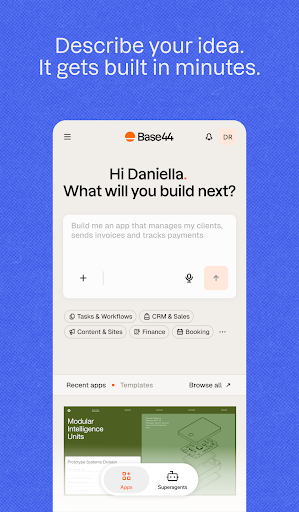
Imagine I have a simple idea for tracking requests from a neighborhood group. Instead of opening a blank coding project, I can describe the app in plain language and let Base44 generate a starting version. The description says it can build the frontend, backend, data models, and logic, so the first step is meant to be more than a mockup. That makes the app most interesting at the moment when an idea is still fuzzy.
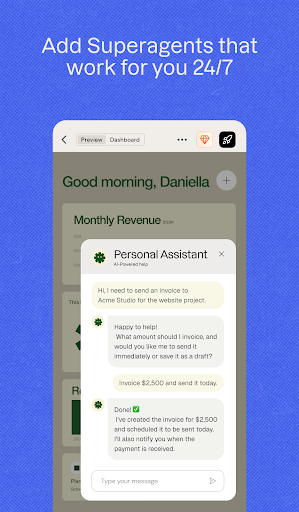
I would treat that first result as a draft, not a finished product. I can use Base44's AI chat to clarify what I want and refine the app, while Discuss Mode gives me a place to think through the idea before applying changes. That distinction is practical: I may need a little conversation to make the request specific enough. The promise is a quick start, but the useful work is shaping the result around real needs.
A builder, not a shortcut
Compared with a blank coding environment, Base44 puts natural-language prompting and AI assistance at the center. Compared with a simple design tool, it aims to produce working app logic and data handling too. It also includes publishing, account management, analytics, integrations, and workflows, so the appeal is breadth rather than one narrow design task. For a first-time builder, having those pieces under one roof may feel less intimidating than assembling them separately.
That does not make it the right tool for every project. It is for creating and managing apps, not simply organizing personal tasks or browsing a library of ready-made software. Nor does a plain-language prompt remove the need to decide what the app should do, check whether the result fits, and improve it. If I already have a precise technical workflow or want to write and control every line of code, an AI builder may not be my preferred route.
Build with a repeatable rhythm
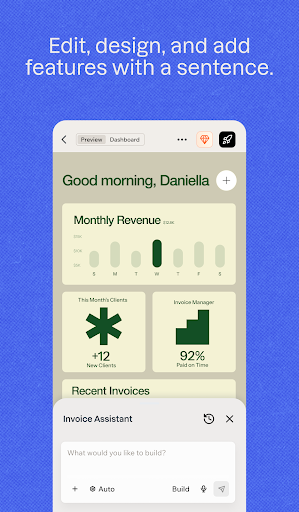
I would get more value by breaking a large idea into small requests. First, describe the main job the app should do; then refine its layout, data, and behavior in separate passes. Base44's styling tools cover colors, fonts, layouts, and reference images, which gives me concrete ways to guide the look. A short, focused round of changes is easier to judge than asking for an entire polished product in one go.
After the basic app is taking shape, I would make a habit of checking its access settings and activity in the dashboard. The description includes public or private access, teammate invitations, analytics, and user activity, so those tools can help me keep track as the project grows. I would also save integrations and automations for clear needs rather than adding them just because they are available. That keeps a small experiment understandable.
More From Our News Desk

Zoom Meetings, Google Meet, or Teams: Which Is Easiest to Join?

How I Build a Free Streaming Lineup With Tubi

Why Crunchyroll Is the Default Anime App for So Many Fans

YouTube TV: A Practical Guide to Cutting Cable

Rummikub and the Small Comfort of Phone Games

TeamViewer Remote Control or AnyDesk for Helping Family?
Who should give it a try
I would recommend Base44 to people who have an app idea but do not want coding to be the first obstacle. It may also suit a small team that wants to explore a concept, make a shareable version, and learn from activity. The combination of AI chat, one-click publishing, styling controls, templates, and a management dashboard gives a project several ways to move from a rough thought toward something others can try.
It may be less satisfying for someone who expects a hands-off, finished app from one sentence, or who prefers complete technical control over how every part is built. The description makes clear that the tool can generate and refine app components, but it does not remove the need to make decisions about the product. I would go in ready to explain, review, and adjust my idea rather than expecting the AI to read my mind.
Base44: Build Apps with AI is a productivity app from Base44 LTD. On Google Play it has over 500,000 installs and a 3.9-star rating from about 2,000 ratings. The app is free to download, contains no ads, and offers in-app purchases. Google Play shows in-app product prices ranging from $19.99 to $959.99 per item.
The content rating is Everyone. The version shown is 3.5.0, with a release date of January 7, 2026, and a last update date of October 22, 2026. Those dates and version details can change as the app is updated, so I would check Google Play for the current information before installing.
Turning prompts into practical app projects
A quick way in
The first impression Base44 aims for is a low-friction start: describe what I want in ordinary language and let the AI create a working foundation. That is a more approachable opening than being asked to configure infrastructure before I can test an idea. The description says the system handles app data, accounts and logins when needed, and the technical setup, leaving me to focus on what the product should do.
I would still put thought into the first prompt. A useful description should explain who the app is for and what a person needs to accomplish, not just name a broad category. If I am unsure, Discuss Mode is designed for brainstorming and clarifying before changes are applied. That gives the setup process a way to begin with questions and refinement rather than forcing me to pretend I already have a perfect specification.
The daily build loop
The core experience is an ongoing exchange: explain a goal, review what the AI produces, and ask for adjustments. Base44 says its chat assistant can select appropriate tools and suggest next steps, while separate chat modes let me fine-tune the app or discuss an idea first. That makes it feel less like a one-shot generator and more like a workspace where the product can evolve through successive instructions.
For day-to-day use, I would keep each change focused and make sure it solves a real problem. If a screen needs a different layout, I can work on the layout; if the app needs another behavior, I can describe that separately. The dashboard then gives me a place to manage the project, invite teammates, and review user activity. The workflow sounds approachable, though the quality of each iteration still depends on how clearly I communicate.
More than the interface
What stands out is the range around the app itself. Base44 describes generating the frontend, backend, data models, and logic, then managing data and optional accounts and logins. That is a broader promise than merely arranging screens. For someone exploring an app idea, bringing those building blocks together could reduce the number of separate setup decisions before the concept is ready to share.
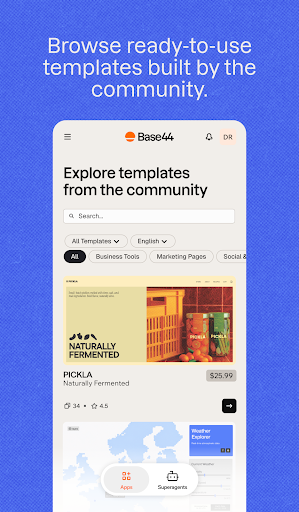
The design and collaboration options add useful control without changing the central prompt-based approach. I can shape colors, fonts, and layouts, use reference images, invite teammates, and choose whether an app is public or private. There are also community templates to customize, and the description says users can publish or sell their own templates. These options give a project more than one starting point, whether I want a blank idea or a head start.
A sensible project routine
For a practical routine, I would start with one small problem and build only the pieces needed to test it. Once the first version exists, I could refine its appearance, check access, and share it through the one-click publishing flow. Base44 says published apps are ready to share, which makes it easier to put a concept in front of a community or customers without managing deployment pipelines.
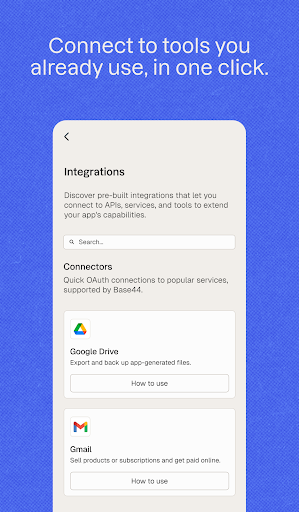
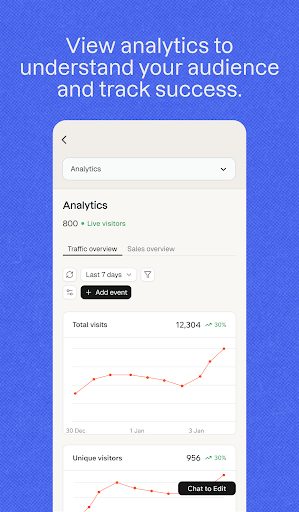
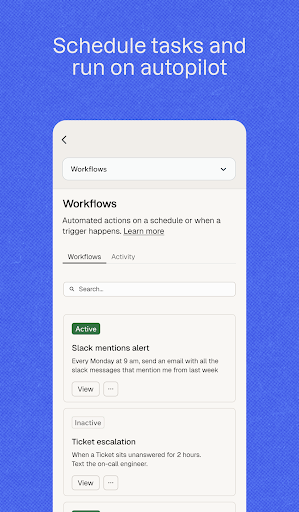
If people begin using the app, I would turn to the dashboard's analytics and user activity tools to see what deserves attention. Integrations with tools such as Google Workspace and Slack, plus scheduled or data-triggered automations, could come later when the project has a clear reason for them. This order matters: first make the core idea understandable, then add connections and background actions that support it.
Keep expectations grounded
The main limitation is that a fast generated starting point is not the same thing as a fully considered product. I would expect to spend time describing what I mean, checking the generated result, and refining it. The app's own emphasis on chat, Discuss Mode, styling, and suggested next steps points to an iterative process. That is a strength for experimentation, but it may frustrate anyone expecting a perfect outcome without follow-up.
The other practical consideration is cost beyond the free download. Base44 offers in-app purchases, and the price range on Google Play is broad, from $19.99 to $959.99 per item. I would check the store details and think about what level of use a project actually needs before committing. A beginner testing one modest idea may approach the app differently from a team building a larger workflow.
Base44: Build Apps with AI is an ambitious app-building workspace that tries to take a person from plain-language idea to a shareable product, with refinement and management tools along the way. I like the emphasis on iteration and the fact that the description covers more than visual design. It makes the most sense as a way to explore and develop an idea, not as a promise that no decisions or adjustments will be needed.
I would try it if I wanted to prototype an app without beginning in code and was comfortable guiding an AI through several rounds of changes. Its templates, chat, dashboard, and publishing flow make that process sound approachable. If I needed fine-grained technical control or wanted a finished app from a single prompt, I would temper my expectations before starting.
Base44 Frequently Asked Questions
What is Base44: Build Apps with AI used for?
Base44 is an AI-powered app builder. You describe an app in plain language, and it can generate app components including the frontend, backend, data models, and logic. It also offers tools for refining an app, styling it, managing access and activity, connecting integrations, and publishing it for sharing.
What devices and platforms support Base44?
Base44: Build Apps with AI is available as an Android app on Google Play. The description discusses building and publishing apps, but device and platform support for the apps you create can depend on the project. Check the Google Play details and Base44's in-app information for current compatibility.
What Android version does Base44 require?
The Android version requirement can vary as the app is updated, so check the current Google Play information on your device before installing. The store details also provide the most current compatibility information for your particular Android phone or tablet.
Is Base44 free, and does it have purchases?
Base44 is free to download and contains no ads, but it offers in-app purchases. Google Play shows items priced from $19.99 to $959.99 each. Prices and available purchase options may change, so check the current store details before deciding whether the app fits your project and budget.
Is Base44 suitable for beginners?
It may suit beginners because app creation starts with plain-language instructions and does not require writing code, according to the description. Still, you should expect to clarify your idea and refine the generated result. It may be less suitable if you want complete technical control or expect a finished app from one prompt.
Pros
- Plain-language prompting offers an approachable starting point for people new to app building.
- The feature set spans app generation, styling, publishing, analytics, integrations, and automations.
- Discuss Mode supports brainstorming before making changes to an app.
- Community templates give projects another way to get started.
Cons
- Generated apps still need clear direction and iterative refinement to match a specific idea.
- In-app purchase prices span a wide range, so costs deserve a close look.
- The broad feature set may feel like more than needed for a very small experiment.
- Category
- Productivity
- Version
- 3.5.0











